


What is IFTTT?
 If you’re not familiar with IFTTT, let me just say, you’re probably going to love it! It’s a very useful tool which has hundreds, if not more of different automation “recipes” for all kinds of tools, smartphones, home appliances and much, much more. It works similarly to marketing automation: basically, the ‘trigger’ is determined, and then there will be an automatic action to be taken once the trigger happens.
There’s everything from automatically posting Instagram images to your Facebook Page, to making sure your garage door opens when your car is in the driveway. It’s usually little automations – but, although they’re not that complex, they can still help you be more productive and efficient in your day-to-day life, personal and professional.
Read on for the 20 best IFTTT recipes that will improve your productivity:
[clickToTweet tweet="The 20 best @IFTTT recipes that will help improve your #productivity via @lilachbullock" quote="The 20 best @IFTTT recipes that will help improve your #productivity via @lilachbullock"]
If you’re not familiar with IFTTT, let me just say, you’re probably going to love it! It’s a very useful tool which has hundreds, if not more of different automation “recipes” for all kinds of tools, smartphones, home appliances and much, much more. It works similarly to marketing automation: basically, the ‘trigger’ is determined, and then there will be an automatic action to be taken once the trigger happens.
There’s everything from automatically posting Instagram images to your Facebook Page, to making sure your garage door opens when your car is in the driveway. It’s usually little automations – but, although they’re not that complex, they can still help you be more productive and efficient in your day-to-day life, personal and professional.
Read on for the 20 best IFTTT recipes that will improve your productivity:
[clickToTweet tweet="The 20 best @IFTTT recipes that will help improve your #productivity via @lilachbullock" quote="The 20 best @IFTTT recipes that will help improve your #productivity via @lilachbullock"]
Post your WordPress blogs automatically
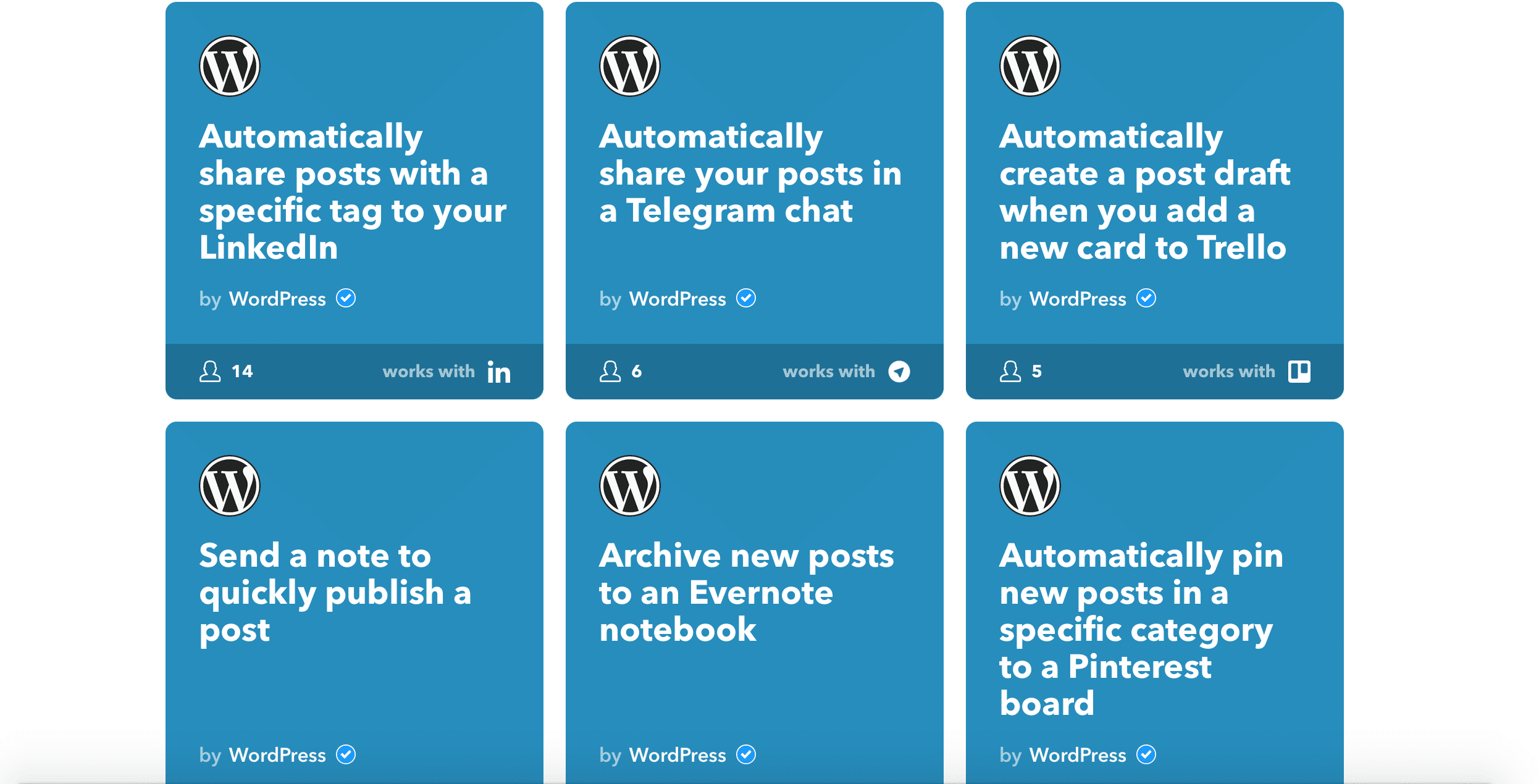 1 Share all of your latest WordPress blog posts automatically to Facebook, Twitter and LinkedIn – get it here.
2 Do you have a Tumblr account, as well as WordPress? If you want to cross-post from WordPress to Tumblr, automatically, use this applet.
3 If you’re using Pinterest and want to promote your blog posts there, you can set it up so your latest blog posts are shared automatically, with the link, picture and headline – get the applet here.
4 Want to back up your WordPress blog posts automatically? With this applet, all of your latest blog posts will be added as a new document to your Google Drive account. It will also make sure the posts’ link is saved, as well as the date it was published. Or, if you prefer Dropbox, you can use this applet. Very useful tools for making sure everything you published is backed up.
5 If you want to keep better track of your blogging activity, easily, there are a few applets that you can get: get an applet that automatically adds your latest posts to a spreadsheet, complete with the published date, the posts’ title and the blog category, or, if you want to automatically add your new published posts as an entry in your calendar, use this recipe.
[clickToTweet tweet="The best #WordPress @IFTTT recipes via @lilachbullock" quote="The best #WordPress @IFTTT recipes via @lilachbullock"]
1 Share all of your latest WordPress blog posts automatically to Facebook, Twitter and LinkedIn – get it here.
2 Do you have a Tumblr account, as well as WordPress? If you want to cross-post from WordPress to Tumblr, automatically, use this applet.
3 If you’re using Pinterest and want to promote your blog posts there, you can set it up so your latest blog posts are shared automatically, with the link, picture and headline – get the applet here.
4 Want to back up your WordPress blog posts automatically? With this applet, all of your latest blog posts will be added as a new document to your Google Drive account. It will also make sure the posts’ link is saved, as well as the date it was published. Or, if you prefer Dropbox, you can use this applet. Very useful tools for making sure everything you published is backed up.
5 If you want to keep better track of your blogging activity, easily, there are a few applets that you can get: get an applet that automatically adds your latest posts to a spreadsheet, complete with the published date, the posts’ title and the blog category, or, if you want to automatically add your new published posts as an entry in your calendar, use this recipe.
[clickToTweet tweet="The best #WordPress @IFTTT recipes via @lilachbullock" quote="The best #WordPress @IFTTT recipes via @lilachbullock"]
Calendar & Scheduling recipes
 1 Do you have an Android phone? With IFTTT, you can automatically mute your Android phone when it’s your usual time to go to bed, or, you can also mute your phone whenever you’re about to go in a meeting, based on the meetings from your Google Calendar. When it’s time to get up for work, your Android phone can be automatically un-muted with this applet.
2 Are you using Todoist to keep track of tasks? You can link your Todoist account to your Google Calendar, so that whenever you add a new task, it will automatically be added as an event to your Calendar – get it here.
3 Are you out and about a lot? If you want to keep better track of your meeting and how much time you spend there, you can use this applet to see exactly how much time you spend at different locations.
4 If you’re like me and constantly getting new emails, you need all of the help you can get; with this recipe, you can make sure you don’t forget to reply to any important emails. Once you star an email, you will automatically schedule a reminder in your Google Calendar for the next day.
5 Are you using Trello for task management? If you have any recurring tasks in your list, you can use this applet to automatically create Trello cards for whatever time you want.
[clickToTweet tweet="The best calendars & scheduling @IFTTT recipes via @lilachbullock" quote="The best calendars & scheduling @IFTTT recipes via @lilachbullock"]
1 Do you have an Android phone? With IFTTT, you can automatically mute your Android phone when it’s your usual time to go to bed, or, you can also mute your phone whenever you’re about to go in a meeting, based on the meetings from your Google Calendar. When it’s time to get up for work, your Android phone can be automatically un-muted with this applet.
2 Are you using Todoist to keep track of tasks? You can link your Todoist account to your Google Calendar, so that whenever you add a new task, it will automatically be added as an event to your Calendar – get it here.
3 Are you out and about a lot? If you want to keep better track of your meeting and how much time you spend there, you can use this applet to see exactly how much time you spend at different locations.
4 If you’re like me and constantly getting new emails, you need all of the help you can get; with this recipe, you can make sure you don’t forget to reply to any important emails. Once you star an email, you will automatically schedule a reminder in your Google Calendar for the next day.
5 Are you using Trello for task management? If you have any recurring tasks in your list, you can use this applet to automatically create Trello cards for whatever time you want.
[clickToTweet tweet="The best calendars & scheduling @IFTTT recipes via @lilachbullock" quote="The best calendars & scheduling @IFTTT recipes via @lilachbullock"]
Useful business tools
 1 Do you network a lot or get a lot of business cards? You can use a few different recipes to save and back up your business cards; for example, you can automatically add new business cards to your Evernote account with this applet, or to your Google Calendar with this recipe, or, if you want, send it directly to your email.
2 Are you using Mailchimp for your email marketing? There are a few different recipes that you can get to make your life easier: back up your subscribers to a Google Spreadsheet with this recipe, use this to create events in your Google Calendar whenever a new campaign is starting and try this applet to automatically save any new contacts from a specific Google Contacts group to your MailChimp subscriber database.
3 If you’re a SalesForce user, you can make sure you don’t forget to follow up with a new lead, by using this applet to notify you.
4 With this useful little recipe, you can easily label your emails as business receipts and have them automatically forwarded to Wave Accounting.
5 Do you have issues with your Internet provider quite often? I bet I know the answer to that…what’s the solution, though? Show them how badly your Internet is performing by using this applet that tracks all of your Internet downtime.
[clickToTweet tweet="The best business @IFTTT recipes to improve #productivity via @lilachbullock" quote="The best business @IFTTT recipes to improve #productivity via @lilachbullock"]
1 Do you network a lot or get a lot of business cards? You can use a few different recipes to save and back up your business cards; for example, you can automatically add new business cards to your Evernote account with this applet, or to your Google Calendar with this recipe, or, if you want, send it directly to your email.
2 Are you using Mailchimp for your email marketing? There are a few different recipes that you can get to make your life easier: back up your subscribers to a Google Spreadsheet with this recipe, use this to create events in your Google Calendar whenever a new campaign is starting and try this applet to automatically save any new contacts from a specific Google Contacts group to your MailChimp subscriber database.
3 If you’re a SalesForce user, you can make sure you don’t forget to follow up with a new lead, by using this applet to notify you.
4 With this useful little recipe, you can easily label your emails as business receipts and have them automatically forwarded to Wave Accounting.
5 Do you have issues with your Internet provider quite often? I bet I know the answer to that…what’s the solution, though? Show them how badly your Internet is performing by using this applet that tracks all of your Internet downtime.
[clickToTweet tweet="The best business @IFTTT recipes to improve #productivity via @lilachbullock" quote="The best business @IFTTT recipes to improve #productivity via @lilachbullock"]
Productivity applets
 1 Skype and email – the 2 most essential elements of my work days, finally together:) With this applet, you can make sure you don’t miss any high priority emails from your Office 365 Mail inbox, by getting notifications on your Skype.
2 You can also connect your Skype account with your Google Calendar – use this recipe to get reminders of your upcoming events directly on Skype, 15 minutes before the event starts; very useful if you’re like me and take part in webinars, Twitter Chats and the like.
3 If you use Trello for managing your tasks, you can also make sure to log them all in your Google Drive with this recipe – pick the board and the Done list and as soon as you move a card there it will be logged into your Drive account.
4 RescueTime is an awesome tool for keeping track of your time; and with IFTTT, you can now get even more out of it. For example, you can eliminate distractions by automatically muting your phone when you start a new FocusTime session. If you’re having a particularly long and gruelling day, you can even automatically post a rant about it on Facebook with this applet 🙂
5 Are you using Evernote? There are quite a few cool recipes that you can use to boost productivity, such as automatically saving your iOS reminders to an Evernote checklist with this applet, or automatically saving your receipts to Evernote, so that you can easily organise them – get the recipe here.
[clickToTweet tweet="The best @IFTTT #productivity applets via @lilachbullock" quote="The best @IFTTT #productivity applets via @lilachbullock"]
1 Skype and email – the 2 most essential elements of my work days, finally together:) With this applet, you can make sure you don’t miss any high priority emails from your Office 365 Mail inbox, by getting notifications on your Skype.
2 You can also connect your Skype account with your Google Calendar – use this recipe to get reminders of your upcoming events directly on Skype, 15 minutes before the event starts; very useful if you’re like me and take part in webinars, Twitter Chats and the like.
3 If you use Trello for managing your tasks, you can also make sure to log them all in your Google Drive with this recipe – pick the board and the Done list and as soon as you move a card there it will be logged into your Drive account.
4 RescueTime is an awesome tool for keeping track of your time; and with IFTTT, you can now get even more out of it. For example, you can eliminate distractions by automatically muting your phone when you start a new FocusTime session. If you’re having a particularly long and gruelling day, you can even automatically post a rant about it on Facebook with this applet 🙂
5 Are you using Evernote? There are quite a few cool recipes that you can use to boost productivity, such as automatically saving your iOS reminders to an Evernote checklist with this applet, or automatically saving your receipts to Evernote, so that you can easily organise them – get the recipe here.
[clickToTweet tweet="The best @IFTTT #productivity applets via @lilachbullock" quote="The best @IFTTT #productivity applets via @lilachbullock"]
If you write on this topic, see Food Write For Us: Guest Post Guidelines.
Frequently asked questions
Is IFTTT free to use for small businesses?
IFTTT offers a free plan that gives you access to a limited number of applets, which is plenty to get started with basic automations like saving emails to a spreadsheet or cross-posting social media content. For small businesses wanting more applets running simultaneously, the Pro plan costs a few pounds per month and is worth considering once you have identified which automations really save you time. Start on the free tier and only upgrade when you hit its limits.
What is the best IFTTT recipe for a small business owner just starting out?
The most immediately useful recipe for most small business owners is connecting new RSS blog posts to auto-post on Twitter or LinkedIn, so your content keeps circulating without you having to remember to share it manually. Another strong starter is automatically saving any email attachments to Google Drive or Dropbox, which keeps your files organised without any extra effort. Pick one recipe that solves a daily frustration and build from there.
How do I choose which IFTTT recipes are right for my business?
Write down five repetitive tasks you do every single day, such as logging social media mentions, sending reminder emails, or saving leads to a spreadsheet, and then search IFTTT to see whether an applet already exists for each one. Focus on tasks you do at least three times a week, because those will give you the biggest time saving. Avoid setting up dozens of applets at once as they can conflict with each other and become difficult to manage.
Want AI doing the heavy lifting in your marketing?
I build the systems that handle the boring 80 percent, so you get your week back. Done properly, with the human kept in.
What are the most common mistakes small businesses make when using IFTTT?
The biggest mistake is setting up automations and then forgetting to check whether they are really running correctly, because broken applets can mean missed leads or social posts that never go out. Another common error is automating customer-facing communications too heavily without reviewing the output, which can make your brand sound impersonal or post the wrong content at the wrong time. Check your active applets once a week until you are confident they are working as intended.
Conclusion
So, there we go – my 20 favourite IFTTT recipes! I’m sure there are lots of other amazing recipes that I haven’t found yet – so if you have any tips for great IFTTT applets, do let me know in your comments. I’m always up for new ways of making my life easier! And please share if you enjoyed the post:)Related: how to make money on Instagram with 1k followers


