- What are the main features of X (Twitter)?
- 10 Twitter features that you should be using now
- 1. Native GIF search
- 2. Pin your top tweets
- 3. Create a Twitter Moment
- 5. Use Twitter Highlights to keep track of followers & Conversations
- 6. Create photo collages
- 7. Verify your Twitter account
- 8. Twitter lists
- 9. Use Twitter chats
- 10. Twitter Promote Mode: always-on subscription-based advertising
- Conclusion: what are your favorite Twitter features?
- X (Twitter) features FAQ
- Twitter Advanced Search: finding the conversations that matter
- Twitter Analytics: working out what your audience wants
- Twitter Spaces: hosting live audio conversations with customers
- Twitter Communities: building a smaller, loyal audience
- FAQ
- Frequently asked questions
The main features of X (formerly Twitter) are: posts up to 280 characters (longer with Premium), replies and threads, reposts and quotes, direct messages, Lists and Communities, and Spaces for live audio. Beyond the basics, ten features most people under-use include native GIF search, pinned tweets, Twitter Moments, Highlights, photo collages, account verification, Lists, and Twitter chats.
| Feature | What it does |
|---|---|
| Posts | Share text up to 280 characters, or much longer with a Premium subscription. |
| Replies and threads | Hold public conversations and chain several posts together. |
| Reposts and quotes | Reshare a post as-is, or add your own comment on top. |
| Direct Messages | Private one-to-one and group chats. |
| Lists and Communities | Organise the accounts you follow and join topic-based groups. |
| Spaces | Live audio rooms for real-time conversation. |
Twitter is now X, and a lot has changed since the rebrand, but the core features marketers and creators rely on are still very much in use, with several powerful additions in 2026. Whether you are growing an audience, listening to your industry, or running customer support, X (Twitter) offers features that most users still ignore. This guide breaks down 10 X features worth using in 2026: Communities, Spaces, advanced search, lists, scheduled posts, Premium features like Articles, X Pro for power users, and more.
Are you making full use of Twitter’s features to help grow your business on social media? Although you might know Twitter and use it on a daily basis, you might be surprised at the amounts of features that you’re not making use of – and when you’re marketing a business on social media, you need all of the help you can get. In this blog post, I’m going to share the 10 top Twitter features that you should be using right now. Experts from Diversido advise not to forget about such mast have features.What are the main features of X (Twitter)?
X, formerly Twitter, is built around short public posts and real-time conversation. The main features most people use in 2026 are:
- Posts (tweets): share text up to 280 characters, or much longer with a Premium subscription, plus photos, video and links.
- Replies and threads: hold public conversations and chain several posts together into a thread.
- Reposts and quotes: reshare a post as-is, or add your own comment on top.
- Direct Messages: private one-to-one and group chats.
- Lists and Communities: organise the accounts you follow and join topic-based groups.
- Spaces: live audio rooms for real-time conversation.
- Trends and hashtags: find what is popular and follow topics as they happen.
- Bookmarks: save posts privately to read later.
- Verification and Premium: the blue checkmark, longer posts, an edit button and reduced ads.
- Analytics: see impressions and engagement on your own posts.
The rest of this guide covers the features marketers and creators get the most value from, in detail.
10 Twitter features that you should be using now
- Native GIF Search
- Pin your top tips
- Create a Twitter Moment
- Customize your notifications
- Use Twitter Highlights
- Create photo collages
- Verify your Twitter account
- Use Twitter lists
- Use Twitter cards
- Use Twitter Promote Mode to advertise
1. Native GIF search
GIFs are very popular on social media and they’re a great way to get your to laugh – and even better, to get them to engage with you more. Since Twitter has introduced a native GIF search, you can now easily find good GIFS in seconds, without having to leave the Twitter website to find them elsewhere. To find and add a GIF to your tweet, go to ‘compose tweet’ and click on where it says “GIF”: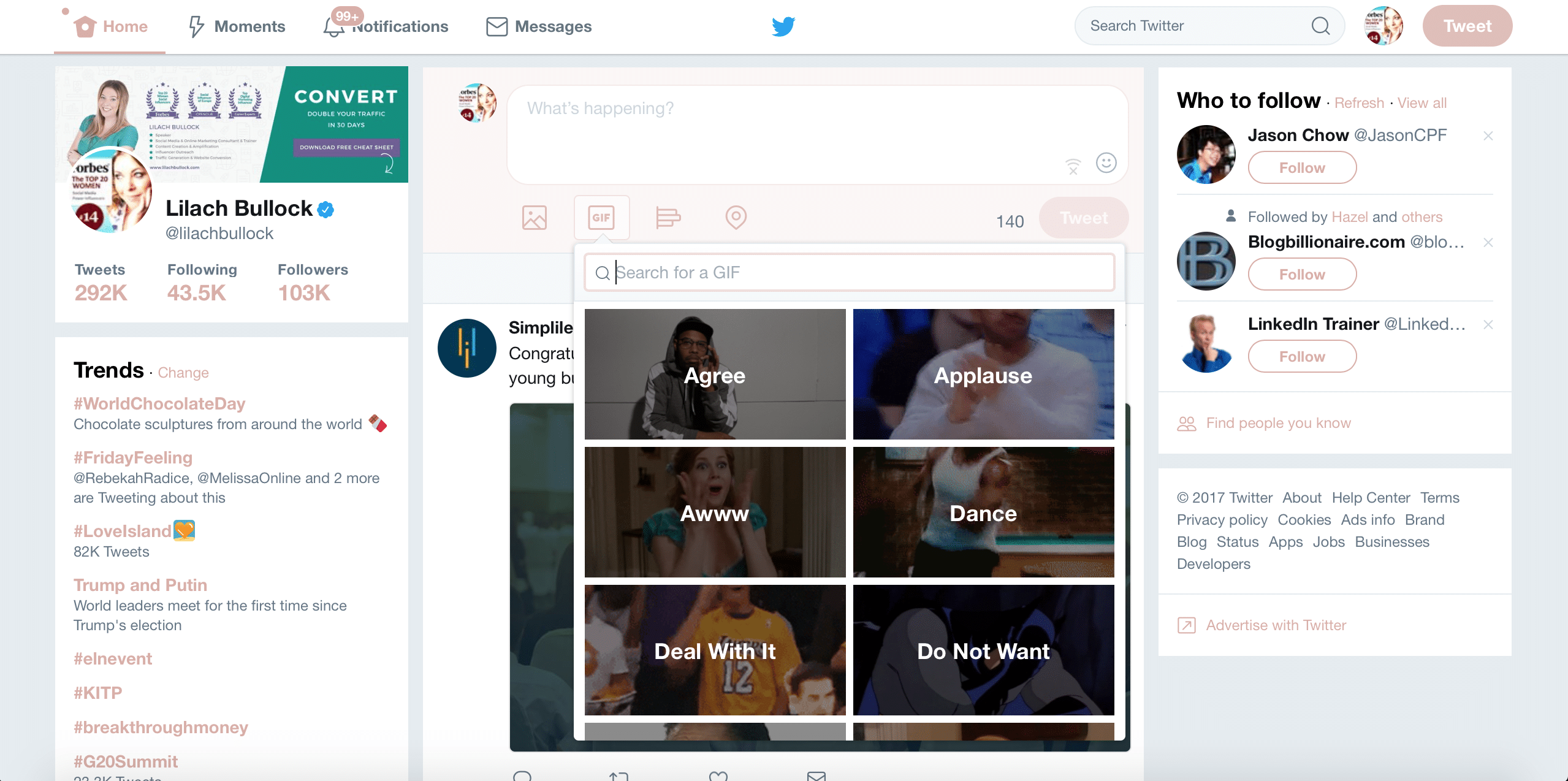
2. Pin your top tweets
If you want to attract more attention to a particular tweet, you can do it easily by pin any tweet to the top of your profile. This way, whenever someone visits your Twitter Page, they will be able to see your pinned tweet first – which means you’re more likely to reach more people with it and get more engagement, including likes and clicks. Use the opportunity to promote your best blog posts, your business, your latest products or services and so on – basically, anything that you’re promoting at the moment. To pin a tweet, simply click on the “more” sign at the right of your Twitter handle: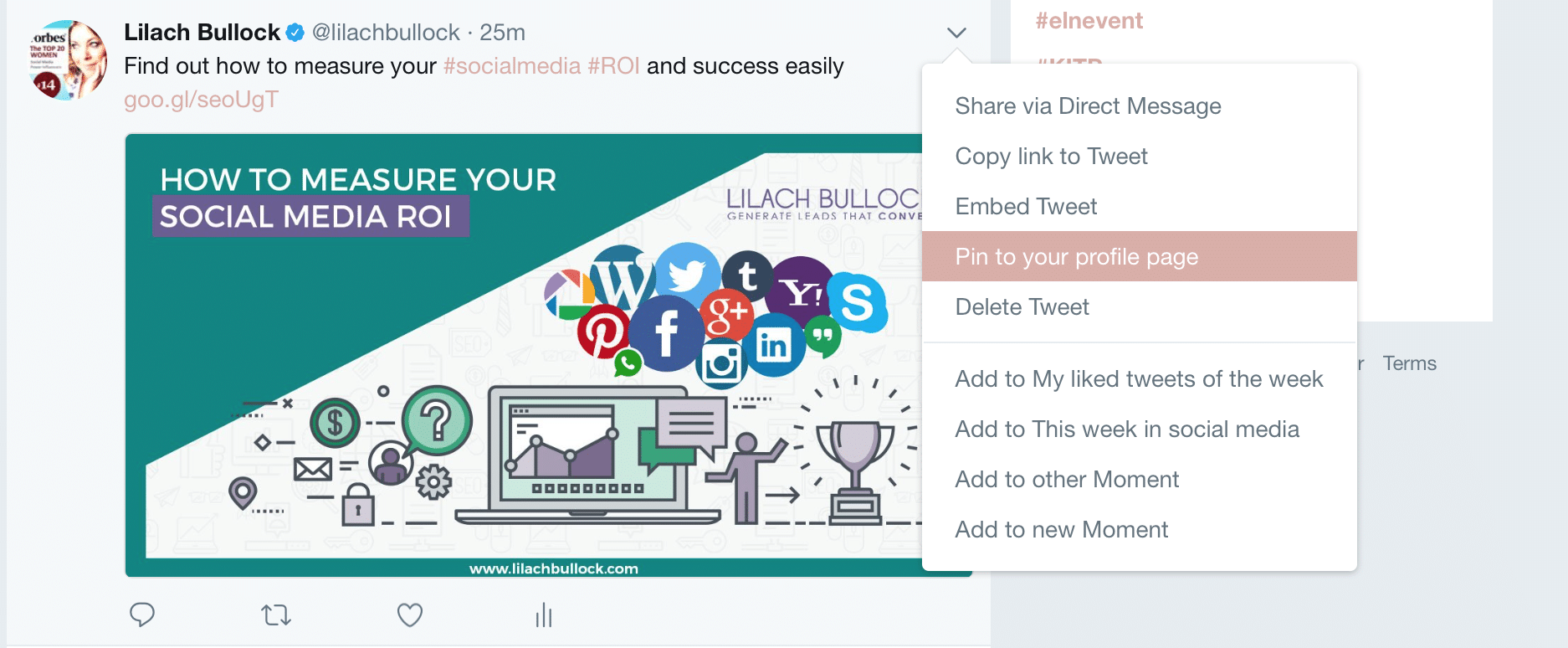
3. Create a Twitter Moment
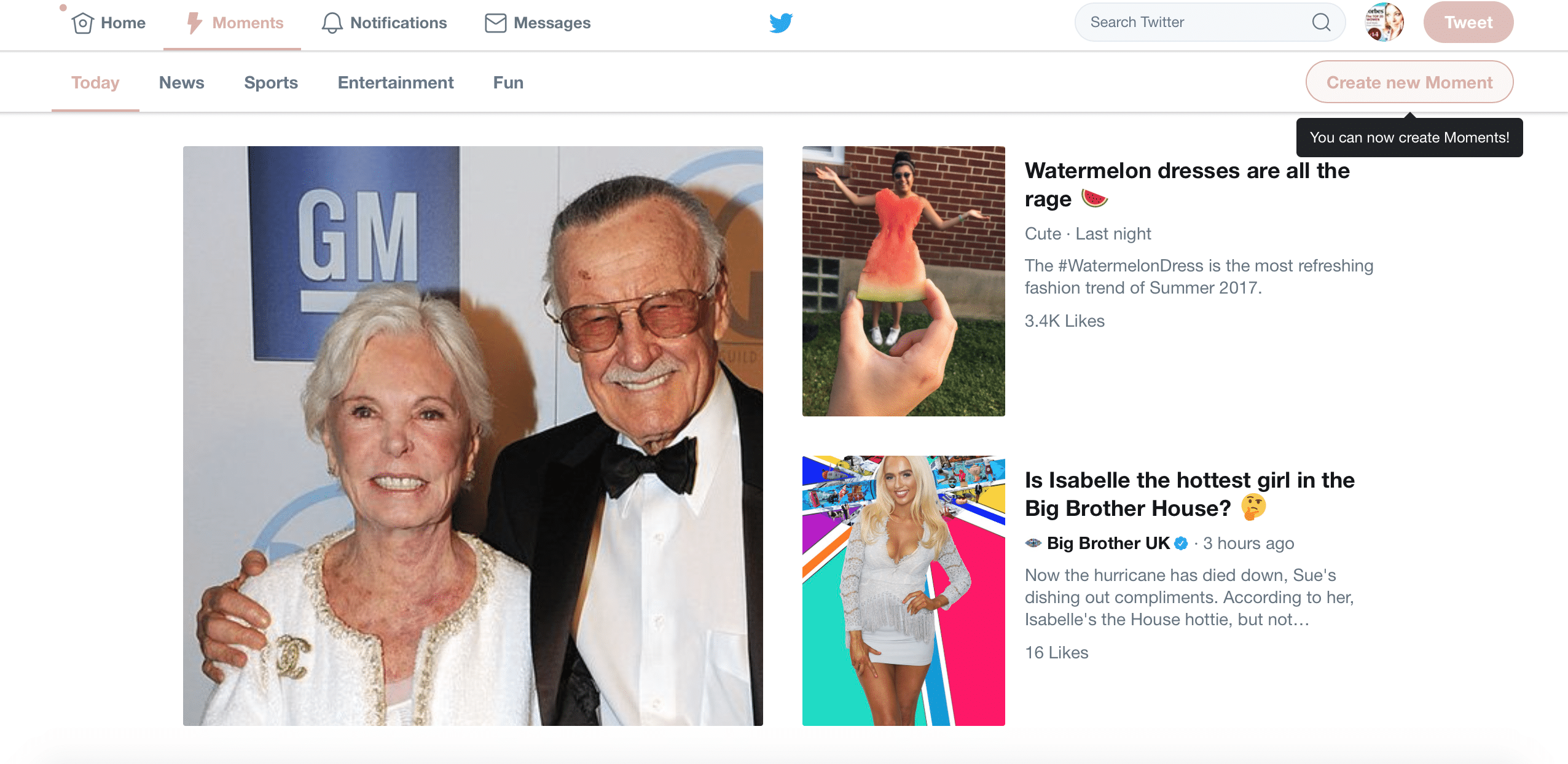
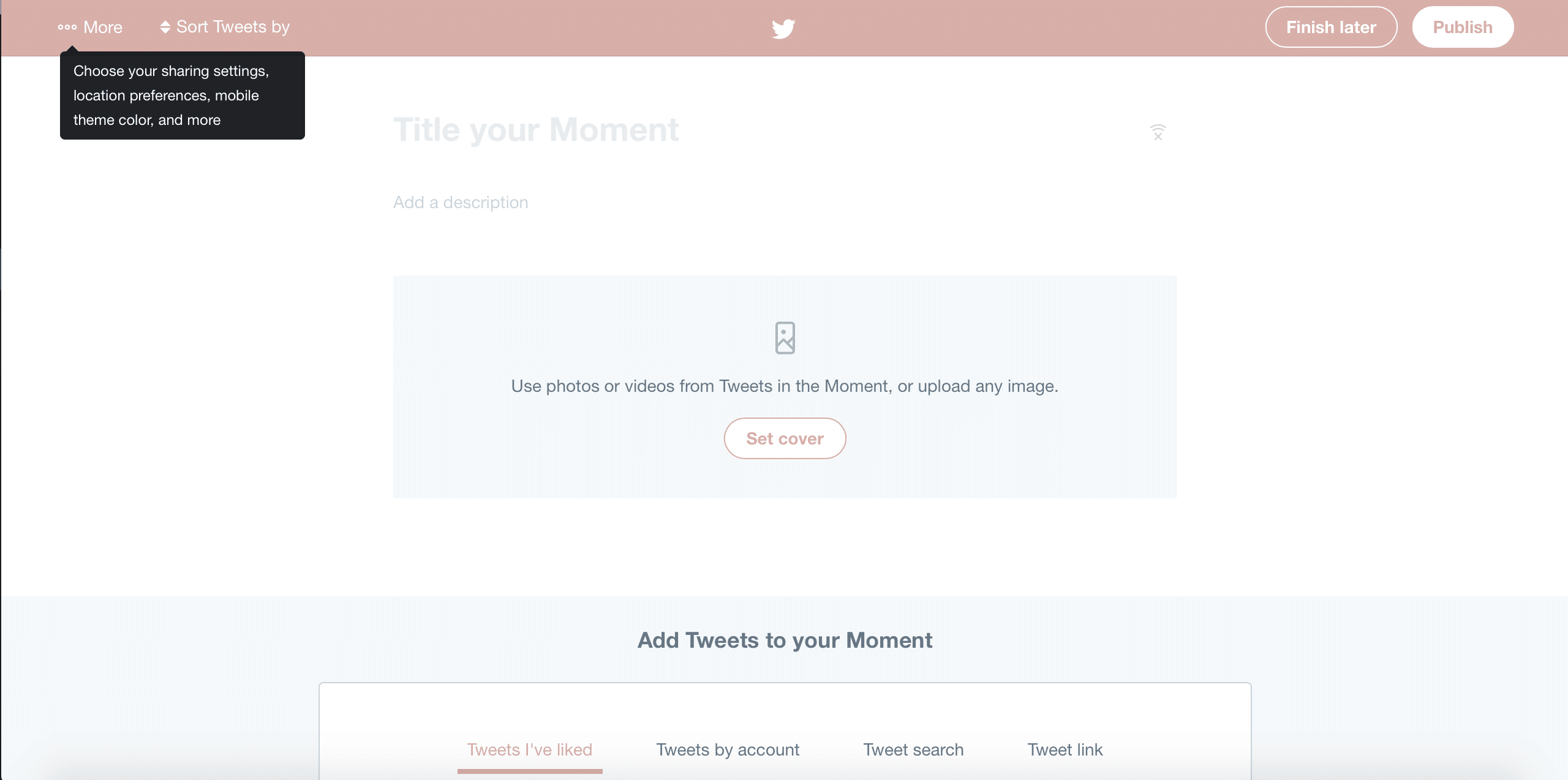
Creating a Twitter Moment can help you stand out and generate some more engagement on your Twitter profile. If you want the full method, here is how to use Twitter Moments in your social media marketing. Twitter Moments are basically curated stories which put together the best tweets and media on a certain subject – for example, a collection of the best watermelon dresses being shared: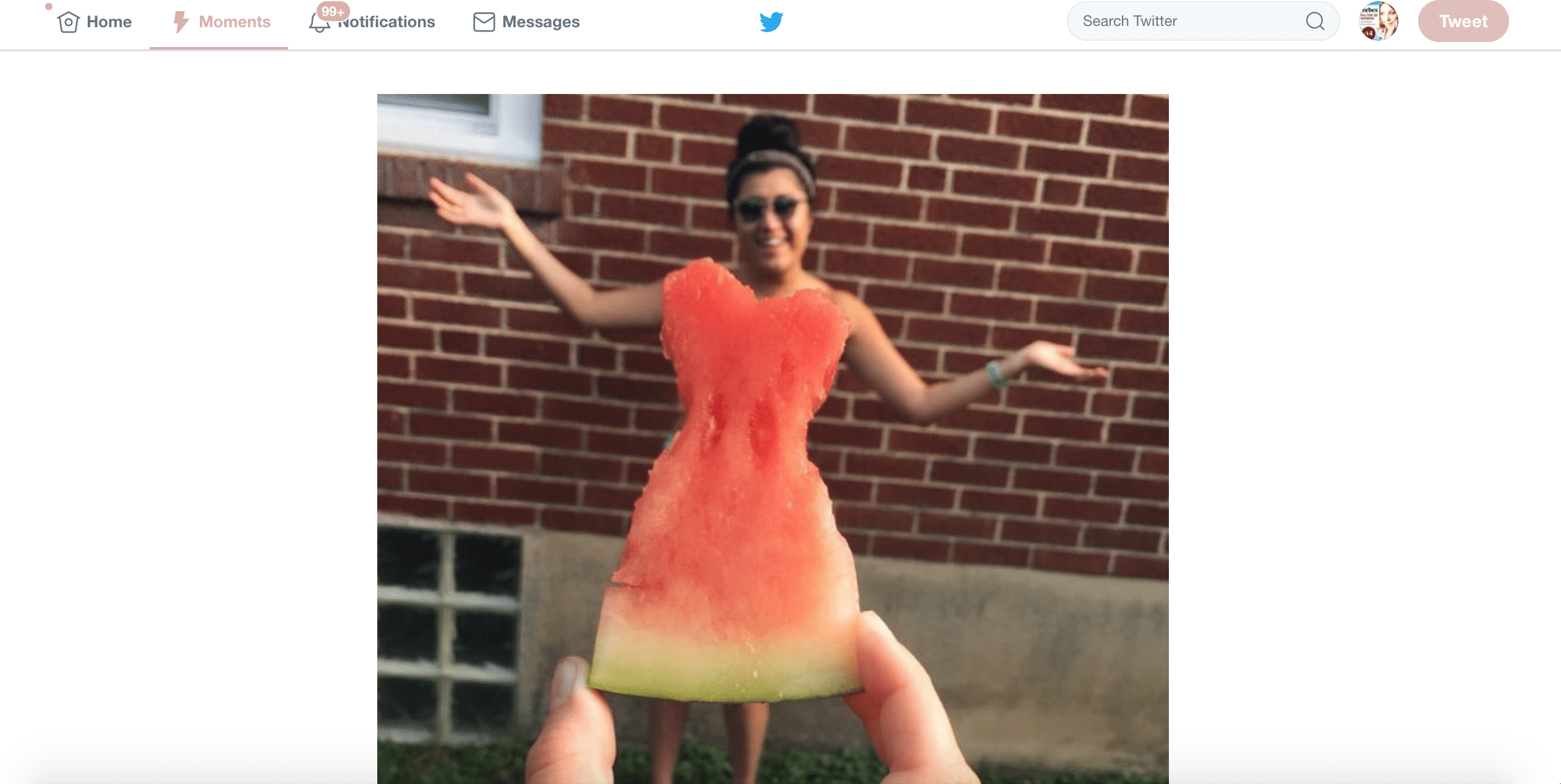
4. Customize your notifications with advanced settings
If you’re using Twitter for business, then you need to keep on track of your most pressing notifications. Otherwise, you could be losing important opportunities to engage with your leads, buy Twitter followers can help you gain more reach. To access your notifications, click on your profile photo next to ‘search Twitter’ and then click on ‘settings and privacy’. Then, click on ‘Notifications’: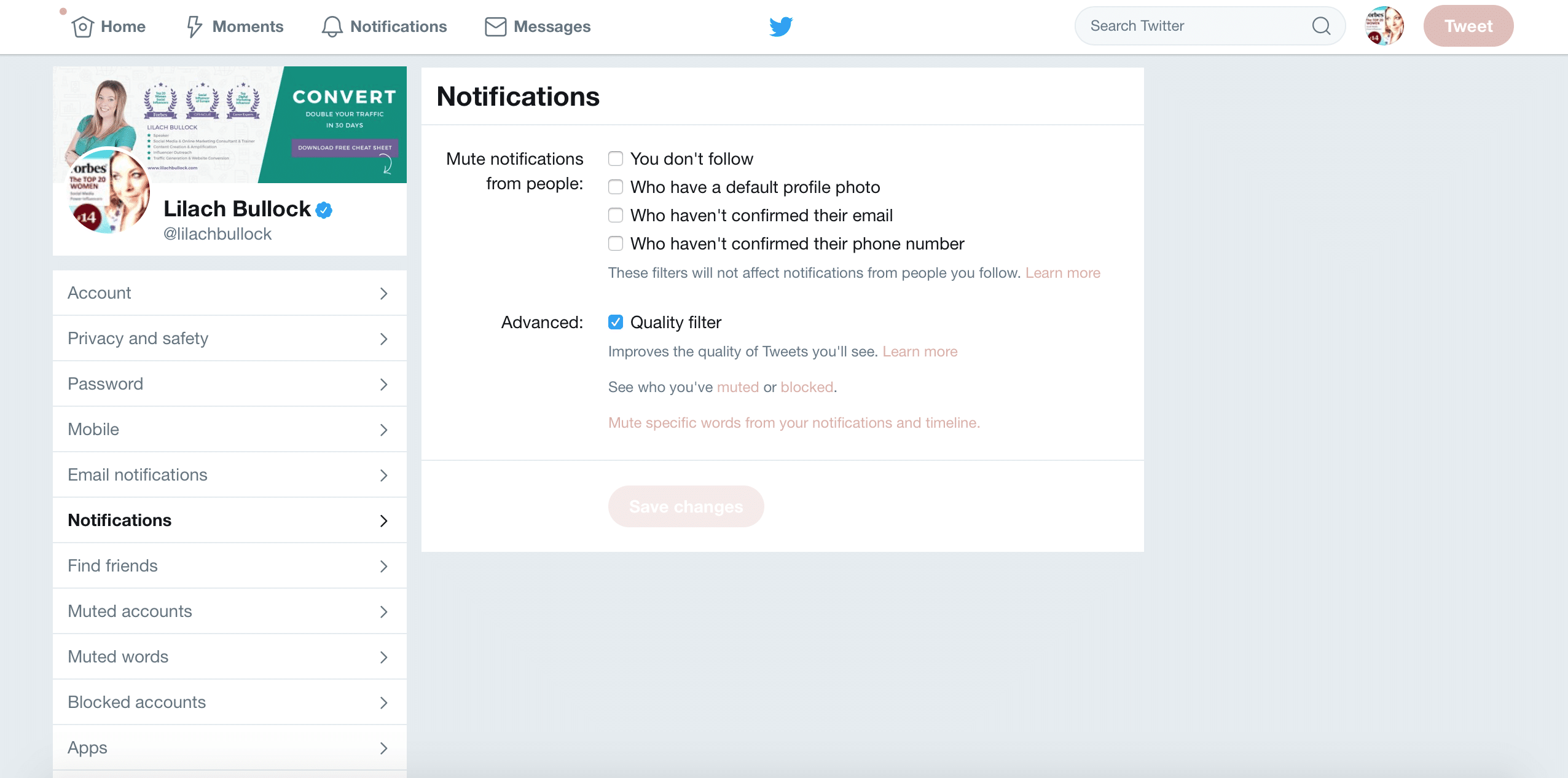
5. Use Twitter Highlights to keep track of followers & Conversations
On Twitter, you need to be as informed as possible on all the latest trends, conversations and what your followers are up to. An easy way to do this is to use Twitter Highlights, which is a feature that is available for Twitter for iOS and Android. To set the Highlights feature on your mobile device, go to your Settings, Clicks on Notifications and then Push Notifications and you’ll be able to turn your Highlights on. Once they’re set, you’ll get regular highlights of the day, such as:- Conversations the people you follow are having
- Trends, news and other topics, personalized to your account
- Popular tweets from your followers and the people you follow
6. Create photo collages
Photos are very popular on social media, and Twitter is no different. But, did you know that you can add more than one picture in a tweet and create a collage? Doing so is very easy – simply start tweeting as you normally do, add a text update if relevant, and then start adding an image as usual, by clicking on the “add image” button. Once you’ve added the first one, click again to add more: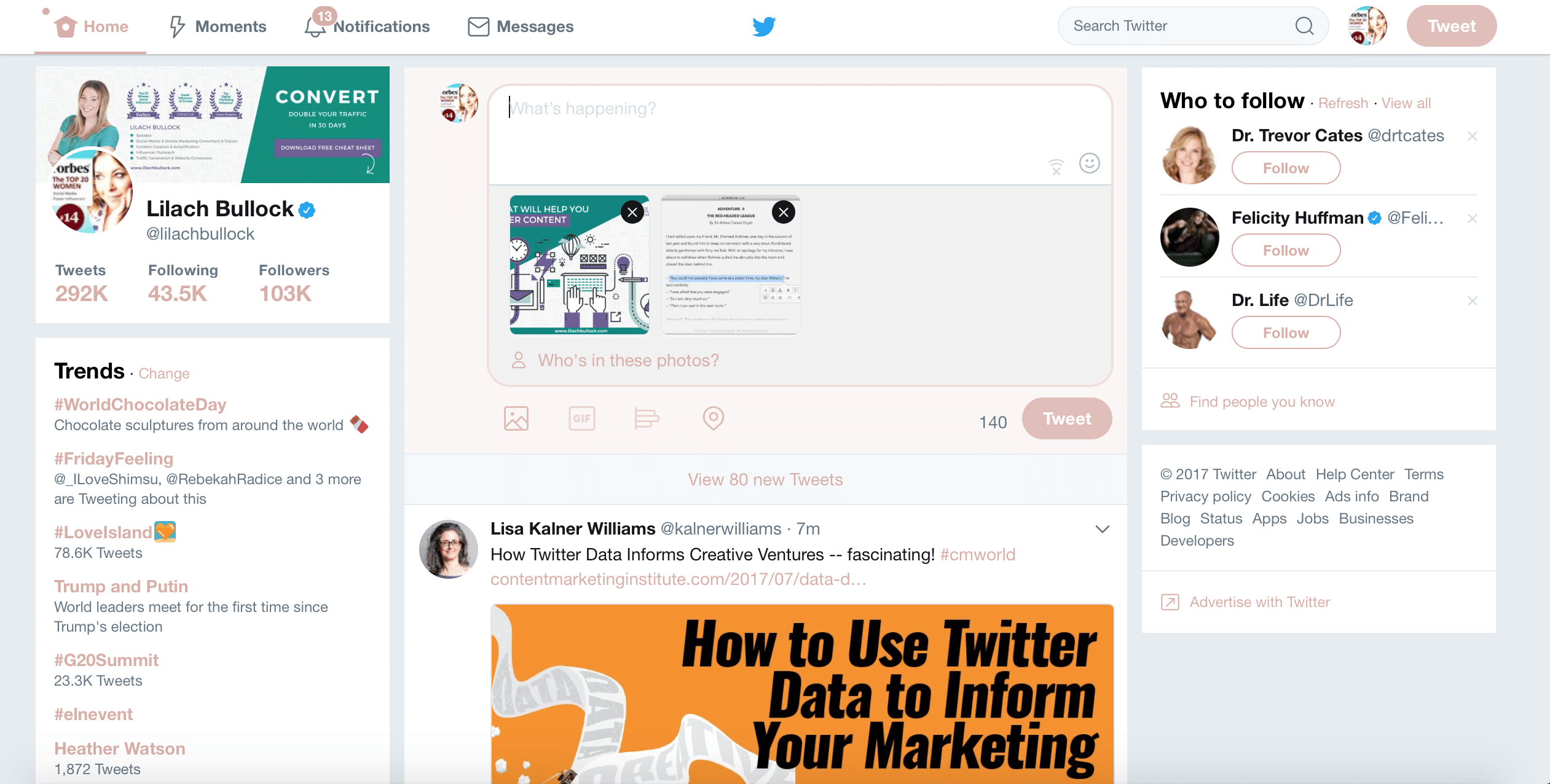
7. Verify your Twitter account
Having your Twitter account verified and adding that little blue verified badge next to your Twitter handle can help give you a bit of a boost in authority. Since Twitter has opened account verification to users of all kinds (from businesses to celebrities), it’s worth trying to get your own account verified as well. To start the verification process, you’ll need to use this form. You’ll also need the following information:- A verified phone number
- A verified email address
- Bio
- Profile Photo
- Header photo
- Website
- Public tweets
8. Twitter lists
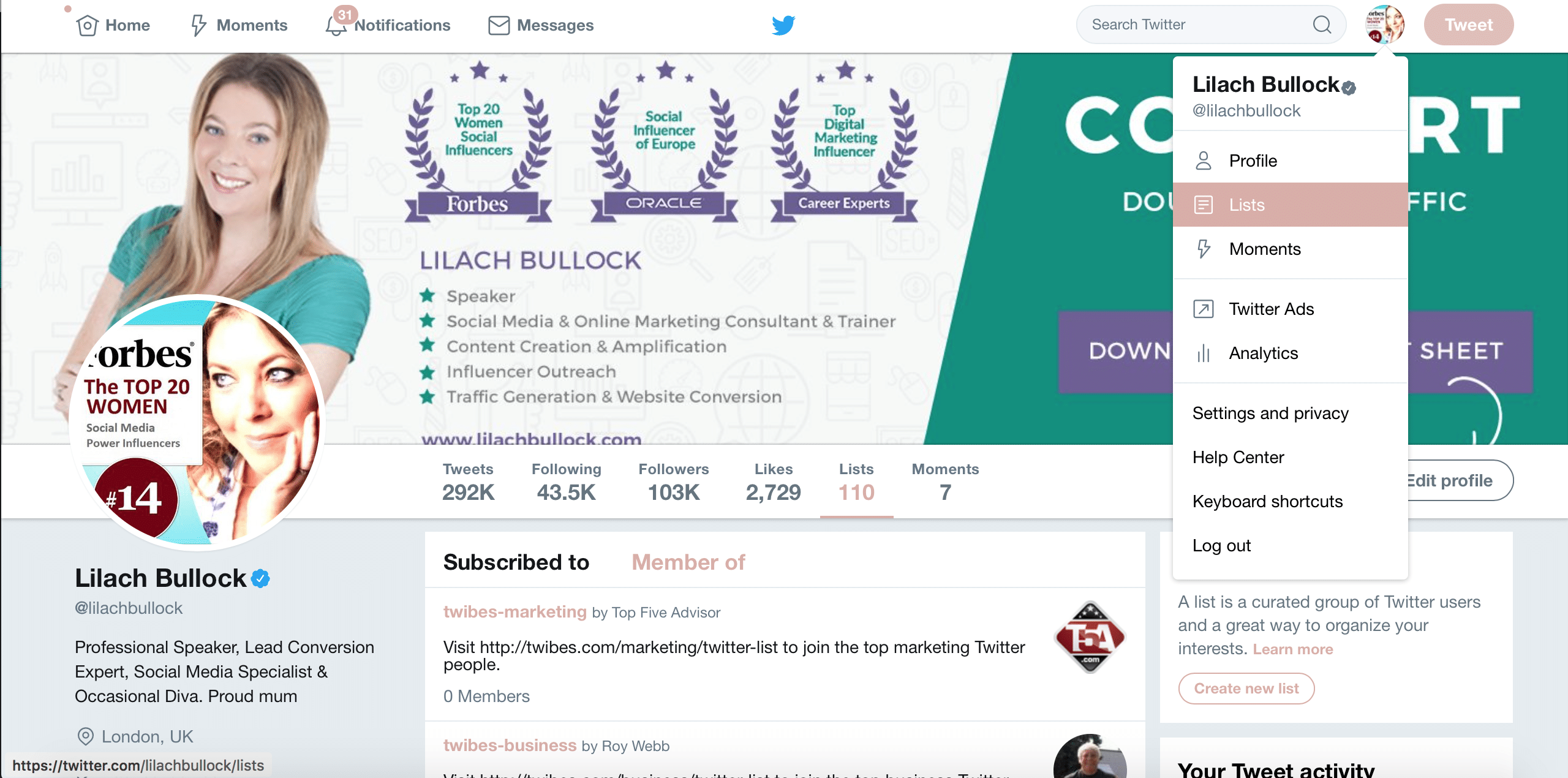
Twitter lists can be very effective marketing tools. There are a lot of different ways in which you can use them, such as to keep better track of:- Social media influencers you’re targeting
- Your best, most engagement followers
- Your competitors
- Your brand ambassadors
- Accounts that post the best content
9. Use Twitter chats
Twitter Chats are a great way to meet, connect and engage with new people, as well as to find new leads, if you’re creating your own Twitter Chat + among other features, they can help you:- Get new followers
- Increase your brand exposure on Twitter
- Teach and learn
- Build a community of engaged fans
10. Twitter Promote Mode: always-on subscription-based advertising
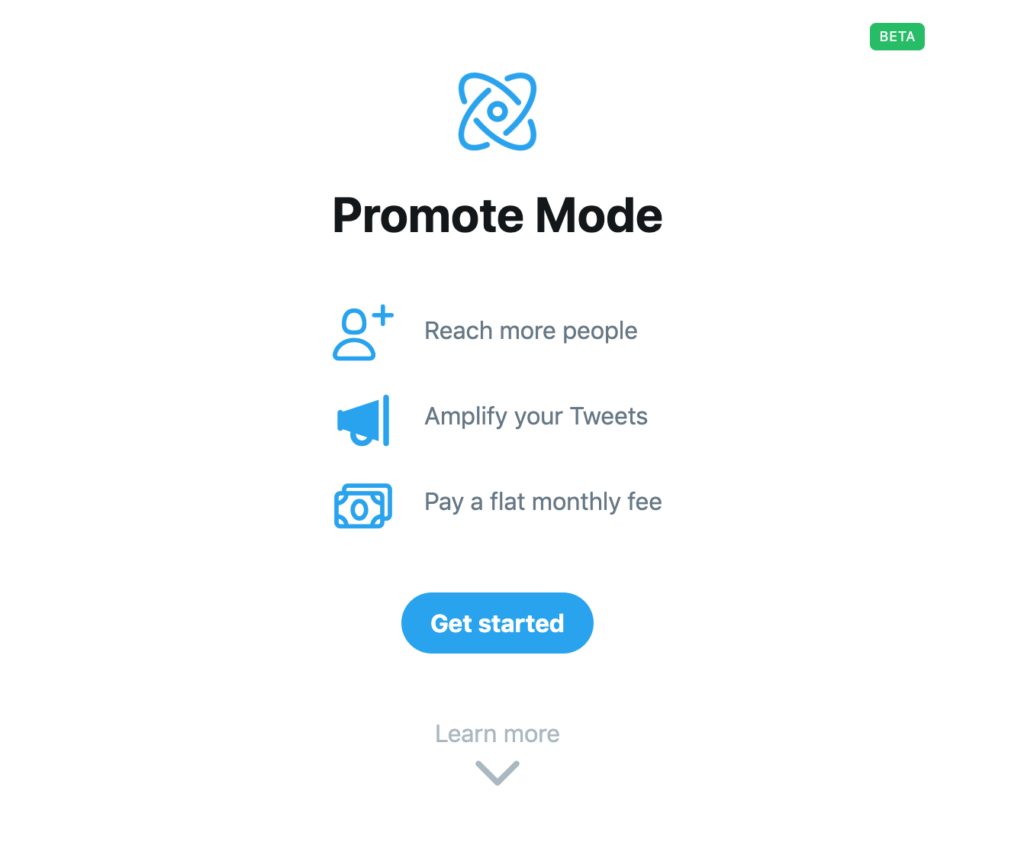
How much money are you investing in Twitter ads every month? If you run a lot of Twitter ads, you might just be better off turning on Promote Mode: i.e. a subscription-based advertising model that is always on. In other words, once you've activated Promote Mode, all you have to do is post your Tweets as usual, but instead of creating individual ads, Twitter will automatically promote your posts to reach a wider audience. If you want to try it out, go to Twitter and go to the menu on the left-hand side of your screen; there, click on More and select Promote Mode: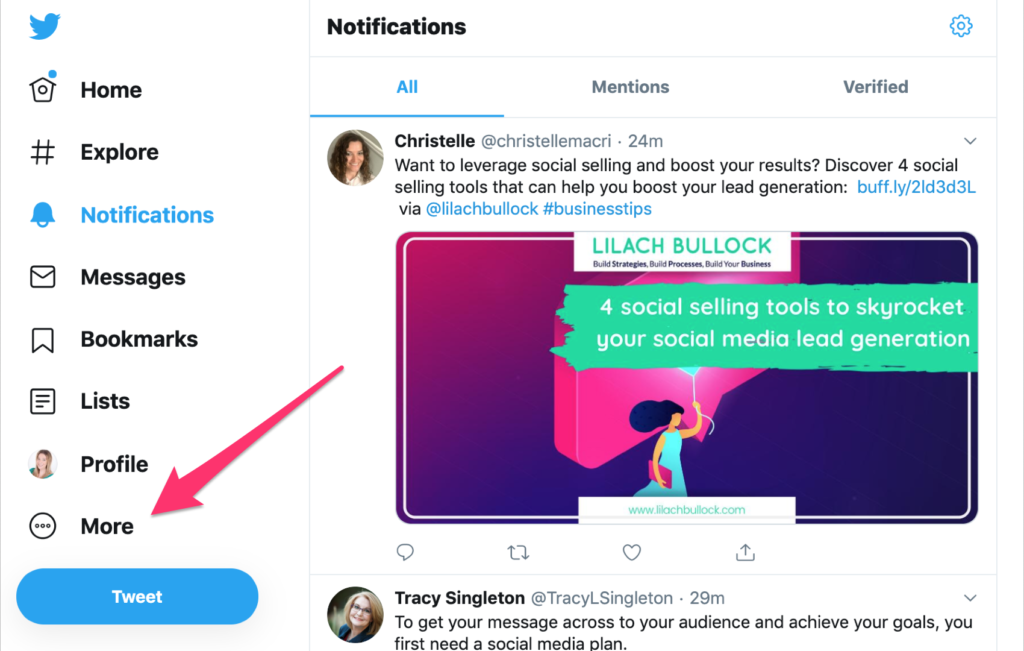
Conclusion: what are your favorite Twitter features?
Making full use of the features Twitter has to offer can help you improve your marketing and get better results from social media – more engagement, more traffic. Not to mention, there is so much competition for the attention of your followers. What other Twitter features are you using to improve your results? Let me know in the comments section and please share the post if you found it useful:)X (Twitter) features FAQ
What is the most underused Twitter (X) feature in 2026?
Advanced Search is the most underused. It lets you find tweets by date range, exact phrase, sentiment markers, and engagement minimums, which is incredibly useful for research, competitive monitoring, and finding prospects.
What did Twitter Spaces become after the rebrand?
Spaces is now X Spaces and remains a live-audio feature similar to Clubhouse. It is still free to use and host, and has tighter integration with the main feed for discovery.
Is X Premium worth it for businesses in 2026?
For businesses doing thought leadership or wanting to publish long-form content (Articles), Premium is worth it. For pure broadcast use, the free tier still works fine.
Want to go deeper? Read these next:
- What Works in Digital Marketing Today Beyond Theories
- How to Use Reddit for Lead Generation in 2026 (The Step-by-Step Guide Nobody Has Written Yet)
- 25 LinkedIn Algorithm Hacks That Work in 2026 (Not the Stuff Everyone Else Is Flogging)
Related: how to make money on Instagram with 1k followers
If you want your own guide on this published here, you can write for us about social media.
Related reading: What Is Threads and How Do You Use It as a Business Owner.
The short version: Twitter offers far more than a place to post short updates. Features like Lists, Advanced Search, Twitter Chats, and Moments help you organize conversations, find relevant discussions, and build genuine connections with your audience. Using these tools consistently can turn Twitter into a serious lead generation and networking channel rather than just a noise-filled feed.
Frequently asked questions
What is the most underused Twitter feature for businesses?
Twitter Lists are often overlooked, yet they let you organize accounts into curated groups such as customers, industry influencers, or competitors. This makes it much easier to monitor conversations that matter without scrolling through your entire timeline.
How can Twitter Advanced Search help with marketing?
Advanced Search lets you filter tweets by keywords, location, dates, and engagement levels. This helps you find people asking questions related to your niche, spot potential leads, and join conversations at the right moment.
Are Twitter Chats still worth participating in?
Yes. Twitter Chats built around specific hashtags bring together people with shared interests at a set time. Joining or hosting one is a straightforward way to build visibility, connect with your target audience, and establish authority in your field.
Do Twitter Moments still matter for content strategy?
Moments allow you to group related tweets into a single shareable story, which is useful for summarizing events, campaigns, or ongoing discussions. They give your content a longer shelf life compared to a single tweet that disappears quickly in the feed.
Related reading: How Threads Has Changed Since Its Download Peak (And What That Means If .
Related reading: What Is the Threads Logo and Why Did It Change?.