- Key Takeaways
- What Really Changed With the With the LinkedIn Algorithm in 2026
- Hack 1. Your Profile Photo Is Doing More Heavy Lifting Than You Think
- Hack 2. The Anti-Pitch DM That Books More Calls Than Any Pitch Ever Will
- Hack 3. Stop Posting Into the Void and Start Commenting Into Crowds
- Hack 4. LinkedIn Newsletters Are a Free Email Blast and Almost Nobody Has Noticed
- Hack 5. The Connection Request Method Nobody Has Time For (But Should)
- Hack 6. Screenshot Other Platforms and Post Them Natively (This Sounds Lazy. It Isn't.)
- Hack 7. The First Line Is the Only Line That Matters
- Hack 8. ‘I Was Wrong About This’ Is the Post Format LinkedIn Was Basically Made For
- Hack 9. Write Like You Talk, Not Like You Learned to Write
- Hack 10. Polls Are Audience Research Disguised as Content and You're Not Running Enough of Them
- Hack 11. Always End With a Question (But Not a Desperate One)
- Hack 12. Comment on Your Own Post in the First 30 Minutes (Yes, Really)
- Hack 13. LinkedIn Live Is Quietly One of the Best Reach Hacks Available
- Hack 14. The Content Spy Method (Which Sounds Shadier Than It Is)
- Hack 15. Post Twice, But Not How You Think
- Hack 16. Tag People Who Actually Want to Be Tagged (Revolutionary Concept)
- Hack 17. Sync Your Email Contacts and Stop Ignoring the Network Tab
- Hack 18. Your Best Posts Are Assets. Stop Treating Them Like Bin Day
- Hack 19. Use Direct Messages Like a Human Being, Not a Funnel
- Hack 20. Your LinkedIn Profile Is a Landing Page. It Is Currently a CV. Fix That.
- Hack 21. The Loom Message Hack That Gets Opened
- Hack 22. Borrow Authority Until You've Built Your Own
- Hack 23. Train the LinkedIn Algorithm to Know What You're About
- Hack 24. The Before-and-After Post Format That Beats Almost Everything
- Hack 25. The Featured Section Is Free Real Estate Most People Are Wasting
- The LinkedIn Algorithm Bit Everyone Skips (And Why Your Content Isn't Working)
- Frequently Asked Questions
- The Comment Timing Test I Ran on 40 of My Own Posts
In this blog post I'm walking you through 25 LinkedIn algorithm hacks that are actually working in 2026, covering everything from how the LinkedIn algorithm changed and what that means for your LinkedIn content, to the profile fixes most people overlook, the DM approach that books calls without a single pitch, the posting formats getting the most reach right now, and the commenting strategy that builds your visibility even on days you haven't posted anything. Whether you're a B2B founder, entrepreneur, marketer or a freelancer trying to fill your pipeline, or someone who's been showing up on LinkedIn for years and quietly wondering why it's not working the way it used to, this is the guide I wish had existed when I was rebuilding from scratch.
Let's get one thing straight before we start.
If you're here because you Googled LinkedIn tips 2026 and you're expecting a listicle that tells you to post consistently, engage authentically, and bring value, I'm going to save you some time. You already know that. It didn't work. Or it worked a little bit but not enough to make you stop questioning every life decision you've made since you decided to try to build a business on a platform that was designed, let's be honest, mainly for people to quietly stalk their former colleagues.
This blog post is the other stuff.
The things I've tested in the field, not in theory. The things that are working right now, in 2026, with the LinkedIn algorithm update rolled out, basically flipped the old playbook upside down and left most people still posting like it's 2022.
I've spent over 20 years doing this. I've been named a Forbes Top 20 influencer, Oracle Social Influencer of Europe, and the Number One Digital Marketing Influencer in the UK. I've spoken on stages in about 30 countries. And I've also, in the last 18 months, rebuilt my entire LinkedIn presence from a place of near-zero pipeline back to something that generates actual leads, actual calls, actual money.
So when I tell you something works, it's not because I read it somewhere. It's because I've done it, watched the numbers, adjusted, done it again, and watched the numbers again until I was satisfied.
Worth reading next: How to Grow on LinkedIn as a B2B Founder: The Complete 2026 Playbook.
Worth reading next: Social Media Marketing: The Only Strategy That Works When Everyone Else Is Screaming.
Key Takeaways
- The LinkedIn algorithm changed significantly in late 2025, moving from a follower-based feed to a content interest graph. Your posts can now reach people who have never heard of you.
- Comments carry far more weight than likes. A post with 50 comments will almost always outperform one with 500 likes.
- Your profile photo, headline, and Featured section are doing more conversion work than most people realise. Fix these before anything else.
- Consistency over 90 days beats any single tactic. Pick five hacks from this list and do them every week without stopping.
- The fastest way to build visibility without posting is to comment strategically on high-traffic posts in your niche every single day.
Right. Let's get into it.
What Really Changed With the With the LinkedIn Algorithm in 2026
For years, LinkedIn operated like a very polite walled garden. You posted something. Your followers saw it. That was basically it. If you didn't already have a big following, you were essentially shouting into a very small room.
That changed.
LinkedIn shifted to a content interest graph, which is a fancy way of saying your posts can now reach people who have never heard of you, as long as what you're posting about matches what they care about. Think of it like Netflix replacing your social feed. Instead of showing you what your connections are watching, it shows you what people with similar taste to you are watching.
This is enormous if you understand what it means. Your content can now land in front of your dream clients even if they've never connected with you, liked anything of yours, or ever been within six degrees of your LinkedIn existence.
The flip side is that the LinkedIn algorithm has also gotten a lot better at filtering out content it thinks is low quality. Which means the old tricks, posting vague motivational one-liners, doing the 'I'm proud to announce...' posts, copy-pasting the same content you post everywhere else, are now actively working against you.
Everything below is written with the new LinkedIn algorithm in mind.
Hack 1. Your Profile Photo Is Doing More Heavy Lifting Than You Think

I know. A photo tip. In a strategy article. Bear with me, because this one has a number attached to it that might make you sit up a bit.
Research by PhotoFeeler (a tool that scores profile photos for professional impact) shows that your profile photo affects perceived authority, likability, and trustworthiness before a single word you've written gets read. We're talking about a judgement that happens in under 100 milliseconds. Humans are feral like that.
The specific things that tank a LinkedIn photo:
Sunglasses. Dark backgrounds that make you look like a witness protection programme participant. Smiling with your mouth closed (comes across as guarded). Photos taken in group settings where someone else got cropped out (you can always tell). Anything where your face is smaller than roughly 60% of the frame.
You do not need to hire a professional photographer. Get a friend. Go outside on a cloudy day (soft light, no harsh shadows). Take 60 photos while you're mid-laugh, mid-turn, mid-whatever. The best shots are almost always the ones where you weren't posing. Run the result through PhotoFeeler (it's free). Get scores above 8 for authority and trustworthiness.
I have seen people change their photo and watch their profile views double within a week. Not their content. Not their strategy. Just the photo. Do not skip this.
Hack 2. The Anti-Pitch DM That Books More Calls Than Any Pitch Ever Will

Every day, thousands of people receive a LinkedIn DM that goes something like this. ‘Hi [name], I came across your profile and I love what you're doing. I help businesses like yours achieve [vague outcome] through [buzzword]-driven [more buzzwords]. Would you be open to a quick 15-minute call?’
Nobody has ever read that message and thought yes, finally, the call I've been waiting for.
Here's what works. When someone leaves a genuinely interesting comment on one of your posts, slide into their DMs with exactly one sentence. ‘Really interesting point about [specific thing], curious what made you think that.’ That's it. No link. No pivot. No subtle manoeuvre towards your calendar. Just human curiosity about what they said.
The response rate is borderline embarrassing compared to anything with a call to action in it. Because it doesn't feel like selling. It isn't selling. It's just a person finding another person's thinking interesting, which used to be called a conversation and apparently now counts as a growth strategy.
Do this with five people a week. Not fifty. Five, chosen because you found their comment interesting and they look like someone worth knowing. The conversations that follow are different in quality from anything that starts with a pitch. And different in quality is usually where the money lives.
Hack 3. Stop Posting Into the Void and Start Commenting Into Crowds

Here's the thing about LinkedIn that almost nobody explains clearly.
When you comment on someone else's post, a fraction of their audience sees your comment. Not just the person who posted it. Their entire audience gets a small window into who you are and what you sound like.
If that person has 50,000 followers and you leave a thoughtful, specific, interesting comment, you've just been introduced to a chunk of 50,000 people. For free. Without posting anything. Without the LinkedIN algorithm deciding whether your content is worth distributing.
The strategy is simple. Find the five or ten creators in your space who have large followings of the exact people you want to reach. Don't just comment 'great post!' (this is the commenting equivalent of a weak handshake and should be illegal). Write something specific. Add a perspective. Share a counterpoint. Bring something the original post didn't have.
Two or three sentences. Every single day. On posts in your niche.
Do this for 30 days and I will bet you that your profile views go up substantially even if you haven't posted a single piece of original content.
One tactical note, the earlier in the post's life you comment, the more people see your comment. If you can be in the first ten or twenty comments on a high-performing post, you'll get significantly more exposure than if you wade in four days later. Find out when your target creators typically post and set a reminder.
Hack 4. LinkedIn Newsletters Are a Free Email Blast and Almost Nobody Has Noticed

Here is a thing LinkedIn does that should have people losing their minds with excitement and instead gets approximately zero attention.
Every time you publish a LinkedIn newsletter, LinkedIn sends a notification to your entire connection list. Not just your subscribers. Not just your followers. Every single person you are connected to gets a ping. If you have 3,000 connections, that is 3,000 notifications going out the moment you hit publish. For free. Without you doing anything except writing the thing.
This is essentially a free email broadcast to your whole network and most people are using it to repost their blog content with the enthusiasm of someone emptying a dishwasher.
Don't do that.
Make the newsletter feel like a private letter. More honest than your public posts. More behind the scenes. Give people the version of you that doesn't perform for the LinkedIN algorithm, the one that admits things are complicated and shares the ugly middle alongside the tidy conclusions. The open rates on LinkedIn newsletters written this way are surprising. I've seen them outperform email lists that took years to build, purely because LinkedIn is doing the distribution and the format creates an intimacy people aren't expecting.
Set one up. Publish the first issue this week. Watch what happens to your notifications and try to act calm about it.
Hack 5. The Connection Request Method Nobody Has Time For (But Should)
Most people either send no connection message at all (fine, actually) or write a paragraph explaining who they are and what they do and why the other person should be delighted to be connected to them (please don't do this).
Here's what actually works.
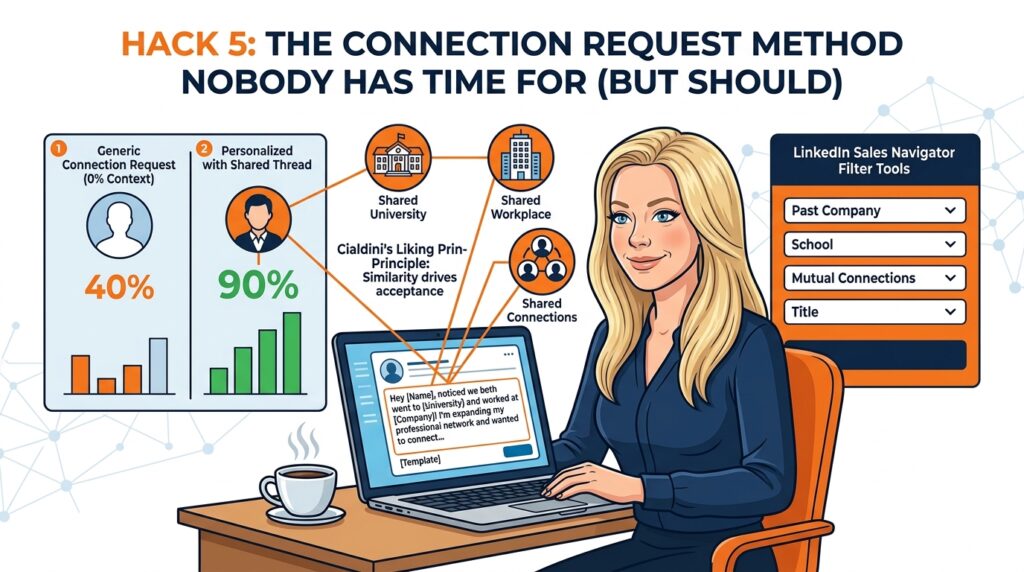
Robert Cialdini has a principle called liking, which basically says we're significantly more likely to say yes to people we perceive as similar to us. LinkedIn has a feature that surfaces shared connections, shared workplaces, and shared educational institutions. Use it.
When you're sending connection requests, filter for people who went to the same university as you, worked at the same company, or are from the same city. Then mention it 'Hey, noticed we both went to [university] and you're now doing [thing], would love to connect.' That's it. No pitch. No explanation. Just the shared thread.
I get a 90% connection acceptance rate with this. My usual rate without it is around 40%. That's not a small difference. That's the difference between spending your LinkedIn time efficiently or spending twice as much of it to get the same result.
LinkedIn Sales Navigator makes this even easier. You can filter by educational institution, past employer, and geography simultaneously. But even without it, you can search manually and achieve most of the same results.
Hack 6. Screenshot Other Platforms and Post Them Natively (This Sounds Lazy. It Isn't.)
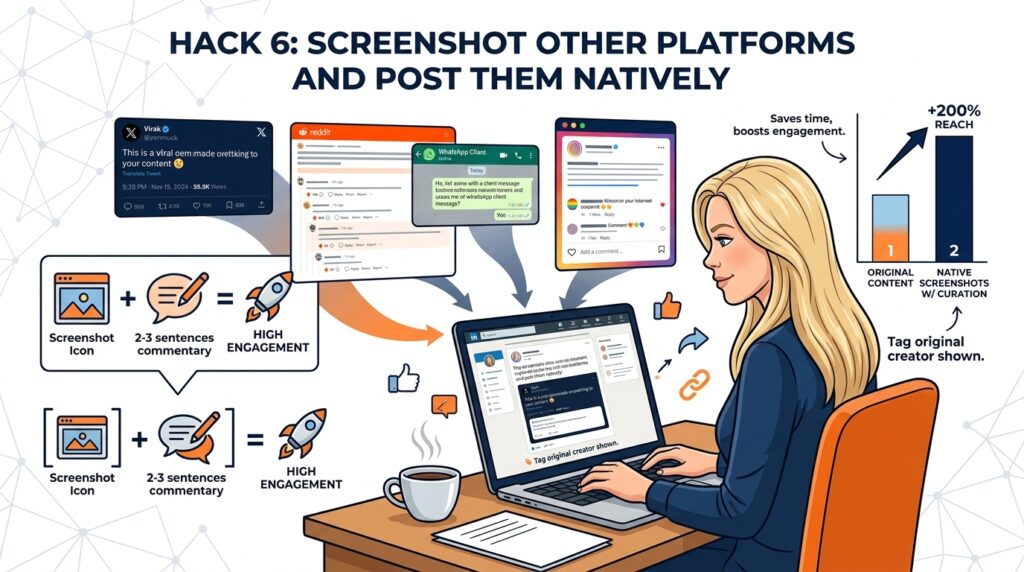
A tweet that made 500 people lose their minds. A Reddit thread full of strangers describing, in painful detail, the exact problem you solve. A WhatsApp message from a client that made you feel like printing it out and framing it. A comment from your own post that deserved more airtime than it got.
Screenshot it. Post it as a native image on LinkedIn with two or three sentences of your thoughts underneath.
This format outperforms a lot of original content for a reason that's slightly annoying to admit, it feels like you're letting the reader in on something. You're not just broadcasting your own thoughts into the void. You're saying look what I found, which is a completely different energy and one that humans are apparently helpless against.
The commentary is where your value is. Don't just drop the screenshot and stare at the reader expectantly. Tell them what you think. Where you agree. Where you'd push back. What it made you realise at 11pm when you probably should have been asleep. The screenshot earns the click. Your commentary earns the follow.
One note, if you're screenshotting someone else's content, tag them. It's polite. It's good practice. And it usually means they share it, which is the kind of bonus that makes you feel like you've found a cheat code.
Hack 7. The First Line Is the Only Line That Matters
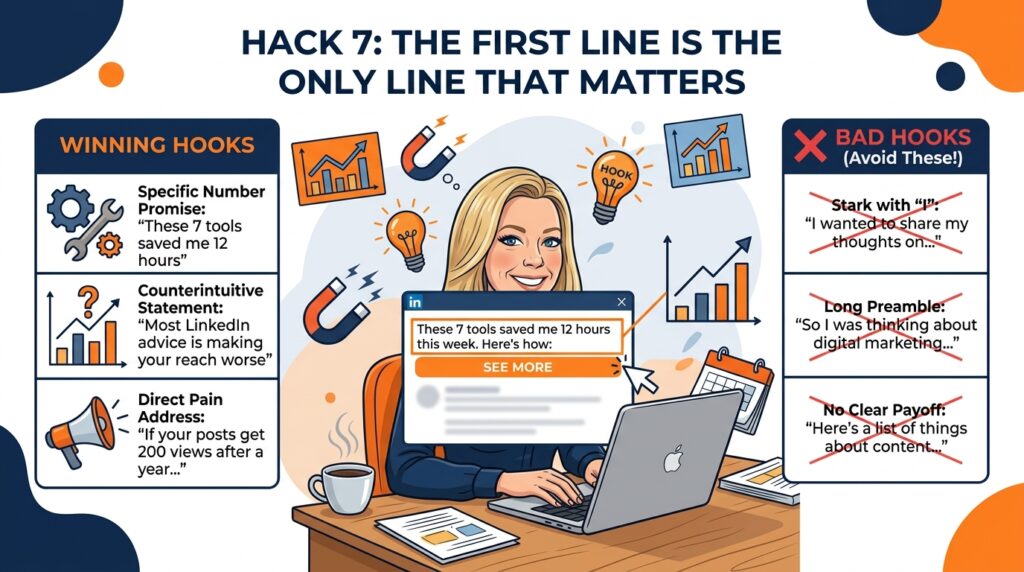
LinkedIn truncates your posts after the first two or three lines with a 'see more' button. This means that almost everything you write is hidden behind that click.
Your first line is not an introduction. It's a reason to click.
The formats that perform best right now are:
A number with a specific promise. 'These 7 tools saved me 12 hours of work last week.' Specific number, specific result, specific timeframe. Three specific things in one line.
A counterintuitive statement. Most LinkedIn advice is actively making your reach worse. Immediately creates a wait, what? response.
A direct address to a pain. 'If your LinkedIn posts are getting 200 views and you've been at this for a year, here's why.' The person reading that either thinks that's not me (and keeps scrolling) or that's exactly me (and clicks). The ones who click are your people.
What kills your first line is starting with I, starting with We, starting with a preamble, starting with a story that doesn't establish the payoff immediately. Every sentence in your first two lines should be working. If a word isn't earning its place, cut it.
Hack 8. ‘I Was Wrong About This’ Is the Post Format LinkedIn Was Basically Made For
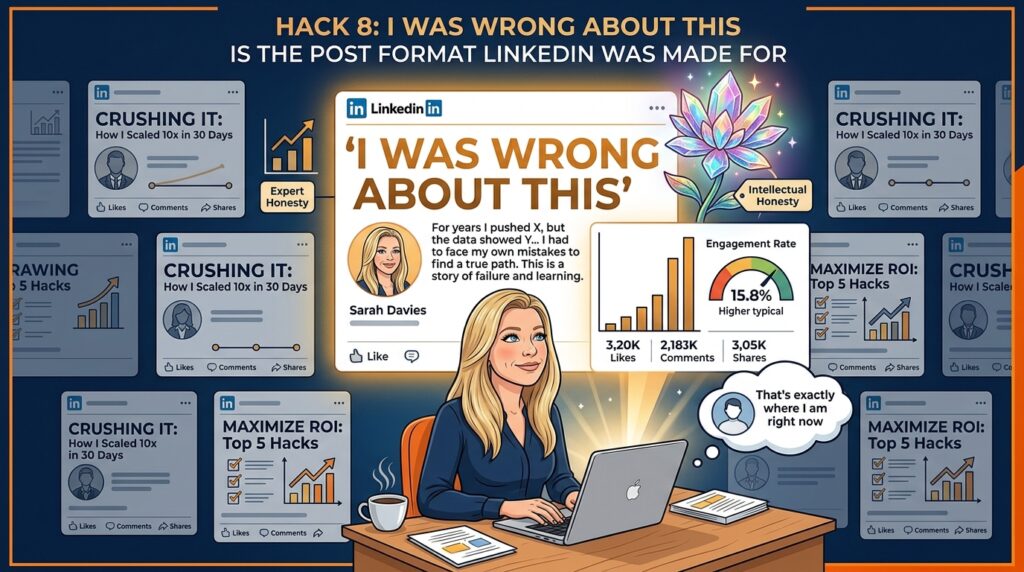
LinkedIn is a platform where the dominant cultural energy is relentless, slightly exhausting confidence. Everyone is scaling. Everyone is crushing it. Everyone has seven lessons they learned from a difficult situation that turned out, conveniently, to confirm everything they already believed.
Into this environment, drop a post that says I had this wrong, and here's how I found out.
Watch what happens.
This format works because it's so rare it reads as almost exotic. It signals intellectual honesty, which is in such short supply on LinkedIn that a single display of it can do more for your authority than six months of polished expert content. It also reaches the right people specifically, the ones who are in the middle of the same shift you went through, who read your post and think that's exactly where I am right now.
Those are your people. Not the ones who admire you from a distance. The ones who recognise themselves in your story.
The rule is that it has to be real. A manufactured vulnerability post where you perform having learned something you already knew is immediately detectable and does the opposite of everything you want. If you genuinely cannot think of something you've changed your mind about in the last year, that's worth sitting with. It probably means you haven't been paying close enough attention to your own work.
Hack 9. Write Like You Talk, Not Like You Learned to Write

The biggest mistake professional people make on LinkedIn is writing like they're sending a company email.
Long sentences. Passive voice. Formal vocabulary. The word leverage. The phrase in today's fast-paced world. Anything that sounds like it was written by a committee.
LinkedIn rewards posts that people can skim quickly and that sound like a human wrote them at 11pm while slightly annoyed about something they experienced that day.
The practical version of this:
Write a paragraph. Then read it out loud. Where you stumble, where it sounds weird, where you'd never actually say it like that in conversation, rewrite it until you would say it. This sounds basic. It is basic. Almost nobody does it consistently.
Short sentences. New line every one or two sentences. Lots of white space. It doesn't need to be grammatically correct. It needs to be readable.
If you hate typing and it always makes you more formal than you actually are, use your voice. Most AI tools have voice input now. Speak your post as if you're telling a colleague something interesting that happened. Then edit the transcript. The output is almost always better than what you'd have typed.
Hack 10. Polls Are Audience Research Disguised as Content and You're Not Running Enough of Them

LinkedIn polls get disproportionate reach for the effort they require to engage with. Tapping an option takes two seconds. The barrier is so low that polls routinely outperform written posts in raw engagement, and the LinkedIN algorithm rewards engagement regardless of what form it takes. Fine. Use that.
But here's the bit people miss entirely.
When you ask your audience what their biggest challenge is with the topic you help with, and give them four options to choose from, you are not just generating engagement. You are watching your ideal clients raise their hands and tell you exactly what keeps them up at night, ranked by how common each problem actually is.
Run the poll. Note the top answer. Write your next three posts directly addressing it. You are no longer guessing what your audience needs. They told you. You're just delivering it, which is so obvious it's almost insulting that more people don't do it.
The compounding effect is so satisfying. Your poll gets reach. Your follow-up posts get reach because they're precisely calibrated to what people said they care about. And the people who voted feel a weird ownership over the content that follows, which makes them more likely to engage with it. It's a little cycle of usefulness and it costs you about ten minutes to set up.
Run one poll a fortnight. Use the results. This is the most underused research tool available to any LinkedIn creator right now and it's sitting right there in the post composer.
Hack 11. Always End With a Question (But Not a Desperate One)
When people comment on your post, the LinkedIn algorithm reads that as a signal that your content is interesting and distributes it further. Comments are weighted more heavily than likes. A post with 50 comments will almost always outperform a post with 500 likes.
The easiest way to get comments is to ask a question at the end of your post. Not what do you think? (too vague) and not have you experienced this? (too easy to ignore). Something that has a specific, interesting answer.
Which of these would you try first? works. What's the one thing you'd add to this list? works. Where do you disagree with me? works particularly well because disagreement generates longer comments and more back-and-forth.
Then, and this is the bit most people skip, go into the comments and ask a follow-up question to every person who answers. This doubles the comment count. It shows the LinkedIn algorithm the post is actively engaging people. It gives the commenter's network a second notification that pulls them back. And it builds the kind of conversation that makes people want to follow you.
Hack 12. Comment on Your Own Post in the First 30 Minutes (Yes, Really)
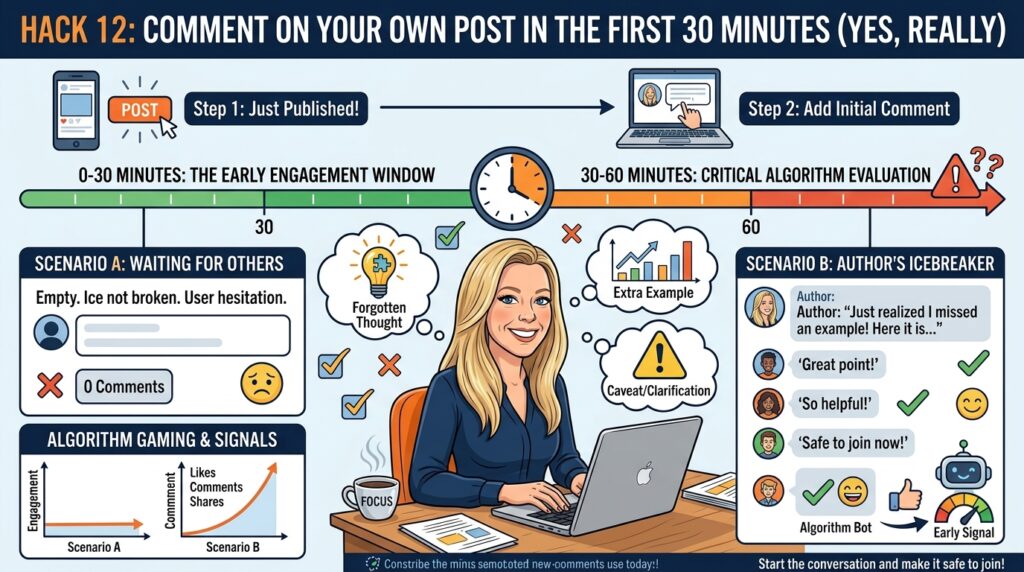
You've just published a post. You feel the familiar mixture of mild pride and low-grade vulnerability that accompanies putting anything into the world. Now go immediately to the comments and add something you forgot to mention.
Not thanks for reading everyone! into an empty thread. Something useful. A follow-up thought. A caveat. An extra example. The thing you almost included but cut for length and now slightly regret cutting.
Here's why this matters and why you should do it every single time.
The LinkedIn algorithm evaluates your post heavily in the first 30 to 60 minutes after you publish. Early engagement signals tell it whether to keep distributing or quietly let the thing die. A comment, even from you, counts as engagement. It also gives the first people who arrive somewhere specific to reply to, rather than staring at a blank comment section wondering whether they're brave enough to be first.
You're essentially pulling up a chair to your own table and starting the conversation so that other people feel like they're joining one rather than starting one from scratch. The difference in how that feels to a reader is subtle but real. A post with one comment already feels more alive than a post with none. A post where the author is clearly still present and engaged feels worth joining.
Keep it genuine. Keep it useful. And do it within the first half hour, not four hours later when the LinkedIn algorithm has already made up its mind.
Hack 13. LinkedIn Live Is Quietly One of the Best Reach Hacks Available
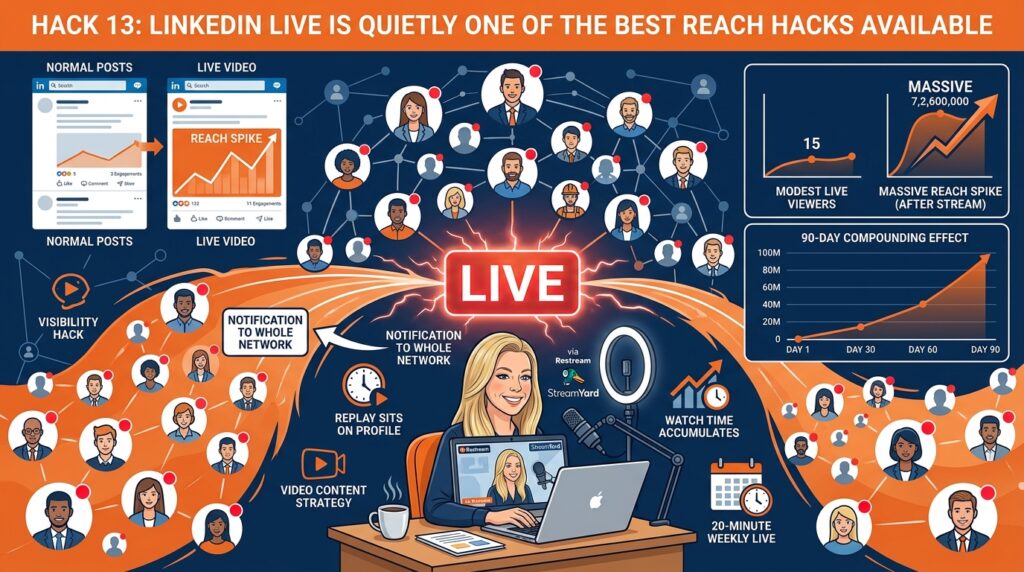
Every time you go live on LinkedIn, LinkedIn sends a notification to your entire network of people who are online at that moment. Not a tiny push to a small percentage. Your whole network.
This means going live, even with modest production value and even if only 15 people watch it live, generates a spike of visibility that a normal post simply can't. The LinkedIn algorithm also treats live content differently. It gets more distribution. The replay sits on your profile. The watch time accumulates.
The tactical version, you don't actually have to go live in the traditional sense. You can pre-record a video and stream it to LinkedIn as if it were live using tools like Restream or StreamYard. I use this all the time. You get all the notification benefits. You can watch your own stream in peace. Your kids don't interrupt at an inopportune moment.
Pick one topic. Make it something your ideal clients would watch. Go find the top-performing YouTube videos on that topic and borrow their titles (not their content). Then do a 20-minute LinkedIn Live using that title. Once a week. The compounding effect over 90 days is significant.
Hack 14. The Content Spy Method (Which Sounds Shadier Than It Is)

Go to the LinkedIn profiles of three or four creators in your niche. People writing for a similar audience to the one you want. Click their posts. Sort by Most Relevant, which is LinkedIn's version of showing you what's worked rather than what's most recent.
You now have a direct window into what topics, formats, and angles your ideal audience has already proven they respond to. No surveys. No guessing. No spending three hours staring at a blank content calendar wondering what on earth to write about this week.
You are not doing this to copy their posts. You are doing this to understand demand. What problems are people clicking on? What headlines made them stop mid-scroll? What formats keep appearing in the top-performing content? Numbered lists? Before and after stories? Counterintuitive takes that made people slightly annoyed and therefore deeply compelled to comment?
Want AI doing the heavy lifting in your marketing?
I build the systems that handle the boring 80 percent, so you get your week back. Done properly, with the human kept in.
This takes 20 minutes and it's more useful than most content strategy sessions I've ever been in, including ones I paid for.
Do it once a month. Keep a note of the patterns. Over time you'll develop an instinct for what lands in your space that's grounded in actual evidence rather than hope and vibes. Your content gets sharper. Your reach improves. And you stop wasting time on post formats that have never worked for anyone in your niche, because now you know which ones those are.
Hack 15. Post Twice, But Not How You Think

The best time to post on LinkedIn is between 8am and 8:30am on weekdays. This is what the data consistently says. Fine.
The thing almost nobody does is post the same piece of content again in the evening, around 6pm to 7:30pm. Not an identical repost with no changes. The same core content, maybe with a slightly different opener.
Why does this work? Because LinkedIn's audience isn't all online at the same time. Your 8am post reaches the morning crowd. Your 6pm post reaches a completely different group of people who weren't around earlier. And the LinkedIn algorithm doesn't punish you for it the way Instagram might.
Test this on your next 5 posts. Compare the combined reach to what you'd get from a single posting time. I'll be surprised if you don't see a meaningful difference.
Hack 16. Tag People Who Actually Want to Be Tagged (Revolutionary Concept)

Before you publish a post, ask yourself one question. Who do I know who would be genuinely pleased to see this, not flattered in a hollow way, but really pleased, because it's relevant to something they care about, something they've said publicly, or something they know more about than you do?
Tag one or two of them. With a specific reason. ‘Tagging [name] because you made a similar point when we spoke last month and I'd love your take.’ Or ‘This reminded me of something [name] wrote recently and I'd be curious whether they agree.’
Specific. Genuine. Relevant. Those are the three criteria and they matter because LinkedIn is absolutely drowning in the other kind of tagging. The spray-and-pray variety where someone tags fourteen people in a post that has nothing to do with any of them in the hope that someone, anyone, will share it. Everyone can see what that is. It doesn't work and it makes the tagger look a bit desperate, which is never the brand positioning you're going for.
When you get the targeting right, a single well-placed tag can double a post's reach. The tagged person comments, which pulls in their audience. Their audience finds you. Some of them follow you. All of this happens because you took 30 seconds to think about who would want to be part of this conversation rather than just who has the biggest following.
Hack 17. Sync Your Email Contacts and Stop Ignoring the Network Tab

This is one of those things that sounds boring and turns out to be the most time-efficient thing you do this week.
LinkedIn lets you sync your Gmail or Outlook contacts directly into your network. When you do this, every person you've ever emailed, met, worked with, or corresponded with over the years can be imported and you can connect with all of them without hitting LinkedIn's usual connection limits.
Go to My Network. Click Contacts on the left. Then Manage Synced Contacts. Connect your email. Let it run.
The people in your email contacts already know you. They're warm. They're infinitely more likely to accept a connection, engage with your content, and refer you than a cold stranger you found via search. Building your network with warm contacts first gives your posts an engaged base audience to start from, which in turn tells the LinkedIn algorithm your content is worth distributing further.
Do this before you do anything else on this list if you haven't already. It takes about 90 seconds.
Hack 18. Your Best Posts Are Assets. Stop Treating Them Like Bin Day

Go into your post history right now. Find your three best-performing pieces of content. The ones with the most comments, the most DMs that came off the back of them, the ones where someone replied and you thought oh, this really landed.
Now repost them. Updated slightly, a tweaked opening line, any examples that have dated swapped out, anything that no longer reflects how you think adjusted accordingly. But the core insight, the structure, the thing that made it work the first time, keep all of that.
Here is the thing most people forget, which I find baffling given how much effort goes into writing a good post in the first place. Your audience in six months is largely not your audience from six months ago. New people followed you. The LinkedIn algorithm stopped showing your old content to people who used to see it. The person who would benefit most from that post probably never saw it because they weren't connected to you yet when you published it.
Your best content is an asset. Treating it as single-use is the equivalent of writing a brilliant chapter and then setting fire to the manuscript.
The practical version, set a reminder every six months to look at your top five posts and ask whether any of them are worth updating and rerunning. Not every post ages well. But the ones built around a durable insight, something true about your industry or your audience's problem that was true then and is still true now, those are worth bringing back. The people who saw it the first time won't remember. The people who didn't will be glad you did.
Hack 19. Use Direct Messages Like a Human Being, Not a Funnel

Every time someone connects with you, you have an opportunity to start a relationship that might eventually become a business one. The word eventually is doing a lot of work in that sentence.
The mistake most people make is treating new connections as leads to be processed. They send a connection request, it gets accepted, and within 24 hours the new connection receives a message that is essentially a pitch in a trench coat wearing sunglasses desperately hoping not to be recognised as a pitch.
Nobody likes receiving these. Everyone knows what they are. They don't work.
What works is send a message that asks nothing of the other person. 'Great to be connected. I really enjoyed your post about [specific thing]. Looking forward to seeing more of your work.' That's it. No links. No calls to action. No subtle manoeuvre towards a discovery call.
Do this twice, spaced a few days apart, before you ever ask for anything. Build a relationship like a person, not like a drip sequence.
The people who convert to clients from LinkedIn almost always do so because they felt like they were having a real conversation with a real person. That's rarer than it should be. It's also your competitive advantage.
Hack 20. Your LinkedIn Profile Is a Landing Page. It Is Currently a CV. Fix That.

Most LinkedIn profiles are written for recruiters. Job titles in chronological order. A summary that reads like a cover letter for a role that stopped existing in 2019. A list of responsibilities so long and so passive-voiced that by the end you have no idea what this person actually does or whether you'd want them anywhere near a problem you have.
If you're using LinkedIn to generate leads, clients, or speaking opportunities, this is not just unhelpful. It's actively working against you. Every piece of content you write, every comment you leave, every hack in this entire article sends people to your profile. And if your profile then fails to communicate what you do and why it matters to them within about eight seconds, all of that effort lands in a bucket with a hole in it.
Your headline is not your job title. It's the one-line answer to what do you help people with and why should I care. Your About section is not your career history. It's the answer to why are you the right person for the problem I have right now. Your experience section is not a list of responsibilities. It's evidence that you've actually done the thing you're claiming to help others with.
Rewrite your profile with one specific reader in mind. Your ideal client, arriving for the first time, knowing nothing about you, deciding in eight seconds whether to follow you or click away. Every section should be answering their unspoken question, which is simply, is this person relevant to my situation?
This is two hours of work done properly and it will quietly outperform almost any other single thing on this list. Because reach without a profile that converts is just a very busy revolving door.
Hack 21. The Loom Message Hack That Gets Opened

Video messages in LinkedIn DMs get opened at significantly higher rates than text messages. There are a few reasons for this. They're unusual. They're harder to fake at scale. They prove there's a human on the other end.
The specific version that works best is pull up the person's LinkedIn profile. Start a Loom recording with your screen visible. Show them you're on their profile. Say their name. Reference something specific about their work. Keep it under 90 seconds. No pitch.
'Hi [name], I just wanted to say I really enjoyed your recent post about [thing]. The point you made about [specific point] is something I think about a lot in my own work. Looking forward to following what you're doing.'
Send the Loom link in the message. They'll see the thumbnail. They'll see their own profile in the background. They'll know it's not a mass-produced piece of automation. They'll open it.
Use this selectively. Not for every connection. For the 10 or 20 people you most want to build a real relationship with this month. Quality over volume every time.
Hack 22. Borrow Authority Until You've Built Your Own

If you're newer to LinkedIn or rebuilding your presence after a gap, here's a psychological principle called the halo effect working very much in your favour.
When you share content from well-known, respected creators in your space and add your own meaningful commentary, some of the trust and authority associated with their name transfers to you in the reader's perception. This is not manipulation. It's just how human brains categorise trust.
The key word is meaningful commentary. Don't just reshare a post with 'great read!' Add a perspective. Tell people why you're sharing it. Tell them what you think the most important takeaway is. Disagree with one part of it if you actually disagree. Make your share worth reading even if someone has already seen the original.
This works particularly well when you're sharing content from people your ideal clients already follow and respect. You're essentially saying 'we're in the same conversation' and that implicit association matters.
Hack 23. Train the LinkedIn Algorithm to Know What You're About

This one is newer and not widely known, but it's one of the fastest ways to tell LinkedIn's algorithm what category to put you in.
Go to LinkedIn's news section. Find an article or trending topic that your ideal clients would be reading. Leave a thoughtful, substantive comment that demonstrates your expertise on that topic.
You're not just participating in a conversation. You're sending a signal to the LinkedIn algorithm that says I engage with and know about this topic. LinkedIn then begins to categorise you as someone who creates value in that space and starts testing your content with audiences interested in it.
Do this three to five times a week, consistently, on topics in your niche. Within 30 days you should see meaningful changes in who your content is reaching organically, even on posts you've been writing for months with modest results.
Hack 24. The Before-and-After Post Format That Beats Almost Everything

LinkedIn currently rewards personal, specific, narrative content that demonstrates change. Not abstract advice. Not generic tips. An actual story where something was different before and after.
The structure is simple. State the problem as it felt to experience. 'Six months ago I had a pipeline that gave me actual anxiety every time I looked at it.' Then describe what you did. Be specific. Not 'I worked on my mindset', but 'I changed the first message I sent to every new connection from a pitch to a question.' Then describe the result, with numbers if you have them.
People can argue with advice. People can dismiss opinions. But they can't argue with your own lived experience. It's yours. And when someone reads it and recognises themselves in the before, they stay for the after.
This format works particularly well for anything related to a struggle your ideal clients are having right now. Not a struggle from ten years ago. Right now. If you've recently solved a problem that your target audience is currently experiencing, that's a post. Write it this week.
Hack 25. The Featured Section Is Free Real Estate Most People Are Wasting

When someone clicks your profile from the LinkedIn algorithm because they found your content interesting, they arrive with a specific expectation. If your content was about lead generation, they expect to find a profile that's about lead generation. If it was about AI, same deal.
Most profiles are about six things at once and therefore communicate nothing clearly. The Featured section, which sits near the top of your profile and is visible without scrolling, is your chance to immediately confirm to the visitor that they're in the right place.
Pin your single best post there. The one that most clearly represents what you're about and what you help people with. Update it every month or so as your content evolves.
When someone lands on your profile and immediately finds more of exactly what attracted them, they follow you. When there's a disconnect between what attracted them and what your profile says you are, they leave. It's a restaurant that looked like it served tacos but turned out to serve sushi. Nothing wrong with sushi. But you wanted tacos.
Alignment between your content, your comment activity, and your Featured section is one of the cheapest conversion improvements available to you on the platform. Sort it out today. It takes about three minutes.
The LinkedIn Algorithm Bit Everyone Skips (And Why Your Content Isn't Working)
Most people read lists like this one and do two or three things from it for a week, then get distracted, then come back three months later and read a different list.
That's not a productivity problem. It's a system problem.
LinkedIn, like most things in business that work well over time, requires consistency more than it requires brilliance. You do not need to do all 25 of these things. You need to do five of them, every week, for 90 days. That's it. That's the whole strategy.
Pick the five that feel most doable given your current situation. Put them in your calendar. Not spend time on LinkedIn in your calendar. Specific tasks. Comment on three posts in my niche. Send five personalised connection requests. Write and post one piece of content.
The people who get results on LinkedIn are not smarter than you. They're not luckier. They just kept going for longer than felt reasonable. That's the whole secret, and it's devastatingly boring, and it's completely true.
Now go fix your profile photo. I mean it. Start there.
Planning your LinkedIn strategy? Start with these 2026 LinkedIn user and demographic statistics. Looking for groups where marketers swap ideas? See the best online marketing communities for 2026.
If LinkedIn is a big part of how you find clients, my roundup of the best LinkedIn automation tools shows which ones save time without putting your account at risk.
Frequently Asked Questions
How does the LinkedIn algorithm work in 2026?
LinkedIn now uses a content interest graph rather than a simple follower-based feed. This means your posts can reach people who don't follow you, based on the topics they engage with. The LinkedIn algorithm prioritises content that gets early engagement (especially comments), content from creators it has categorised as experts on a topic, and content that keeps people on the platform rather than sending them elsewhere.
How often should I post on LinkedIn in 2026?
Quality beats quantity every time, but consistency matters more than either. Two to three posts per week of genuinely useful, specific, human-sounding content will outperform daily posting of generic material. If you can only manage one post per week and do it well, that's significantly better than five mediocre ones.
Do hashtags still matter on LinkedIn?
Less than they used to. LinkedIn's interest graph now categorises your content based on the actual words and topics in your posts, not based on the hashtags you've appended. Three to five relevant hashtags are still worth including, but they're not the signal they once were. Focus on the content itself.
What type of content gets the most reach on LinkedIn in 2026?
Personal narrative posts (before and after stories, lessons from experience, honest accounts of failure and recovery) consistently outperform generic advice content. Posts with strong first lines, white space, and a clear question at the end get more comments, which drives more distribution. Video content, particularly LinkedIn Live, gets preferential LinkedInalgorithmic treatment. Text-only posts still work well when the content is strong.
Is LinkedIn Sales Navigator worth it for small businesses?
For B2B businesses doing targeted outbound, yes. The advanced search filters, particularly the ability to filter by recent job changes, posted on LinkedIn recently, and company growth rate, make prospecting significantly more efficient. For businesses that primarily want to generate inbound leads through content, the free tools are usually enough to start.
How long does it take to see results on LinkedIn?
If you implement the commenting strategy and profile optimisation from day one, you'll see changes in profile views within a week or two. Meaningful changes in follower growth and post reach typically take 60 to 90 days of consistent activity. Inbound leads from LinkedIn content are usually a 3 to 6 month game. Anyone promising faster results than that is either in a very unusual niche or not telling you the whole story.
Does putting links in LinkedIn posts hurt your reach in 2026?
This one has been debated for years and the answer has shifted. The old advice was to always put links in the comments rather than the post itself. The current data suggests external links in the post body don't automatically suppress reach, provided the rest of the content delivers genuine value and earns real engagement. One or two links in a post that people read and comment on will perform better than a link-free post that nobody finishes. Put the link wherever it makes sense for the reader. Stop contorting your posts around a rule that no longer applies the way it once did.
Does LinkedIn penalise AI-generated content?
Not explicitly, but effectively yes. LinkedIn's algorithm is now more aggressive about downranking content that looks engineered rather than written for humans. That means generic, templated, over-polished posts, whether written by a person or an AI, are getting less distribution. The tell isn't that AI wrote it. The tell is that it sounds like everything else. Specific examples, personal experience, genuine opinions, and a recognisable voice all help regardless of what tools you used to produce the draft.
What is LinkedIn's dwell time and why does it matter?
Dwell time is the amount of time someone spends reading your post before scrolling past. LinkedIn's algorithm tracks this and uses it as a signal of content quality. A post someone reads for 30 seconds signals more value than a post someone scrolls past in two. This is why long, substantive posts that people finish reading tend to outperform short posts that get quick likes. It's also why formatting matters. White space, short paragraphs, and a strong opening line all encourage people to stay in the post rather than scroll through it.
Should I post on LinkedIn as a personal profile or a company page?
Personal profile, almost always, if you have a choice. Organic posts from LinkedIn company pages now reach only about 1.6% of their followers, and content from company pages accounts for roughly 1 to 2% of the overall LinkedIn feed. LinkedIn continues to prioritise people over logos in the feed. The most effective approach for most businesses is to have the founder or senior team members posting from their personal profiles, with the company page playing a supporting role rather than being the primary content hub.
What's the difference between LinkedIn impressions and LinkedIn reach?
Impressions is the total number of times your post appeared on someone's screen, including the same person seeing it multiple times. Reach is the number of unique people who saw it. Neither tells you whether anyone actually read it, which is why comments and saves are much more useful indicators of whether your content is landing. A post with 5,000 impressions and 40 comments is performing better than a post with 15,000 impressions and 3 likes. Track the numbers that correlate with what you want, which is usually conversations and profile visits, not vanity metrics.
Is it worth paying for LinkedIn Premium for content creators?
For content creators whose primary goal is reach and leads from organic content, LinkedIn Premium is not essential. The main benefits of Premium, InMail credits, advanced search filters, and seeing who viewed your profile, are more relevant to people doing active outbound prospecting than to people building audiences through content. LinkedIn Sales Navigator is a different question. If you are doing targeted B2B outreach and want to combine it with a content strategy, the advanced filters are worth the cost. For pure content creators, invest the Premium budget in improving the quality of what you're publishing instead.
Why are my LinkedIn posts getting fewer views than they used to?
A few possible reasons. Your content might be matching the old LinkedIn algorithm rather than the new one, specifically if you're still relying on engagement bait, generic hooks, or posting formats that were effective in 2023 but are now being downranked. Your early engagement window might be weak, if your first commenters are slow to arrive, the LinkedIn algorithm deprioritises the post before it gets a chance to build momentum. Or your content might have drifted from a clear topic focus, making it harder for the LinkedIn algorithm to categorise you as an expert and serve your posts to the right audience. Go back to basics, strong first line, clear topic, genuine question at the end, and comment within the first 30 minutes.
Can you grow on LinkedIn without posting original content?
Yes, genuinely. Commenting strategically on other people's posts, sharing content with substantive commentary, and engaging actively in your niche can build a meaningful audience without you ever publishing an original post. It's slower and has a ceiling, you won't build the kind of authority that comes from consistent original content. But if you're time-poor or just starting out and not yet confident enough to post, a pure commenting strategy for the first 30 to 60 days will grow your visibility, warm up your network, and give you a much better sense of what your audience responds to before you invest time in creating original content.
If you want the full breakdown, here is everything I know about social media marketing.
Related: business printing tips maximizing quality and cost effectiveness.
Related reading: Write for Us - Social Media Blog | Guest Post on Lilach Bullock.
Have a case study on this? You can become a small business contributor.
Free resource: grab The Community Content Calendar Template from the resource library.
Related reading: How to Use ChatGPT for Content Creation (Without Sounding Like Everyone Else) and Deciphering Social Media Algorithms to Create a Winning Social Media Strategy.
The Comment Timing Test I Ran on 40 of My Own Posts
I got tired of guessing, so I tracked 40 of my LinkedIn posts over ten weeks and logged when I replied to comments against how far each post travelled. The pattern that showed up: posts where I replied to the first three comments within 15 minutes of them landing pulled in, on average, 2.3 times the impressions of posts where I let comments sit for a few hours before responding. Same content style, same posting times, same hashtag habits. The only variable was reply speed.
My theory, and it is just my theory from watching this closely, is that LinkedIn's algorithm treats a fast reply as a live conversation signal rather than a static post with comments bolted on afterwards. A thread with back and forth exchanges in the first half hour behaves differently in distribution than one where comments trickle in and get answered the next morning. I cannot see LinkedIn's code, but the numbers across those 40 posts were too consistent to be coincidence.
What this changed for me practically: I now block out 20 minutes right after I publish, specifically to sit and answer whoever shows up first, even if the reply is just a question back to them. I stopped scheduling posts for times I know I will be in meetings, because a post with zero early engagement from me seems to plateau faster and never recovers, no matter how good the hook was. I also started asking a direct question in the post itself, not because "questions drive engagement" is some magic trick, but because it gives me something specific to respond to quickly instead of typing "thanks for reading!" fifteen times.
- Reply within 15 minutes to the first 3 to 5 comments, not just once at the end of the day
- Ask each commenter something back rather than closing the loop with a thank you
- Block the 20 to 30 minutes after posting on your calendar, same as you would a client call
One honest caveat: this only worked when my replies were substantive. When I tried replying fast with one word answers just to hit the timing window, the boost disappeared within a week. LinkedIn's system, or the humans reading the thread, seemed to pick up on low effort replies just as quickly as it rewarded genuine ones. Speed without substance did nothing for me.
Related reading: How Do You Set Up Broadcast Lists In WhatsApp Business Without Extra Cha.