


- Social media scheduling tools compared at a glance (2026)
- Which social media scheduler is right for you in 2026?
- How to choose a social media scheduler in 2026
- 10 Social media scheduling tools to consider for 2026:
- Frequently asked questions
- Conclusion: what are your favourite social media scheduling tools?
- Five scheduling tools that save the most time
- The Social Media Scheduling Tools I Tested for a Month
The best social media scheduling tools save you hours by letting you plan and queue a week of posts in one sitting, then auto-publish across your accounts. The right one depends on how many platforms and people you manage. This guide covers ten time-saving options, what each does best, and how to pick the one that fits your workflow.
Are you scheduling your social media content? You’re probably finding yourself having to spend too much time every day on social media, posting updates and engaging – so, why not get a scheduling tool to help you become more productive and efficient? Read on for the 10 best time saving scheduling tools you need to have. Social media scheduling doesn’t have to be spammy – rather, it can be a great tool for you to not only save time and be more productive and efficient, but also a way to get better results from social media: a bigger reach of your target audience, more traffic to your blog or website, more engagement from your followers and much more. But, don’t forget to also genuinely engage – it’s not just about broadcasting, but also about making a genuine connection with other users. Discover 10 social media scheduling tools you need to have:
Social media scheduling tools compared at a glance (2026)
Short on time? Here is a quick side-by-side of the schedulers small businesses reach for most in 2026, what each is genuinely best at, and whether there is a free plan to start on. Pick the row that matches how you work, then read the full write-up below.
| Tool | Best for | Free plan | Standout strength |
|---|---|---|---|
| Buffer | Solo owners and beginners | Yes | Clean, fast, genuinely easy to learn |
| Hootsuite | Managing many accounts at once | No | Deep dashboard and bulk scheduling |
| Later | Visual, Instagram-first planning | Yes | Drag-and-drop visual calendar |
| Agorapulse | Small teams handling replies | No | Shared inbox and social CRM |
| Sprout Social | Agencies and reporting-heavy teams | No | Reporting and analytics depth |
| Loomly | Teams that need approval workflows | No | Post approvals and content ideas |
| SocialBee | Recycling evergreen content | No | Category-based content queues |
| Publer | Budget-conscious creators | Yes | Great value and AI assist |
| Metricool | Analytics plus scheduling in one | Yes | Strong free analytics |
| Sendible | Agencies with client reporting | No | Client dashboards and white-label |
Which social media scheduler is right for you in 2026?
If you are a solo business owner or just starting out: begin on a free plan like Buffer, Publer or Metricool. You get real scheduling across a few channels without paying, and you can move up once posting becomes a habit.
If you run a small team and reply to comments and messages: look at Agorapulse or Loomly. A shared inbox and post approvals stop two people scheduling over each other and keep replies in one place.
If you manage many accounts or clients: Hootsuite, Sprout Social and Sendible are built for volume, with bulk scheduling, deeper reporting and client-ready dashboards.
If your content is visual and Instagram-led: Later and Metricool make planning the grid and previewing posts far quicker than a text-first tool.
How to choose a social media scheduler in 2026
Pick a scheduler by accounts and team size. Solo users need a simple calendar and a reliable publishing queue; teams need approvals, roles and a shared inbox. Everyone benefits from solid analytics and a queue that does not silently drop posts. Confirm it supports the exact networks you post to, then test the mobile app before you commit. The tools below are compared so you can match one to your setup.
10 Social media scheduling tools to consider for 2026:
1. Agorapulse
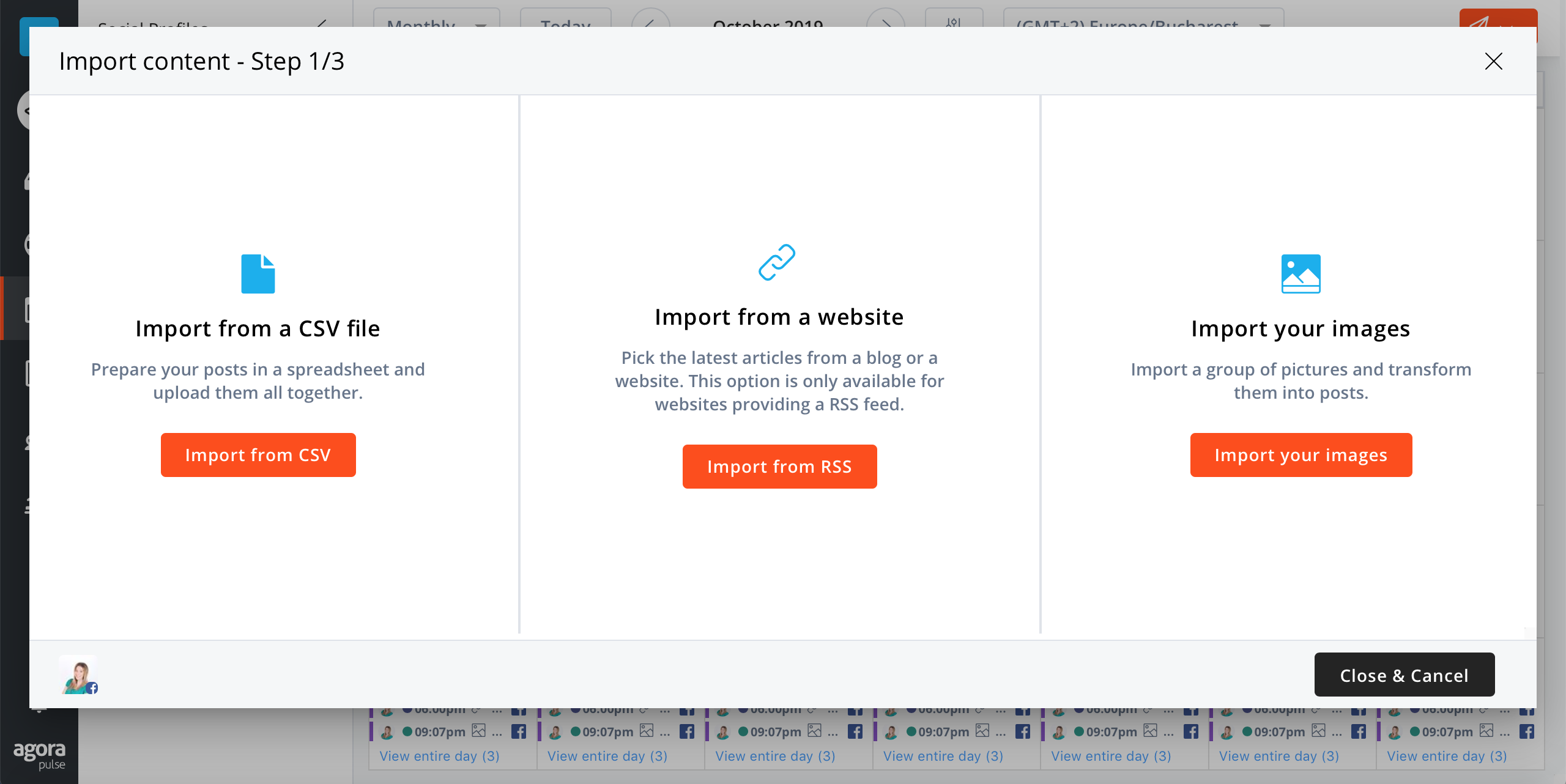
I’m starting with Agorapulse, as this is the one tool I use most often. It’s a social media management tool, and you can use it to publish and schedule content to Twitter, Facebook, LinkedIn, Google+ and Instagram.
They also have an editorial calendar where you can view all of your upcoming updates and schedule more if there are any days missing any content. Another cool feature is that you can add evergreen content to be re-published regularly, and you can set the exact times when you want it to go out. And, as you can see in the screenshot above, you can also bulk upload and schedule updates and curate content using RSS feeds.
Among other features, you can also use Agorapulse to monitor your social media, keep track of your fans and followers and check your social media analytics.
[clickToTweet tweet="The best time saving #socialmedia scheduling tools: @agorapulse via @lilachbullock" quote="The best time saving #socialmedia scheduling tools: @agorapulse via @lilachbullock"]
2. Combin Scheduler

Do you use Instagram to promote yourself online? There's a good chance - after all, Instagram is one of the most popular social networks in the world and a very powerful promotional tool.
If you want to save time and improve your Instagram results though, you need a tool to help you manage everything - and Combin Scheduler is perfect for Instagram. It's free, it's super easy to use and you can schedule both Instagram posts and Stories.
You can use Combin Scheduler to schedule all of your posts and Stories or publish them instantly. Not only that, but you can also enhance your posts with geo-tagging and account tagging.
What's more, you can even edit your visuals directly within Combin Scheduler - using crop and zoom, you can use this feature to make sure that all of your images and Stories look just right.
Another very cool feature worth mentioning is that you can even preview what your Instagram feed will look like; this way, you can style your Instagram grid to perfection as you're scheduling your posts:

Also worth pointing out, you can easily repost updates as well; all you really need is the link to the post you want to repost, and Combin will show you a preview of the post as well as automatically generate a reposting caption:

Plus, it's free to use!
3. Contentcal

ContentCal is not just a social media scheduling tool - it's also a very powerful planning tool, especially for those who work as part of a team (whether you're an agency or a brand).
Use it to assign specific roles to your team and create social media workflows; then, simply start using the social media calendar to plan and schedule all of your social media updates. As you can see in the above screenshot, the calendar covers all of your social profiles to give you a more holistic view of your social media schedule. What's more, you can colour code and tag your updates to make things as easy as possible to organize and plan.
And, of course, you can schedule your updates - and even repeat schedule them, to save even more time; plus, you have access to all kinds of useful time-saving features for social media management, such as a built-in emoji picker, automatic video and image compression, and saved hashtags, among other features.
Even though ContentCal is primarily a social media planning and scheduling tool, they are constantly adding up useful new features; one of the recent big ones is the new and improved Analytics which let you examine your social media success and understand what works and what doesn't.
4. PostPlanner
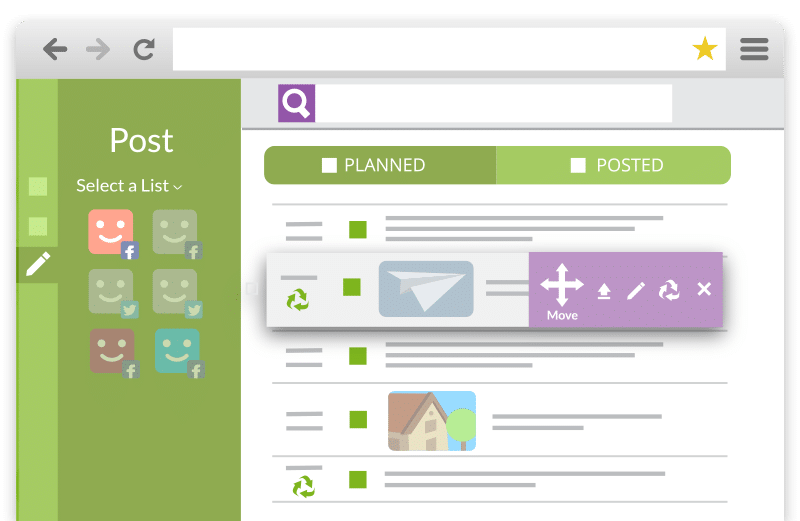
Postplanner is a useful tool, as you can not only use it to publish and schedule content, but you can also use it to find, share and schedule to be shared other’s people’s content, as well.
Postplanner gives you recommended feeds based on the industry you’re in and your interests and you can also perform searches to find awesome content that would provide value to your audience. Once you find this content, you can save it in your personal library to be published later.
You can also schedule your own social media content. Simply create a plan for each of your social media accounts, and PostPlanner will automatically publish them and re-publish your most popular posts, at the perfect posting times, as per their algorithm.
At the moment, Instagram works with Facebook, Twitter and Pinterest, with Instagram, Google+ and LinkedIn to come soon.
[clickToTweet tweet="The best time saving #socialmedia scheduling tools: @PostPlanner via @lilachbullock" quote="The best time saving #socialmedia scheduling tools: @PostPlanner via @lilachbullock"]
5. Buffer
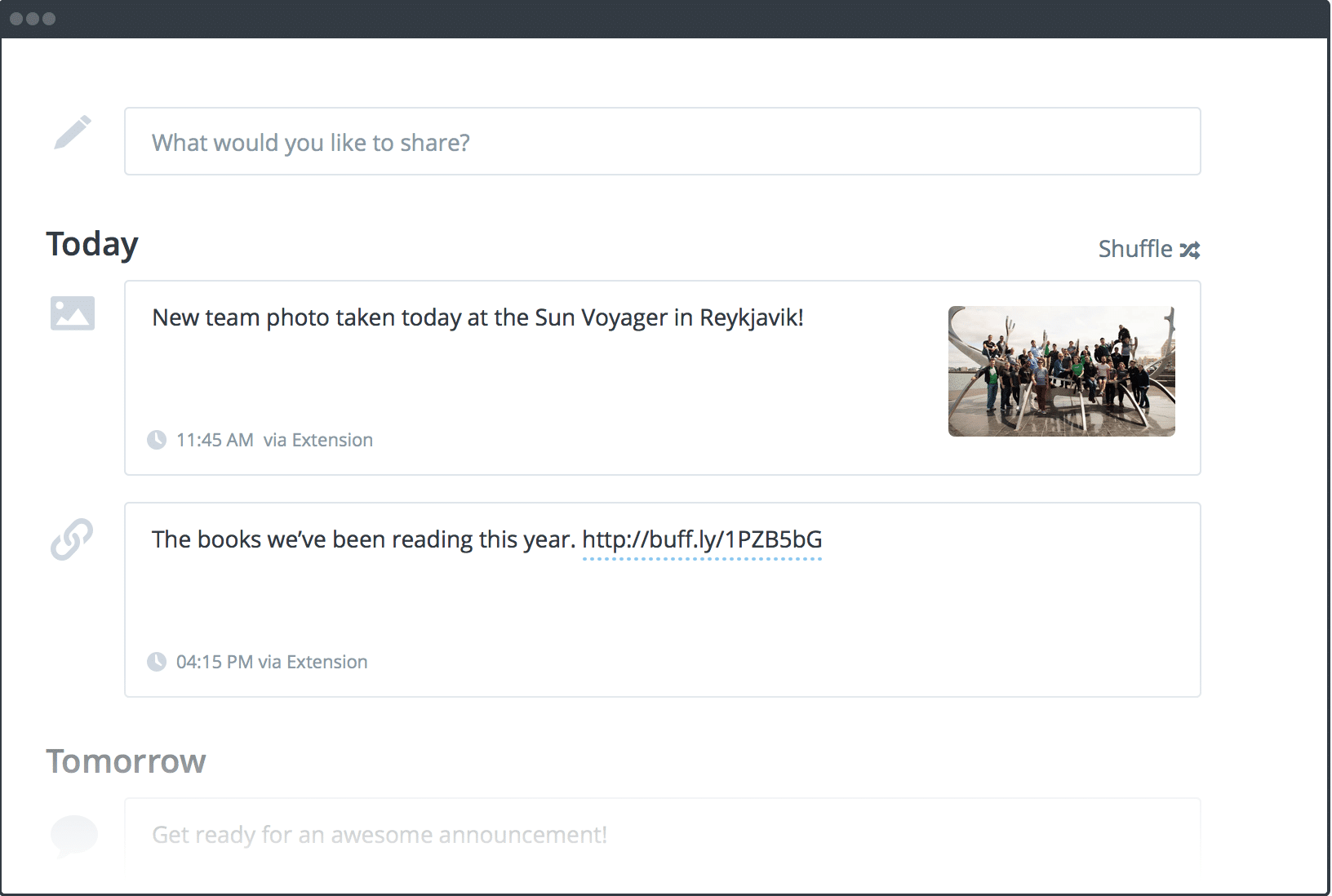
I can’t talk about social media scheduling tools and not mention Buffer.
Buffer is a tool exclusively designed to help you publish and schedule all of your social media updates from one place.
You can use it to post to multiple social networks, namely, Twitter, Facebook, LinkedIn, Instagram, Google+ and Pinterest.
What’s really cool is that you can also use their image creator, Pablo, to create beautiful images for multiple social networks (Twitter, Facebook, Instagram, Pinterest), with the ideal size and format for each one.
[clickToTweet tweet="The best time saving #socialmedia scheduling tools: @BufferApp via @lilachbullock" quote="The best time saving #socialmedia scheduling tools: @BufferApp via @lilachbullock"]
6. Later
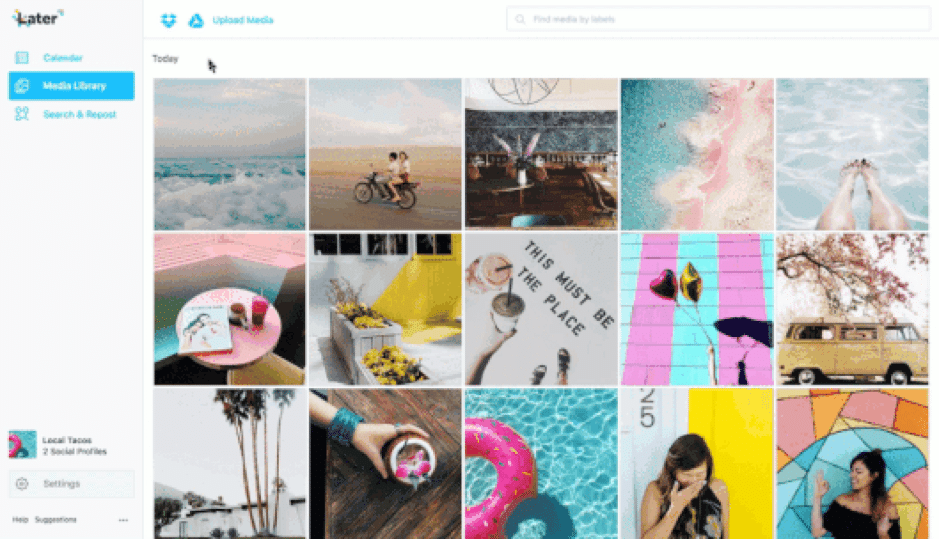
Later is a social media marketing platform designed specifically for Instagram – so perfect for those of you who use Instagram a lot and want to make the most out of this platform.
You can add photos and videos to your media library and organize them with labels, and by separating them into groups.
There’s also a content calendar which you can use to start adding all of those images and videos to be published. Plus, there's a visual planner that allows you to drag and drop your updates and arrange them as you wish in your feed and, of course, you can schedule your updates automatically.
[clickToTweet tweet="The best time saving #socialmedia scheduling tools: @LaterMedia via @lilachbullock" quote="The best time saving #socialmedia scheduling tools: @LaterMedia via @lilachbullock"]
7. Viralwoot
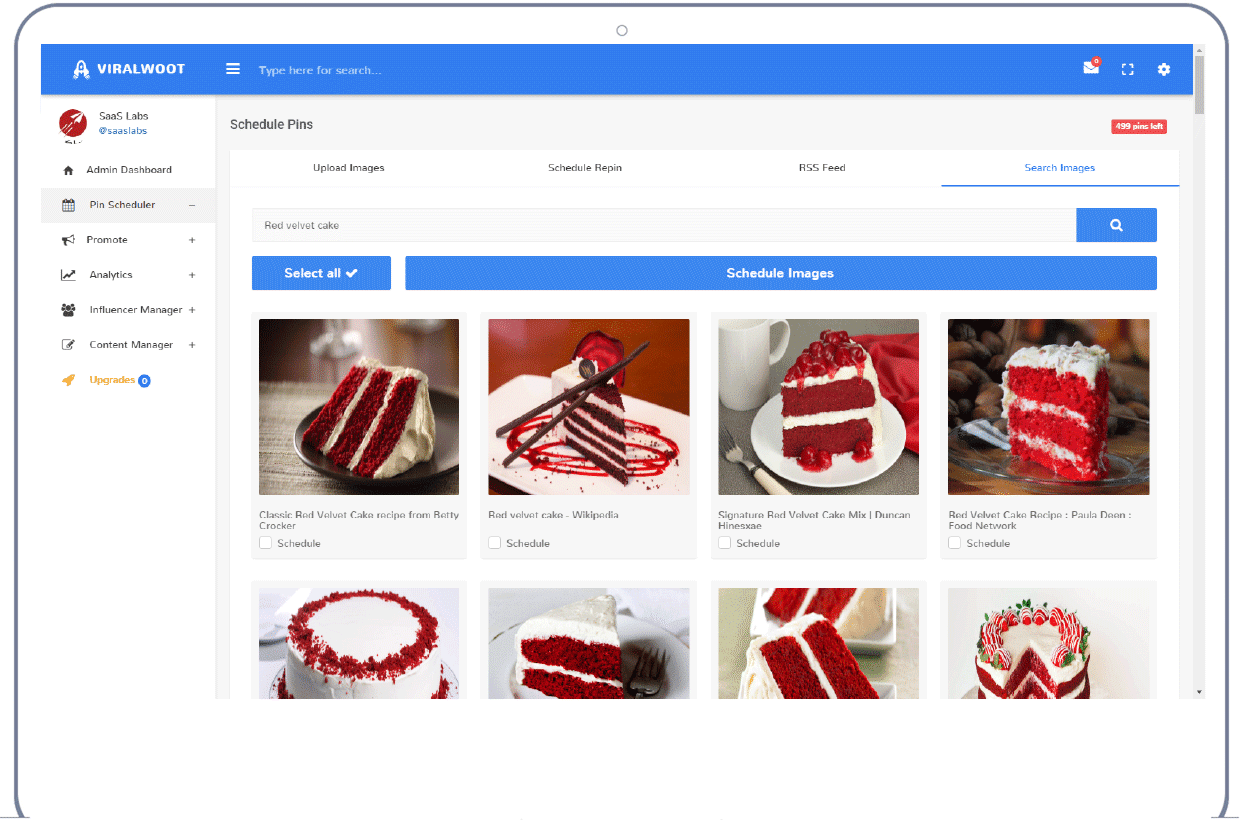
Viralwoot is a scheduling tool for Pinterest users. Use their Pin Scheduler to automate your pins and to schedule pins in bulk. You can also use their free Chrome extension to schedule pins from when you’re around the web.
That’s not all you get, though – there are also tools to help you promote your Pins, a content manager, influencer management tools and Pinterest analytics.
[clickToTweet tweet="The best time saving #socialmedia scheduling tools: @ViralWoot via @lilachbullock" quote="The best time saving #socialmedia scheduling tools: @ViralWoot via @lilachbullock"]
Want AI doing the heavy lifting in your marketing?
I build the systems that handle the boring 80 percent, so you get your week back. Done properly, with the human kept in.
8. Everypost
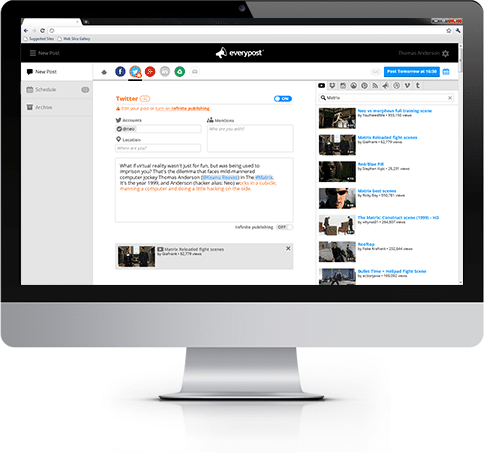
With Everypost, you can curate visual content to be published on your social media profiles, as well as publish and schedule updates for Twitter, Facebook, Google+, Tumblr and Pinterest.
Everypost lets you customize your post scheduling and to delete any previously scheduled posts that you want out. In terms of other features, you also get analytics for your social profiles, you can collaborate with other team members and you can customize curated posts before you publish them.
[clickToTweet tweet="The best time saving #socialmedia scheduling tools: @EveryPost via @lilachbullock" quote="The best time saving #socialmedia scheduling tools: @EveryPost via @lilachbullock"]
9. Postfity
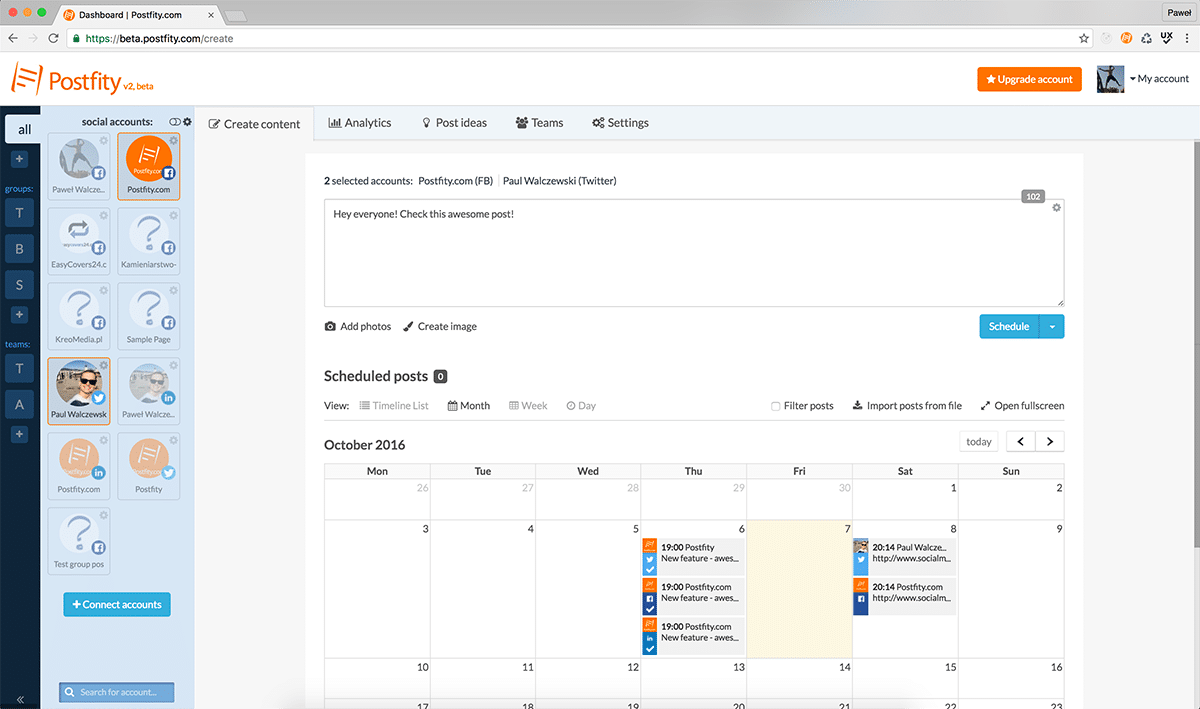
Postfity is a tool for helping you manage your different social networks and for posting and scheduling updates. It works with Twitter, Facebook, LinkedIn and Xing.
There are tools for scheduling updates at the times you want, or you can choose to add your updates to a queue and have them go out regularly, at the right hours, as based on their algorithm. Alternatively, you can also set your own days and times for when you want your content to go out.
Other cool features include analytics, team collaboration, automatic watermarks for your visual updates and a built-in content recommendation system.
[clickToTweet tweet="The best time saving #socialmedia scheduling tools: @Postfity via @lilachbullock" quote="The best time saving #socialmedia scheduling tools: @Postfity via @lilachbullock"]
10. Postcron
Postcron is a social media scheduling tool for some of the top social networks, Facebook, Twitter, LinkedIn, Pinterest and Instagram. You can easily schedule updates, and you also have the option to bulk upload as many as 1000 posts, pins or tweets at once and then automate your scheduling in just minutes.
One of Postcron’s coolest features is their tool for recommending content that will automatically generate Twitter posts for you in seconds.
Just like with Postify, the tool will also add a watermark to your images automatically to protect your work.
[clickToTweet tweet="The best time saving #socialmedia scheduling tools: @postcron via @lilachbullock" quote="The best time saving #socialmedia scheduling tools: @postcron via @lilachbullock"]
Related reading: 10 Best online booking and scheduling tools.
Related reading: 10 best tools to automate your social media marketing.
A closely related guide: the best social media scheduling tools.
Related: Mastering Faceless Social Media Videos | How Ad Creator Can Help?.
Make a tool for small businesses? Here's how to get your tool featured on this site.
Want your tool on this list? Featured spots and reviews here are paid partnerships. Here's how to partner with me.
I run AI training and workshops for teams, and help businesses with AI enablement and workflow automation, so the busywork runs itself and people get time back. Most of that work is with SaaS marketing teams and small businesses. Here's how we can work together.
Frequently asked questions
Which social media scheduling tool is best for a small business just starting out?
Buffer is my top pick for most small businesses starting out. The free plan lets you connect up to three channels and queue ten posts per channel, which is plenty to get a feel for scheduling without spending anything. Once you outgrow it, the paid plans are reasonably priced and simple to understand.
Are there any really free scheduling tools that are really worth using?
Buffer and Later both offer free tiers that are worth your time as a small business owner. Later's free plan is particularly strong for Instagram, giving you a visual content calendar so you can see exactly how your grid will look before anything goes live. Just be aware that free plans typically limit you to one user and a handful of accounts, so if you need a team to access the same dashboard you will need to upgrade.
How do I choose the right tool when there are so many options?
Start by listing the platforms you post to most often, the number of team members who need access, and your monthly budget. For example, if you rely heavily on Pinterest alongside Instagram and Facebook, pick a tool such as Tailwind that is built specifically around those platforms rather than a general one that treats Pinterest as an afterthought. Trial the free version for two weeks before committing to a paid plan.
What are the most common mistakes small businesses make when using scheduling tools?
The biggest mistake I see is scheduling posts and then going completely silent, meaning you never check back to reply to comments or join conversations. Scheduling handles broadcasting, but you still need to log in once or twice a day to respond to your audience. A second common mistake is posting at default times rather than checking your analytics to find when your specific followers are most active.
Conclusion: what are your favourite social media scheduling tools?
Scheduling your social media updates, when done right, can be extremely beneficial, and not just a tool for helping you save more time. It can help improve your traffic, your engagement and generally help you get better results for your social media marketing.
Are you scheduling updates for your social accounts? Which social networks do you schedule to? And which social media scheduling tools do you use most often? Let me know in your comments and please share:)
If you would rather have the systems set up for you, here is how an AI consultant for small businesses can help.
Related: ai appointment scheduling financial advisers.
Related: ai appointment scheduling plumbers trades.
Related: ai appointment scheduling property managers.
Related reading: How Online Booking Systems Reduce No-Shows for Small Businesses.
Five scheduling tools that save the most time
Related reading: Mastering Faceless Social Media Videos | How Ad Creator Can Help?.
Worth reading next: Best Hootsuite Alternatives for Scheduling Social Media in 2026.
Viraltag · Canva · Agorapulse · Hootsuite · free Hootsuite alternatives · SocialOomph · MeetEdgar · team collaboration · HeyOrca
I publish contributed articles on this topic too. See how to write for us on social media.
The Social Media Scheduling Tools I Tested for a Month
The short version: I tested six social media scheduling tools over 30 days across my own accounts and two client accounts. Most were fine. Two were worth paying for. One wasted four hours of my time on a single Monday morning and nearly ended up in a LinkedIn rant. Here is the full breakdown with real numbers, real frustrations, and the one honest point nobody else will tell you.
Next step on this topic: How Do You Manage Social Media Content Approvals Across a Team?.
Related reading: How To Choose Appointment Scheduling Software With A Built-In Website.
Related reading: What Is the Ideal Ratio for Instagram Feed Posts in 2026?.


