- AI news this week for small business at a glance
- 1. Canva Craft is worth trying on the marketing image that never gets finished
- 2. Claude Duet could help with the follow-up you keep having to remember
- 3. Agent Skills gives your repeated instructions a home beyond one conversation
- 4. 1Password for Agents offers an alternative to pasting a password into chat
- 5. ChatGPT locked chats can tidy up what appears in your history
- 6. Voxtral 3 is a reason to test the names your transcript keeps getting wrong
- 7. OpenAI's Decisions API could put enquiries in the right queue
- 8. Claude's API update needs a test before you upgrade a working system
- 9. Claude's web-fetch controls let you narrow a research automation's reading list
- 10. Cohere Rerank 5 could help your document assistant find the paragraph it needs
- What I'd do with one hour this week
- Questions small-business owners are asking this week
- My final thought
In this blog post I'm going to share the AI news this week for small business, with the updates I'd try first and the ones that only matter if you've already got an automation running.
My first stop would be the marketing image you've been avoiding. Then the follow-up you keep having to remember. Then the instructions you've typed into an AI tool so often you could recite them in your sleep.
There are useful changes for all three. There are also a few less glamorous updates that could stop a working system becoming tomorrow's mystery error.
This follows last week's AI Digest. It covers developments from 19 to 24 October, checked on 25 October 2026. Product claims come from their official announcements and documentation. The business trials below are my suggested uses, rather than tests I've personally carried out. Access still depends on your account, plan and location.
AI news this week for small business at a glance
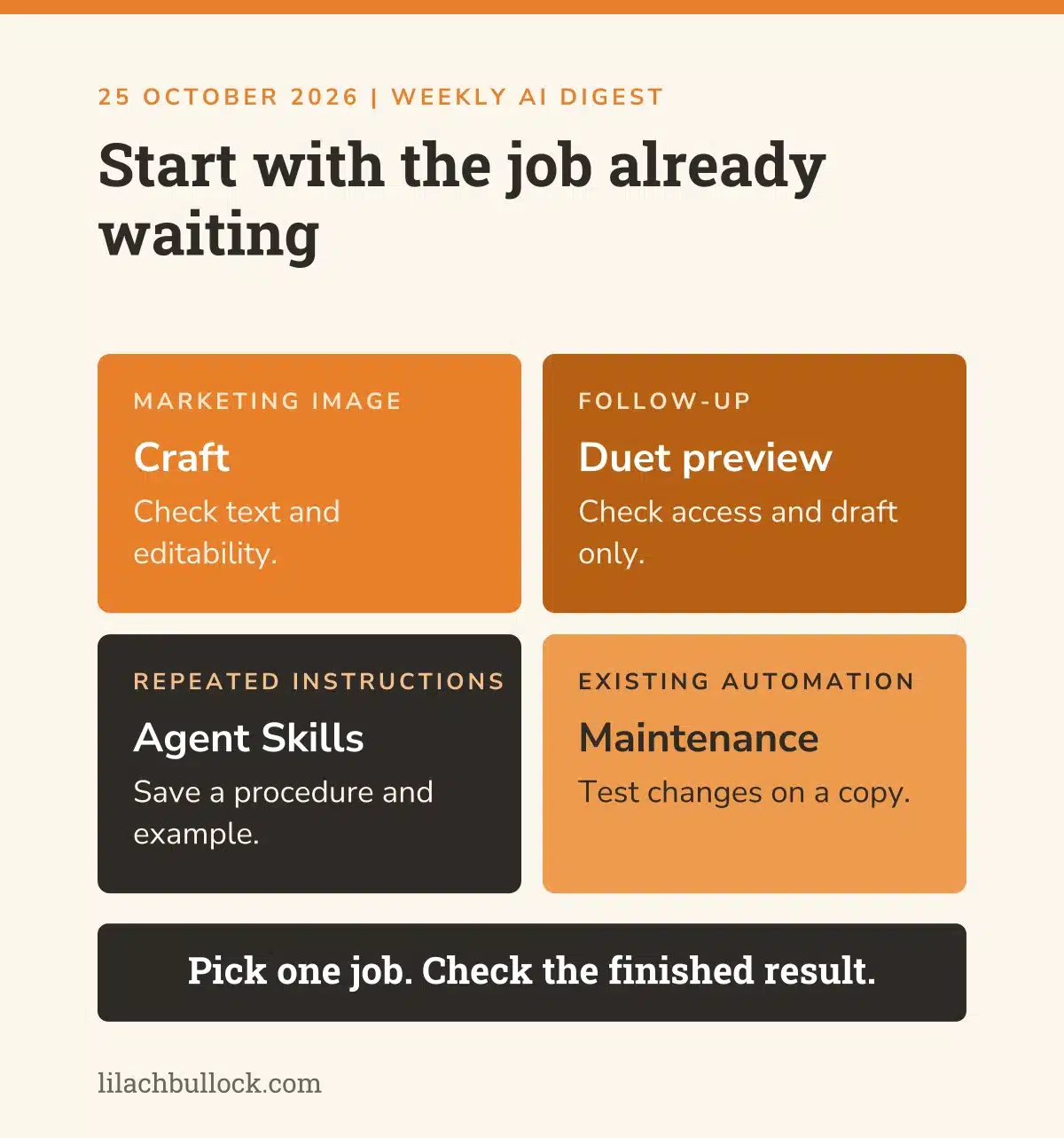
If you've only got time for one thing, choose the job that's already waiting. Don't create a project to justify trying a feature.
- Canva Craft: try a marketing visual with a clearer layout and readable text.
- Claude Duet: a preview of help with follow-ups that doesn't wait for your next prompt.
- Agent Skills: keep the instructions for a recurring task somewhere you can reuse them.
- 1Password for Agents: a different way to let an assistant sign in without pasting passwords into chat.
- ChatGPT locked chats: keep a conversation out of your ordinary history and search.
- Voxtral 3: check whether multilingual transcription can handle your customers' names and terminology.
- OpenAI Decisions API: sort incoming enquiries into the right queue.
- Claude's API update: check an existing automation before upgrading its software.
- Claude web-fetch controls: decide which websites a research automation can read.
- Cohere Rerank 5: give a document assistant the relevant passage instead of another pile of files.
The last four are for businesses with someone maintaining an AI system. You can get useful work from the first six without learning what an SDK is. A perfectly reasonable ambition.
1. Canva Craft is worth trying on the marketing image that never gets finished
What changed, 22 October: Canva introduced Craft, its own image model, available through Dream Lab and its public API. Canva describes a system that plans a composition before rendering it, with output up to 2K. Its announcement also describes turning images into editable elements through Magic Layers. Source: Canva's Craft launch announcement.
My verdict
The useful question is whether you can get a usable campaign image with fewer repairs. A lovely background isn't much help when the headline is misspelt and your offer has acquired an extra digit.
I'd start here if you're already using Canva. Take the image you need for a workshop, service or email. Keep the message short enough that somebody can understand it while scrolling past.
Use it in your business
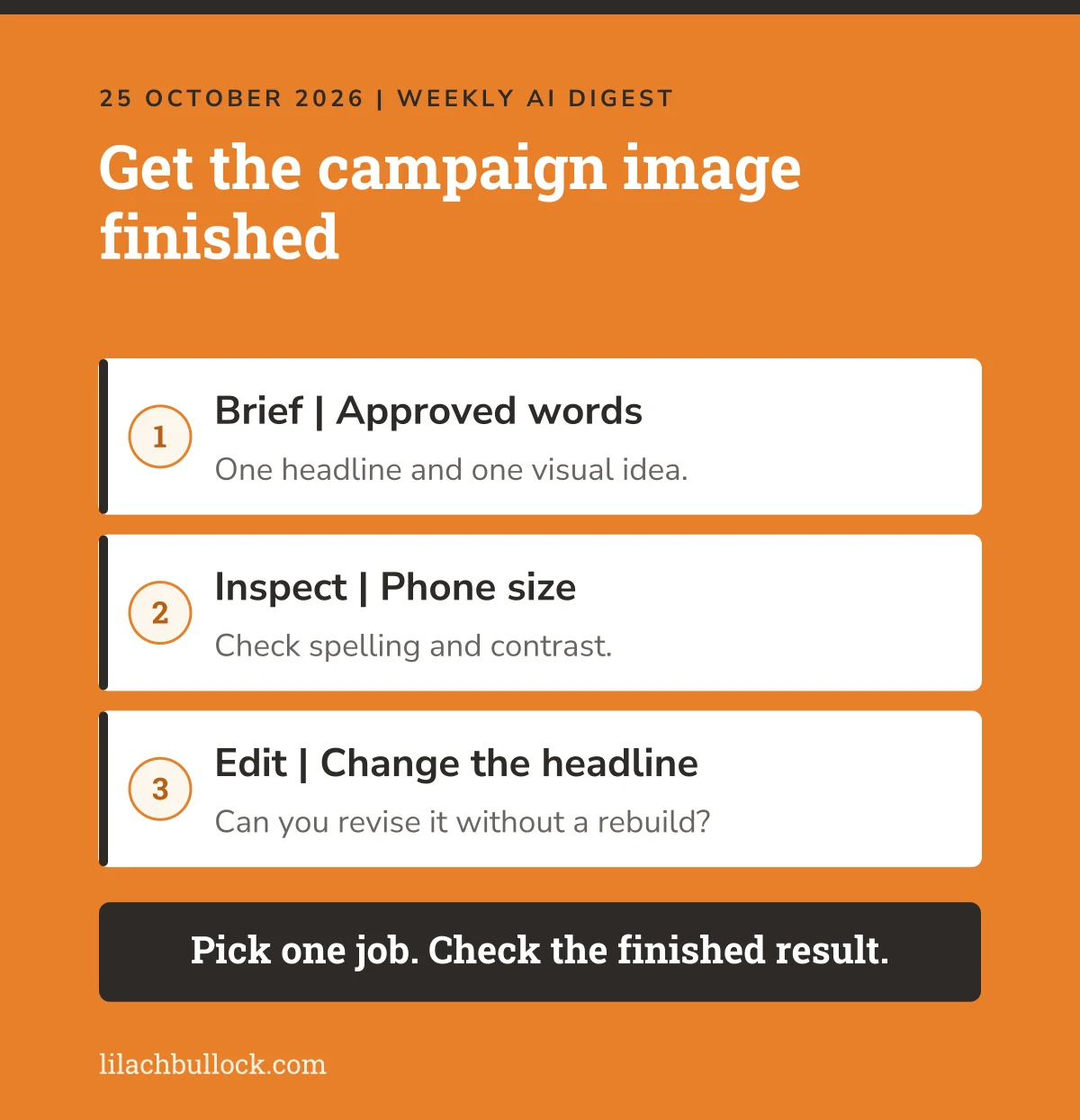
Write the approved headline, the image dimensions and one visual idea before opening the tool. Ask for those exact words, with space around them. Then check the letters, contrast and layout at phone size.
Try changing the headline afterwards. Can you edit what you need without rebuilding the whole image? Save the final file and check it outside the editor.
My voice bank guide helps with wording that sounds like you. If the visual looks attractive but says very little, work through your business differentiation first.
Keep this human
Check every word and every claim before publishing. Don't use a generated product image as proof of a detail the product doesn't have. Better rendering doesn't make an invented testimonial acceptable.
2. Claude Duet could help with the follow-up you keep having to remember
What changed, 21 October: Anthropic opened Claude Duet as a research preview by waitlist, initially for US Pro and Max subscribers. It can work in the background, review connected accounts and bring items to your attention. It shares your Claude plan's usage limits. Source: Anthropic's Duet announcement.
My verdict
This is aimed at a familiar problem. You don't need another place to write a to-do list. You need the unfinished item to come back when it matters.
The catch is access. This is a preview with a waitlist, so don't make next week's customer follow-up depend on getting in. And an assistant that checks periodically isn't watching every message the instant it arrives.
Use it in your business
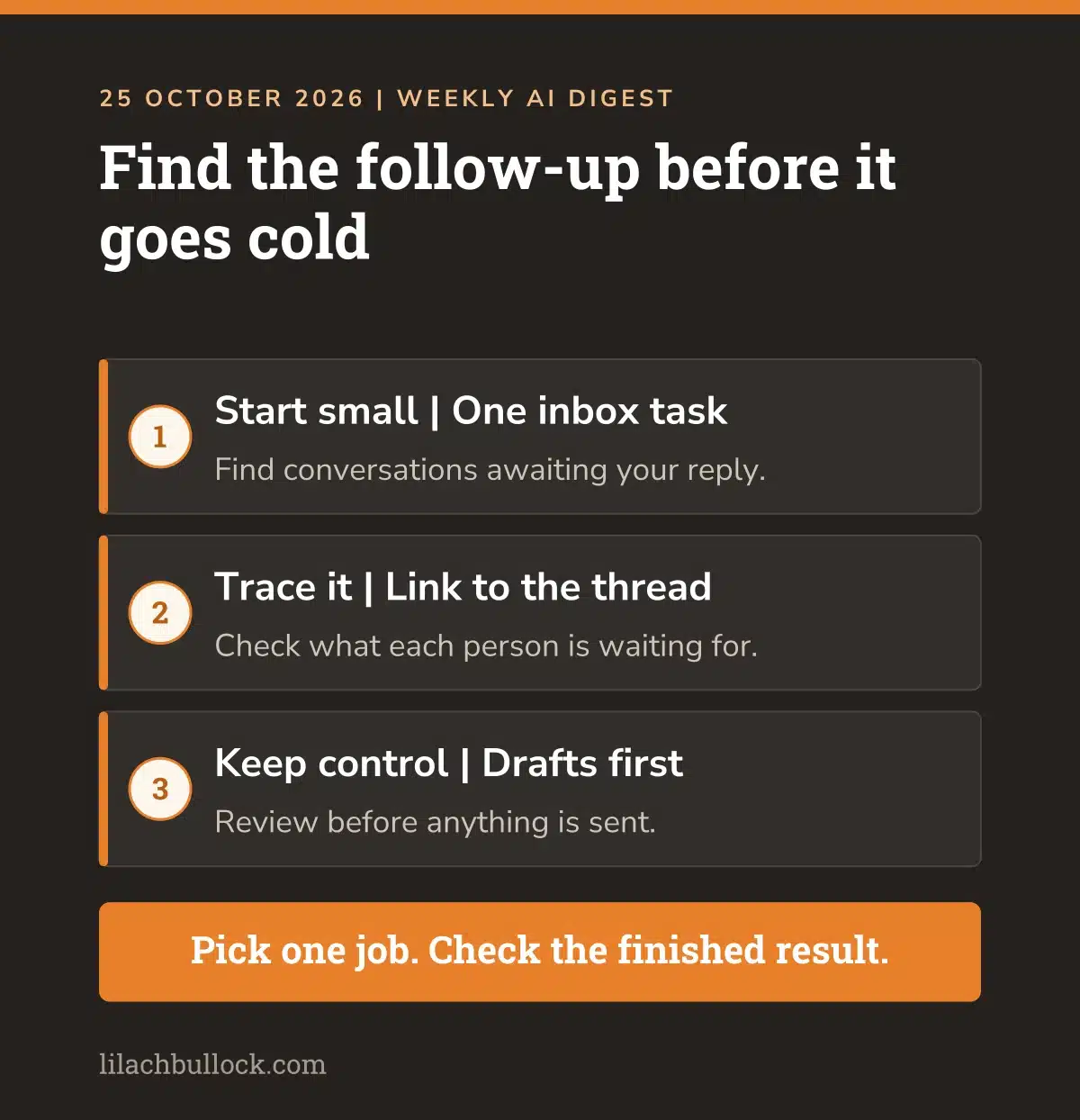
If you have access, start with a narrow brief: find customer conversations where you owe a reply, explain what each person is waiting for, and prepare drafts. Require a link back to each conversation.
Check its list against the inbox yourself. Did it confuse a message you've already answered with an outstanding task? Did it miss the reply sitting in another thread?
Use my AI workflow examples to pick one job. The guide to choosing an AI agent task will help you keep the first brief manageable.
Keep this human
Keep sending, spending and deleting subject to approval. Anthropic describes safeguards, but you still need to check the output and decide which accounts it should access. Begin with drafts and a short list you can verify.
3. Agent Skills gives your repeated instructions a home beyond one conversation
What changed, 22 October: Anthropic donated the existing Agent Skills standard to the Agentic AI Foundation under the Linux Foundation. The standard lets a folder of instructions and supporting files teach an assistant a task. This is a change in stewardship, rather than the launch of skills. Source: Anthropic's announcement.
My verdict
If you keep explaining the same job, save the explanation.
For a small business, the valuable part is the procedure you've worked out. Which files to read. Which example to follow. What to check before the job is finished. That knowledge shouldn't disappear halfway up a chat.
Use it in your business
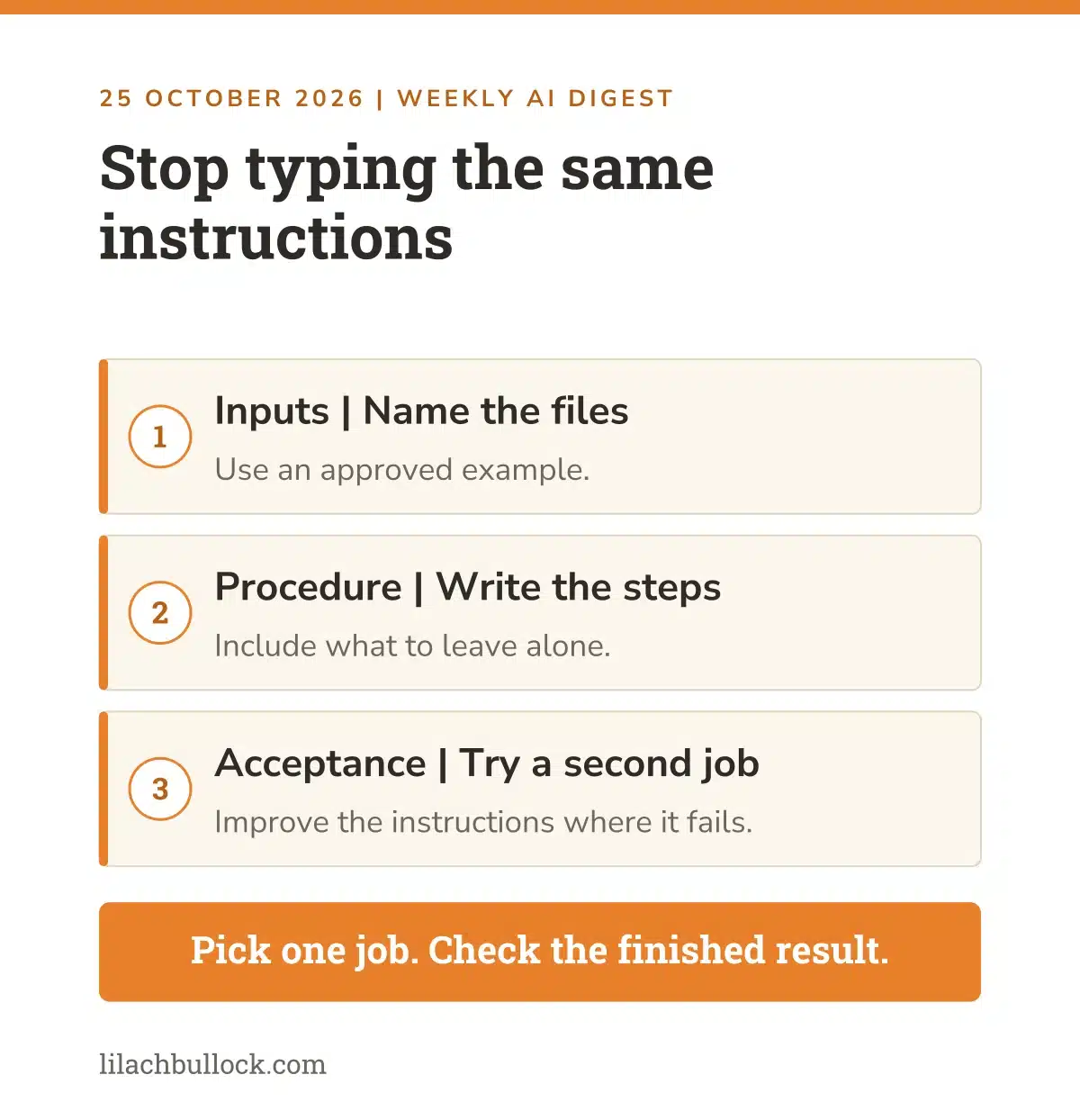
Choose one recurring job, such as turning approved workshop notes into a customer handout. Write down the inputs, the steps, an accepted example and the final checks. Include what the assistant must leave alone.
Then run the instructions on a different set of notes. If the result needs rescuing, improve the instructions before you add another task. My AI implementation roadmap helps you choose the starting point, while preparing your business for automation covers the information a repeatable process needs.
Keep this human
Support for a standard doesn't mean every tool has the same permissions or runs the same scripts. Review a skill before installing it, especially one containing code. Test your own procedure again when moving it to another assistant.
4. 1Password for Agents offers an alternative to pasting a password into chat
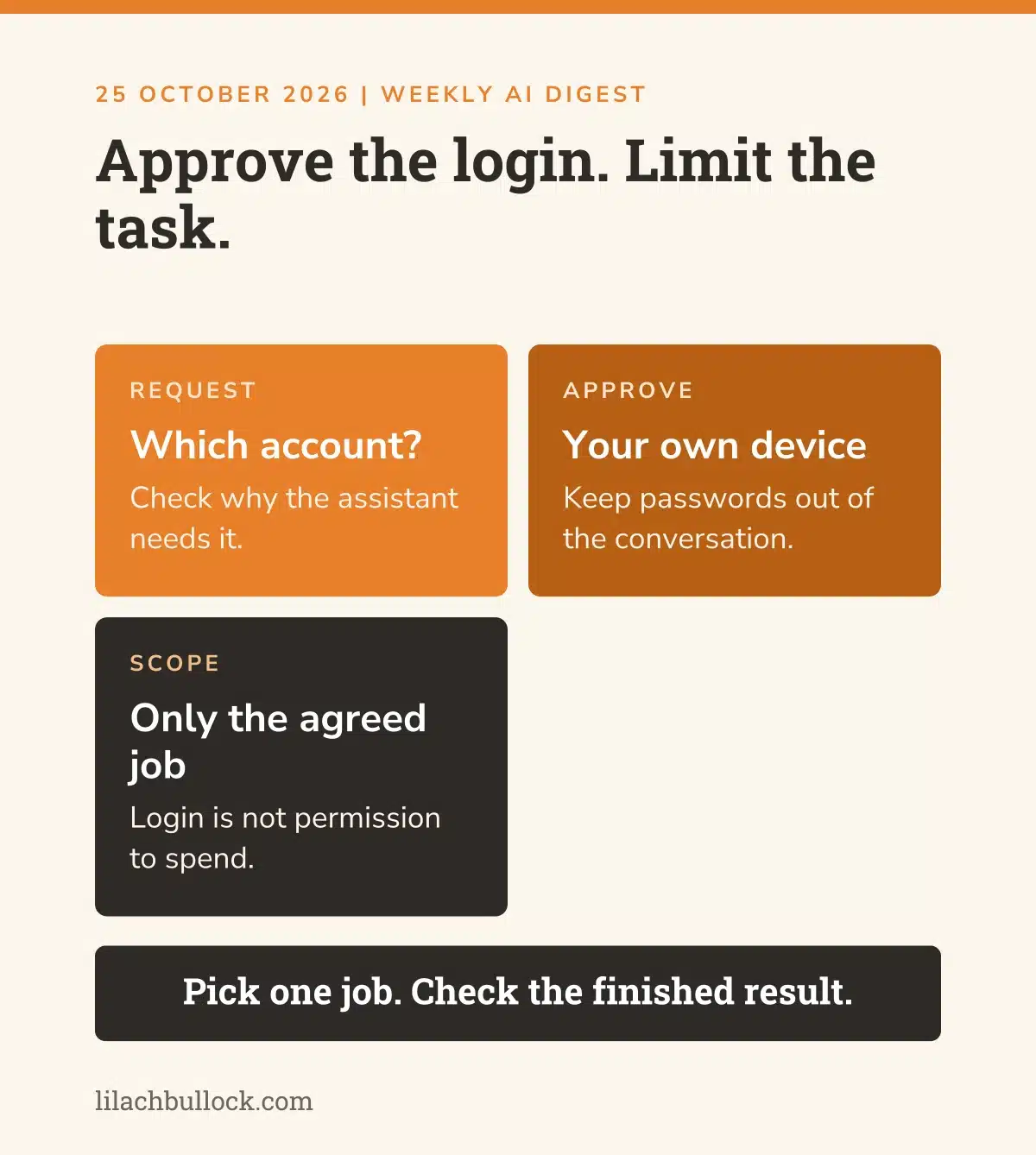
What changed, 22 October: 1Password announced a system for agents to request credentials without receiving the passwords themselves. The person approves a request on their own device, and 1Password fills the sign-in form. Support is being built across several agent products; check the integration you need. Source: 1Password's announcement.
My verdict
This matters if your assistant keeps reaching a login screen halfway through a useful job.
The temptation is to paste in the password and move on. The problem is where that password ends up afterwards. Separating the login from the conversation is a better starting point.
Use it in your business
List the accounts an assistant needs for one defined task. Check whether the relevant agent and login method support this approach, then try an account with limited access.
Watch the approval request. It should be clear which account is involved and why it needs access. After signing in, check that the assistant stays within the task you gave it. My marketing permissions guide is useful for deciding what it should be allowed to do once inside.
Keep this human
Protecting a password doesn't approve everything behind the login. Keep payment, sending and account changes outside the trial. Don't assume a named partnership means your particular integration is available today.
5. ChatGPT locked chats can tidy up what appears in your history
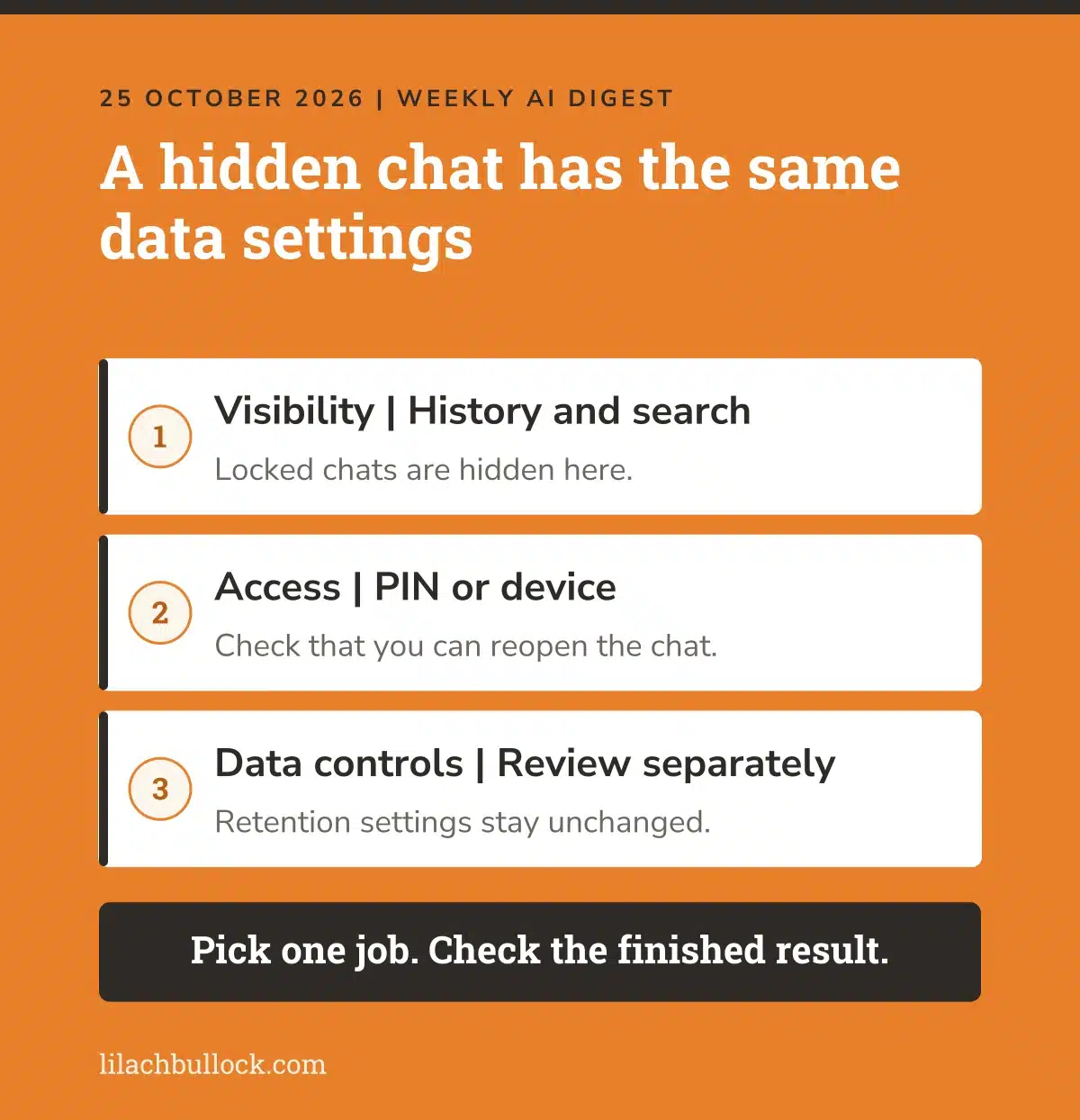
What changed, 20 October: OpenAI started rolling out locked chats for Free, Go, Plus and Pro users. Locked conversations are hidden from ordinary history, pinned chats and search. You open them with an account PIN or supported device authentication. Retention and model-improvement settings stay unchanged. Source: OpenAI's ChatGPT release notes.
My verdict
Useful if you open ChatGPT while sharing your screen and don't want a private conversation appearing in the sidebar.
But hiding something from the sidebar isn't the same as changing how the service stores or uses it. Those are separate controls. It's an easy distinction to miss when the feature is called a lock.
Use it in your business
When the feature appears in your account, practise with a harmless conversation. Lock it, confirm it disappears from ordinary history, then check you can open it again.
Review your data controls separately before adding confidential information. If several people use one account, sort out individual access rather than relying on a hidden conversation. My guide to checking AI business advice applies here too: check what a feature promises before building a business rule around its name.
Keep this human
Don't treat a locked chat as permission to upload information you aren't authorised to share. It changes visibility in your account, not your customer agreements or your retention settings.
6. Voxtral 3 is a reason to test the names your transcript keeps getting wrong
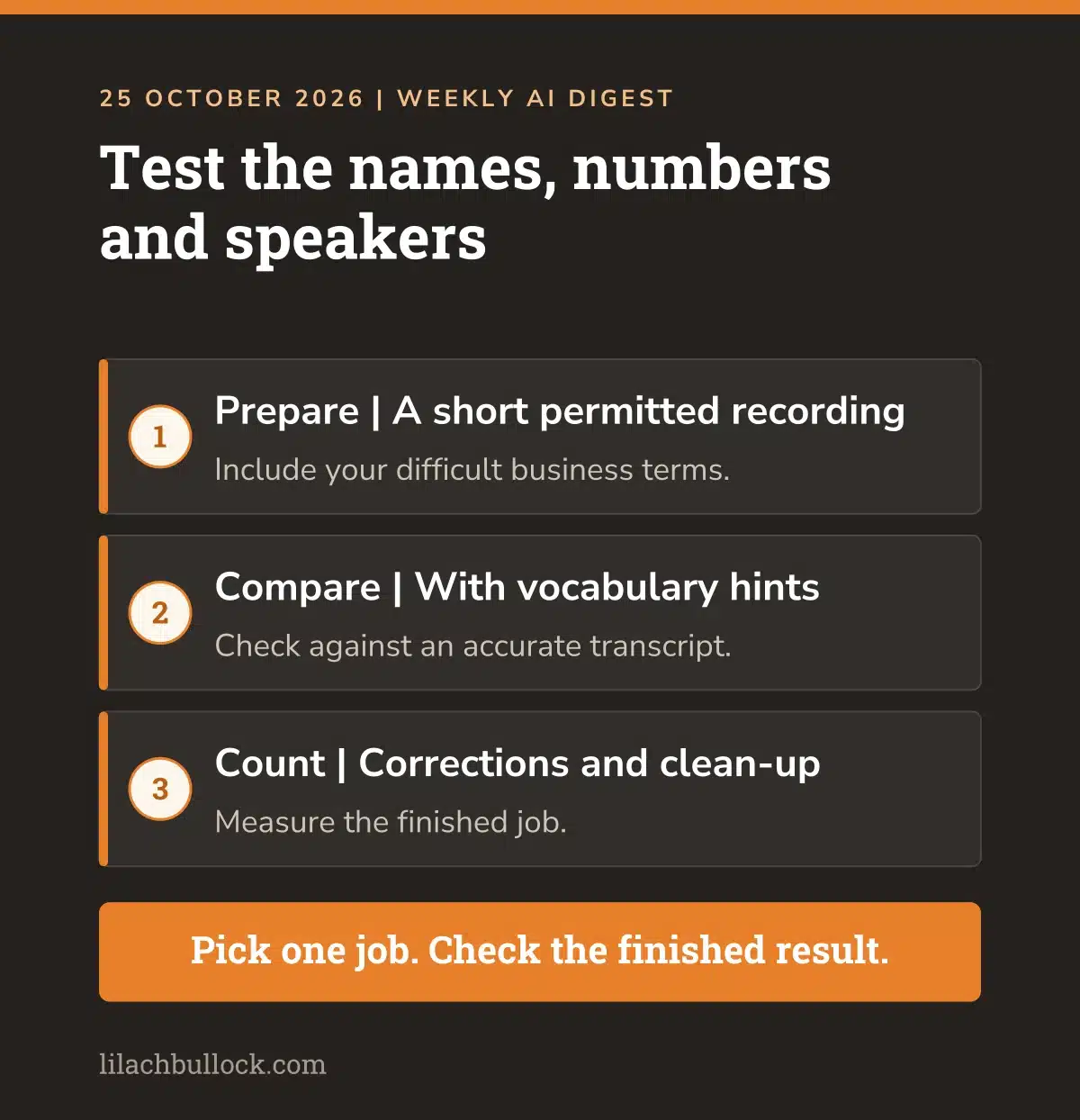
What changed, 22 October: Mistral announced Voxtral 3 speech models and a voice-agent SDK. The launch includes multilingual transcription, speaker identification and vocabulary hints, with transcription across more than 50 languages. These are vendor capabilities, rather than accuracy results from my own recordings. Source: Mistral's Voxtral 3 announcement.
My verdict
A transcript that gets the gist right can still create work. The customer name is wrong. The product name is wrong. A number has become a different number with enormous confidence.
If you already use transcription, test those awkward details before considering a switch. Another language on a support list means little if it can't handle the conversations you have.
Use it in your business
Use a short recording you have permission to process. Include two speakers, a few business terms and some names. Prepare an accurate reference transcript, then compare the output with and without vocabulary hints.
Count corrections to names, amounts and who said what. Also time the clean-up. My guide to measuring AI tool ROI helps you count the whole job, while using AI to learn a skill offers ways to practise with sample material first.
Want AI doing the heavy lifting in your marketing?
I build the systems that handle the boring 80 percent, so you get your week back. Done properly, with the human kept in.
Keep this human
Confirm names, commitments and amounts against the recording. Check consent, storage and deployment terms for your use. A multilingual product doesn't remove the need for a speaker who can judge the language.
7. OpenAI's Decisions API could put enquiries in the right queue
What changed, 22 October: OpenAI announced general availability of its Decisions API for tasks such as classification, routing and scoring. It can return a choice, score or probability, and accepts up to 400 questions per request. It's a developer service, rather than an inbox setting in ChatGPT. Source: OpenAI's Decisions API announcement.
My verdict
This is relevant when the same small decision happens often. Is this a new enquiry, an existing customer's question or something that needs urgent attention?
The value would come from fewer missed messages and less manual sorting. A confidence score on its own doesn't tell you whether the decision is right.
Use it in your business
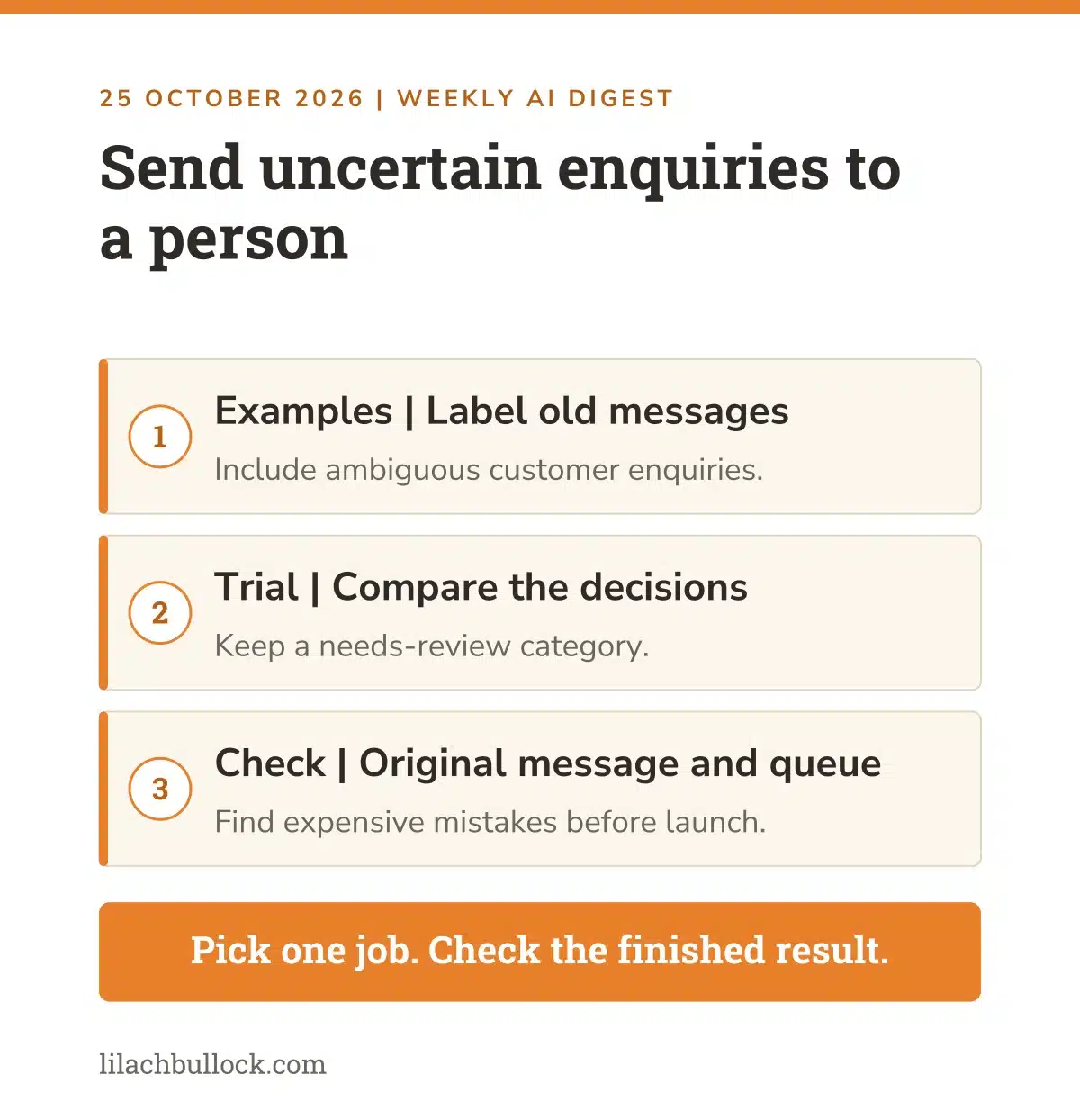
Start with a set of old, anonymised enquiries and label them yourself. Include the awkward ones: a customer asking about a new service, a short message with no context, and an urgent complaint disguised as a polite question.
Have the system choose from your labels, including "needs review". Compare its decisions with yours before connecting it to a live inbox. Use the lead leak calculator to think about the cost of missed follow-up, then map the process with my AI workflow automation guide. My AI email workflow experiment shows what that routing has to handle once enquiries grow.
Keep this human
Let uncertain messages reach a person. Don't automatically reject a potential customer because a classifier put them in the wrong category. Keep a record of the original message and the route it took.
8. Claude's API update needs a test before you upgrade a working system
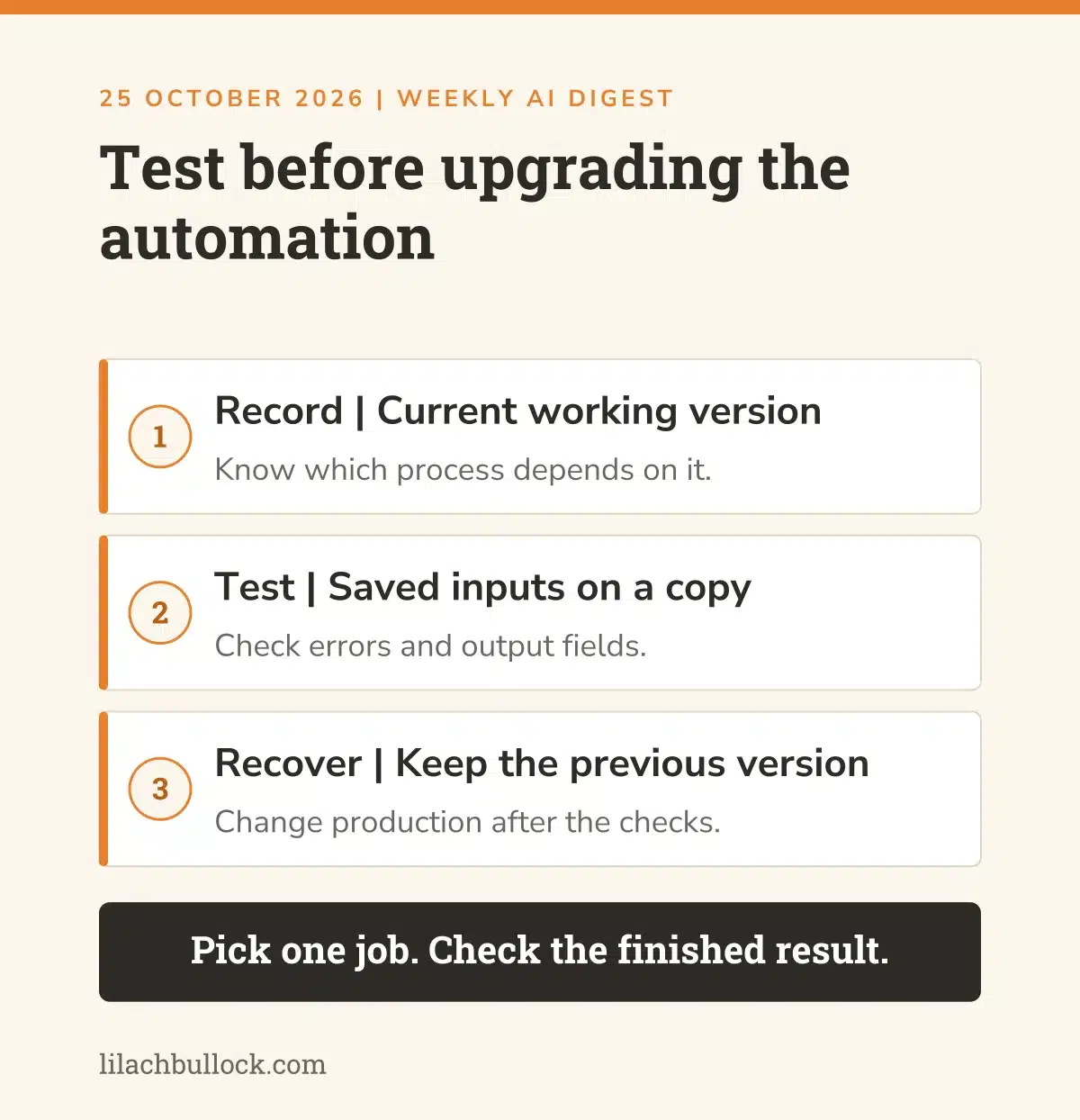
What changed, 21 October: Anthropic released API version 2026-10-21 and new major SDK versions that use it by default. The migration removes support for sampling parameters including temperature, top_p and top_k; sending them produces an error. The SDKs also have their own breaking changes. Source: Anthropic's release notes and migration guide.
My verdict
This belongs on your list if a Claude-powered process already sorts messages, prepares reports or extracts information for you.
You don't need to understand every setting. You do need to know whether an update could stop a job you rely on. "We upgraded the library" isn't much comfort when enquiries have stopped reaching the right place.
Use it in your business
Record which process uses the API, its software version and the expected output. Test the upgrade on a separate copy with saved inputs. Include incomplete information and an example that should produce an error.
Check that the next step still receives the fields it expects. Then keep the previous working version available until the new one has passed. My AI auditing AI guide explains why a successful-looking answer still needs checking against the original job.
Keep this human
This is an API migration, not an instruction to change settings in your ordinary Claude chat. Review the migration guide for your integration. Don't upgrade production software just to see what happens.
9. Claude's web-fetch controls let you narrow a research automation's reading list
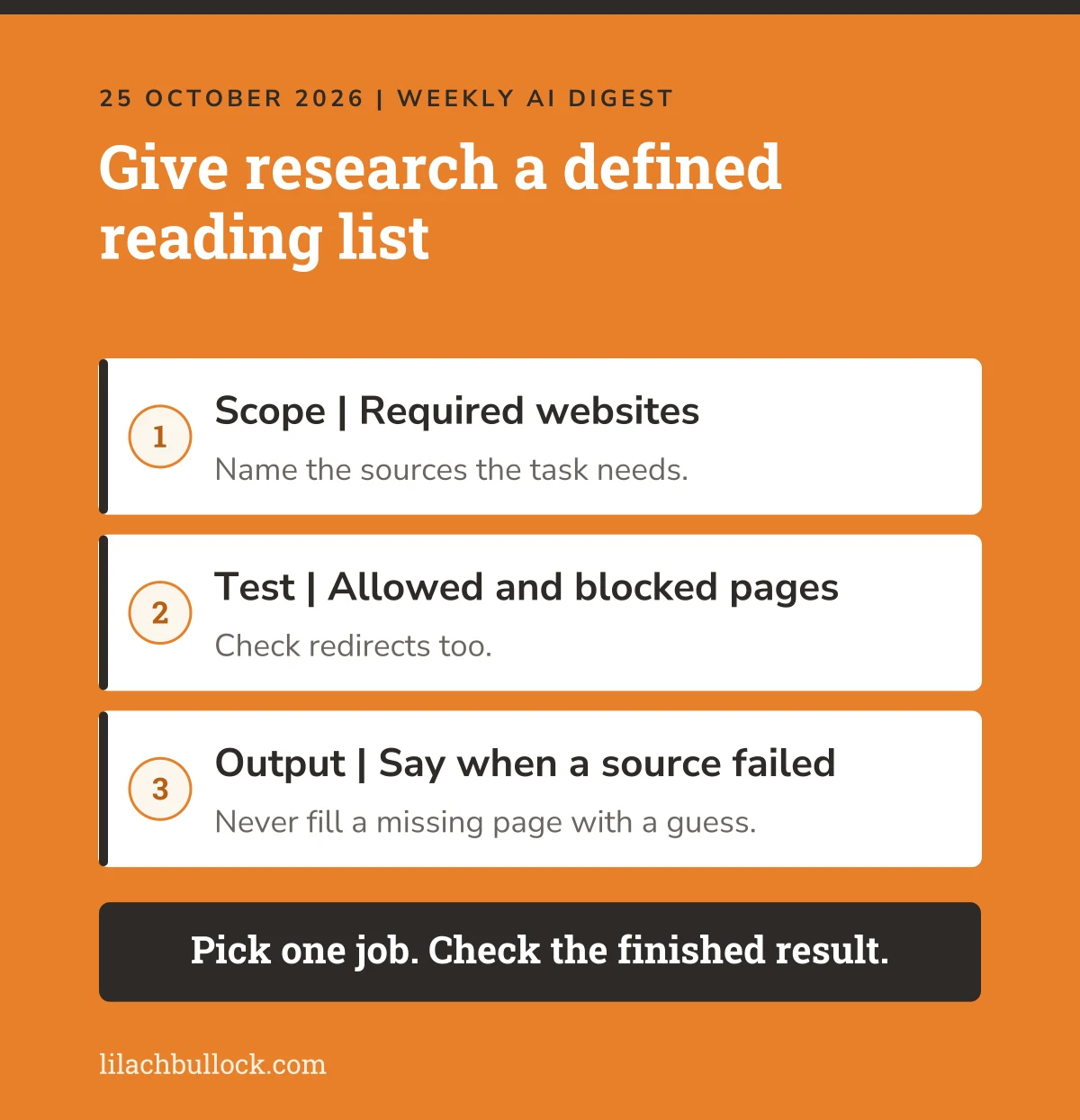
What changed, 20 October: Claude Console admins gained organisation-level controls to disable web fetch or restrict domains. Managed Agents also follow the organisation's domain restrictions. Disabling fetch can cause API requests that still include the tool to fail. Source: Anthropic's Claude Platform release notes.
My verdict
Useful for a defined research job, such as checking approved suppliers or reading official product documentation.
More browsing isn't always better. If the task is to check a supplier's current delivery terms, I'd rather have the relevant page than a persuasive paragraph copied from somewhere else.
Use it in your business
Write down which websites the job needs. On a test version, restrict access to those domains and try both an allowed page and a blocked one. Include a redirect in the checks if the source uses one.
Make the output say when it couldn't read a source. It should never fill the gap with a guess. My guide to deciding whether to hire or automate helps you judge whether the research is regular enough to justify maintaining this setup.
Keep this human
A permitted website can still contain wrong information or hostile instructions. Domain controls limit access; they don't verify the content. Test the dependent workflow before changing an organisation-wide setting.
10. Cohere Rerank 5 could help your document assistant find the paragraph it needs
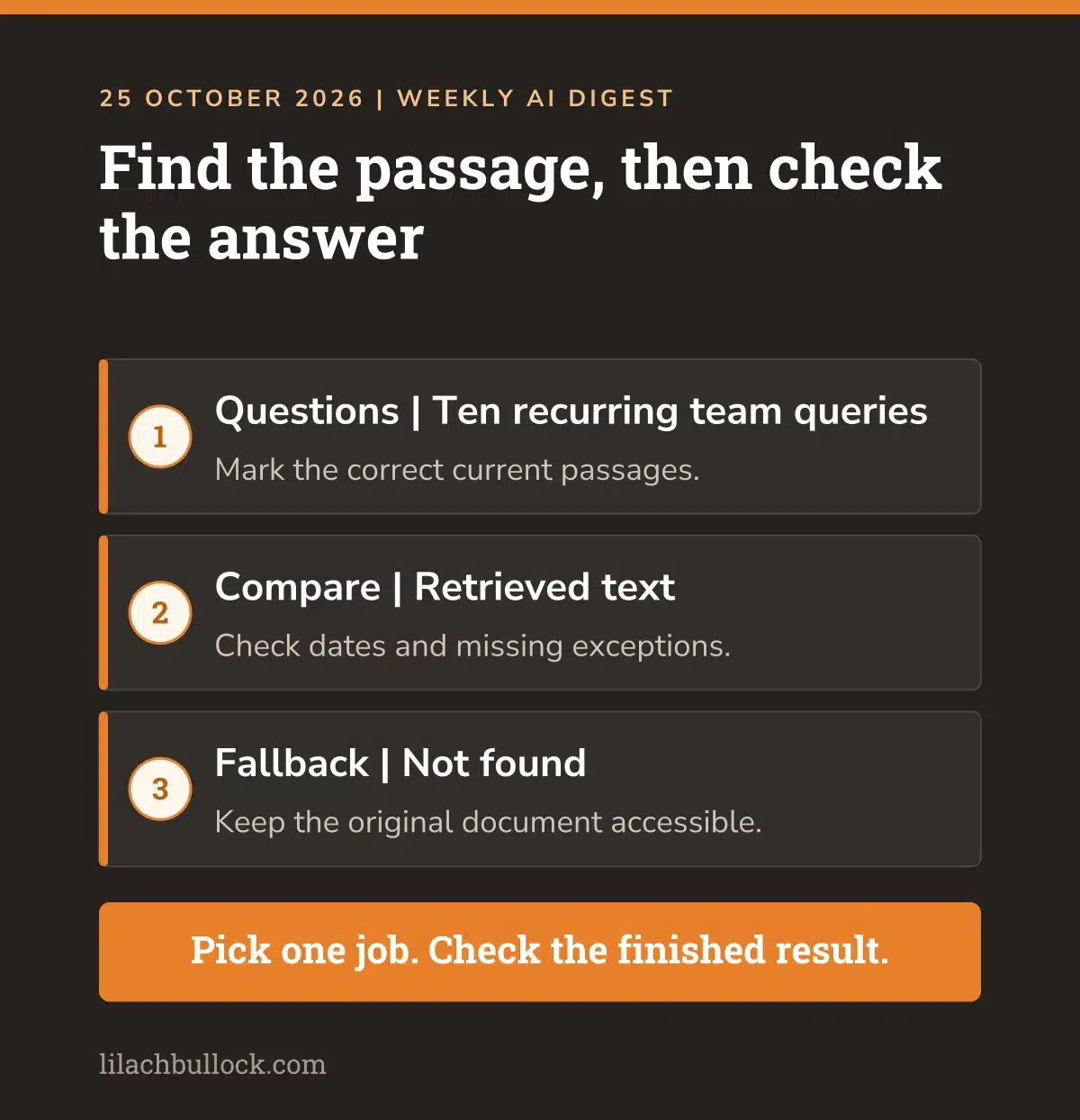
What changed, 21 October: Cohere introduced Rerank 5, with an optional Context Focus feature that can return relevant passages within documents. It's part of a developer search setup, rather than a replacement chat app. Source: Cohere's Rerank 5 announcement.
My verdict
If an assistant keeps quoting an old policy while the current answer is sitting in another file, the problem may start with what it retrieves.
Sending it more documents can make the pile bigger without making the answer better. I'd check which passage it found before blaming the writing model.
Use it in your business
Take ten questions your team repeatedly asks about your own procedures. Mark the current source passage for each answer, including its date and any exceptions.
Compare what your existing document search retrieves with the revised version. Test a question that has no answer in the files too. Count correct passages, missing qualifications and time spent checking. Use the AI savings calculator to estimate whether reducing that repeated work would justify a build.
Keep this human
A short relevant extract can omit an important condition in the next paragraph. Keep the source document accessible, check its version and require "not found" when the answer isn't there.
What I'd do with one hour this week
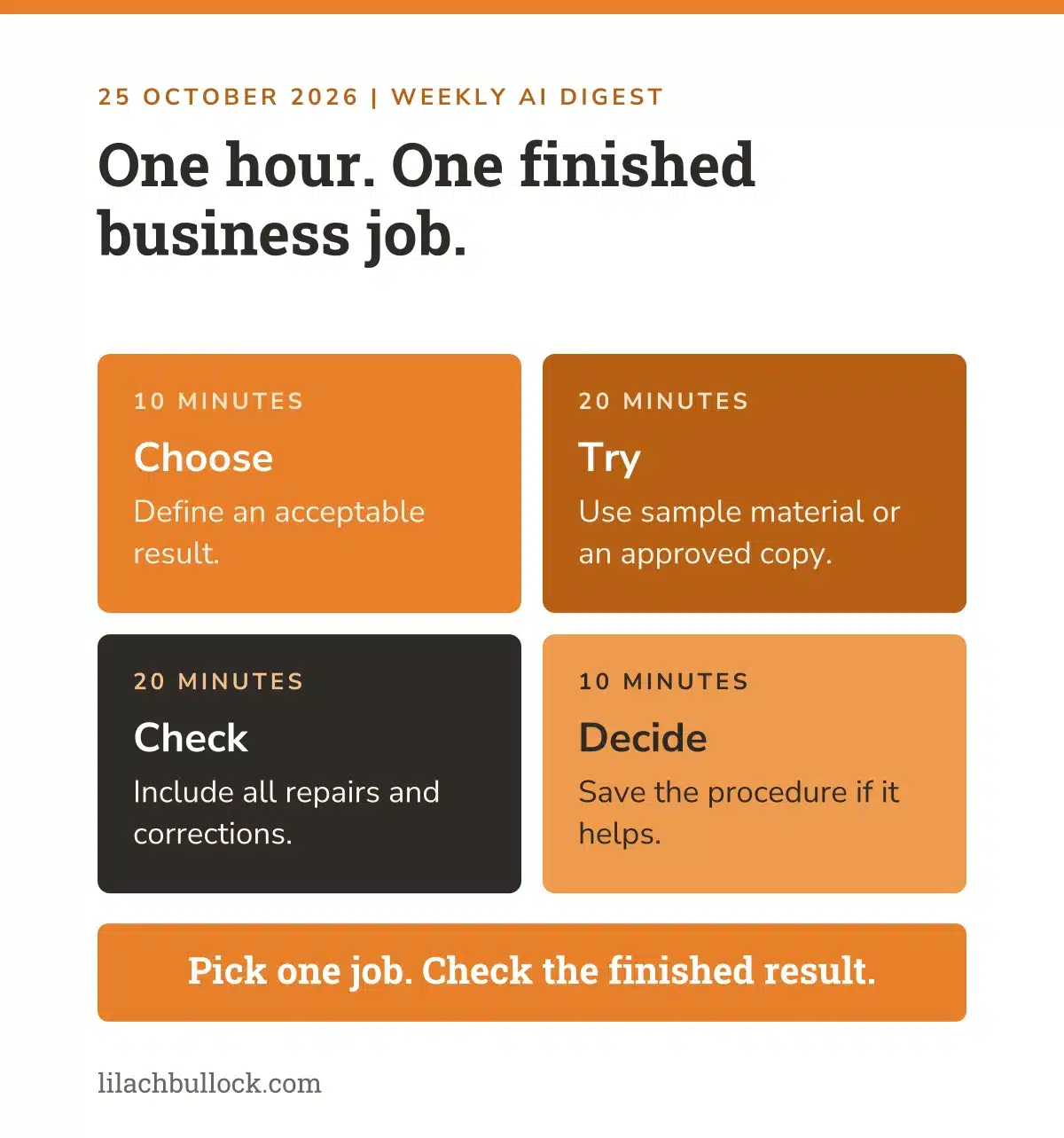
Don't try ten tools. Choose the job you can finish and judge.
First ten minutes: Pick one task already in your weekly marketing routine. Write what a usable result must contain. Save a before version.
Next twenty minutes: Try one update using sample information or an approved copy. Keep a note of the brief and any changes you make.
Next twenty minutes: Check the finished output. Read the image at phone size. Compare the transcript with the audio. Look at which enquiry went into which queue. Include the time spent repairing it.
Final ten minutes: Decide whether to repeat it, improve the instructions or leave it alone. Save the working procedure if it's useful. My free AI marketing resources include prompts, templates and checklists to start from. If you've spent longer checking than doing the original job, that's a result too.
Questions small-business owners are asking this week
Which update should I try first?
For a quick marketing task, I'd start with Craft if you're already using Canva. For repeated admin, document the procedure as a skill. Duet is worth watching, but its preview access means it shouldn't become a dependency before you can use and test it.
Can I use Claude Duet today?
The 21 October announcement describes a waitlisted research preview starting with US Pro and Max subscribers. Being on an eligible plan doesn't guarantee immediate access. Check your account and the current availability notice before planning around it.
Do locked chats change ChatGPT's data settings?
No. OpenAI says retention and model-improvement settings stay unchanged. The feature hides selected conversations from ordinary history, pinned chats and search, with a separate way to open them. Review data controls separately before using confidential business information.
Do I need to replace the AI tools I already use?
Only if a change solves a problem worth the switching and checking time. Compare one finished job using the same inputs. Include repairs, setup and ongoing maintenance in the decision. A new release doesn't make a working process obsolete.
Which updates need a developer?
The Decisions API, Claude API migration, web-fetch controls and Rerank integration involve an existing technical setup or a new build. Turn your business requirement into an acceptance test first. For example, "uncertain enquiries must reach a person" is more useful than "add the latest model".
How do I know an AI update saved time?
Measure the complete job from starting material to an accepted result. Count prompting, waiting, checking and corrections. Compare that with doing the same job your existing way. Repeat on a second example before treating the first result as a dependable saving.
My final thought
The best update this week might give you a better image. Or it might stop you explaining the same process for the nineteenth time.
Both count. What doesn't count is another tool you haven't got time to use, attached to another subscription you've forgotten to cancel.
Pick the unfinished job. Try the change. Keep the version that makes your week easier.
If you'd like the next set of useful updates filtered for you, join my newsletter. And if your marketing needs a plan and someone to put it into practice, here's how we can work together.