Promo.com: the effortless way to make effective short videos and gain customers
By Lilach Bullock
If you are skim reading
Related: what a genuine product review looks like Related reading: How to create beautiful promo social videos with your iPhone and Short Podcasts Under 10 Minutes to Keep You Studying.
How do you stand out online? How do you make your audience stop scrolling and engage with your campaigns?
The short answer:
By using short videos.
If you're yet to get the memo, videos have become huge over recent years.
For starters, the human brain processes visuals 60,000 times faster than text.
But even more than that, consumers want to see videos from brands.
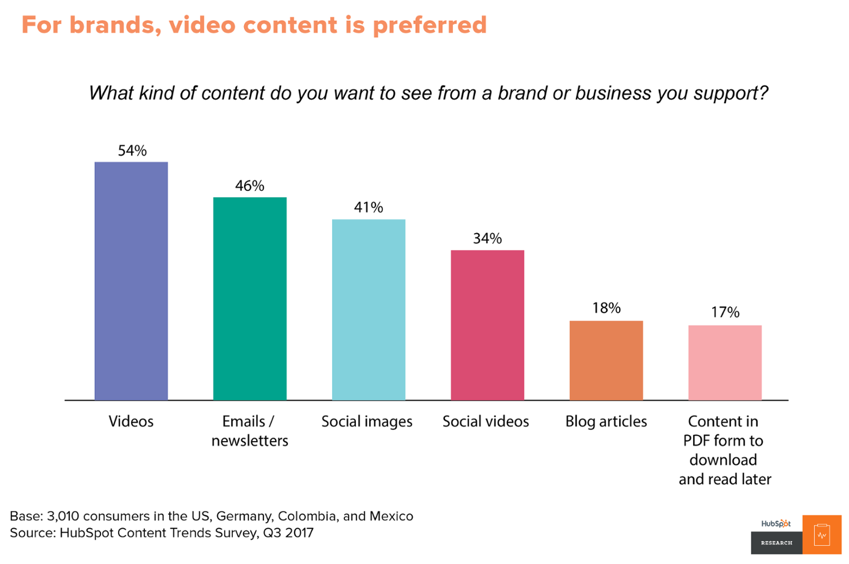
HubSpot research reveals that 54% of consumers want to see videos from brands or businesses.
Source: https://blog.hubspot.com/news-trends/content-trends-global-preferences?_ga=2.166049207.849525006.1557335164-509227949.1547064439#LINK3
Now, how do these affect your business? You get better results for your marketing campaigns.
Which means more leads and customers. And ultimately, more revenue for your business.
Having said that, if you have no knowledge about videos, it can be really complicated at first. Fortunately, you're in the right place.
In this blog post, you'll learn how to use videos to promote your business and how to create videos for these promotions.
Plus, a tool that helps you take the stress out of the whole process and produce professional promo videos.
How to use short videos to promote your business
Today, you’re competing with a lot of content online. With this huge amount of content, your potential audience prefers to view a short video and get your message.
Short videos also help you decide the most important message you want to pass across. Then you can cut the irrelevancies out.
Here are some ways you can use short videos to promote your business:
Show a product: When you’re bringing a new product into the market, you need to create buzz around it. And what better way than to let potential customers see the product? Short videos can be effective for unboxing the product and in some cases, you can also use videos to show demos of your products.
Capture customer testimonials: Marketing is easier when your customers are doing it for you. Often, a potential customer wants to know how people have used your product in the past. With a testimonial video, your customer can explain their challenges before they started using your product. Furthermore, they can explain your solutions and how they solved their problems. If you don’t have video testimonials, you can add your written reviews into your videos.
Make a tutorial: As a business, you probably have frequently asked questions about your business. You can use short videos to answer each of these questions. This makes it easy to go through your knowledge base videos and follow your tutorials to solve problems. Another use case for these videos is for on-boarding your new users. In a few seconds or minutes, they can understand the vital parts of your service.
Share promotional offers: Promotional offers are a way to boost sales. But it might be ineffective if your customers know nothing about the promotion. You can create videos giving more details about your promotional offer and when it will end. When you share these videos online, it gives your promotions more exposure and you can boost sales.
[click_to_tweet tweet="How to use short videos to promote your business #videomarketing #marketingtips" quote="How to use short videos to promote your business #videomarketing #marketingtips"]
Creating professional short videos with Promo.com
Having the right tool can help you create short videos in a short period of time. You can promote different marketing campaigns without going through the complicated process that most marketers want to avoid.
Without further ado, let’s go into the nitty-gritty of Promo.com. How does this tool help you create short videos that can attract more customers to your business?
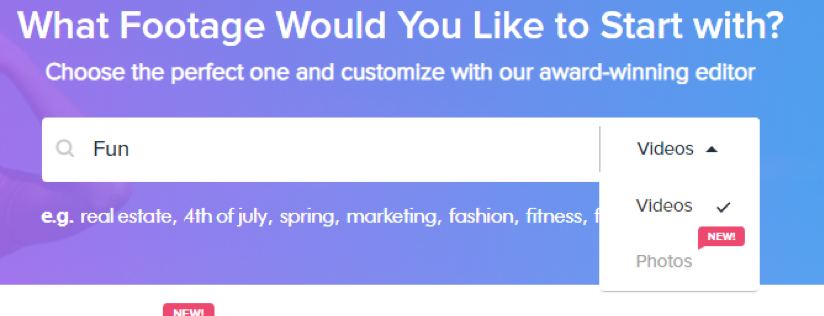
The first step is to sign in to your account on the Promo.com website. After doing this, you'll see video templates depending on the keyword you put in the search box. Here, the keyword is "fun." You can also search for images.
If you registered as a Real-Estate business, for example, you will see Real-Estate templates first, and right below them, you will see raw videos that are tagged as Real Estate. These videos are coming from Getty Images and Shutterstock premium video libraries.
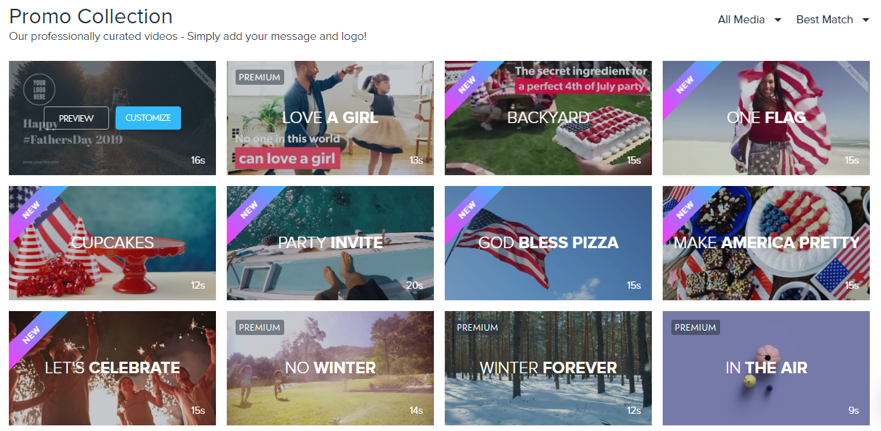
For any keyword you use, there are enough video templates to meet your needs. Promo.com has a database of over 15 million premium videos, 1.5 million images and thousands of music clips approved for online use. Added to that, there are thousands of ready-made video templates created by the Promo.com creative team. Templates include visuals, messaging and music and you can simply add your logo or customize it for your brand.
[click_to_tweet tweet="How to create short videos using @promodotcom & gain more customers for your business #videomarketing" quote="How to create short videos using @promodotcom & gain more customers for your business #videomarketing"]
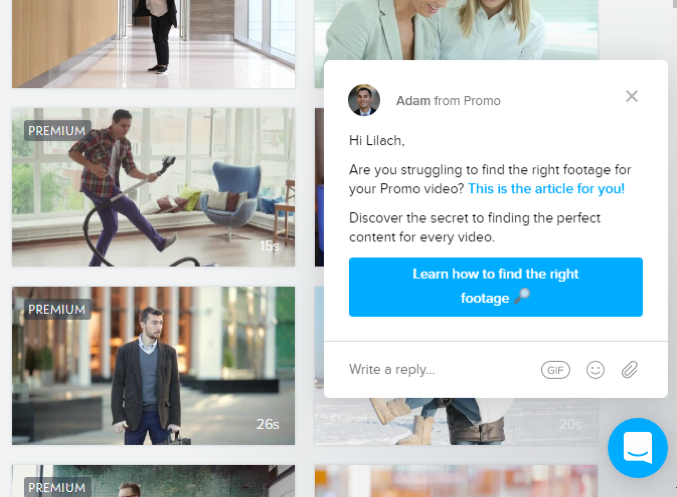
Promo.com also sends you a message through chat on how to find the right video template. This is a wonderful feature in Promo as you see chat prompts giving you clues on the important pages you visit.
Easily, you can get all the information you need. Even if you're using the service for the first time.
When I clicked on "Preview" on one of the videos, it showed a July 4 celebration template. If you want to send out a message for American independence, this is one you can use.
I've selected a Father's day video template to customize. You can see the editor interface below.
If you're using the editor for the first time, it can get really complicated fast. But before you finish that thought, you see this from Promo.com:
This is a guided tour of how to use the different tools in the editor. You can change the texts used in the video when you double click. You can also upload your font to maintain brand consistency.
Promo.com takes you through all the features in the editor right till the last which is “Save and publish.”
Having gone through the guided tour, you can now edit your video using these clues. When you click on the video, you see the options to edit your video. While editing the video, you can add your watermark throughout the video.
You can also edit the caption which is at the beginning of the video:
When I click on "Outro," it provides so many layout options you can add to the end of your video. You can upload your business logo. I've clicked on the "Follow us" option to insert follow buttons.
After doing that, I clicked on each of the social networks to insert my handles.
When you save and preview your video, you'll see these handles at the end of the video.
If you're marketing your service, you can insert Trustpilot reviews at the end of your video to convince potential customers and show how strong your brand reputation is. When you click on it, you'll be asked to log in to your account to pull your reviews.
If you have a video, image, or soundtrack you want to use for your campaign, you can upload it to Promo and edit it. Likewise, if you have a voice-over, you can send it to the Promo.com team and they'll synchronize it to your video.
After creating your video, you can publish and share to social media networks. In a few months, Promo will provide statistics for videos you share through the platform.
[click_to_tweet tweet="How to create short videos using @promodotcom & gain more customers for your business #videomarketing" quote="How to create short videos using @promodotcom & gain more customers for your business #videomarketing"]
Customer support
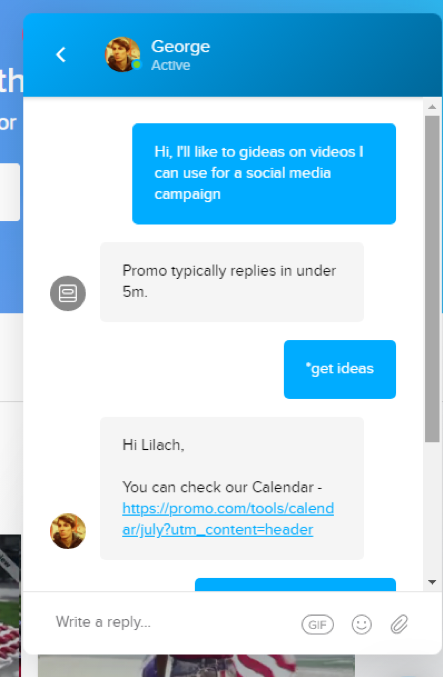
Even though I know the importance of short videos for social media marketing, I wanted to see if I could get more ideas from Promo.com. And also to see how fast their customer support can be.
So, I sent them a message. Promo claims it responds in less than 5 minutes. True to that, I got a reply in less than 2 minutes.
Apart from the live chat, Promo also has the frequently asked questions (FAQs) page where it answers most of the common questions users have.
If you navigate to the knowledge base, you'll find over 100 articles that answer questions about different ways you can get the best out of your video content. There's also a robust blog that provides tons of information on video content and digital marketing.
Content calendar
The reply I got from the customer support led me to another impressive feature of Promo.com.
The content calendar.
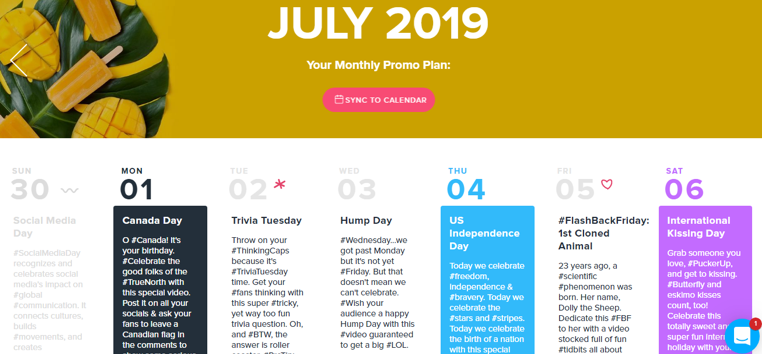
This calendar provides daily video suggestions you can use on your social media pages.
To put it simply, if you want to post a video every day of the year, Promo has you covered with its content calendar. It's impressive that this is free for everyone that visits their sites. and the video templates are available for all their subscribers for free.
You can also sync the promo calendar with your personal calendar to make it easier to share the video content.
When you scroll down the page, you get more details of features available for each plan. You get 2 months free if you pay annually for the basic plan; and, if you take the Standard or Pro plans you get more than 3 months free.
Added to these, Promo will refund you if you change your plan and there’s leftover from your previous plan. If you want to use Promo seasonally, you can always pause your subscription for a period of time.
Conclusion
If you own a small or medium-scale business today, video is one of the most effective marketing strategies you can implement. Simply, it can boost your marketing results in terms of leads and customers.
One of the biggest challenges in video creation is the creative itself - finding the footage, content and music for your video. This is where Promo.com becomes helpful and better than any other video platform. Their creative templates and large video library are extremely inspiring and you can find ideas for almost every type of business or occasion. In addition to the time and money it saves, you should definitely give it a try.
Forbes Top 20 Social Media Power Influencer. 23 years of marketing experience. Currently obsessed with AI implementation done well. British AI and marketing consultant working internationally, writes a weekly newsletter that 15,000+ founders read on Sunday mornings.




 For any keyword you use, there are enough video templates to meet your needs. Promo.com has a database of over 15 million premium videos, 1.5 million images and thousands of music clips approved for online use. Added to that, there are thousands of ready-made video templates created by the Promo.com creative team. Templates include visuals, messaging and music and you can simply add your logo or customize it for your brand.
[click_to_tweet tweet="How to create short videos using @promodotcom & gain more customers for your business #videomarketing" quote="How to create short videos using @promodotcom & gain more customers for your business #videomarketing"]
For any keyword you use, there are enough video templates to meet your needs. Promo.com has a database of over 15 million premium videos, 1.5 million images and thousands of music clips approved for online use. Added to that, there are thousands of ready-made video templates created by the Promo.com creative team. Templates include visuals, messaging and music and you can simply add your logo or customize it for your brand.
[click_to_tweet tweet="How to create short videos using @promodotcom & gain more customers for your business #videomarketing" quote="How to create short videos using @promodotcom & gain more customers for your business #videomarketing"]
 Promo.com also sends you a message through chat on how to find the right video template. This is a wonderful feature in Promo as you see chat prompts giving you clues on the important pages you visit.
Easily, you can get all the information you need. Even if you're using the service for the first time.
Promo.com also sends you a message through chat on how to find the right video template. This is a wonderful feature in Promo as you see chat prompts giving you clues on the important pages you visit.
Easily, you can get all the information you need. Even if you're using the service for the first time.
 When I clicked on "Preview" on one of the videos, it showed a July 4 celebration template. If you want to send out a message for American independence, this is one you can use.
 I've selected a Father's day video template to customize. You can see the editor interface below.
 If you're using the editor for the first time, it can get really complicated fast. But before you finish that thought, you see this from Promo.com:
 This is a guided tour of how to use the different tools in the editor. You can change the texts used in the video when you double click. You can also upload your font to maintain brand consistency.
 Promo.com takes you through all the features in the editor right till the last which is “Save and publish.”
 Having gone through the guided tour, you can now edit your video using these clues. When you click on the video, you see the options to edit your video. While editing the video, you can add your watermark throughout the video.
 You can also edit the caption which is at the beginning of the video:
 When I click on "Outro," it provides so many layout options you can add to the end of your video. You can upload your business logo. I've clicked on the "Follow us" option to insert follow buttons.
 After doing that, I clicked on each of the social networks to insert my handles.
 When you save and preview your video, you'll see these handles at the end of the video.
 If you're marketing your service, you can insert Trustpilot reviews at the end of your video to convince potential customers and show how strong your brand reputation is. When you click on it, you'll be asked to log in to your account to pull your reviews.
 If you have a video, image, or soundtrack you want to use for your campaign, you can upload it to Promo and edit it. Likewise, if you have a voice-over, you can send it to the Promo.com team and they'll synchronize it to your video.
 After creating your video, you can publish and share to social media networks. In a few months, Promo will provide statistics for videos you share through the platform.
[click_to_tweet tweet="How to create short videos using @promodotcom & gain more customers for your business #videomarketing" quote="How to create short videos using @promodotcom & gain more customers for your business #videomarketing"]
After creating your video, you can publish and share to social media networks. In a few months, Promo will provide statistics for videos you share through the platform.
[click_to_tweet tweet="How to create short videos using @promodotcom & gain more customers for your business #videomarketing" quote="How to create short videos using @promodotcom & gain more customers for your business #videomarketing"]
 Apart from the live chat, Promo also has the frequently asked questions (FAQs) page where it answers most of the common questions users have.
If you navigate to the knowledge base, you'll find over 100 articles that answer questions about different ways you can get the best out of your video content. There's also a robust blog that provides tons of information on video content and digital marketing.
Apart from the live chat, Promo also has the frequently asked questions (FAQs) page where it answers most of the common questions users have.
If you navigate to the knowledge base, you'll find over 100 articles that answer questions about different ways you can get the best out of your video content. There's also a robust blog that provides tons of information on video content and digital marketing.
 You can also sync the promo calendar with your personal calendar to make it easier to share the video content.
 For any keyword you use, there are enough video templates to meet your needs. Promo.com has a database of over 15 million premium videos, 1.5 million images and thousands of music clips approved for online use. Added to that, there are thousands of ready-made video templates created by the Promo.com creative team. Templates include visuals, messaging and music and you can simply add your logo or customize it for your brand.
[click_to_tweet tweet="How to create short videos using @promodotcom & gain more customers for your business #videomarketing" quote="How to create short videos using @promodotcom & gain more customers for your business #videomarketing"]
For any keyword you use, there are enough video templates to meet your needs. Promo.com has a database of over 15 million premium videos, 1.5 million images and thousands of music clips approved for online use. Added to that, there are thousands of ready-made video templates created by the Promo.com creative team. Templates include visuals, messaging and music and you can simply add your logo or customize it for your brand.
[click_to_tweet tweet="How to create short videos using @promodotcom & gain more customers for your business #videomarketing" quote="How to create short videos using @promodotcom & gain more customers for your business #videomarketing"]
 Promo.com also sends you a message through chat on how to find the right video template. This is a wonderful feature in Promo as you see chat prompts giving you clues on the important pages you visit.
Easily, you can get all the information you need. Even if you're using the service for the first time.
Promo.com also sends you a message through chat on how to find the right video template. This is a wonderful feature in Promo as you see chat prompts giving you clues on the important pages you visit.
Easily, you can get all the information you need. Even if you're using the service for the first time.
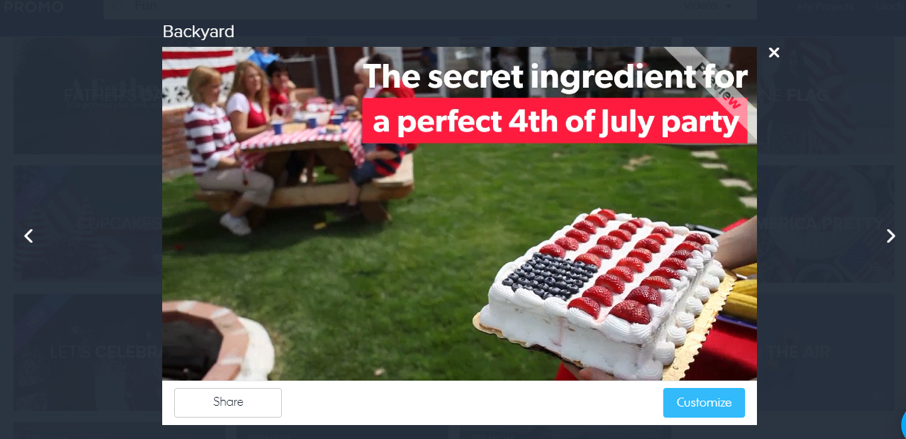
 When I clicked on "Preview" on one of the videos, it showed a July 4 celebration template. If you want to send out a message for American independence, this is one you can use.
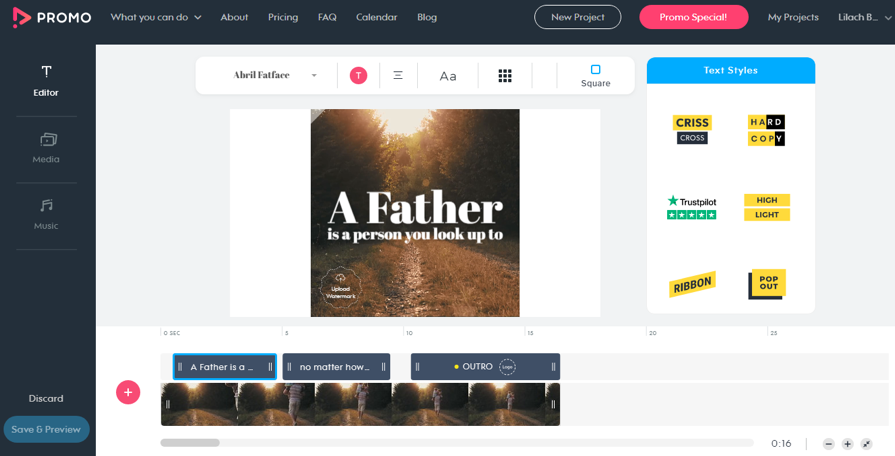
 I've selected a Father's day video template to customize. You can see the editor interface below.
 If you're using the editor for the first time, it can get really complicated fast. But before you finish that thought, you see this from Promo.com:
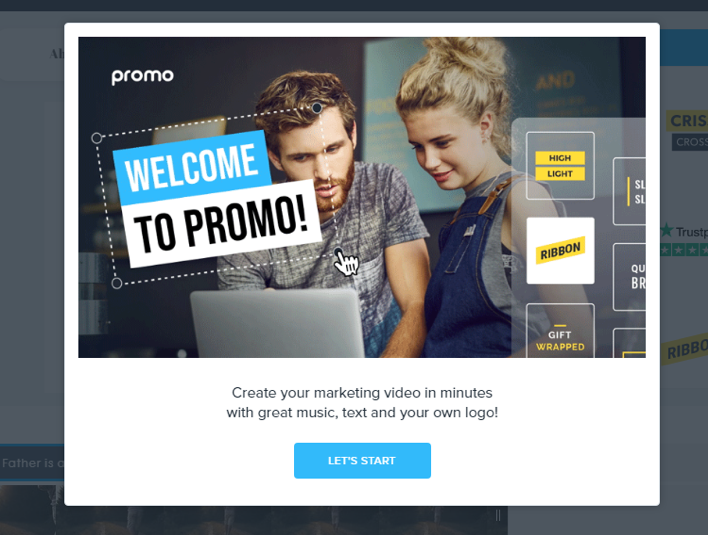 This is a guided tour of how to use the different tools in the editor. You can change the texts used in the video when you double click. You can also upload your font to maintain brand consistency.
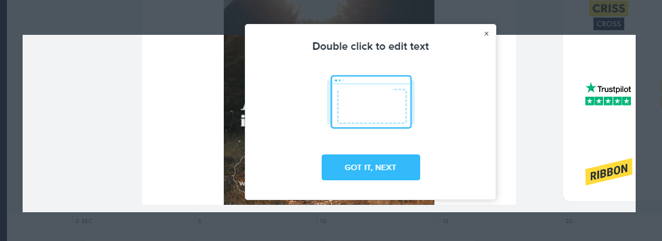 Promo.com takes you through all the features in the editor right till the last which is “Save and publish.”
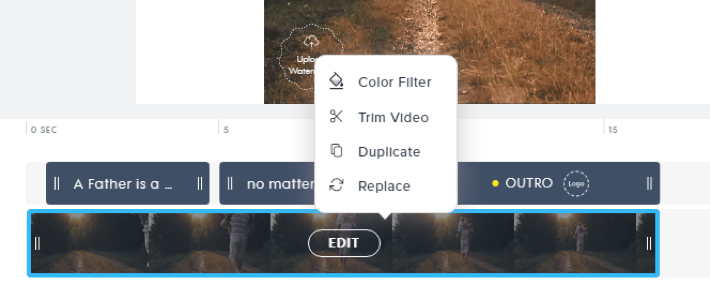
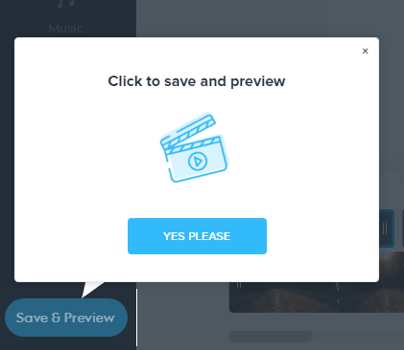 Having gone through the guided tour, you can now edit your video using these clues. When you click on the video, you see the options to edit your video. While editing the video, you can add your watermark throughout the video.
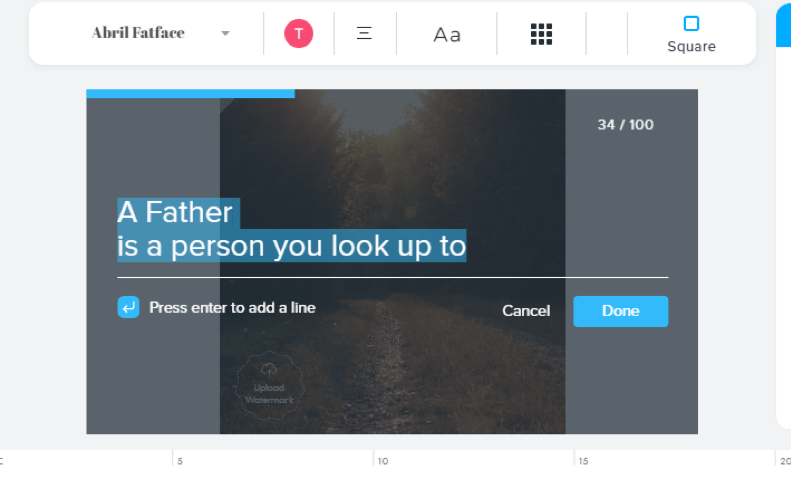
 You can also edit the caption which is at the beginning of the video:
 When I click on "Outro," it provides so many layout options you can add to the end of your video. You can upload your business logo. I've clicked on the "Follow us" option to insert follow buttons.
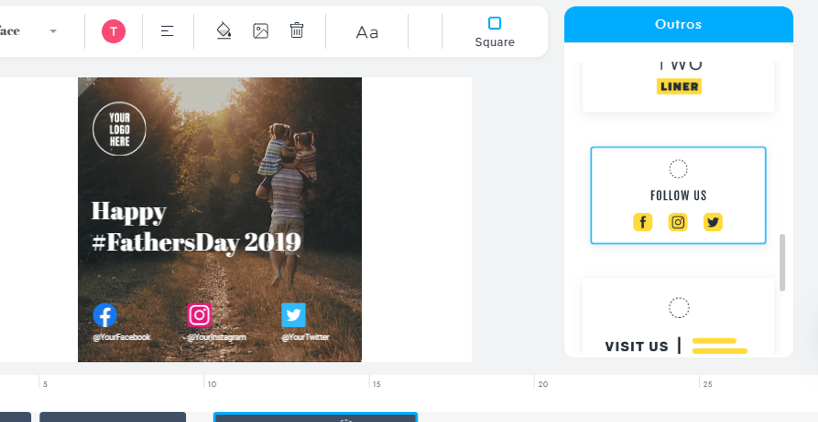 After doing that, I clicked on each of the social networks to insert my handles.
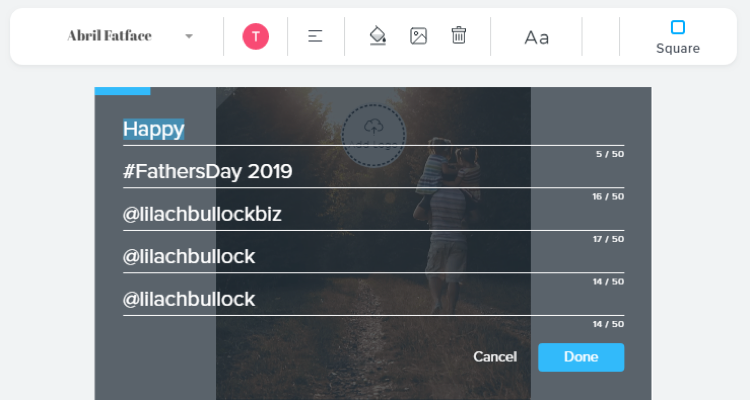 When you save and preview your video, you'll see these handles at the end of the video.
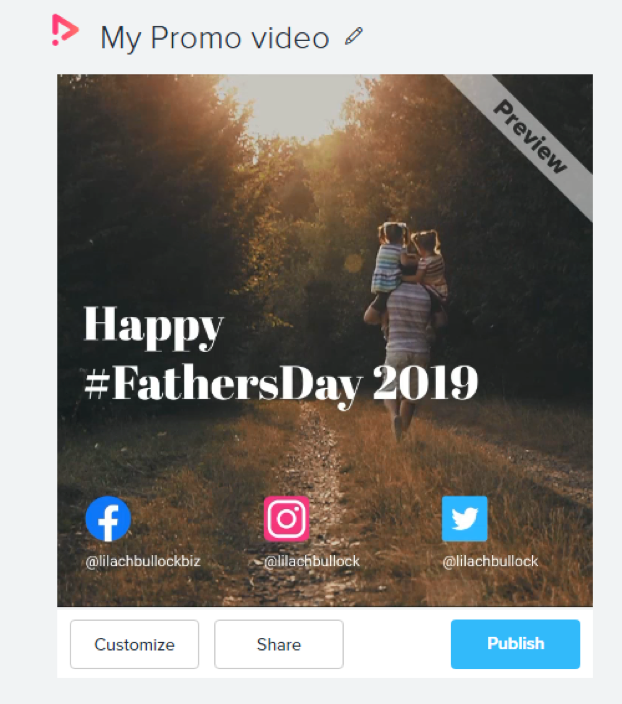 If you're marketing your service, you can insert Trustpilot reviews at the end of your video to convince potential customers and show how strong your brand reputation is. When you click on it, you'll be asked to log in to your account to pull your reviews.
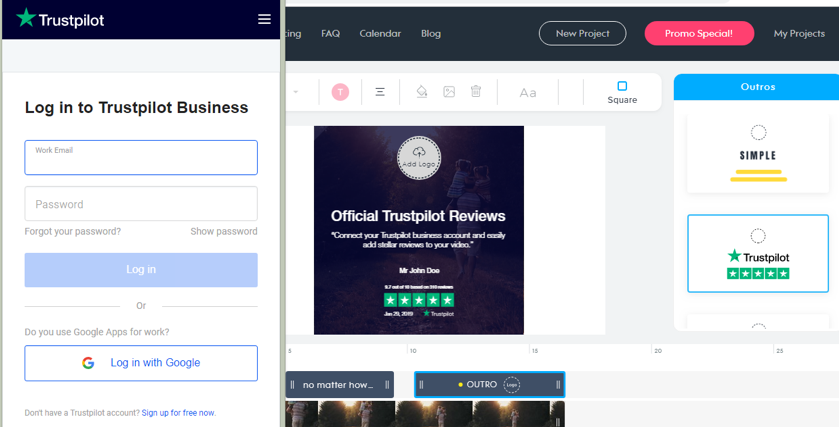 If you have a video, image, or soundtrack you want to use for your campaign, you can upload it to Promo and edit it. Likewise, if you have a voice-over, you can send it to the Promo.com team and they'll synchronize it to your video.
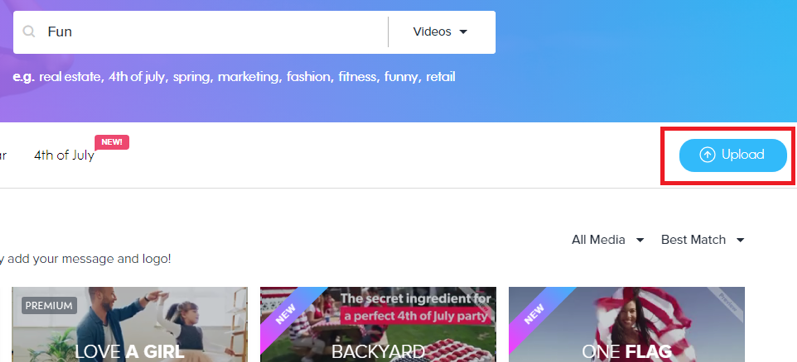 After creating your video, you can publish and share to social media networks. In a few months, Promo will provide statistics for videos you share through the platform.
[click_to_tweet tweet="How to create short videos using @promodotcom & gain more customers for your business #videomarketing" quote="How to create short videos using @promodotcom & gain more customers for your business #videomarketing"]
After creating your video, you can publish and share to social media networks. In a few months, Promo will provide statistics for videos you share through the platform.
[click_to_tweet tweet="How to create short videos using @promodotcom & gain more customers for your business #videomarketing" quote="How to create short videos using @promodotcom & gain more customers for your business #videomarketing"]
 Apart from the live chat, Promo also has the frequently asked questions (FAQs) page where it answers most of the common questions users have.
If you navigate to the knowledge base, you'll find over 100 articles that answer questions about different ways you can get the best out of your video content. There's also a robust blog that provides tons of information on video content and digital marketing.
Apart from the live chat, Promo also has the frequently asked questions (FAQs) page where it answers most of the common questions users have.
If you navigate to the knowledge base, you'll find over 100 articles that answer questions about different ways you can get the best out of your video content. There's also a robust blog that provides tons of information on video content and digital marketing.
 You can also sync the promo calendar with your personal calendar to make it easier to share the video content.


