- Who this is for
- Phase 1 Build Your Foundations (Week 1)
- Phase 2. AI as Your Thinking Partner (Week 2)
- Phase 3. AI as Your Worker — The 10/80/10 Rule (Weeks 3–4)
- Phase 4. AI as a System — Build Your Prompt Library (Months 2–3)
- Phase 5. AI as Infrastructure — Remove Yourself From the Loop (Month 4 Onwards)
- The AI Tools Stack Worth Actually Paying For in 2026
- Common Mistakes That Kill Your AI Results
- Your 90-Day AI Fluency Roadmap at a Glance
- One Last Thing
- FAQs
- Related reading
In this blog post I walk you through a practical five-phase system for becoming fluent in AI in 90 days, covering everything from building the daily habits that make AI part of how you actually work, to using it as a strategic thinking partner, to applying the 10/80/10 rule to get better output, to building a prompt library that gets smarter over time, to automating entire workflows so AI runs in the background without you. Whether you're a B2B marketer, entrepreneur, or SME owner, this is the guide I wish had existed when I started.
Worth reading next: how to learn ai from scratch in 90 days if youre starting today.
Most people who say they use AI don't actually use AI.
They've opened ChatGPT a few times. Asked it to write something. Thought it felt a bit flat and weird, like getting a birthday card from someone who's technically signed it but clearly couldn't remember your name. And then quietly gone back to doing things the way they always did.
That's not using AI. That's sampling it. And sampling it is almost worse than nothing, because it gives you just enough experience to conclude it's not that useful, when really it's just that you haven't learned how to use it properly yet.
Here's what using AI looks like. It's saving you five hours a week on writing work. It's giving you a better answer to a strategy question in four minutes than you'd normally get in a two-hour meeting. It's turning a scrappy transcript from this morning's client call into a fully organised set of action points before you've even made your afternoon coffee.
The gap between those two experiences, the meh sample and the this is incredibly insane version, is not which AI tool you're using. It's whether you've built the habits and the system around it that make it work.
This blog closes that gap. Specifically in 90 days. Specifically for people running businesses, leading teams, or doing work where thinking and creating and communicating are the job.
There are five phases. Each one builds on the last. And if you follow them in order (don't skip ahead, I mean it), by month three you'll be using AI in ways that feel less like a novelty and more like an unfair advantage.
Who this is for
Before we get into it, a quick check.
This blog is for you if you're a B2B marketer who keeps hearing about AI but doesn't know where to actually start, or an entrepreneur with too much on your plate who wants to get more done without hiring more people. It's for SME owners who need to compete with businesses ten times their size, and anyone who's tried ChatGPT once, got something that read like a press release from 2011, and thought okay, I must be missing something.
If you're in any of those camps, you're in the right place. Let's go.
Phase 1 Build Your Foundations (Week 1)

The goal: make using AI feel as automatic as checking your email.
I know you want to skip this bit. You want to get to the clever stuff. The automations, the prompt engineering, the part where AI does four hours of work while you're on a run. I understand. But skip this phase and everything else will feel like pushing something very heavy uphill. So stay with me.
The problem isn't that people don't know AI exists. It's that they forget to use it. You sit down to do a piece of work and you just… do it the old way, because that's what your hands do automatically. The foundations fix that.
Foundation 1 - Replace Google with AI
Starting right now, every time you reach for Google, open an AI tool instead. Not for everything, AI is not great for checking today's news or finding a specific webpage. But for the stuff you use Google for most of the time, which is figuring something out or getting a quick answer to a question, AI is almost always better.
The best AI tools to start with:
- Claude (Anthropic): Best for writing, strategy, and anything requiring nuance. Less likely to give you the robotic 'here are five tips' energy.
- ChatGPT (OpenAI): Still the most versatile all-rounder. Great for research, creative tasks, and structured outputs.
- Perplexity: Incredible for research specifically, because it cites its sources. If accuracy matters, use this.
- Gemini (Google): Makes sense if you live in Google Workspace all day and want things to connect.
Pick one. Use it as your default. The worst thing you can do is spend three weeks researching which AI tool is best and never actually start using any of them.
Foundation 2 - Pin it, dock it, make it impossible to ignore
This is boring advice but it works. Whatever tool you've chosen, pin it in your browser. Dock the app on your desktop. Put it right next to Slack or your email, wherever your eyes go first when you sit down at your desk.
The psychology is simple, if you have to go looking for AI, you won't use it. If it's already there, you'll reach for it without thinking. That's what you're training yourself to do.
Give it two weeks. After that, opening it will feel as natural as opening your inbox.
Foundation 3 - Use your voice, not your keyboard
This is the one that makes the biggest difference, fastest. And almost nobody does it.
When you type a prompt, you edit yourself. You keep things short. You leave out context because typing is effortful. When you speak, you ramble. And rambling, it turns out, is fantastic for AI. The more context, background, and messy-unfiltered-thinking you give it, the dramatically better the output becomes.
Most AI tools now have built-in voice input. On Mac you can use Fn Fn to start dictation. On Windows, Win + H. Tools like Whisper Flow are excellent if you want something more dedicated.
Try this right now instead of typing your next prompt, speak it. Add all the context you'd normally leave out because typing it felt like too much effort. The output will be noticeably better.
Foundation 4 - Download the mobile apps
This isn't so you can be always-on. It's so you can use your dead time.
You're commuting. Walking the dog. Waiting for a call to start. Lying in bed wondering what to put in Thursday's newsletter. Your phone is already in your hand. If you have the AI app on it, those moments become useful.
Some of my best thinking happens via voice note on a ten-minute walk. Not because walking is magic, but because the AI is there to catch the thought and help me develop it.
Foundation 5 - Record and transcribe everything
This one feels like overkill until the first time you use it. Then you'll wonder why you didn't start sooner.
Set up automatic transcription for your Zoom calls, your Google Meets, and ideally your important in-person conversations too (where appropriate and with consent). Every transcript you capture becomes raw material that AI can work with later.
Free and low-cost tools:
- Fathom — free and excellent for Zoom
- Grain — slightly more features, great for teams
- Otter.ai — good for in-person transcription
- tl;dv — popular with sales teams
You'll use these transcripts extensively in Phase 2. For now, just turn them on and let them run.
Your Week 1 Checklist

- Choose your primary AI tool and start using it instead of Google
- Pin or dock the app so it's always visible
- Try voice input at least three times this week
- Download the mobile app
- Set up meeting transcription
- Use AI at least five times a day, even for small things
Phase 2. AI as Your Thinking Partner (Week 2)

The goal: use AI to think better about the work you're already doing.
Here's the distinction most people miss entirely.
Before you ask AI to do your work, learn to use it to think about your work. These are completely different things. Ask AI to write you a LinkedIn post and you'll probably get something that's technically fine and completely soulless. Ask AI to help you think through your LinkedIn strategy, what's worth posting, what your audience responds to, where the gaps are, and you'll get something really useful that then makes the writing dramatically better.
Think about it like having a very smart colleague who's read every book ever written on your industry, but who's never worked a day in your specific job. They're great at asking you the right questions. They're less reliable at knowing the right answers. Use them accordingly.
The Coaching Prompt Framework
The most useful way to use AI as a thinking partner is to give it four things; your role, your goal, your current situation, and then ask it to help you think. Like this:
‘I am a [role] at [type of company]. My goal is [specific outcome] within [timeframe]. Currently, [what's happening / what's not working]. Can you [interview me / ask me questions / help me think] about [the thing I'm trying to solve]?’
Let me show you what that looks like in practice.
For a content marketer at a B2B SaaS company: ‘I'm a content marketing manager at a fintech startup. We're trying to grow organic traffic from 15,000 to 50,000 monthly visitors in the next six months. We publish four blog posts a month and get decent LinkedIn engagement, but SEO traffic has plateaued. Can you interview me about our content strategy and help me figure out where the biggest opportunities are?’
For an agency owner: ‘I run a digital marketing agency with eight people, about $600K annual revenue. I want to hit £1M in the next 12 months. My biggest problem is I'm still too involved in delivery and I can't seem to delegate without quality slipping. Can you ask me questions to help me work out which parts of client delivery I should systematise first?’
Notice what these prompts aren't doing. They're not asking AI to hand them an answer. They're asking AI to help them find their own answer. That distinction makes the output about ten times more useful.
Turn your meeting transcripts into gold
Remember those transcripts you set up in Phase 1? Here's where they start paying off.
After any important meeting, take the transcript and give it to AI with a specific request. Here are some that work well:
After a client discovery call: ‘Here's a transcript from a discovery call with a potential client. What are their core pain points based on this conversation? What objections might come up? What should we emphasise in our proposal?’
After a strategy session: ‘Here's a transcript from our quarterly planning meeting. What key decisions were made? What seems unresolved? Where did the team seem misaligned? Are there any obvious blind spots?’
After a sales call you lost: ‘This is a transcript from a sales call where we didn't close the deal. Where do you think we went wrong? What could we have said differently? Be honest.’
This is transformative for businesses where a lot of the thinking happens in conversations that would otherwise just disappear. Now every conversation becomes a learning opportunity.
The 'Interview Me' prompt
Simple. Deceptively powerful.
Open an AI chat and say: ‘I want you to interview me about what I actually do in my role day-to-day. Help me identify what's high-leverage and what's probably a waste of time. Ask me one question at a time.’
Then answer honestly. Ramble if you want (especially using voice). Let AI ask follow-up questions.
I've seen this exercise reveal to B2B marketers that they were spending more than half their time on activities driving less than ten percent of results. Entrepreneurs who realised they were still doing tasks a virtual assistant could handle. SME owners who identified entire processes they could just stop doing.
Sometimes the most valuable thing AI can do is show you what's not worth doing.
The critical caveat
AI sounds very confident. It's not always right.
Treat AI insights as starting points, not final answers. Cross-reference anything important with your own experience and judgment. It's like getting advice from a brilliant friend who's read everything but has never done your specific job, in your specific market, with your specific customers. Take what resonates and always run it through your own filter.
Your Week 2 Checklist
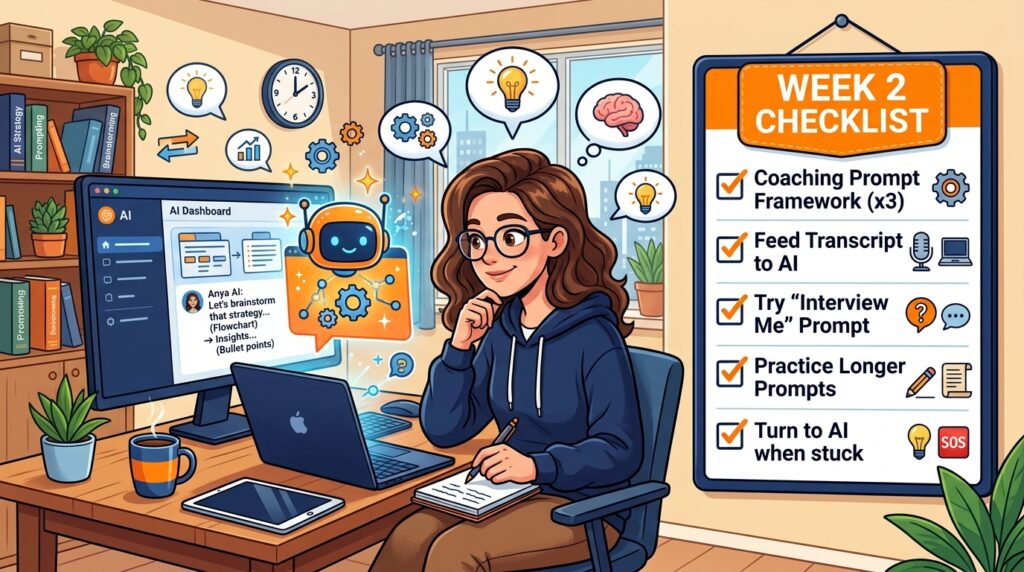
- Use the Coaching Prompt Framework for at least three different challenges
- Feed at least one meeting transcript to AI and ask for insights
- Try the 'Interview Me' prompt about your own role
- Practice giving AI longer, more contextual prompts
- Catch yourself stuck on something and turn to AI first
Phase 3. AI as Your Worker — The 10/80/10 Rule (Weeks 3–4)

The goal: get AI to do the heavy lifting while you keep quality control.
Right. Now we're getting to the part everyone wants to start with.
The reason most people's AI-generated content is terrible is not because the AI is bad. It's because they give it terrible instructions. 'Write me an email to my leads' is not a prompt. It's a wish. And the output reflects that.
Why AI output usually feels generic (and how to fix it)
The problem is a missing 10%.
People jump straight to asking AI to produce something without doing any of the setup work that makes that something good. They want 100% from the AI. The output is 100% generic.
The fix is the 10/80/10 rule.
You do the first 10%: the context, the strategy, the raw material, the examples, the brief. This is the thinking work.
AI does the middle 80%: the actual production, writing, structuring, drafting, analysing. This is the heavy lifting.
You do the final 10%: reviewing, editing, refining, applying your taste. This is quality control.
This is not doing less work. It's doing the right work. The thinking and the quality control are yours. The grunt work in the middle is the AI's.
What this looks like in practice
Let's say you're a B2B marketer who needs to create a LinkedIn content calendar.
The bad version ‘Create me a LinkedIn content calendar for our B2B SaaS company.’ The output is aggressively generic and could apply to literally any company on earth.
The good version ‘I'm the marketing manager at a B2B SaaS company that helps recruitment agencies automate candidate sourcing. Our audience is recruitment agency owners and senior recruiters in the US. Here are our three main differentiators: [list them]. Here are our brand values: [list them]. Here are five LinkedIn posts from competitors that performed really well this month: [paste them]. Here are the top three things our customers say about us in sales calls: [list them]. Create a four-week LinkedIn content calendar. For each post give me the hook, the core angle, the format, and a short outline. Prioritise counterintuitive takes and real examples over generic advice.’
The difference in output between those two prompts is not subtle. It's the difference between something you'd immediately ignore and something you'd use.
The taste problem (which is actually a really good problem)
Here's something that might frustrate you at first. Even with a good prompt and rich context, AI output often feels slightly off. Technically correct, but lacking something. Like it was written by someone who's read a thousand articles about your industry but never worked in it.
That feeling is your taste. And it's incredibly valuable.
Your job is not to make AI produce perfect output. It's to use AI to produce rough output quickly, and then apply your taste to make it great. This is always faster than starting from scratch.
When AI gives you twenty ideas and five of them feel right, take those five and ask for fifty more in that vein. Now you're curating rather than creating from nothing, which is a completely different workload.
The people who get the most from AI are not people who accept the first output. They're people with strong taste who use that taste to direct and refine.
What not to use AI for
Not everything belongs in the 10/80/10 workflow.
Deep relationship emails to key clients? Write those yourself. High-stakes proposals with unusual requirements? AI can help you think but the writing should be yours. Anything requiring real-time accuracy, current events, or very recent data? Always verify. And anything where the human touch is literally the point, a personal thank you, a heartfelt recommendation, a message to someone who's just had a difficult time.
AI is a tool. Some jobs don't need it.
Your Weeks 3–4 Checklist

- Apply the 10/80/10 rule to at least five different work tasks
- Practice giving AI rich context: examples, brand voice, competitor info
- Notice where output falls short and give feedback to improve it
- Develop your taste filter: what's good enough and what needs work?
- Feed AI its best outputs and ask for more like those
Phase 4. AI as a System — Build Your Prompt Library (Months 2–3)

The goal: stop starting from scratch. Build reusable prompts that get better over time.
There's a problem with everything you've done so far.
Want AI doing the heavy lifting in your marketing?
I build the systems that handle the boring 80 percent, so you get your week back. Done properly, with the human kept in.
Every time you use AI, you're starting from nothing. New chat window. Blank prompt. You're spending the first few exchanges getting AI up to speed on who you are and what you need, information you had to provide last time too.
Phase 4 fixes that. This is where you shift from being someone who uses AI to someone who has an AI system.
Think of your prompts like a recipe
The first time you bake a new cake, it's okay. You follow a basic recipe, and it turns out fine.
But if you make that cake every week, something interesting starts to happen. You notice it's slightly too dry. You add a bit more liquid. You notice the flavours not quite there. You adjust. You notice the texture's better when you change the order of steps. You update the recipe again.
After a hundred iterations, you have something that consistently comes out exactly right. Something you'd be happy to serve to anyone. Something that took years to develop but now looks effortless.
That's what a well-built prompt library is. Each prompt starts rough and gets better every time you use it and refine it. By month three, you have a set of finely-tuned tools that reliably produce output close to your quality bar.
How to build a prompt through iteration
Let's take a concrete example. You're a B2B marketer who regularly writes case studies.
Version 1: ‘Write a case study about how our client achieved [result].’
Output is generic. Reads like every other case study in your industry.
Version 2: You add structure: ‘Write a case study using this format: Challenge, Solution, Results, Client Quote. Tone should be conversational and confident, not corporate.’
Better. But it still sounds like it was produced by software.
Version 3: You add anti-patterns: ‘Avoid phrases like leveraging, cutting-edge, innovative solutions. Be specific about what we actually did, not vague about comprehensive strategies.’
Getting closer. More personality.
Version 4: You add a reference example: ‘Here is a case study we've written before that captures our desired tone. Match this style.’
Now AI has something concrete to aim for. The output will be significantly more on-brand.
Version 5: You add constraints learned from experience: ‘Keep it between 600 and 800 words. Start with a surprising hook, not Company X was struggling with. Include at least three specific data points.’
This is now a refined, reusable prompt that consistently produces case studies close to your quality bar. Save it. Version it. Update it when you learn something new.
Organising your prompt library
Once you have ten to twenty refined prompts, you need a system for storing and accessing them quickly.
For solo entrepreneurs and small teams, a simple Google Doc or Notion page works well. Create a table with the prompt name, current version, category, and the prompt text. For faster access, tools like Text Expander let you set up keyboard shortcuts so that typing something like /casestudy automatically expands into your full prompt. Annoying to set up once. Enormous timesaver forever.
For teams, a shared Notion database with prompts organised by department and use case is worth the setup time. When someone discovers a tweak that improves the output, they update the prompt and increment the version. Everyone benefits immediately.
Key principle: every prompt should have a version number and be treated as a living document. Not a reference you file and forget. Something you actively improve.
Different prompts work better with different AI tools
As you build your library, you'll start noticing that different AI tools have different strengths. Roughly speaking:
- Claude tends to be best for nuanced writing, long-form content, and tasks where you need the AI to understand your brand voice
- ChatGPT is most versatile and excellent at structured outputs, tasks with lots of parts, and anything where integrations matter
- Gemini works best when you're deep in the Google ecosystem and want things connected
- Perplexity is unbeatable for research where you need cited, verifiable sources
Don't be dogmatic. The best workflow for most teams involves two or three tools used strategically for different task types.
Your Months 2–3 Checklist

- Identify your five most repetitive work tasks
- Build Version 1 prompts for each
- Iterate each prompt at least three times based on output quality
- Set up a prompt library in Google Doc, Notion, or Text Expander
- Experiment with different AI models for different types of prompts
- Share best prompts with your team and collect their improvements
Phase 5. AI as Infrastructure — Remove Yourself From the Loop (Month 4 Onwards)

The goal: build systems that run without you having to be in the room.
Everything up to this point has required you to be present. Open a chat. Write a prompt. Review the output. Send the next prompt. You're the engine.
Phase 5 is about building the tracks so the engine can run on its own.
Fair warning: this phase is an infinite rabbit hole. You could spend years going deeper. The discipline is starting simple and only automating what saves meaningful time.
Level 1 - Use AI that's already built into tools you're paying for
Before you build anything custom, check what's already inside the tools you use every day. Most B2B software now has AI features baked in and most people are using maybe ten percent of them.
Things worth checking right now:
- HubSpot — AI-powered content generation, lead scoring, email writing
- Notion AI — summarise notes, extract action items, draft content
- Canva — Magic Write for copy and AI-powered design suggestions
- Slack — AI summaries of channels and long threads
- Descript / Grain / Fathom — automatic transcription and AI meeting summaries
If you use a major CRM or marketing platform, dig into its AI features before you build anything else. There's usually a lot sitting there unused.
Level 2 - Simple automations with Zapier or Make
These are connector tools. They let you link different apps together and add AI processing in between.
Practical examples for B2B businesses:
The content repurposing pipeline: New blog post published → Zapier sends content to ChatGPT → ChatGPT generates three LinkedIn variations, five short-form social posts, and an email newsletter summary → Outputs arrive in a Slack channel for human review before posting.
The smart lead enrichment flow: New lead captured in HubSpot → Zapier pulls company info → sends enriched profile to AI with your cold email template prompt → personalised draft saved as a task in HubSpot for the sales rep to review and send.
The client call summary system: New recording completed in Grain → transcript sent to AI → AI generates key takeaways, action items, sentiment analysis, and a suggested follow-up email draft → all saved to the relevant client folder in your CRM.
None of these require code. They're all drag-and-drop. And any one of them can save several hours a week.
Level 3 - More powerful workflows with n8n
When Zapier starts feeling limiting (and it eventually will), tools like n8n give you significantly more control. It's open-source, which many B2B companies prefer for data privacy reasons, and it allows for much more sophisticated logic.
A practical example for a B2B agency: every Friday, n8n automatically pulls all client call transcripts from the week, combines them with Slack support messages, cross-references with the project management tool, runs everything through a custom AI prompt, and generates a per-client weekly report with wins, blockers, upcoming priorities, and suggested talking points for next week's call. Delivered by email to each account manager by 8am.
For an agency with twenty clients, that's replacing three to four hours of manual admin work per account manager per week. The ROI is not subtle.
Level 4 - Building custom internal tools
At some point, you might find that off-the-shelf tools don't quite do what you need for your specific workflow. This is where building custom tools comes in.
You don't necessarily need a developer. Tools like Cursor with Claude or ChatGPT can help non-developers build simple internal web apps. Voiceflow and Botpress let you build AI-powered chatbots for customer support or lead qualification without writing code.
Realistic examples: a custom chatbot trained on your company knowledge base, a lead scoring tool that uses your own qualification criteria, a content brief generator that pulls from your SEO tool and brand guidelines automatically.
Honest caveat though, most businesses don't need Level 4 yet. Levels 1 through 3 will give you ninety percent of the value with a fraction of the effort and cost. Don't reach for complex when simple will do.
The discipline of not automating everything
This is the part automation evangelists never tell you.
Before you automate something, ask three questions. Does this process need to exist? (Some of the most valuable automations are just deleting the thing entirely.) Is the manual version faster? (Some tasks take five minutes to do manually and five hours to automate.) Would a human do this better? (Some things, like following up with a disappointed client, should stay human.)
Not everything needs to be optimised. Some things should just be done well, by a person who cares about them.
Your Month 4+ Checklist
- Audit AI features in tools you already pay for
- Build one simple Zapier or Make automation for a repetitive task
- Track time saved per week (this pays for itself quickly)
- Explore n8n when you're ready for more complex workflows
- Resist the urge to automate everything, focus on highest-ROI processes
The AI Tools Stack Worth Actually Paying For in 2026
Let me save you the research overwhelm.
For thinking and strategy: Claude Pro best-in-class for nuanced writing, strategic thinking, and anything requiring genuine judgment.
For all-purpose work: ChatGPT Plus or Pro still the most versatile, with the widest integration ecosystem.
For research: Perplexity Pro cited sources, up-to-date information, excellent for competitive research.
For meeting intelligence: Fathom (free) or Grain (paid) non-negotiable if your business runs on calls.
For automation: Start with Zapier (easy), graduate to Make (more flexible), explore n8n when you're ready for more.
For team adoption: Whatever's already built into your CRM or project management tool, lower friction means higher actual usage.
Total monthly cost for a solid AI stack: roughly $40–80 per person. Compare that to what you'd pay a freelancer for the work AI helps you replace or accelerate. The maths is not close.
Common Mistakes That Kill Your AI Results

Treating AI like a smarter Google
Google needs keywords. AI needs context. 'B2B marketing strategies' is a Google search. 'I run a B2B SaaS company selling HR software to mid-market agencies, our CAC is $800 and we need to get it below $500, what should we be testing?' is an AI prompt. The difference in output quality is not incremental. It's categorical.
Not giving AI your brand voice
AI defaults to a kind of generic, professionally enthusiastic tone that sounds like it was written by a very competent person who's never said anything interesting in their life. Unless you tell it otherwise. Always include examples of content you like, tone of voice guidance, and specific phrases to avoid. The difference between AI output with and without a brand voice guide is night and day.
Expecting perfection on the first attempt
The first output is a starting point. If it's not good, that's normal. Give feedback. Refine. Iterate. The third or fourth attempt is usually where things get interesting. People who give up after one mediocre output are making the same mistake as someone who decides they don't like a restaurant after eating the bread.
Using AI for things it's bad at
AI is not great at knowing your specific customers, understanding internal politics, making relationship-sensitive judgment calls, predicting the future with any reliability, or being original in a deep sense. It's excellent at remixing, synthesising, drafting, and structuring. Use it for what it's good at. Keep humans in the loop for everything else.
Not staying current
The AI landscape is changing fast enough that what works well today might be significantly outdated in six months. Spending thirty minutes a week staying current, reading a newsletter (I may be slightly biased, but mine is a good place to start), trying new features when they launch, talking to peers about what's working, is worth more than any amount of catching up after the fact.
Your 90-Day AI Fluency Roadmap at a Glance
Week 1 Foundations: Replace Google with AI, pin your tool, start using voice input, download the mobile app, set up meeting transcription.
Week 2 Thinking Partner: Use the Coaching Prompt Framework, feed meeting transcripts for analysis, try the Interview Me prompt.
Weeks 3–4 Worker: Apply the 10/80/10 rule, give rich context and examples, develop your taste filter.
Months 2–3 System: Build and iterate your prompt library, organise it, match prompts to optimal models.
Month 4+ Infrastructure: Exploit built-in AI features, build automations, explore n8n for complex workflows.
One Last Thing
The gap between people who use AI fluently and people who don't is widening every single month. Not in a panic-inducing way, but in the way that any genuine skill gap compounds over time. The people building the habit now are getting slightly better every week. In twelve months, the difference is not subtle.
You don't need to become an AI expert. You don't need to learn Python or understand how transformers work or be able to name every model that's been released this quarter.
You just need to follow these five phases. Actually follow them. In order.
Week one is building the habit. Do it today. Pin the tab. Download the app. Next time you'd normally Google something, open Claude or ChatGPT instead. It takes about thirty seconds and it's the first step in a process that, by month three, will make you look at your old way of working and wonder how you ever managed.
FAQs
How much do all the AI tools? Is there a free option?
You can follow this entire guide spending nothing. ChatGPT, Claude, Perplexity, and Zapier all have free tiers. When you start seeing real value, upgrading typically costs $15–30 per month per tool. A full AI stack for a small business usually runs $50–100 per month total. Compare that to what you'd pay a single part-time hire and the maths is easy.
I'm worried about data privacy. Should I be?
It's a valid concern. The practical answer, don't paste confidential client data or sensitive personal information into consumer free tiers of AI tools. Most paid business tiers (ChatGPT Team, Claude for Business, etc.) have data policies that prevent your inputs being used for model training. For anything sensitive, look at enterprise solutions or self-hosted options. When in doubt, check the tool's data processing agreement.
My team is resistant. How do I get buy-in?
Don't try to transform the whole organisation at once. Start with one person and one use case that saves a specific amount of time. When one team member shows they've cut their blog writing time from four hours to ninety minutes, the rest of the team will start asking questions. Adoption spreads through demonstrated results, not mandates.
Will AI replace my job?
Probably not. But people who use AI effectively will outcompete people who don't. Roles aren't disappearing, they're evolving. A marketer who can do the output of three people using AI is extremely valuable. An entrepreneur who operates lean because AI handles the busy work has a good cost advantage. The risk isn't the technology. It's choosing to ignore it.
I tried it before and the output was rubbish. What am I doing wrong?
Almost certainly one of three things, you're not giving enough context, you're not giving specific enough instructions, or you're not iterating. Go back to the 10/80/10 rule and the prompt engineering section of this guide. The quality of AI output is almost entirely determined by the quality of your input.
What about AI-generated content and SEO?
Google has been clear that they care about quality, not whether content was AI-generated. The risk is publishing low-quality unedited AI output without adding anything human. If you follow the 10/80/10 rule, apply expertise, and edit properly, your content will be fine. The bigger opportunity is using AI to produce more high-quality content at scale, iterate faster, and cover topics more comprehensively, all of which search engines actively reward.
Related reading
Free resource: The Ad Angle Generator Prompt Pack.
Related reading: I Tried an AI Phone Receptionist for 30 Days. Here Is What It Missed and Transform Your Marketing: Fresh Direct Mail Campaign Ideas You Haven't Tried Yet.