


An EPOS (Electronic Point of Sale) system is the operational nerve centre of any retail or hospitality business in 2026. Done right, it tracks sales, manages inventory, integrates payments, and produces the reports that tell you what is actually working. Done badly, it is a slow till with a tablet bolted on. This guide covers what an EPOS system actually does in 2026, why it has become essential for businesses of any size, the features that matter most, the leading platforms, and the realistic cost ranges so you can choose without buyer's remorse.
Sales and inventory management are essential to the success of every retail business. The execution of both, good or bad, will make or break a business. Luckily today, EPOS technology has revolutionised the process.
Why EPOS is Great for Business
Cash registers are great for most small businesses, unless you have thousands of items for sale. And tracking inventory is one of the most time-consuming tasks for retailers. That is where EPOS systems come in. By helping retailers of all sizes reduce the amount of time they need to spend calculating inventory and by helping to transition their brick and mortar shop to the online world. [clickToTweet tweet="What is #EPOS And Why Is It So Essential For #Business via @lilachbullock" quote="What is #EPOS And Why Is It So Essential For #Business via @lilachbullock"] The digital age poses a challenge for retailers who looks to improve the customer experience while increasing profits due to increased pressure to offer a most holistic experience within a real-time retail model.
How does an EPOS system work?
An EPOS system is like a cash register that is linked to a computer. Within it, it can process sales, maintain inventory, and in some of the more sophisticated systems, can be linked to the backend databases of supplier distribution warehouses. The Functions of EPOS Systems Basically, the EPOS system reads barcodes on products and charges the appropriate amount. Unlike traditional cash registers, EPOS systems automatically calculate and track changes to product prices while updating inventory at the same time. This is a huge boon for retailers. Because of the abilities of an EPOS, retailers will spend less time having to count inventory and make restocking requests. With its easy to read nature for retailers, it can reduce the length of time something is ever out of stock, and make reordering products a breeze. Choosing the Right EPOS System Your choice in an EPOS system should be specific to the needs of your business. Like most computer-based systems, there’s a variety of EPOS software options to choose from. The investment you make in an EPOS system will depend on the size of your business and customer base. For example, smaller retailers may want to steer clear of investing in complex programs. Some of the main features of EPOS systems are:- Links to your accounting system
- Can be accessed remotely
- Supports electronic fund transfers (EFT)
- Prints labels
- Handles payments quickly
- Updates inventory lists
- Provides instant stock information.
- Instant real time information on stock levels
- Demand prediction
- Does instant accounting
- Supports knowledge management to stock product lines in the right place at the right time
More Than an Electronic Cash Register
EPOS systems are not just electronic cash registers. Yes, at its most basic level it is designed to replicate the functions of a manual cash register, but it does so much more. The ability to link your EPOS system to your computer and other databases is why EPOS has the clear advantage over traditional manual cash registers. Even if your business is small, you need to implement an EPOS. EPOS vs Traditional Cash Registers Let’s take a quick comparison of EPOS systems and traditional manual cash registers.- Cash registers are machines that record sales transactions, gives change, and holds money. EPOS systems do this and so much more. They automatically update inventory as it goes out.
- EPOS systems are much faster and more accurate.
- What you see is what you get with traditional cash registers (manual and electronic) while EPOS systems can be customised to fit a company’s needs.
- EPOS systems can collect data on everything from sales transactions to how effective (or in some cases, ineffective) they are, unlike traditional cash registers who lack that capability.
Mistakes to Avoid When Choosing EPOS Systems - Tips from CAM Commerce
It’s best to be an educated consumer when deciding what EPOS system best meets the needs of your business. The costs of EPOS systems vary on need and the size of your company. Avoiding the 10 most common mistakes when choosing a system, according to CAM Commerce, will insure that you choose the system that is best for you.- You don’t understand what you need
- You don’t get references on products
- You don’t do your due diligence
- How long has the company been in business?
- How large is the company?
- Is the company publicly traded?
- You don’t invest in training
- Get at least 1 day of classroom training on the overview of your EPOS system pre-installation.
- Get at least a day and a half of installation training. Learn what you need to run your business day to day.
- Post-installation is a great way to address problems or ask questions after having used the system for at least a month. This training can usually be done remotely or over the phone.
- Take out some time to learn advanced features after you learn your way around the software. This may be three to six months after installation. Doing this can give your business a strategic advantage.
- You cheap out
- Believing that one size fits all systems
- You customise your system’s software
- You overlook the need for backup
- You choose the wrong partner
- Is point-of-sale the company’s primary business?
- Is the provider THE company?
- Are they simply a reseller of a product?
- Do they provide ongoing support? If so, what type of support?
- Do they offer onsite technical assistance?
- Do they offer training classes?
The Benefits of EPOS Systems
EPOS systems don’t just ring up sales, they collect a massive amount of data on your inventory, customers, and even suppliers. No matter the size of your business or its needs, you can gain many benefits from using EPOS software. EPOS systems offer solutions in many areas; inventory control, trend forecasting, automation, and ordering and delivery are just a few. These and other benefits include: Improved Customer Service Utilising EPOS systems is great for customer service for the following reasons:- Provides up-to-the-minute data helps to meet customer demand
- Automation ensures stock availability when customers call.
- Analysis helps to ensure accurate stock to meet demand
- Frees up staff time checking on stock quantities, enabling them to better serve customers
- Can also be used to provide customer loyalty rewards
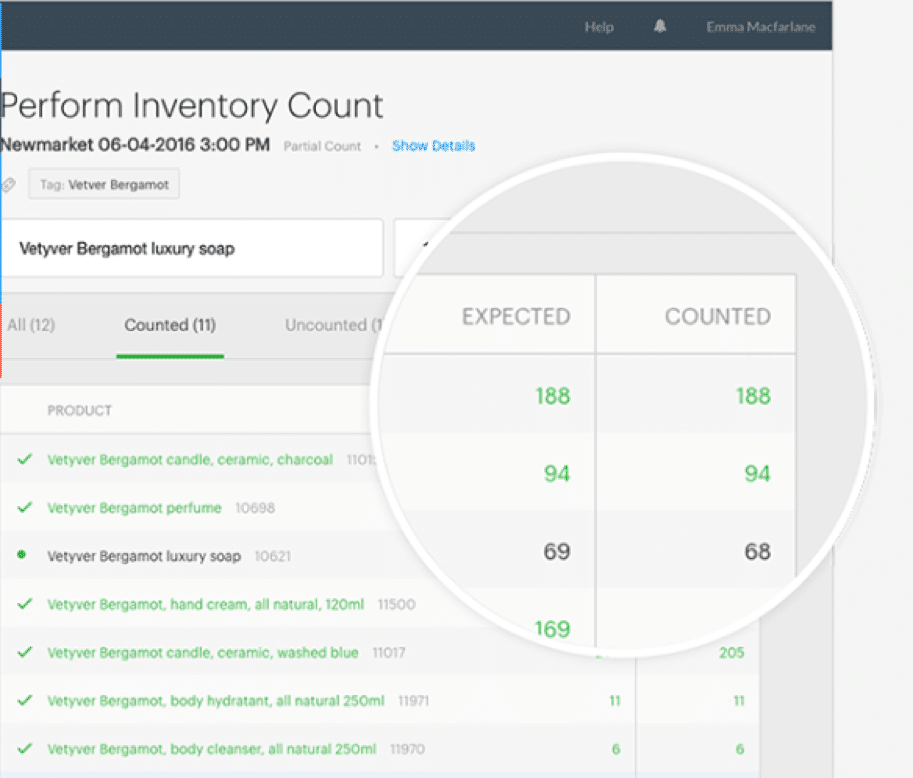
- Running reports on inventory
- Flagging when stock levels are low
- Sets an alert when any given item needs to be reordered
- Lists the most recent price you paid on an item before you reorder
- Lists the average price of the product you paid in the past
- Provide information on your suppliers

- To keep stock information up-to-date
- To track stock information in real-time
- To streamline your supply chain processes.
- Link your EPOS terminal to your suppliers' websites
- Enable management of the purchasing process and it make it more efficient
- Gather information on the movement of your stock
- Provide suppliers with tracking sales and purchasing data
- Integrate data from EPOS with data from handheld scanners
- Track products that are bar-coded from suppliers, to warehouse, to the store, and final sale.
- Compare suppliers’ performance and delivery times
PLAN FOR TRANSITION
An EPOS system will work wonders for a brick and mortar retailer. However, you can also take advantage of an EPOS’s capabilities when transitioning to include an online facet. With the robust features each EPOS system can offer every stage of retailer, opening yourself up online becomes hassle free.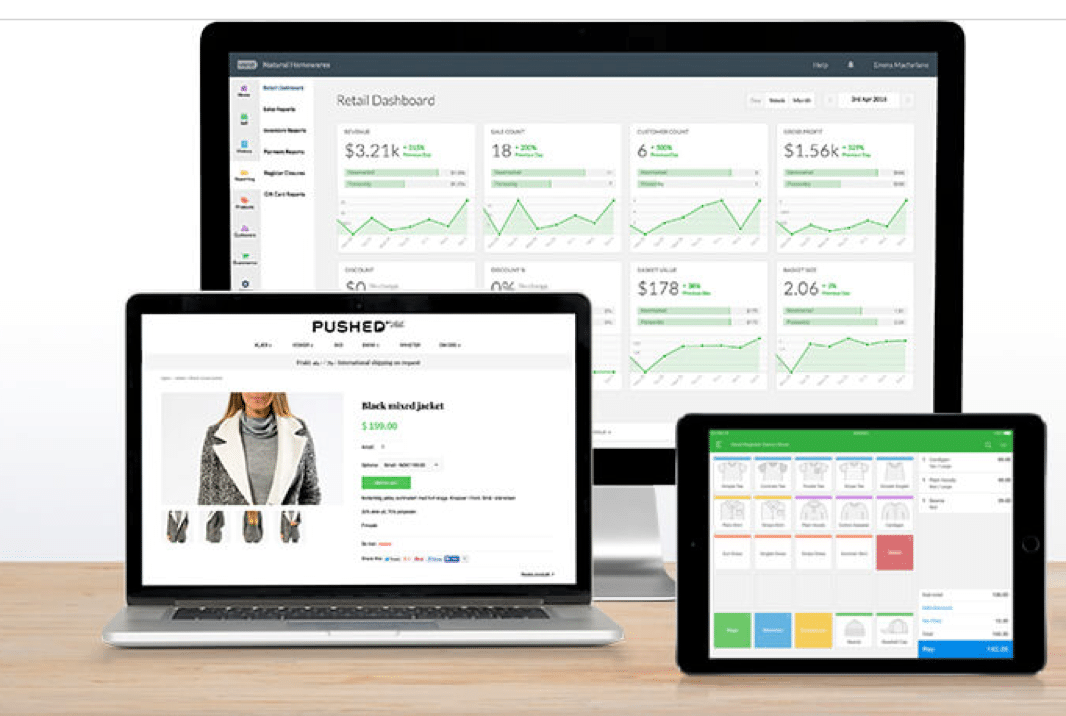
- Easy integration with your ecommerce platform
- SEO (Search Engine Optimised) using your product descriptions and media
- The ability to integrate with Google Ads and their Pay Per Click (PPC) advertising
THE BOTTOM LINE
These are just several benefits that you may achieve by implementing POS software for your business. Every good retail business should use a EPOS (electronic point of sale) system. But if your business does not, it is possible you have underestimated its importance and why it is essential for business. In short, EPOS is an indispensable tool for the management and control of stock for retail outlets. Without a good EPOS system, it is virtually impossible to manage stocking levels well or ensure that every sales outlet receives the right amount of the right products. With EPOS, to manage it all with an EPOS system would be labour intensive, prone to mistakes, and not only lead to inefficiency, but result in unhappy customers as well. As with every business, each acquisition should help bring the business into the future. A great EPOS system will not only do everything outlined above, but should also help make transitioning into the online world easier; or facilitate better controls for an existing online retailer.I run AI training and workshops for teams, and help businesses with AI enablement and workflow automation, so the busywork runs itself and people get time back. Most of that work is with SaaS marketing teams and small businesses. Here's how we can work together.
EPOS system FAQ
What is an EPOS system in plain English?
An EPOS system is the modern till. It records sales, processes payments, tracks stock levels, and generates reports. Most run on tablets or touchscreens with software that connects to payment terminals, barcode scanners, and back-office tools.
How much does an EPOS system cost in 2026?
EPOS pricing varies widely. Entry-level cloud EPOS for small retailers starts around £30-£60 per month per till. Mid-market plans typically run £80-£200 per month per till with hardware bundles starting around £400-£1,000. Enterprise systems for large chains run thousands per month.
Cloud EPOS or traditional EPOS in 2026?
Cloud-based EPOS has almost entirely replaced traditional installed-software systems in 2026. Lower upfront cost, automatic updates, remote access, and easier integration with modern payment processors make cloud the default for almost every new deployment.
EPOS frequently asked questions
What does EPOS stand for?
EPOS stands for Electronic Point of Sale. It is the modern, software-driven version of a till that handles sales, payments, stock, and reporting in one connected system.
What is the difference between POS and EPOS?
POS, or point of sale, is the general term for where a sale happens. EPOS is the electronic version: software and hardware that records the sale, updates stock, takes payment, and feeds reports automatically. The terms are often used interchangeably, but EPOS implies the connected, digital setup.
What does an EPOS system do?
An EPOS system processes sales and payments, tracks inventory in real time, manages staff and customers, and produces reports on what is selling and what is not. Modern systems also connect to accounting, e-commerce, and loyalty tools.
How much does an EPOS system cost?
Costs vary widely. Entry-level systems can be a low monthly software fee plus a tablet, while full retail or hospitality setups with hardware run into the hundreds or thousands depending on the number of terminals and features. Most providers charge a monthly subscription plus hardware.
Do small businesses need an EPOS system?
Most do once they pass a handful of daily transactions. The time saved on stock, reporting, and payments quickly outweighs the cost, and a small shop or cafe gains accurate sales and stock data that a basic till cannot provide.
Want AI doing the heavy lifting in your marketing?
I build the systems that handle the boring 80 percent, so you get your week back. Done properly, with the human kept in.
Related reading: Remote Customer Service Jobs: What Pays and How to Land One.
Related reading: GEO for Ecommerce Stores.
Related reading: AI Automation for Ecommerce That Saves Hours Every Week.
Related reading: How AI Training Consultants Help Teams Adopt New Technology.
Related reading: Should You Resell Live Chat Software to Your Own Clients?.
For the full guide on this topic, see epos sales report.
Related reading: How Do I Land a Remote Front End Developer Job in 2026.



