


- How to choose an Instagram tool in 2026
- How to choose the best Instagram tools in 2026
- Recent Follow (the one I would add to this list first in 2026)
- 1. Agorapulse
- 2. SocialInsider
- 3. Iconosquare
- 4. Social Bakers
- 5. Social Rank
- 6. Tagboard
- 7. Have2Have It
- 8. Repost
- 9. InstaQuote
- 10. Over
- Which Instagram tools do creators and small businesses actually need?
- Frequently asked questions
- Conclusion
- More Instagram tools and apps worth knowing
The best Instagram tools for most businesses are Later for scheduling, Canva for graphics, and Linktree for bio links. Later handles post planning and hashtag suggestions without much fuss, while Canva speeds up creating Stories and Reels covers. Linktree solves the single link problem in your bio, sending followers to multiple pages at once. Together these three cover content creation, publishing, and traffic, without needing a large budget or technical skill.
- Agorapulse
- SocialInsider
- Iconosquare
- Social Bakers
- Social Rank
- Tagboard
- Have2Have it
- Repost
- InstaQuote
- Over
How to choose an Instagram tool in 2026
With so many options, the best Instagram tool is simply the one that fixes your biggest bottleneck, whether that is posting, growth, or analytics. Before you work through the list below, decide what you need most:
- Scheduling. If staying consistent is hard, prioritise a strong scheduler with a visual planner.
- Analytics. If you cannot see what works, pick a tool that reports on reach, saves, and best posting times.
- Growth and engagement. If you want the right followers, look for hashtag and content tools rather than anything that automates follows, which can get an account restricted.
- Content creation. If making posts slows you down, choose a tool with templates and easy editing.
Start with your biggest gap and the right tool on this list becomes clear.
How to choose the best Instagram tools in 2026
The best Instagram tool is the one that fits the job you actually need done. Match it to a task: scheduling and planning, photo and video editing, design and Stories, or analytics and hashtag research. Look for a genuine free trial, a clean mobile workflow, and pricing that scales with your account rather than locking core features behind the top tier. Pick one tool per job instead of several that overlap. The tools below are grouped so you can find the right fit.
Recent Follow (the one I would add to this list first in 2026)
 Most of the tools on this list are built for scheduling and analytics. Recent Follow does something none of the others do, and it has quietly become one of my favourites for a bit of Instagram detective work.
It shows you who any public Instagram account has followed most recently, in true chronological order. Instagram only ever shows the following list shuffled, so if you have ever tried to work out who a competitor or a prospect just started following, you will know how painful that is. Recent Follow puts it in order, newest first, so you can see it in a single glance.
You look up any public account with no login and no password, see the new follows and followers since your last check, view and download Stories anonymously, and export any list to CSV. It is free to use on iOS, Android and as a Chrome extension, and there is a Pro upgrade that adds full follow and follower lists plus instant alerts the moment an account you are tracking follows someone new.
I like it for competitor research, influencer discovery and everyday social media management, and the fact that it only uses publicly available information and never asks for your Instagram password is a big plus in my book.
Most of the tools on this list are built for scheduling and analytics. Recent Follow does something none of the others do, and it has quietly become one of my favourites for a bit of Instagram detective work.
It shows you who any public Instagram account has followed most recently, in true chronological order. Instagram only ever shows the following list shuffled, so if you have ever tried to work out who a competitor or a prospect just started following, you will know how painful that is. Recent Follow puts it in order, newest first, so you can see it in a single glance.
You look up any public account with no login and no password, see the new follows and followers since your last check, view and download Stories anonymously, and export any list to CSV. It is free to use on iOS, Android and as a Chrome extension, and there is a Pro upgrade that adds full follow and follower lists plus instant alerts the moment an account you are tracking follows someone new.
I like it for competitor research, influencer discovery and everyday social media management, and the fact that it only uses publicly available information and never asks for your Instagram password is a big plus in my book.
1. Agorapulse
 Agorapulse is a social media management tool that you can use both to manage your Instagram accounts and for monitoring. With the Social Inbox, you get all of your Instagram mentions along with any mentions from your other social profiles, all in one place. You can also use their publisher to post updates to Instagram directly from the Agorapulse dashboard, as well as to schedule posts in advance, to save time.
In terms of monitoring for Instagram, you can monitor hashtags and places, which is great for finding potential leads on the popular social network.
Plus, save groups of hashtags to quickly and easily include them in your posts.
[clickToTweet tweet="The 10 best #tools and apps for #Instagram @AgoraPulse via @LilachBullock" quote="The 10 best #tools and apps for #Instagram @AgoraPulse via @LilachBullock"]
Agorapulse is a social media management tool that you can use both to manage your Instagram accounts and for monitoring. With the Social Inbox, you get all of your Instagram mentions along with any mentions from your other social profiles, all in one place. You can also use their publisher to post updates to Instagram directly from the Agorapulse dashboard, as well as to schedule posts in advance, to save time.
In terms of monitoring for Instagram, you can monitor hashtags and places, which is great for finding potential leads on the popular social network.
Plus, save groups of hashtags to quickly and easily include them in your posts.
[clickToTweet tweet="The 10 best #tools and apps for #Instagram @AgoraPulse via @LilachBullock" quote="The 10 best #tools and apps for #Instagram @AgoraPulse via @LilachBullock"]
2. SocialInsider
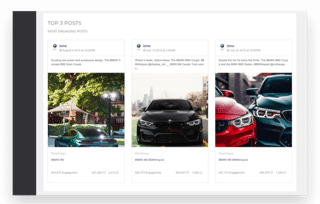 SocialInsider is a social media analytics tool which enables to track your competitors' efforts on Instagram. With this tool, you can (multi) compare your competitors side by side, conduct competitive analysis and benchmarking, adapt your content strategy, measure your engagement rates and save countless hours on reporting.
3. Iconosquare
 Iconosquare is a social media management and analytics platform designed specifically for Instagram. You can use it to analyse your followers in detail, as well as see insights into how you’re losing or gaining followers so that you can identify the causes of your loss or gaining of followers. There are also analytics for hashtags, and you can see when the best times to post updates are so that you can maximise your reach.
In terms of managing your Instagram, you can use Iconosquare to post and schedule updates and to track any comments you receive.
[clickToTweet tweet="The 10 best #tools and apps for #Instagram @Iconosquare via @LilachBullock" quote="The 10 best #tools and apps for #Instagram @Iconosquare via @LilachBullock"]
Iconosquare is a social media management and analytics platform designed specifically for Instagram. You can use it to analyse your followers in detail, as well as see insights into how you’re losing or gaining followers so that you can identify the causes of your loss or gaining of followers. There are also analytics for hashtags, and you can see when the best times to post updates are so that you can maximise your reach.
In terms of managing your Instagram, you can use Iconosquare to post and schedule updates and to track any comments you receive.
[clickToTweet tweet="The 10 best #tools and apps for #Instagram @Iconosquare via @LilachBullock" quote="The 10 best #tools and apps for #Instagram @Iconosquare via @LilachBullock"]
4. Social Bakers
 Social Bakers offer a free Instagram analytics tools that you can use to get statistics on your photos, filter and hashtags, plus stats for your engagement on Instagram.
You can also see what your top posts are, in terms of most liked or most commented on and your most liked and most tagged users.
[clickToTweet tweet="The 10 best #tools and apps for #Instagram @socialbakers via @LilachBullock" quote="The 10 best #tools and apps for #Instagram @socialbakers via @LilachBullock"]
Social Bakers offer a free Instagram analytics tools that you can use to get statistics on your photos, filter and hashtags, plus stats for your engagement on Instagram.
You can also see what your top posts are, in terms of most liked or most commented on and your most liked and most tagged users.
[clickToTweet tweet="The 10 best #tools and apps for #Instagram @socialbakers via @LilachBullock" quote="The 10 best #tools and apps for #Instagram @socialbakers via @LilachBullock"]
5. Social Rank
Social Rank is a tool for managing your Twitter and Instagram followers. You can search through your list of followers by bio keywords, location and more, to identify any leads, or simply to organize them. You can also create different lists of followers that you can then export. Social Rank also tells you who your most valuable and most engaged followers are, so that you know who to engage with and, if you want, to reward them in some way for their support of your business on Instagram. [clickToTweet tweet="The 10 best #tools and apps for #Instagram @socialrank via @LilachBullock" quote="The 10 best #tools and apps for #Instagram @socialrank via @LilachBullock"]6. Tagboard
 Tagboard is a really cool tool that you can use to display conversations from Instagram and other social networks, such as Twitter and Facebook, in all kinds of situations: at events, on TV, on your website and on any display you can think of.
It’s a great option for events that you might be holding or taking part in, presentations, as well as on your website, as you can showcase your followers’ and fans’ updates and improve their loyalty.
[clickToTweet tweet="The 10 best #tools and apps for #Instagram @tagboard via @LilachBullock" quote="The 10 best #tools and apps for #Instagram @tagboard via @LilachBullock"]
Tagboard is a really cool tool that you can use to display conversations from Instagram and other social networks, such as Twitter and Facebook, in all kinds of situations: at events, on TV, on your website and on any display you can think of.
It’s a great option for events that you might be holding or taking part in, presentations, as well as on your website, as you can showcase your followers’ and fans’ updates and improve their loyalty.
[clickToTweet tweet="The 10 best #tools and apps for #Instagram @tagboard via @LilachBullock" quote="The 10 best #tools and apps for #Instagram @tagboard via @LilachBullock"]
7. Have2Have It
 Have2Have It is a great tool for those who want to use Instagram to sell their products. With this tool, you’ll have a Have2Have It link that basically takes your followers to a page that looks and feels like your Instagram profile, only they can use it to tap on your images and buy from you directly.
You can use their dashboard to add posts to your shoppable feed, and add one or multiple products in your images that can be bought. They also provide analytics and customer data that you can use to improve your strategy and increase the sales you make via Instagram.
[clickToTweet tweet="The 10 best #tools and apps for #Instagram Have2have it from @soldsie via @LilachBullock" quote="The 10 best #tools and apps for #Instagram Have2have it from @soldsie via @LilachBullock"]
Have2Have It is a great tool for those who want to use Instagram to sell their products. With this tool, you’ll have a Have2Have It link that basically takes your followers to a page that looks and feels like your Instagram profile, only they can use it to tap on your images and buy from you directly.
You can use their dashboard to add posts to your shoppable feed, and add one or multiple products in your images that can be bought. They also provide analytics and customer data that you can use to improve your strategy and increase the sales you make via Instagram.
[clickToTweet tweet="The 10 best #tools and apps for #Instagram Have2have it from @soldsie via @LilachBullock" quote="The 10 best #tools and apps for #Instagram Have2have it from @soldsie via @LilachBullock"]
8. Repost
Repost is a nifty little Instagram app that you can use to easily repost your favourite images and videos, while also crediting the original Instagrammer automatically. One way you can use this app is to repost your fans’ and followers’ best content, which will ultimately help you improve their loyalty and also help you generate more engagement on Instagram.9. InstaQuote
 InstaQuote offers one of the best apps I’ve tried for adding text to your images on the go. It’s great for simply sharing your thoughts, or for creating beautiful quote images that your followers will love. There are 20 different templates that you can use, as well as beautiful backgrounds (although you can also use your own photos as a background if you want) and multiple options for customizing your font style, size, alignment and much more. You can also edit your images and change the hue, saturation, brightness etc. or you can blur your background to make sure your quote or text really stands out.
[clickToTweet tweet="The 10 best #tools and apps for #Instagram @instaquoteapp via @LilachBullock" quote="The 10 best #tools and apps for #Instagram @instaquoteapp via @LilachBullock"]
InstaQuote offers one of the best apps I’ve tried for adding text to your images on the go. It’s great for simply sharing your thoughts, or for creating beautiful quote images that your followers will love. There are 20 different templates that you can use, as well as beautiful backgrounds (although you can also use your own photos as a background if you want) and multiple options for customizing your font style, size, alignment and much more. You can also edit your images and change the hue, saturation, brightness etc. or you can blur your background to make sure your quote or text really stands out.
[clickToTweet tweet="The 10 best #tools and apps for #Instagram @instaquoteapp via @LilachBullock" quote="The 10 best #tools and apps for #Instagram @instaquoteapp via @LilachBullock"]
10. Over
Over is a photo editor that also allows you to add text and captions to your photos. Their editing options help you create beautiful images easily (with numerous editing and customization options) and what’s really great about this tool is that you can create images for all major social networks, such as Instagram, Twitter, Facebook and Pinterest, and make sure that they are the right size and format.For the rest of the Instagram questions, see my Instagram guide.
If your phone is running out of space, here's why Instagram takes up so much storage and how to clear it safely.
Which Instagram tools do creators and small businesses actually need?
Creators and small businesses need three types of Instagram tool, no more: one for scheduling and planning, one for creating graphics or editing photos and video, and one for checking what is actually working. That is it. Anything beyond those three jobs is a nice-to-have, not a need.
Work out which of the three you are weakest at before you install anything. If you post sporadically, fix scheduling first. If your grid looks amateurish, fix creation first. If you have no idea which posts bring in enquiries, fix analytics first. Check each tool against your phone, not just your laptop, because most Instagram work happens on mobile and a tool with a clunky app will get abandoned within a fortnight. Also check what happens to your data and your queued posts if you cancel, some tools hold your content hostage behind a paywall.
The common mistake I see is business owners collecting four or five tools that all do roughly the same thing, then paying for all of them out of habit. You do not need a scheduler, a separate hashtag tool, and a separate caption writer if one platform covers all three. Pick one tool per job and drop the rest.
My honest caveat for small businesses: no tool fixes a weak content plan or an audience that does not actually want what you sell. Tools save time and smooth out the mechanics, but they cannot invent a strategy for you. Sort out what you are posting and why first, then let the tools handle the repetitive parts.
For a straight answer, see what Reels views earn Indian creators. If you're growing on Facebook, I break down Facebook earnings for 1 million views in India with real numbers.
Frequently asked questions
What are the best Instagram tools for growing your account in 2026?
For steady growth you want a scheduler so you post consistently, a hashtag tool so you reach the right people, and an analytics view so you can see what works and do more of it. Tools like Later, Buffer and Tailwind cover scheduling and analytics in one place, which is usually enough for a small business without a dedicated social media manager.
Are there free Instagram tools worth using?
Yes. Later, Buffer and Canva all have free plans that are genuinely useful for a solo business or freelancer. The free tiers usually limit the number of scheduled posts or social profiles, so they are perfect for getting started. Instagram own native Insights are also free and worth checking before you pay for any third party analytics.
What is the best Instagram scheduling tool?
Later is a strong default because of its visual feed planner, which makes it easy to see how your grid will look before you post. Buffer is simpler and faster if you just want to queue posts across several platforms. Tailwind is the better pick if Pinterest matters to you as well as Instagram.
Want AI doing the heavy lifting in your marketing?
I build the systems that handle the boring 80 percent, so you get your week back. Done properly, with the human kept in.
Which Instagram tools help with hashtags and analytics?
For hashtags, tools like Later and Flick suggest relevant tags and tell you how competitive each one is. For analytics, your first stop should be Instagram native Insights, then a tool such as Buffer or Later if you want trends over time and the best times to post for your specific audience.
Conclusion
So, there we go, the top 10 best Instagram tools that you need to get. There’s everything here from tools to help you become more efficient and save time, to apps for creating more compelling, beautiful images to share with your followers. What are your favourite Instagram tools and apps? Which ones do you use the most? What are some of the features you’d like to see in future apps and tools? Let me know in your comments and please share:)Related: how to see someones instagram activity without letting them know.
Related reading: Best Hashtags for Facebook Reels in 2026.
Related reading: How Do I Create Engaging Backgrounds for Instagram Stories?.
Related reading: How to Download Instagram Reels to Share on Other Platforms (Without Los.
More Instagram tools and apps worth knowing
The most useful Instagram apps in 2026 cover four jobs: scheduling and planning (Later, Buffer, Planoly), editing photos and video (Lightroom, VSCO, InShot, CapCut), design and Stories (Canva), and analytics or hashtag research (Iconosquare, Flick). Pick one for each job rather than a dozen that overlap. The full list, with what each is best for, is below.
Later is a solid starting point because its free plan lets you schedule up to 30 posts per month per profile, which is plenty if you are just getting started. If you need more posts or want to schedule Stories, their paid plans start at around $15 per month, which is reasonable for a small business. I recommend trying the free tier for a full month before committing to anything paid.
gender swap filters · convert PDF to JPG · App Store · Play Store · iOS · Android · App Store · Play Store · App Store · Play Store · App Store · Play Store · App Store
Related reading: Can You Schedule Instagram Reels Ahead of Time? Yes, and Here’s Ex.
Related reading: Why Instagram Reels Can Feel Toxic (And How I Manage It Without Quitting.
Related reading: How Many Instagram Reels Exist and What That Means for Creators in 2026.

