
Growth marketers rarely know whether to book local voice talent, ship basic translated subtitles, or test a modern video translator when product demos need four regional launches inside one quarter. Every option looks fast until real sales reps run localized videos inside regional demo calls and spot broken timing, clipped callouts, or awkward idioms that make an enterprise platform read like a rushed template.
Most teams compare localization methods on raw per-minute cost alone. That metric hides the real expense of SaaS go-to-market launches: re-editing on-screen feature labels when translated strings swell by 25 percent, syncing demo UI cuts to longer spoken sentences, and keeping regional terminology aligned with local help center docs.
Pick one wrong workflow early and your product marketing manager spends Friday night nudging SRT timestamps frame by frame instead of prepping the regional campaign. Choosing right comes down to matching each format to where buyers actually watch the video.
Comparing localization paths before picking a video translator
SaaS teams generally weigh three distinct production routes when adapting flagship English demos for European, Latin American, or Asia-Pacific markets: hiring regional human voiceover studios, layering translated closed captions over English audio, or running automated dubbing workflows. Each path makes concrete trade-offs around speed, script control, and visual revision effort.
| Localization path | Best campaign use case | Turnaround friction | Biggest hidden quality risk |
|---|---|---|---|
| Human studio dubbing | Hero homepage brand anthems and top-tier paid ads | High scheduling lag for studio booking and retakes | Fixing one pricing line later forces full actor rebooking |
| Translated captions (SRT/VTT) | LinkedIn feed previews and muted documentation embeds | Very low setup overhead per locale | Dense two-line captions hide bottom UI toolbars on desktop |
| AI video dubbing and translation | Mid-funnel SaaS demos, onboarding, and regional feature releases | Low once glossaries and pronunciation cues stay organized | Longer translated sentences speed up pacing or drift out of UI cues |
Use this practical triage rule across regional launches:
- Book human voiceover studios when producing your single flagship brand film or high-budget broadcast campaign where emotional acting nuance sits above quarterly editing agility.
- Ship clean translated captions (SRT/VTT) paired with original audio when adapting engineering office hours, raw podcast interviews, or low-volume help articles where viewers read while scanning commands.
- Run translated video drafts or automated dubbing when rolling out SaaS product walkthroughs and regional marketing clips across multiple countries on a recurring release calendar where UI screenshots shift every six weeks.
- Skip automated lip sync completely if a presenter talks tiny in a corner box alongside busy screencast frames; reserve facial mouth synchronization strictly for prominent shoulder-up spokespeople facing lens cleanly.
Why translated speech breaks visual layout faster than audio
Voice pacing isn't the toughest engineering wrinkle in video translation; spatial text inflation is. Romance and Germanic translations regularly stretch concise English UI prompts, lower-third feature callouts, and spoken phrases well past original box bounds. As explained in W3C guidance on managing text expansion in localization, short English microcopy frequently balloons by double-digit percentages in German, Spanish, or French layouts, squeezing lines right off buttons or breaking two-second on-screen display timers.
If your source English script sits cleanly at 130 words per minute across a 45-second feature highlight, the Spanish or French voice track often hits 54 seconds. Either the voiceover engine compresses syllable spacing until speech sounds breathless, or visual cuts fly past step three while narration is still finishing step one. Building a 15 to 20 percent pause buffer inside master English scripts prevents most downstream desynchronization headaches before translation even starts.
Rolling out a reliable SaaS localization workflow
When teams separate script/project translation from uploaded-clip dubbing deliberately, using an AI video translator streamlines regional campaign drops without abandoning human copy review. Note how Leadde divides those workflows cleanly by input source: project-level translation adapts scripts and editable canvas elements across 88 platform languages into clean duplicated drafts, whereas Video Dubbing handles pre-rendered .mp4 or .mov videos across 15+ supported dubbing languages (billed by credit) with optional lip sync.
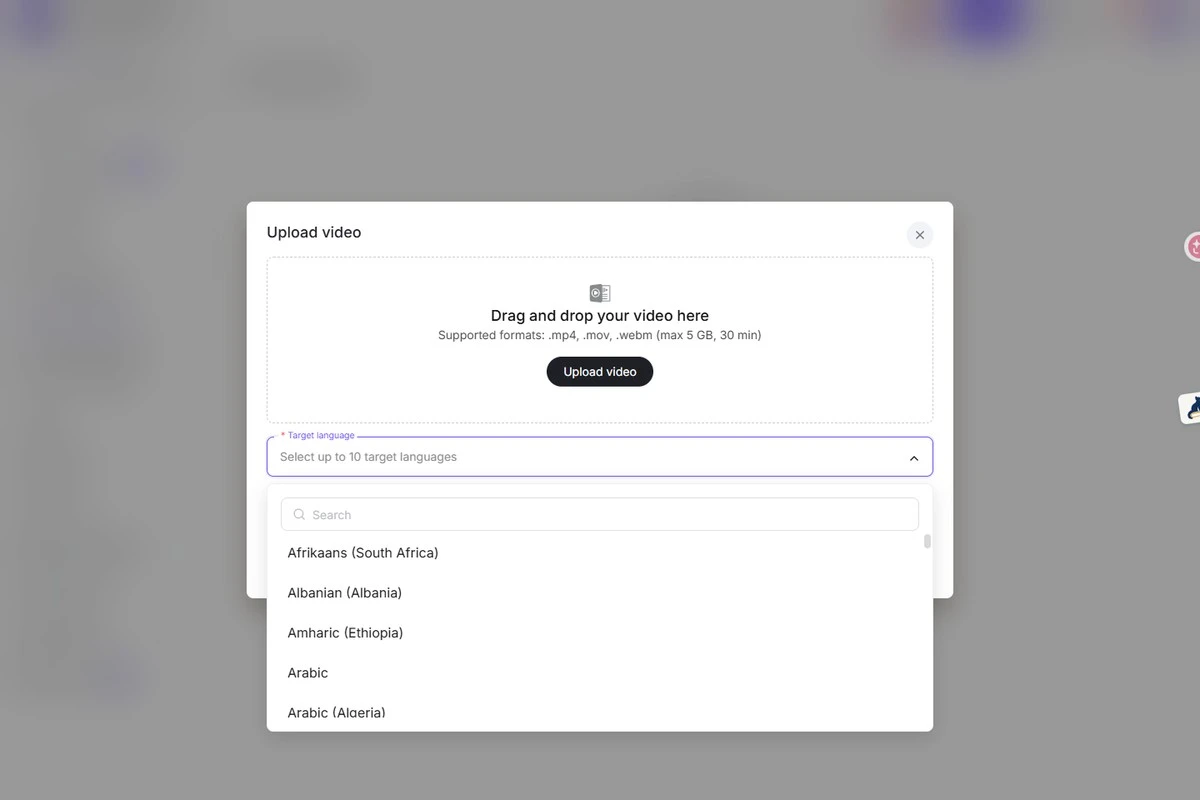
Configuring target languages and optional Lip Sync alignment inside Leadde's Video Dubbing panel.
Run every multi-region release through six verification steps before shipping ad budget behind localized files:
Want AI doing the heavy lifting in your marketing?
I build the systems that handle the boring 80 percent, so you get your week back. Done properly, with the human kept in.
- Trim redundant English idioms and culturally narrow metaphors out of source scripts first, keeping SaaS product names and menu paths consistent with localized UI strings inside your web app.
- Pick the matching Leadde workflow by source format: upload an existing finished .mp4/.mov clip into Video Dubbing (15+ dubbing languages, billed by credit) when re-voicing finalized screen demos, or duplicate and translate a studio project (88 platform languages) whenever you still need canvas text boxes editable after length expansion.
- Audit every target-language transcript line by line before finalizing audio generation, catching false-friend technical nouns (billing seat, workspace, dashboard, webhook) that literal machine dictionaries translate inconsistently across markets.
- Add phonetic Pronunciation adjustments where English brand terms sit inside French, German, or Japanese sentences so voice cadence keeps natural inflection instead of clipping proprietary product names.
- Inspect optional lip sync strictly on stationary front-facing presenter clips at normal playback speed, leaving Lip-sync toggled off on fast screen-capture demos or small circular presenter bubbles where subtle jaw warping distracts more than original framing.
- Export localized .mp4 videos alongside downloaded .srt or .vtt subtitle tracks (supported on paid Leadde plans) so regional teams can toggle crisp closed captions on muted LinkedIn and landing page players.
Don't guess on pronunciation or brand style guides either. Keep a shared one-page regional glossary sitting beside your Leadde project library listing which product feature labels stay untranslated in English (API key, SSO, JSON) versus which interface headings match your localized app UI.
Matching regional dialects and reviewing edge cases
Treating every Spanish campaign identically across Madrid, Mexico City, and Buenos Aires quickly alienates buyers on localized product pages. Regional pricing campaigns convert better when audio matches target market accents (Leadde supports 88 languages and 175 regional accents across project voice selection) and avoids translated idioms imported from different continents.

Reviewing isolated audio timing and lower-third subtitle spacing after exporting regional product demos.
Keep human bilingual spot-checks focused on three moments where automated renders stumble most: opening 5-second campaign hooks (where an awkward greeting costs 40 percent of drop-off), pricing and billing-limit slides, and closing URL callouts. Spending five minutes with a native colleague reviewing just those twenty seconds catches practically every expensive localization slip before launch day.
Practical B2B answers on scaling localized video
Can one translated video match every Spanish-speaking market?
Technically yes for comprehension, though high-intent landing pages perform cleaner when regional teams tune vocabulary and accents specifically toward Spain versus Latin America rather than sharing one mixed dialect track everywhere.
When should SaaS teams leave lip sync switched off?
Turn off facial lip sync when speakers appear tiny inside picture-in-picture software circles, turn sharp profiles away from camera, or wear glasses near heavy bright window glare. Reserve lip synchronization strictly for steady chest-up talking segments.
What happens if translated captions run longer than the scene cut?
Split overly long translated lines into concise conversational clauses inside your duplicate Leadde draft or expand the scene duration slightly inside the editor so subtitles never compress into unreadable rapid flashes.
Picking between a recording studio, silent subtitles, or automated video translation doesn't have to stall international marketing calendars. Reserve studio talent for evergreen brand tentpoles, keep subtitles sharp for feed scrollers, and standardize your recurring SaaS demo library with human-checked translation scripts and regional terminology control.