


What are interactive calculators?
Interactive calculators are a form of content that marketers and businesses can use in a variety of ways, throughout the buyer journey, to help boost conversions. They can be used for different purposes, from boosting engagement by allowing users to calculate their ROI to boosting your conversions by giving your audience a tool to calculate the savings they can make by buying your product or service. Here’s an example of a simple calculator for calculating your conversion rates, created with Calconic (and by the way, feel free to try the calculator out and find out what your conversion rates are!)Why use interactive calculators?
As I mentioned earlier, you can use calculators in a variety of ways and help reach all kinds of marketing and sales objectives. For example:- Generate more traffic to your business website: calculators can be very valuable tools for your audience, which means that your audience is looking for them online. For example, there are up to 2.9k searches every month in the US for “conversion rate calculator” – and if you’ve got the solution they’re looking for, that means more organic traffic coming to your site
- Keep people on your site for longer and boost engagement: calculators are by their very nature, interactive. Users need to actively engage with them – not just skim through a page; and by engaging them and providing them value at the same time, you’ll help boost your traffic’s quality and engagement
- Generate more leads: calculators can also be great for lead generation – for example, an easy solution is to have them give you their email address so that you can send them their results directly in their inbox
- Boost conversions and sales: some calculators (like the ones from Calconic) even allow you to accept payments directly. For example, one way to boost your sales is to create a pricing calculator and offer users the option to buy
What websites may need interactive calculators?
It's a solution for business websites whose prices depend on a few variables or they have a complicated structure with lots of customers options. In fact, interactive calculators are more versatile than you may think, so some niches would have never thought they need it. There are a plethora of ways to use calculators – and they can help you reach various targets and objectives. Some of the industries already adapting interactive calculator tools are:- Custom made products
- Loans
- Marketing
- Web development
- Construction
- Real estate
- Sports/fitness
- Event organizers, etc.
How to create interactive calculators with Calconic
When it comes to interactive calculators, Calconic is one of the most popular options around. It’s a super easy-to-use tool that you can use to create any kind of calculator you can think of and then easily embed it where you want it on your website. You can use it to create anything from a super basic calculator (like the example from earlier) to more complex calculators, like this price quote calculator: It’s completely up to you – plus, you have an impressive collection of templates you can use for inspiration. To create a calculator with Calconic, you can either start from scratch and create one all on your own or use one of the available templates and simply customize it: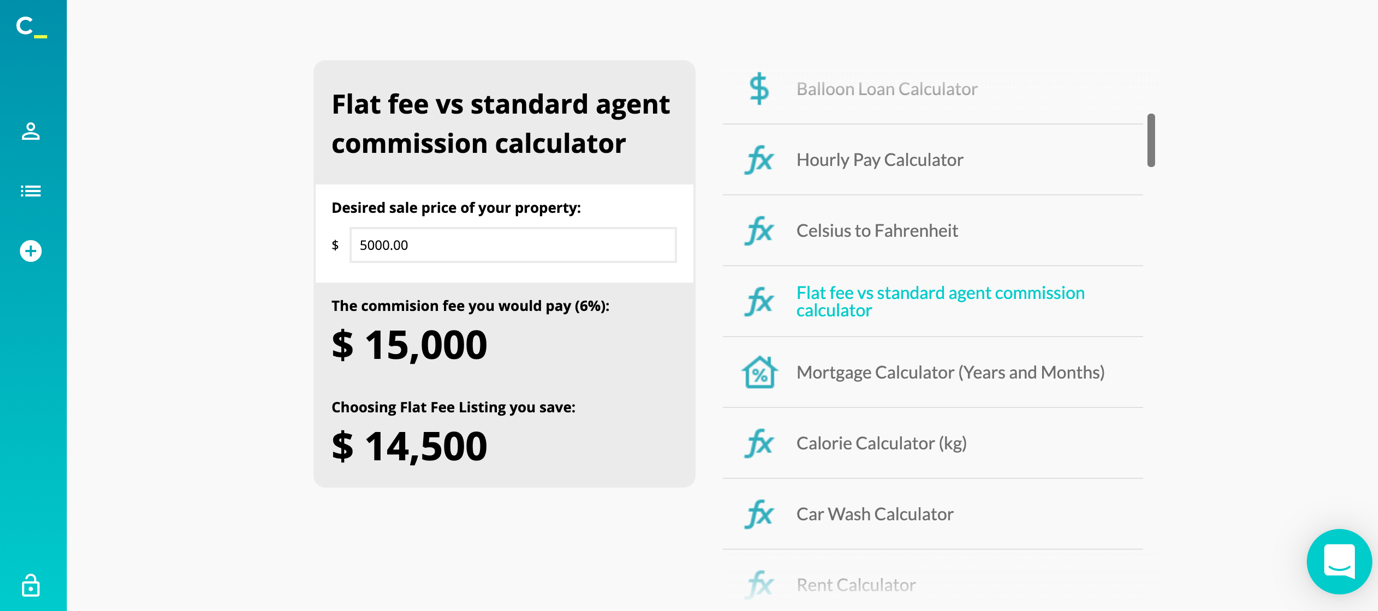 Quick side note, Calconic has a forever free plan but there is a bonus 14-day free trial so you could try all the paid plan features and see all possibilities.
Back to the builder, I’m going to start from scratch for my first calculator:
Quick side note, Calconic has a forever free plan but there is a bonus 14-day free trial so you could try all the paid plan features and see all possibilities.
Back to the builder, I’m going to start from scratch for my first calculator:
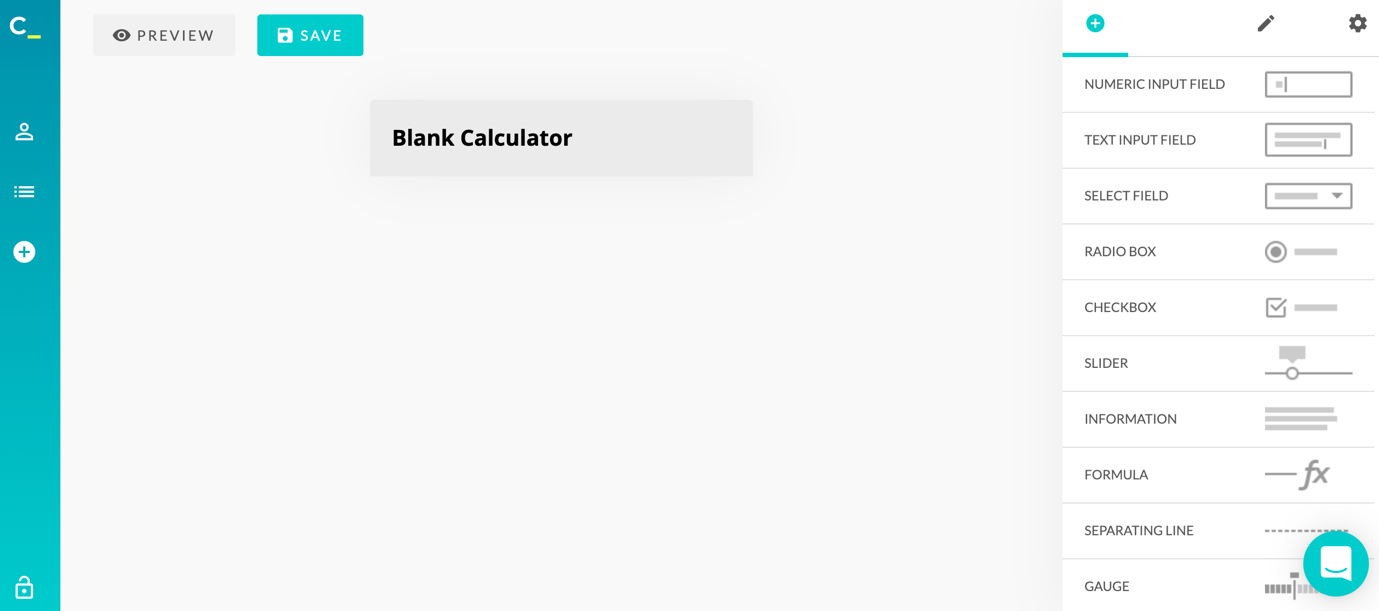 As you can see above, all the options are on the right-hand side of the screen, where you can simply click on the desired field to add it to your calculator.
Once you’ve added (or selected) an element, you’ll also see all of your options for customizing the field:
As you can see above, all the options are on the right-hand side of the screen, where you can simply click on the desired field to add it to your calculator.
Once you’ve added (or selected) an element, you’ll also see all of your options for customizing the field:
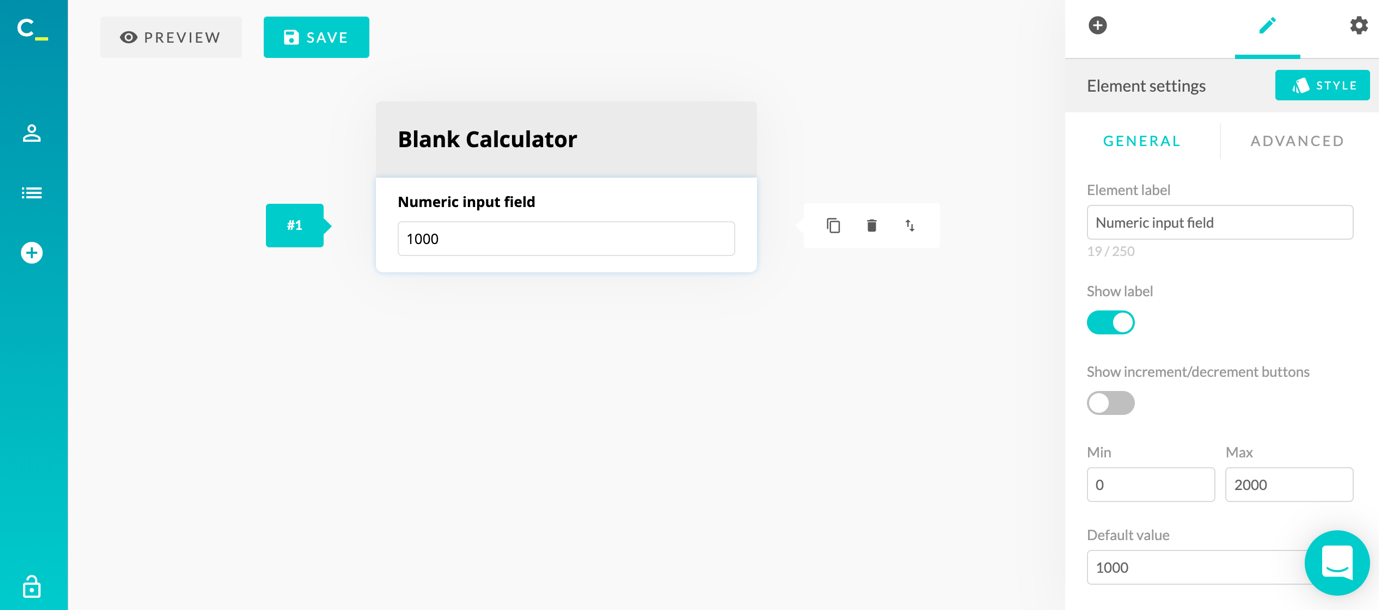 In the General section, you have all the basic choices you need to make, such as displaying the text label for that field, whether to show increment/decrement buttons, adding minimum and maximum values if relevant and adding a prefix and/or postfix.
Your calculator will then be automatically updated as you make these changes.
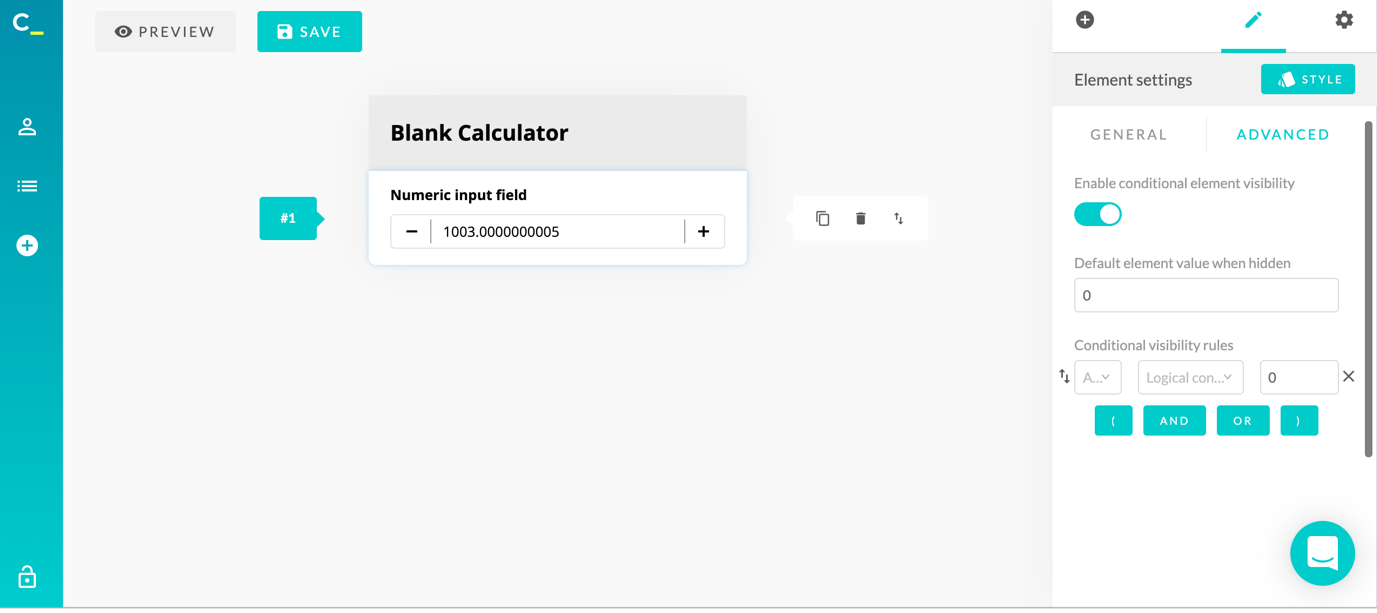
In the Advanced section, you have a really useful feature – you can enable conditional element visibility; in other words, you can set up visibility rules so that you can hide/show the element based on the rule you created:
In the General section, you have all the basic choices you need to make, such as displaying the text label for that field, whether to show increment/decrement buttons, adding minimum and maximum values if relevant and adding a prefix and/or postfix.
Your calculator will then be automatically updated as you make these changes.
In the Advanced section, you have a really useful feature – you can enable conditional element visibility; in other words, you can set up visibility rules so that you can hide/show the element based on the rule you created:
 Once you’ve set up all of that, you can also customize the design of your element by clicking on Style:
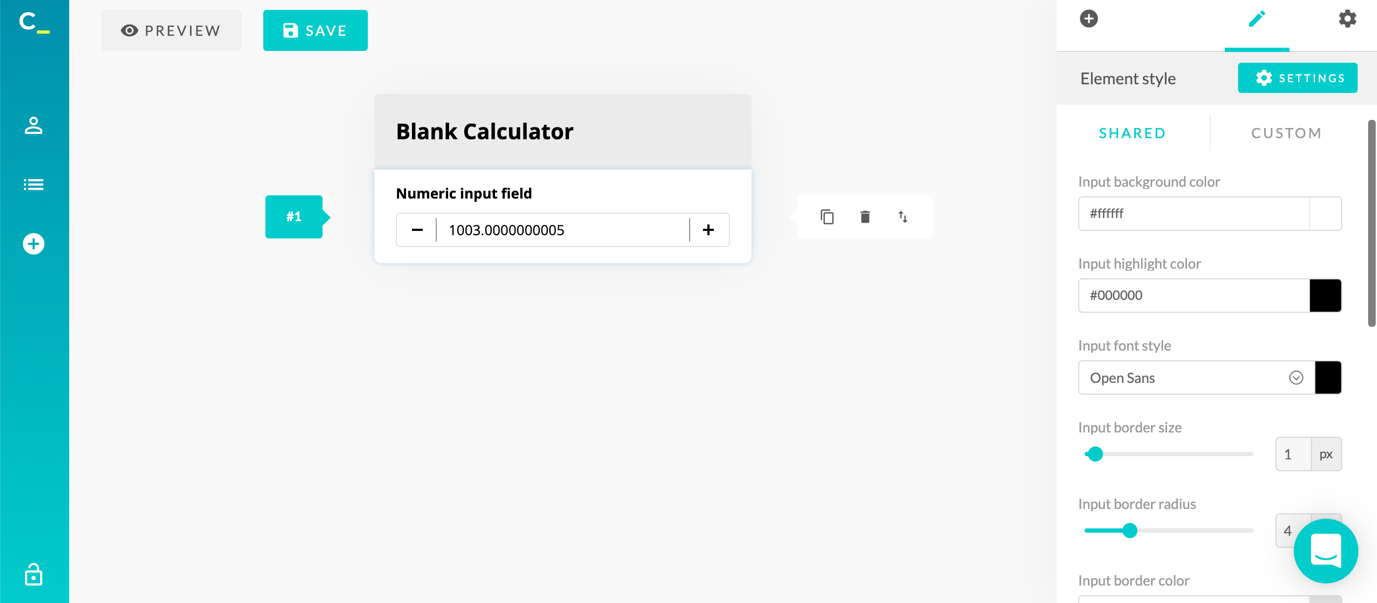 This allows you to customize your calculator with your own colours, branding and fonts (among other elements) and help make it stand out.
Then, once you’ve customized that specific element, you can add more elements, including:
This allows you to customize your calculator with your own colours, branding and fonts (among other elements) and help make it stand out.
Then, once you’ve customized that specific element, you can add more elements, including:
- Basic fields, such as numeric and text input fields
- A radio box or checkbox field (which means users can select from multiple options)
- A Slider, so that users can select the number they want:
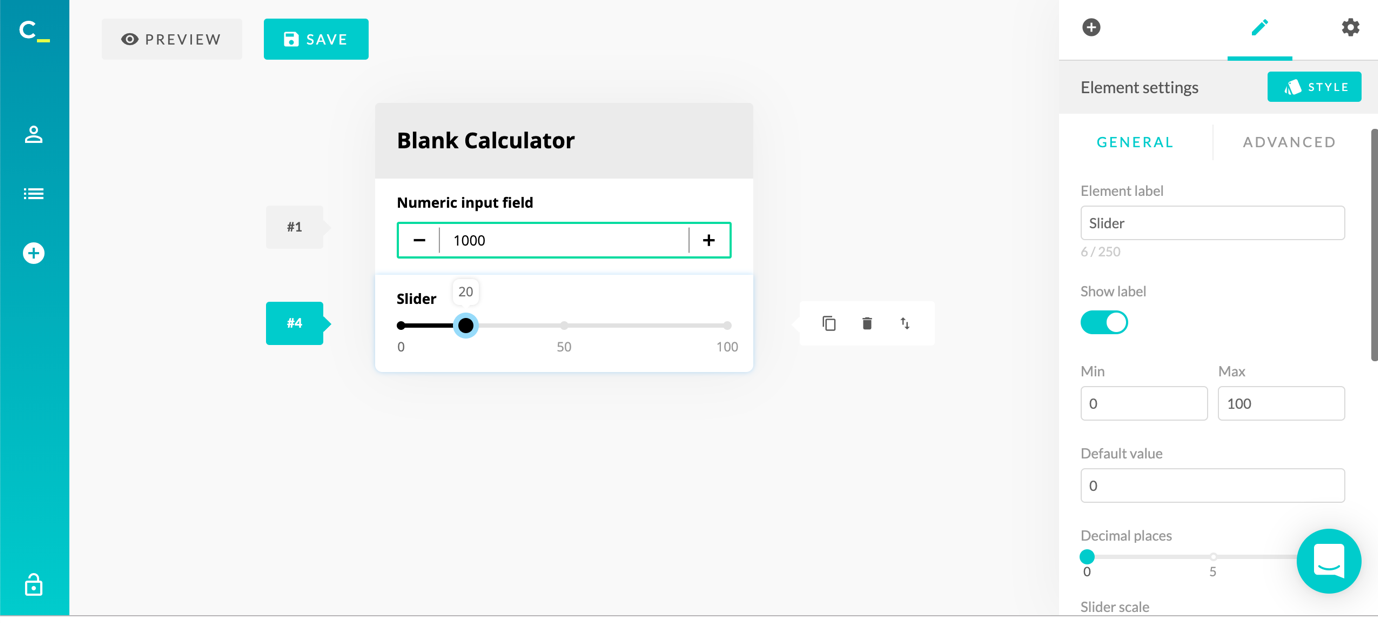
- An information block content, if you need text to explain something or give more information to users
- A formula box, where you set up how the information provided by the user will be calculated:
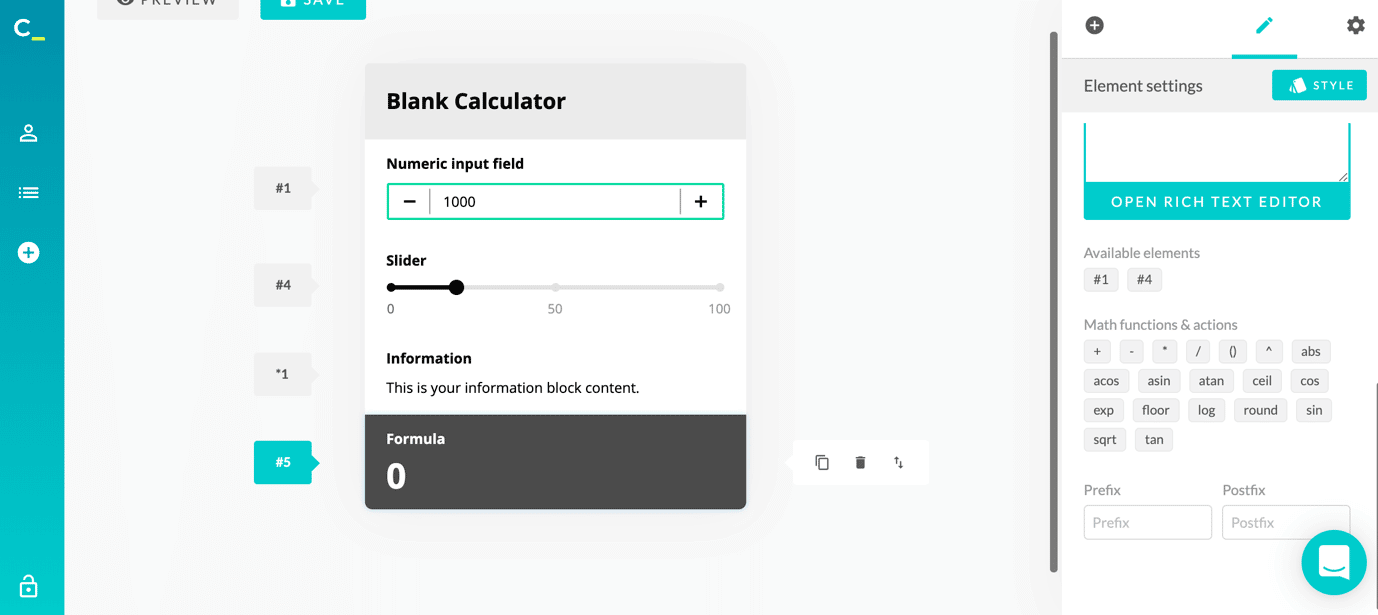
- A numerical or text gauge
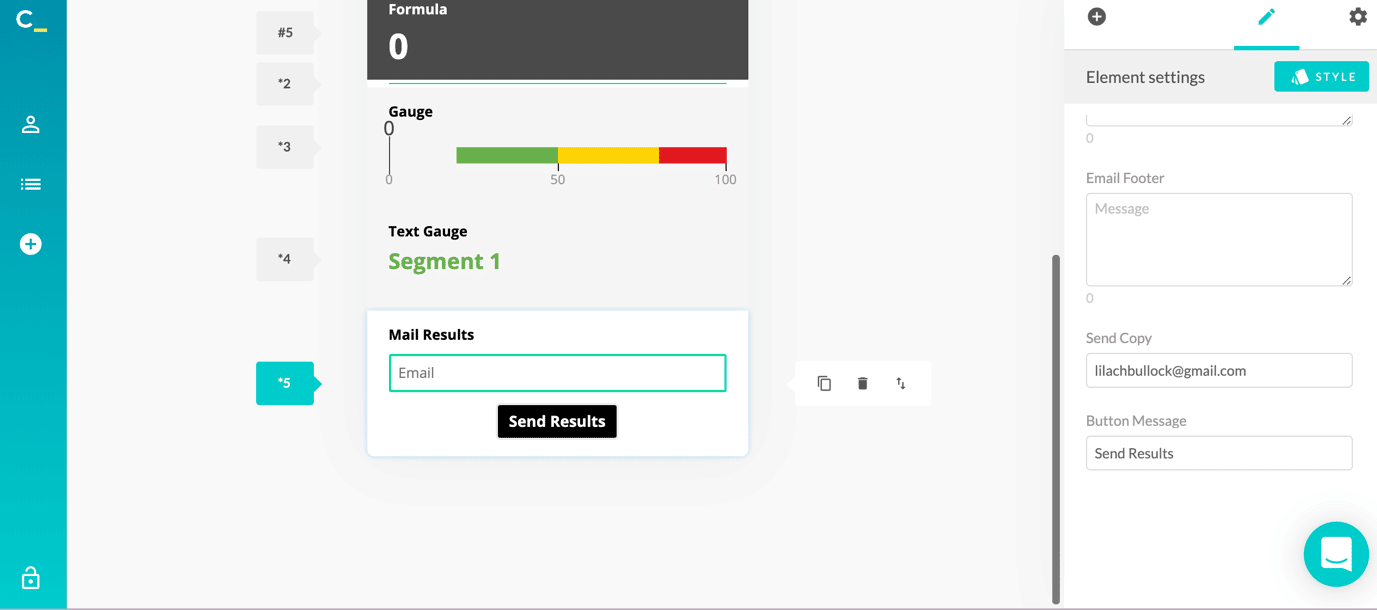
- An “email results” field, which is perfect for lead generation – people can use the calculator and then provide their email address so that you can send them the results directly in their inbox:
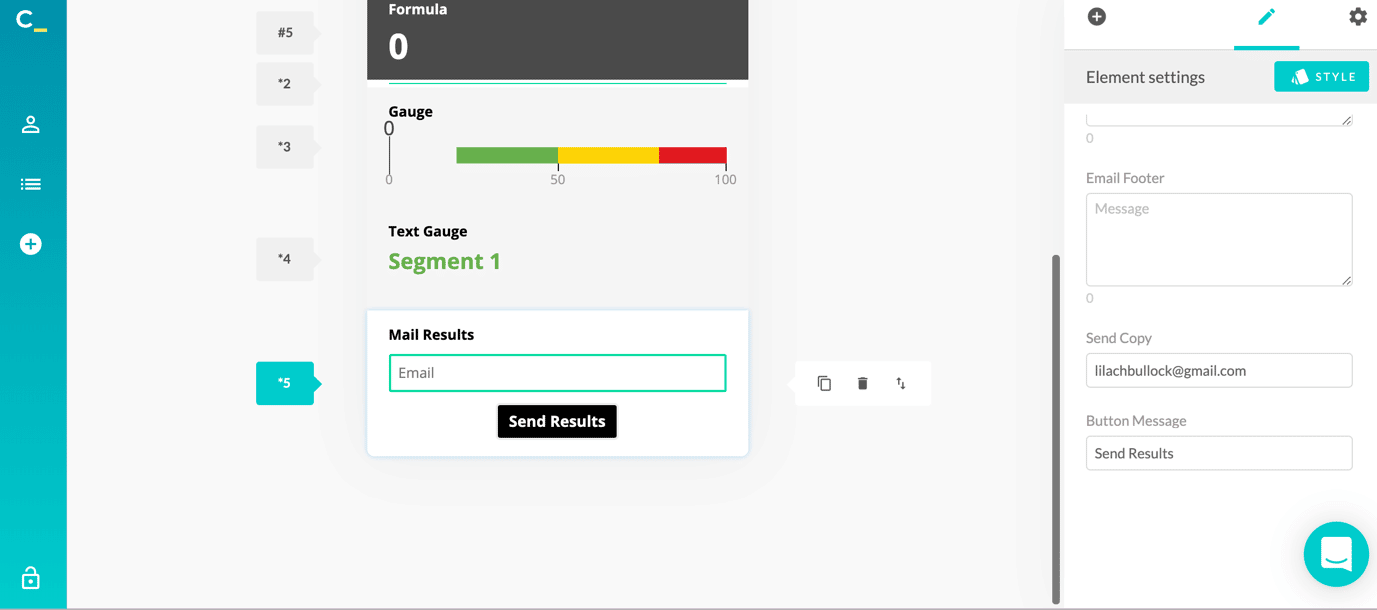
- Payment button: because yes, you can have visitors buy from you, directly from your calculator; this is perfect as you can create calculators that people can use to calculate how much your products/services would cost them and then let them buy or order them directly, without having to navigate to another page or form. And, as you can see below, your customers can pay with Visa, MasterCard, and Amex, via PayPal:
- An order button which, when clicked, will send an automatic email
- Return on investment calculator
- Product order calculators
- Price quote calculator
- VAT and sales tax calculators
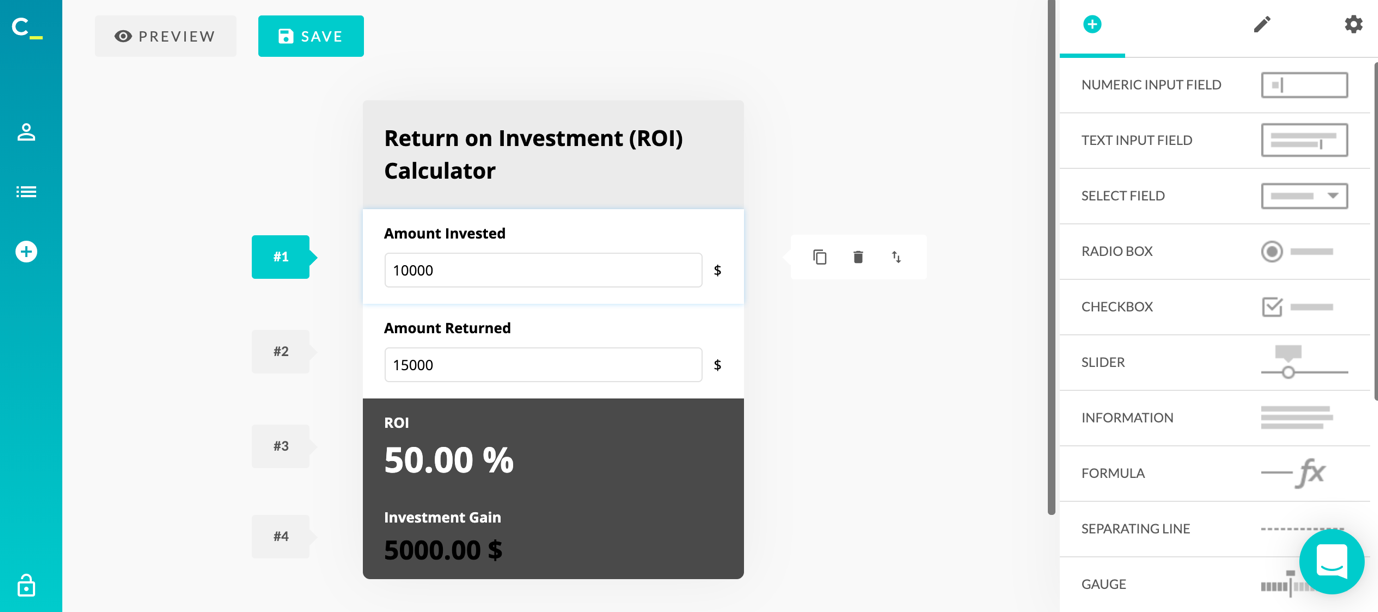 You can also use various themes, palettes and styles to further customize your interactive calculator; to do this, click on Calculator settings to see your options:
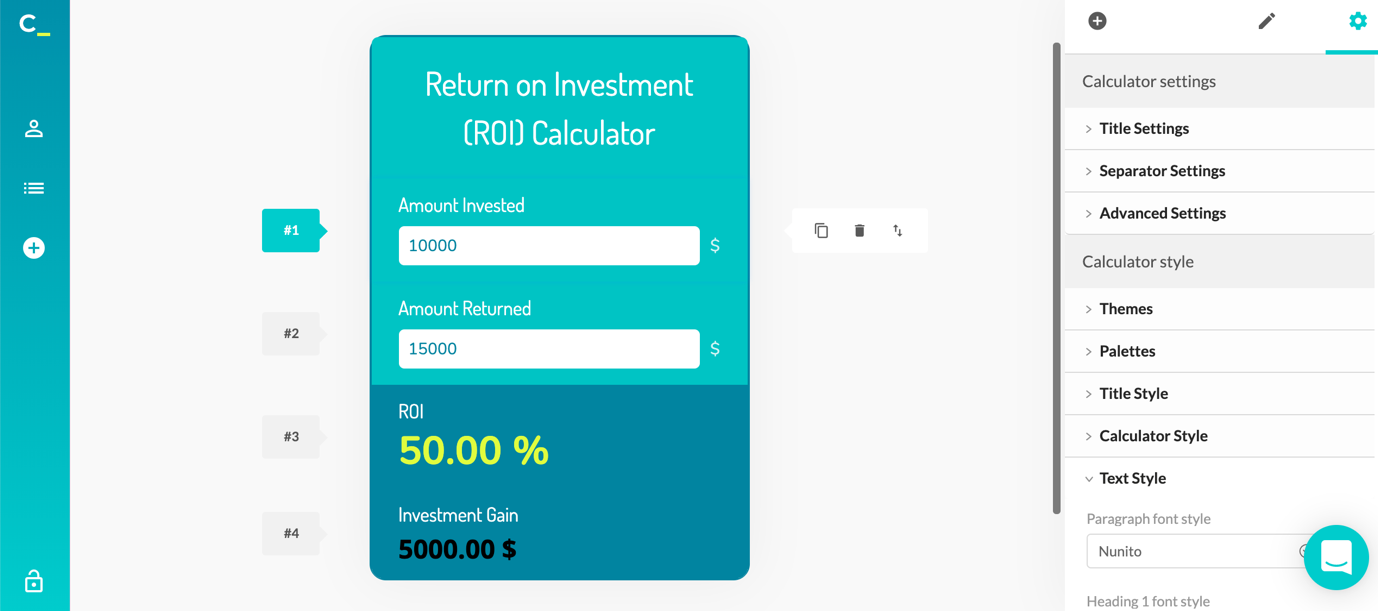
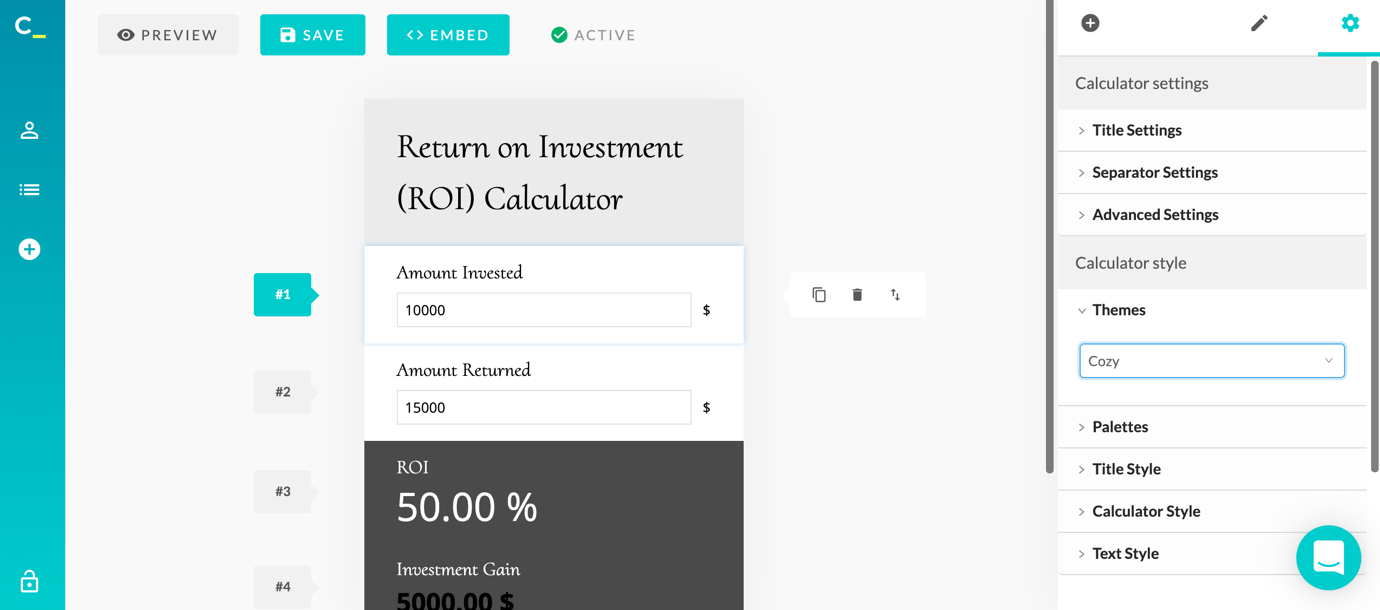 With just a few clicks, you can completely change the look and feel of your calculator:
 Once you’re done with your calculator, you can preview it to see what it would like it and then once it’s ready and you’ve activated the calculator, you can easily embed it on your website:
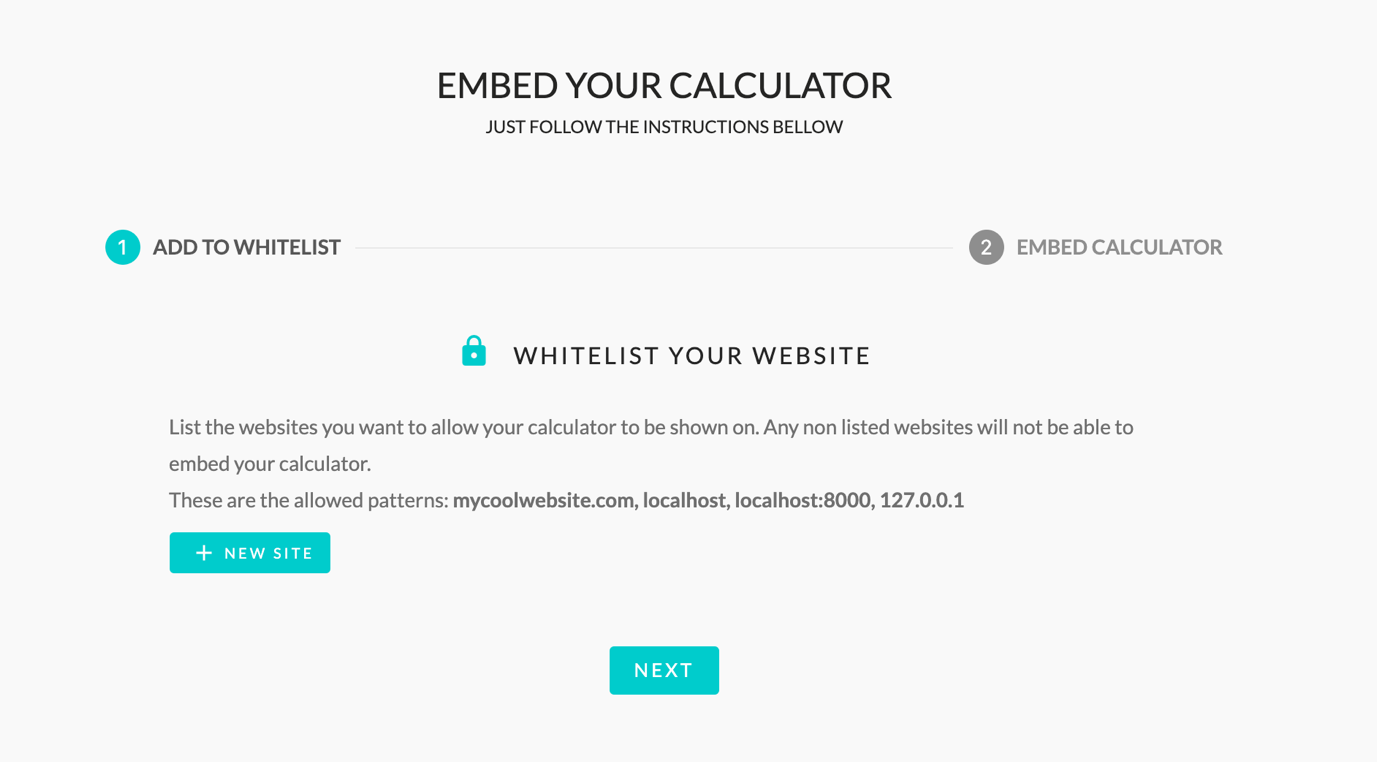 One of the really cool things you can do here is that you can whitelist your website so that any non-listed websites aren’t able to embed your calculator.
Then, click on Embed Calculator to grab the code:
One of the really cool things you can do here is that you can whitelist your website so that any non-listed websites aren’t able to embed your calculator.
Then, click on Embed Calculator to grab the code:
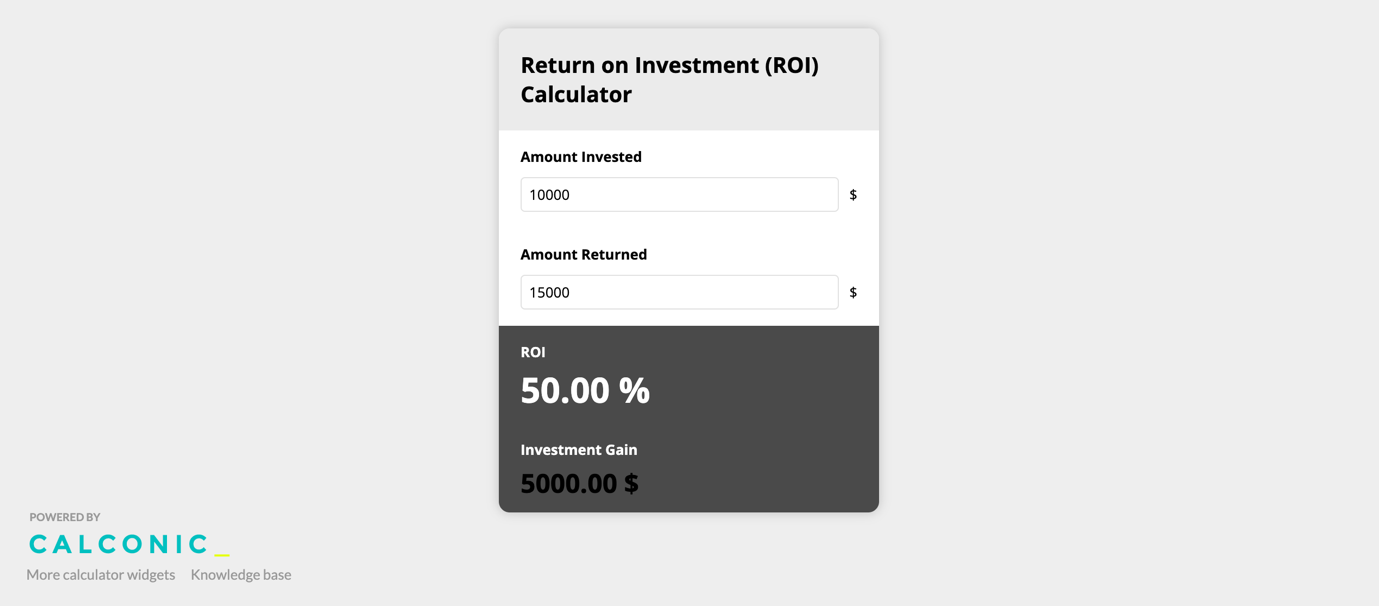
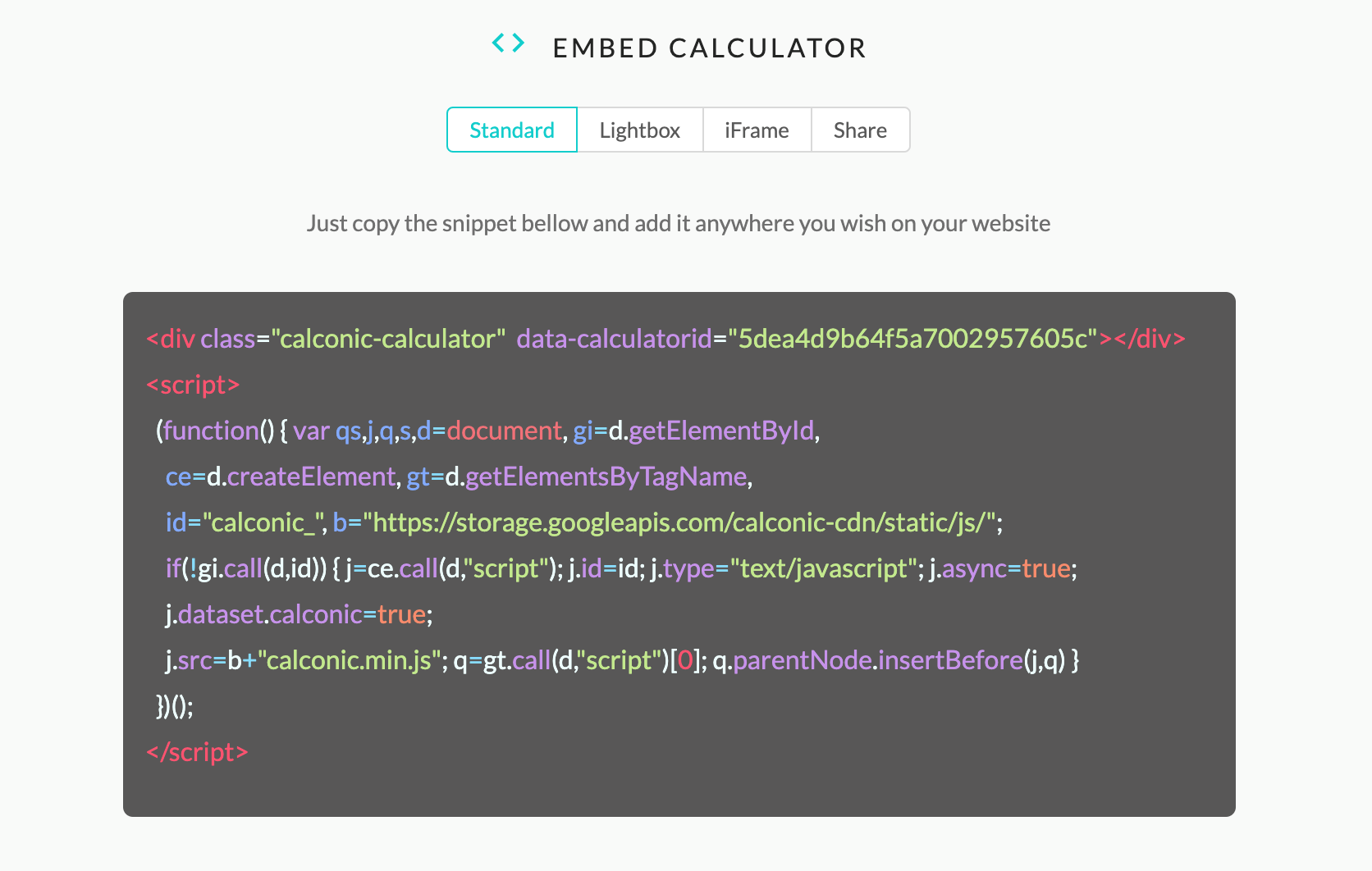 As you can see above, there are multiple options – Standard, Lightbox, and iFrame – and, plus, you can also share a link directly and the calculator will be hosted on Calconic’s servers:
 How can you leverage interactive calculators to grow your business?
There are a plethora of ways each industry can use the Calconic interactive calculators to generate better results for your business: from boosting engagement to making more sales, calculators can help you reach pretty much any marketing/sales objective.
Here are some practical ways to use interactive calculators to boost your results:
How can you leverage interactive calculators to grow your business?
There are a plethora of ways each industry can use the Calconic interactive calculators to generate better results for your business: from boosting engagement to making more sales, calculators can help you reach pretty much any marketing/sales objective.
Here are some practical ways to use interactive calculators to boost your results:
- For lead generation: create a calculator that’s relevant to your target audience (just use a keyword research tool to see what kind of calculators your audience is searching for online) and add an Email field so that users need to give away their email address to get their results
- For boosting sales: for example, you can create a calculator that allows users to calculate how much your services/products will cost them and have them buy or order directly from the calculator. Or, you can create a simple ROI (return on investment) calculator to demonstrate the added value of your service/product and give users the incentive to buy from you by showing them how much they can make in return
- For enhancing your blog: blogging is a highly effective way to generate traffic, keep people on your site for longer and build up their trust. But there’s a lot of amazing content out there to compete with – that’s why a well-placed calculator in your blog posts can help engage users and provide them with even more value (which then helps build up trust so that they will ultimately convert)
- To drive more traffic to your website: as I mentioned earlier, people often search for all kinds of calculators online to help them; by creating such a calculator (one that people are consistently searching for on search engines) you can help drive more organic traffic to your website
Conclusion
Interactive calculators are incredibly powerful tools, especially considering how easy they are to create and how cost-effective they are. It literally takes you minutes to create, customize and embed an interactive calculator with the Calconic calculator builder and the results can make a real difference to your business: more traffic, more engagement, more leads generated and more sales.Related reading
- How to generate, nurture and manage your leads and prospects like a pro
- How to kickstart your employee advocacy program with Smarp
- How to monitor the entire web like a pro
- Discover a better way to communicate with your team
- more marketing and business articles
The short version: Interactive calculators transform passive visitors into active participants, dramatically increasing time on site and conversion rates. By letting customers calculate their own results, whether ROI, savings, or pricing, you build trust and give them ownership of the decision to buy.
2026 Update: What Has Changed About Interactive Calculators Since I First Wrote This
I wrote this post back in 2020 and, honestly, the core argument still holds up. Interactive calculators convert. Full stop. But the way you build them, embed them, and connect them to your wider marketing stack has shifted quite a bit, so I wanted to come back and give you a proper update before you go off and implement anything based purely on the older advice below.
The biggest change is that building a calculator no longer requires a developer on speed dial. Tools like Outgrow, Involve.me, and even no-code builders with conditional logic have matured to the point where a competent marketer can spin one up in an afternoon. What I would caution you on, though, is the temptation to over-engineer it. I see this constantly with clients. They add seventeen fields, three branching paths, and a results page that looks like a tax return. Simpler calculators, ones that answer a single burning question for your visitor, still outperform the complicated ones every single time.
The other thing worth flagging in 2026 is the AI layer that several of these platforms have started bolting on. Some tools now let you generate personalised commentary alongside the calculator result, so instead of just showing a number, the user gets a short paragraph interpreting what that number means for their specific situation. When this is done well, it is genuinely impressive and it dramatically increases the time people spend on the page. When it is done badly, it reads like a chatbot having a bad day. Test your output copy carefully before you go live.
From a lead generation standpoint, the gate-versus-no-gate debate has not gone away. My current recommendation, based on what I am seeing across client campaigns right now, is to show the result first and then ask for an email if the person wants a more detailed breakdown or a saved copy sent to them. Gating the result upfront has become a bigger turn-off than it used to be, partly because people are far more protective of their inboxes than they were five years ago.
Finally, think carefully about where your calculator lives. A standalone landing page almost always outperforms a calculator buried halfway down a blog post. Give it its own URL, its own title tag, and treat it like a proper content asset rather than a widget you wedged in somewhere. That shift alone can make a significant difference to how much organic traffic it picks up over time.
Related: The most effective way to improve the user experience and convert more visitors.
Want AI doing the heavy lifting in your marketing?
I build the systems that handle the boring 80 percent, so you get your week back. Done properly, with the human kept in.
Frequently asked questions
What types of businesses benefit most from interactive calculators?
Any business with complex pricing, ROI-driven products, or services that require customization sees excellent results. SaaS companies, financial services, agencies, and e-commerce brands report the highest engagement and conversion lifts from calculators.
How much traffic lift can I expect?
Most companies see 40-60% increases in time on page and 20-35% improvements in conversion rate within the first month of launching a calculator. Results vary based on audience, product complexity, and calculator design quality.
Do calculators work on mobile devices?
Yes, but they must be designed specifically for mobile-first interaction. Responsive calculators that work smoothly on phones and tablets perform as well or better than desktop versions because they reduce friction at the moment of highest purchase intent.
What should my calculator calculate?
Calculate something your visitor actively wants to know: their potential savings, project cost, subscription price, ROI timeline, or qualification level. The output should feel personalized and immediately valuable, not generic.
Related reading: How to engage your audience and generate more leads with interactive content and How an Interactive Content Builder Turns Visitors Into Leads.

