Social media is a fast moving medium, with updates usually having very short life spans. Which means you need to create new content constantly. And what’s more? You need to create content that gets people to engage. Whether you’re a marketer or a business, this is a pretty much constant struggle: coming up daily with new ideas for social media content – sometimes, for several different social profiles, each requiring their own attention. In this blog post, I’m going to show you how to build a busy and engaging social media calendar.
How to build a busy and engaging social media calendar: coming up with social media content
Getting people’s attention on social media is getting more and more difficult – whether it’s simply the competition for people’s attention or algorithms – and in order to keep up, you need to not only be consistent but also offer enough variety.
That said, there is a good thing about needing more variety: there are so many more types of content that you can share to keep your audience interested.
When planning your social media calendar, first write down the categories of updates you’re going to have to include in your calendar; to give you some examples:
- Promotional blog posts
- 3rd party content (i.e. content curation)
- Motivational/interesting/fun quotes
- Holiday-specific updates
By creating this list of categories that you need to create, you can make sure you’re creating enough “different” updates. To help, you can also colour code each category and make your calendar easier to organise and read.
Once you start coming up with ideas – especially if you like to come up with several in one go – make sure to come up with ideas for each (or several) category.
So, what type of social media content could you create to offer more variety? Here are a few ideas to help you get started:
- Curate content and share interesting articles regularly – articles that offer value to your audience
- Create polls and contests to get people to engage with you and follow you on social media
- Promotional/sales content: advertise any sales, special offers or discounts, promote your newsletter, and so on
- Quotes: motivational or just simply interesting quotes from famous people
- Holiday-related content: from random holidays like Movember to Christmas and business-related “holidays” like Black Friday
- GIFs
- Useful tips –helpful tips and life hacks, and all kinds of tips that are relevant to your target audience
- Fun facts, like:
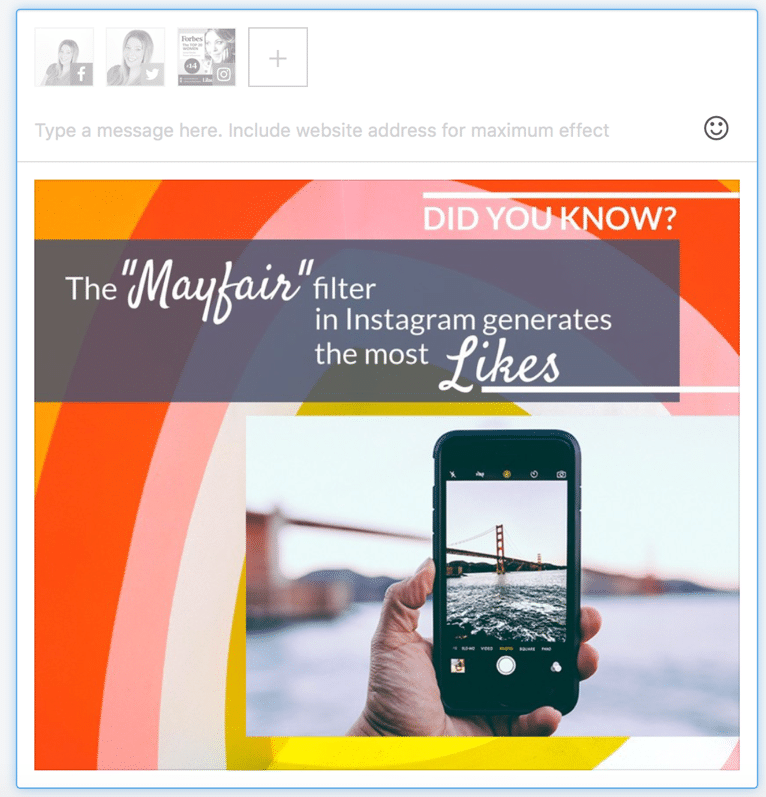
- Your blog posts: promote your blog posts regularly on social media to drive more traffic
So, how do you create all of the content you need to build a social media calendar that gets results? It’s quite simple actually: all you need is a tool to help.
What is PromoRepublic?
I’ve definitely said it before, but I’ll say it again: it’s difficult to come up with all the content you need on a daily basis for your social media. It’s time-consuming and often…a bit infuriating.
That’s one of the problems that PromoRepublic wants to solve: help you come up with new ideas consistently and keep your social media calendar not only consistent but also fresh. Does it manage to solve this problem?
Follow me along as I try it out to find the answer:
[click_to_tweet tweet="How to build a busy and engaging #socialmedia #calendar with @Promo_Republic" quote="How to build a busy and engaging #socialmedia #calendar with @Promo_Republic"]
Getting started
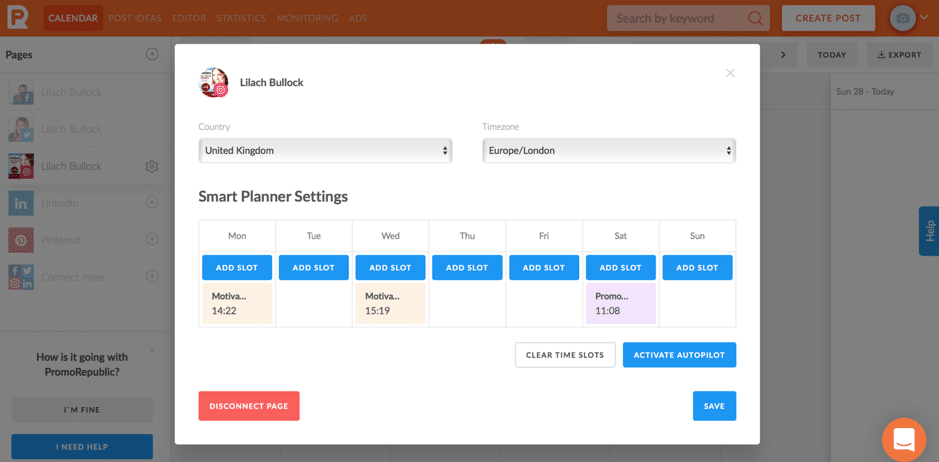
Once you’ve set up your account – and connected your social media accounts (it works with all the big ones: Facebook, Twitter, LinkedIn, Instagram, Pinterest) – you’re taken to your calendar. And while at first sight, it might look like many other social media calendars you’ve seen before, this one actually has some very interesting features. The first of which is the Smart Planner:
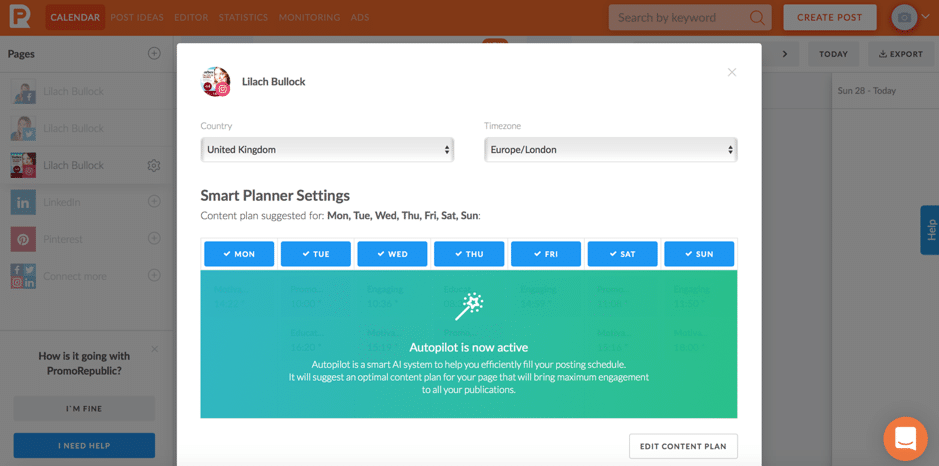
Once you’ve selected the time zone you’re in and set the days you need help with, the autopilot will be activated – which, as you can see above, is an AI (artificial intelligence) system that will your posting schedule. Then, you can start customizing your social media content plan:
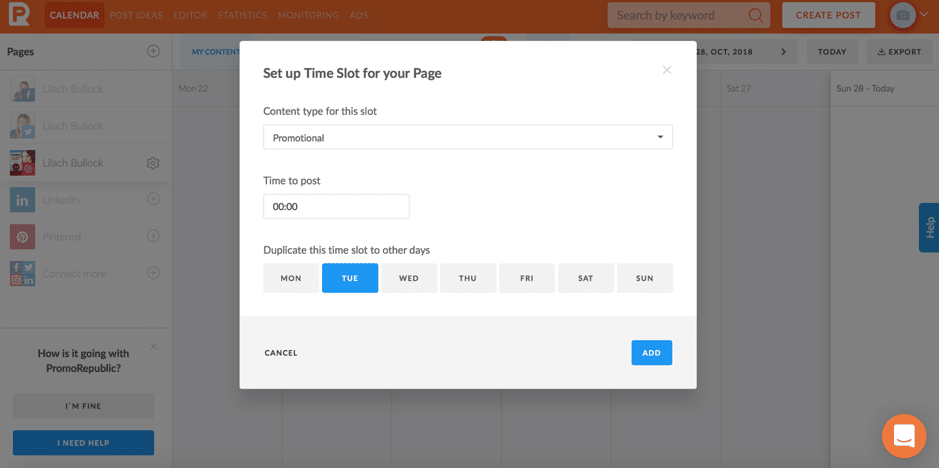
Basically, you can plan out the bones of your social media calendar to make sure you’re posting different types of updates regularly. For example, on Tuesday at 12 a.m., you have to post a promotional update. On Wednesday, a motivational photo – and so on. Your calendar will be updated accordingly and you’ll be able to activate the autopilot to help you post content more efficiently:
How to use PromoRepublic to fill your social media calendar
One of my favourite things about PromoRepublic though is all the help you get to create interesting – and diverse – content consistently.
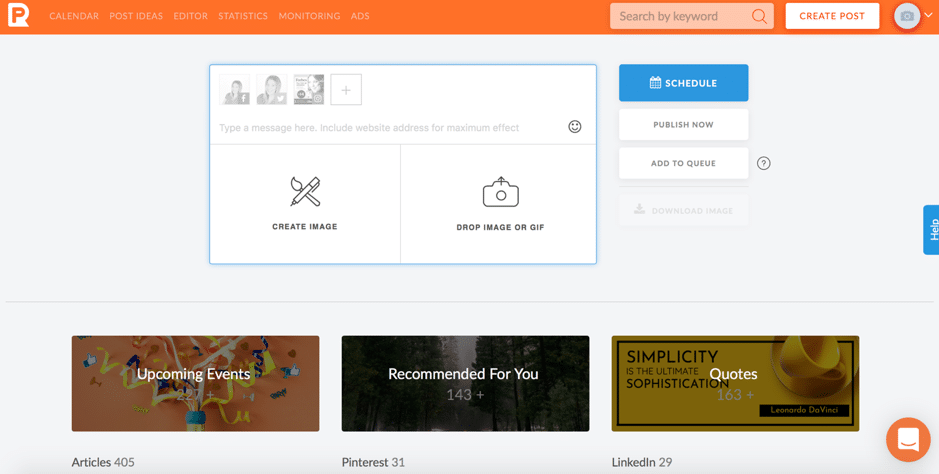
There are 2 ways to go about it; for one, you can simply “create a post” and create your own with your visual content (or create an image – which I’ll tell you all about in a bit), or you can browse through all the social media content in their library:
Or, alternatively, you can head over directly to Post Ideas, which I personally prefer as it’s so much easier to browse the considerable library:
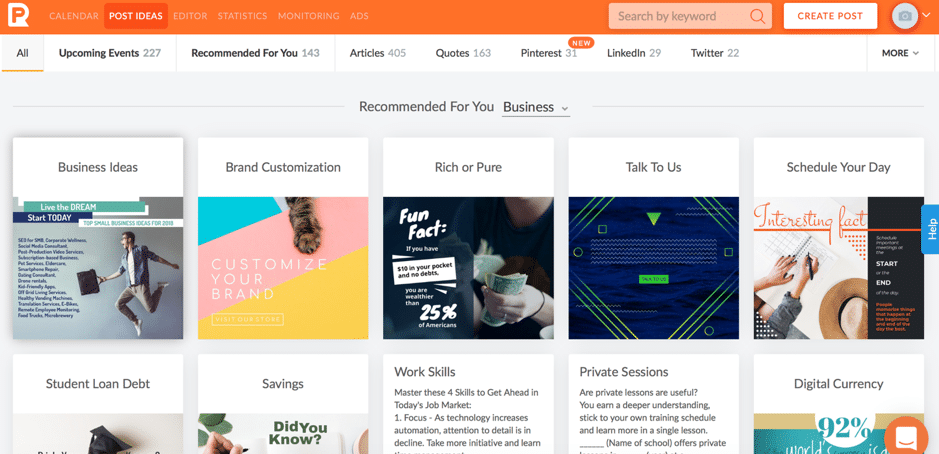
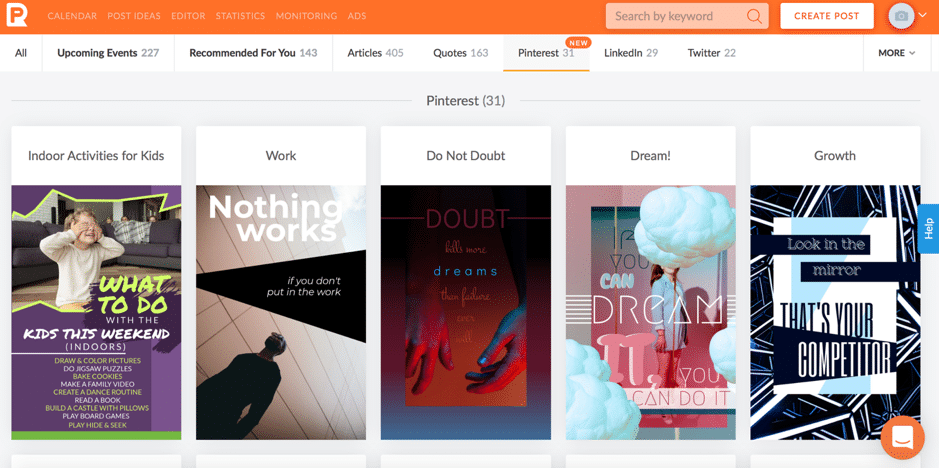
PromoRepublic have built a library of social media content in an impressive amount of categories; to give you an idea of the type of content you can find, here are some examples:
- Content created for a specific social network, like LinkedIn, Twitter, or Pinterest:
- Promotional content, such as a sale, a new collection of products or new arrival, promoting a newsletter, etc.
- Contests and polls to help you get people to engage with you and leave comments:
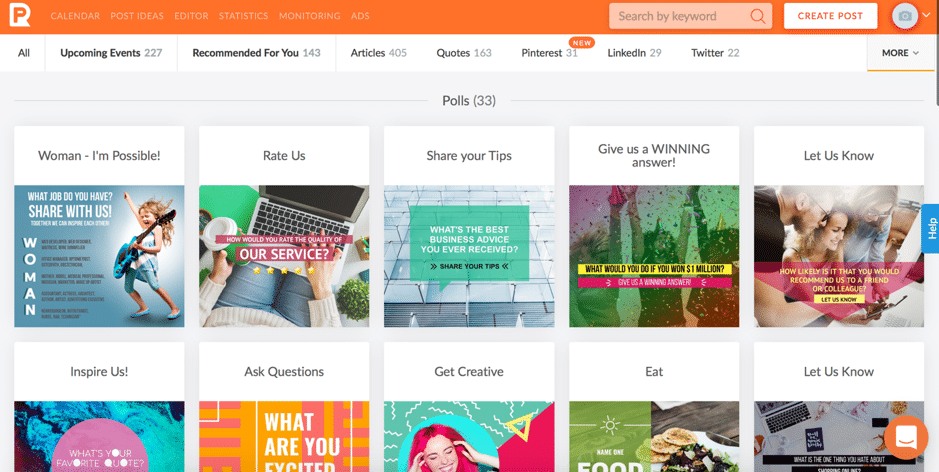
- Facebook cover photos and Facebook ads
- Useful tips for your followers:
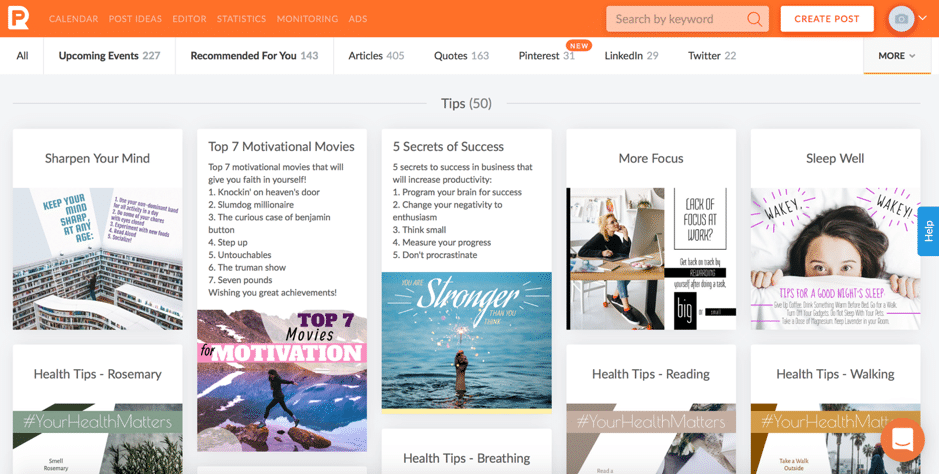
- 3rd party articles – curated content in different categories like business, health, travel, and retail:
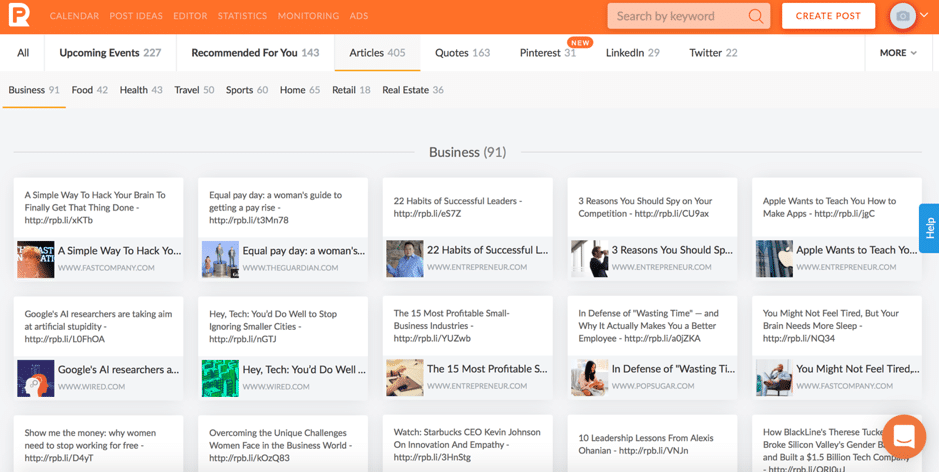
You also get a separate tab for content that is recommended specifically for you; when you create your account, you’re asked a few questions about your business so that they can recommend you content based on your needs.
In other words, there is a lot of variety for a plethora of top industries.
Beyond all of this social media content, another cool feature is the editor:
[click_to_tweet tweet="How to build a busy and engaging #socialmedia #calendar with @Promo_Republic" quote="How to build a busy and engaging #socialmedia #calendar with @Promo_Republic"]
How to customize and edit your post
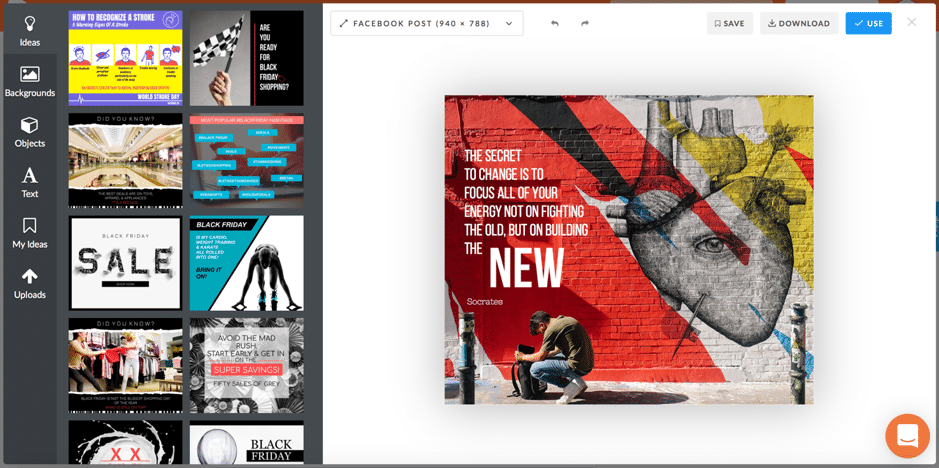
Once you find a new post you want to use before you get to schedule it or queue it up, you have the option to customize and edit it to make it completely your own:
Want AI doing the heavy lifting in your marketing?
I build the systems that handle the boring 80 percent, so you get your week back. Done properly, with the human kept in.
Plus, you can also use this editor to create an image for your social media from scratch.
Here’s what it can do:
- You can automatically change the post’s format/dimensions to the one you need, depending on social networks and the content type:
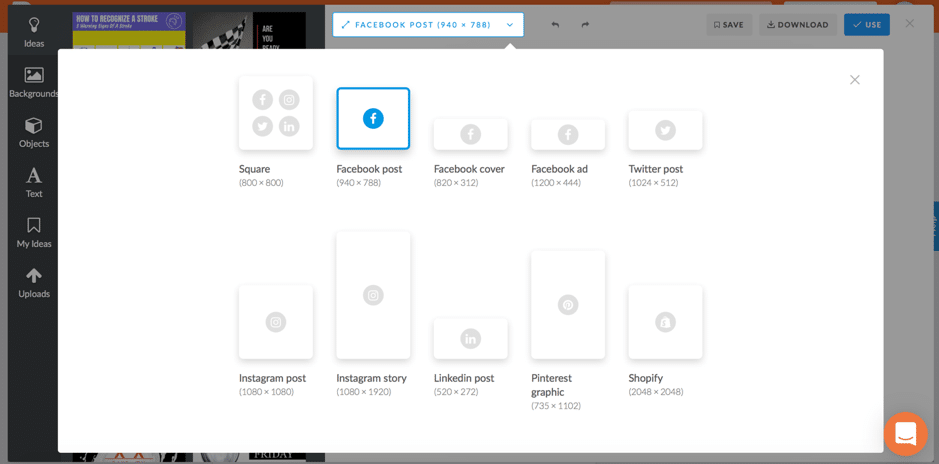
- You can search through their library to find different background images that would work better with your design
- Add all kinds of fun elements to your design; for example, you can add speech bubbles, emojis, word stickers, and banners, among others:
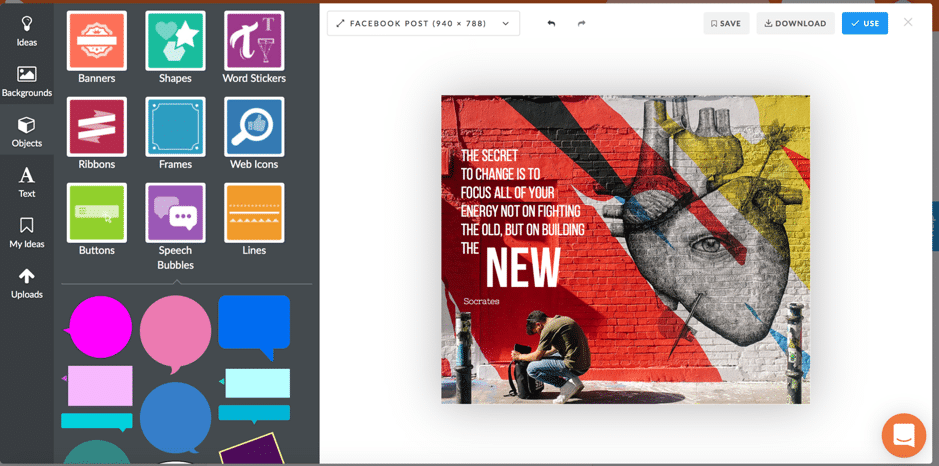
- Add some text on your update (and edit the current one)
- Upload your own content and logo to brand your social media content
If you manage to create a really cool design that you love, you can save it as a template of sorts as “my ideas” – then, reuse these designs/templates to create new content.
The editor is super easy to use and yet has quite a few functions; if you want to be quick and still create content that gets results, it’s definitely a great option.
Other useful features
PromoRepublic has quite a few other useful features beyond their library of content and image editor. In fact, you can pretty much use it to manage your social media, including those who work as part of a team as there are collaboration tools as well.
Schedule and queue up your content
In terms of scheduling your content, you actually have a few options:
- Schedule your posts for a specific date and time
- Repeat your posts: you can repeat a post daily or weekly, once every however-many-days you want, and set an expiration date for your post:
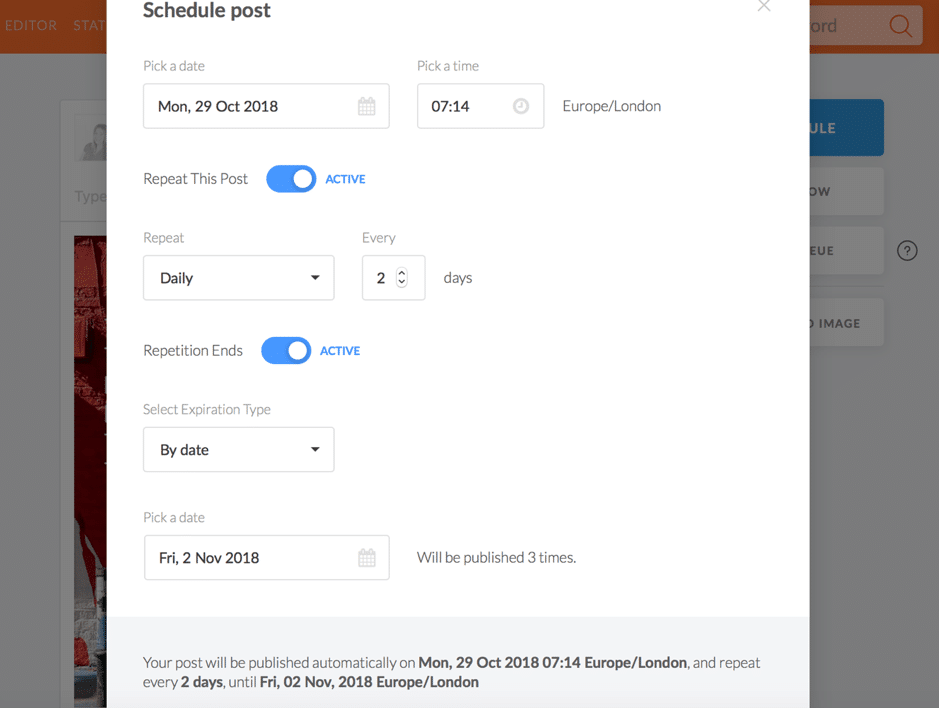
- Add posts to a queue: set the times you want to post, create content, and add it to your queue to make sure it’s shared automatically, at the times you want
[click_to_tweet tweet="How to build a busy and engaging #socialmedia #calendar with @Promo_Republic" quote="How to build a busy and engaging #socialmedia #calendar with @Promo_Republic"]
Check your social media analytics
Since the tool is focused on social media content, it makes perfect sense that the analytics would be the same: all about your social media posts.
In “Statistics”, you can see a list of your recent posts for each social network, complete with stats; for example, on Twitter, you can see all of your posts with the number of favourites and retweets for each, while on Facebook you can see more engagement stats:
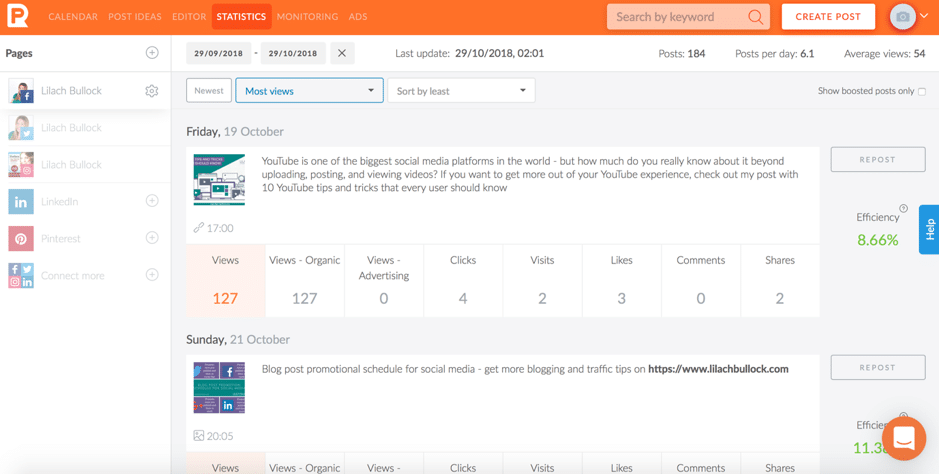
As you can see, the stats under your posts help you find out which posts performed better in terms of views (and how many of those are organic views or from ads), number of clicks and visits, likes, comments, and shares.
And as you might’ve noticed, in the right hand side of the post, there’s an efficiency score- this tells you how well your update performed. Another option there is “repost”, which, as you might’ve gathered from the name, lets you quickly repost older updates.
Use this feature to keep getting results from your top-performing content.
Social media monitoring
What are people saying about you on social media?
To find out, you can use PromoRepublic to set up monitoring for your different social networks – no social media management tool would be complete without it.
You can monitor both comments and mentions, as well as select which you want to see at any given time:
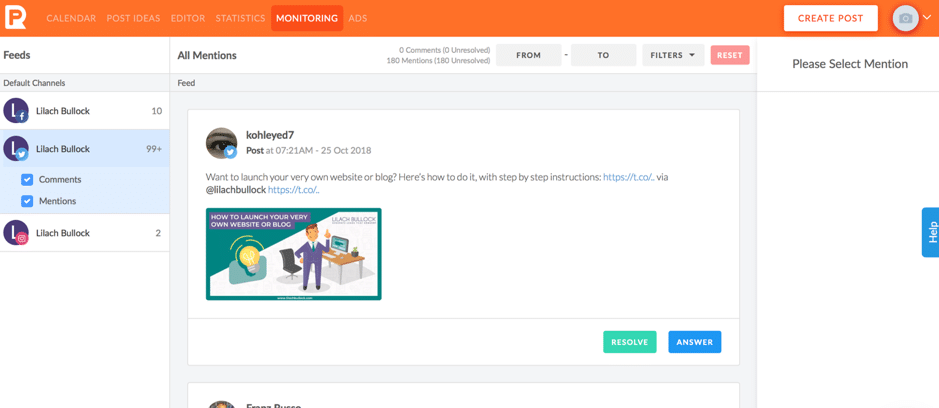
As you might notice in the above screenshot, you have 2 options; either ‘resolve’ your mention – meaning, you can remove it from the feed as you don’t need to take any more action – or you can answer. This takes you directly to their post or comment so that you can quickly respond to it.
Collaboration tools
If you work with a bigger team – and/or have a manager or client that needs to check and edit your work – you’ll be happy to know there are several useful collaboration features.
To get started, you need to first create a company:
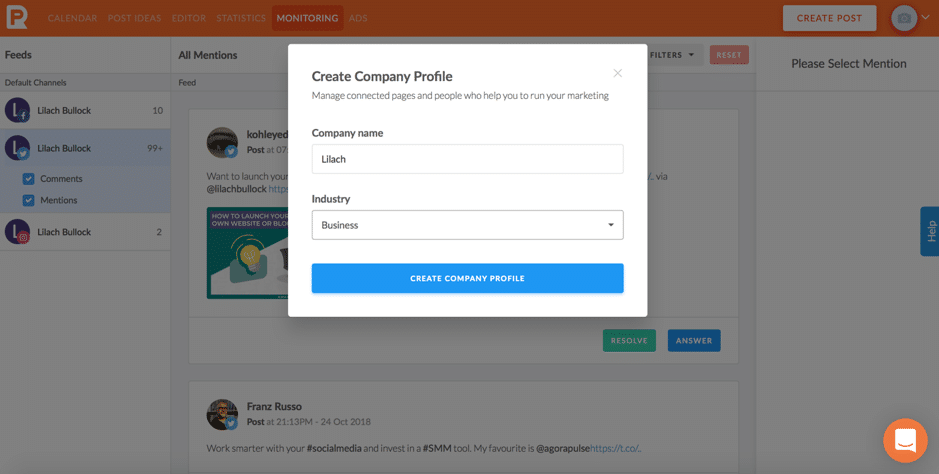
Then, add your logo to make it clearer and start connecting your social media company accounts. And, of course, start adding users to your team; you can add up to 5 teammates per company, plus you can invite clients to your calendar, whether they have a PromoRepublic account or not. You can give 3 different roles to each of your team members, each with their own set of permissions:
- The client, who has limited access to the platform, but can create and publish posts, approve content and make suggestions/leave notes, and change basic page settings
- The member, which is a regular teammate who can create posts and propose them for approval from an admin or client, and leave notes
- The admin, who can do pretty much anything, from creating, publishing, and proposing content and managing the Smart Planner settings, to managing company members, pages and settings
[click_to_tweet tweet="How to build a busy and engaging #socialmedia #calendar with @Promo_Republic" quote="How to build a busy and engaging #socialmedia #calendar with @Promo_Republic"]
Conclusion
PromoRepublic is a very powerful tool with a plethora of handy features; that said, it’s the content library that really shines. There is so much content, updated regularly, so you can actually create and post fresh content on a daily basis – something which feels impossible to do without a tool like this to help. Plus, you get a plethora of other features as well, including the built-in editor, the analytics, and the social media monitoring. Oh, and a very exciting new feature which is currently in Beta, Intelligent Ads, which allows you to run paid ad campaigns with PromoRepublic. Try it for free here.
The short version: A busy, engaging social media calendar comes from mixing content pillars, batching creation in advance, and leaving room for real-time trends. Consistency beats perfection, so a simple weekly rhythm you can maintain will outperform an ambitious plan you abandon after two weeks.
Frequently asked questions
How far in advance should I plan my social media calendar?
Aim for four to six weeks of core content mapped out, with a few open slots each week for timely or trending posts. This gives you a solid foundation while staying flexible enough to react to what's happening in your industry.
How many content pillars do I need?
Three to five pillars is usually enough. This might include educational tips, behind the scenes content, customer stories, promotions, and industry news. Rotating through these keeps your feed varied without requiring constant new ideas.
How often should I post on each platform?
Frequency depends on the platform and your audience's habits, but a good starting point is daily on Instagram and X, three to five times a week on LinkedIn, and two to three times a week on Facebook. Watch your engagement data and adjust from there.
What tools help with scheduling a busy calendar?
Tools like Buffer, Hootsuite, or Later let you batch schedule posts, visualize your calendar, and track performance in one place. Pair these with a shared spreadsheet or content brief so your team always knows what's coming next.
Related reading: Instagram Statistics 2026: 40 Facts With Sources (Users, Reels, Stories,.