Keyword research is an essential tool for businesses: it helps you improve your search engine ranking, your content, your website traffic, and your results from online ads. In fact, if you want to be successful online, then performing keyword research regularly is extremely important. In this blog post, I’m going to talk about one of the new players in keyword research: Ubersuggest, the new all-in-one keyword research tool for SEO, PPC, and any other keyword needs you might have.
Why do you need to perform keyword research?
There are several ways to use keyword research to your advantage; the first and most well-known use is for SEO purposes.
If you want your website to rank high up in search engines (and who doesn’t? it means more traffic to your website and more sales for your business!), then you’ll need to rank for the right keywords – that makes keyword research one of the most important aspects of an SEO strategy.
Likewise, if you’re planning to set up a PPC campaign, keyword research is essential. In order to be successful, you need to go straight to the source and find out exactly what keywords and long-tail keywords your target audience is using.
Another way to use keyword research to your advantage is to research your audience and gain a better understanding of what their interests and needs are, and how they use search engines to find products and services like yours. You’ll then be able to improve your website copy, as well as your blog content and create better-targeted content based on your audience’s search habits.
And all of these uses for keyword research lead to other benefits: you’ll get more traffic to your website and blog (from your own improved search engine ranking, from your easily discoverable content, and from your optimised ad campaigns) as well as generate more sales and customers as you’ll be able to get more targeted traffic when you focus on the right keywords.
Introducing Ubersuggest…
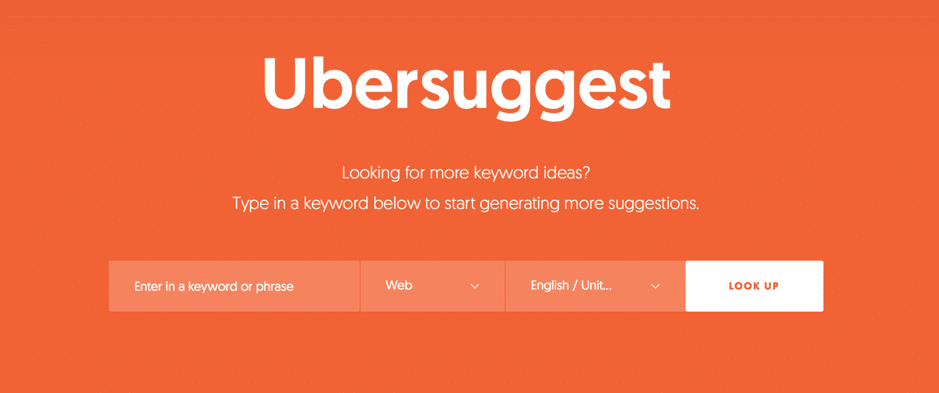
Ubersuggest is a keyword research tool that was recently revamped and relaunched by Neil Patel and coming with some awesome new features and an improved design that makes is super easy and quick to use. Also, it’s completely free to use and you can use it as many times as you want, no sign-in necessary: quick and easy.
All you have to do is enter your keyword or phrase in the search box and you’re good to go – but, more on that in a minute.
You can use it for all of your keyword research needs, such as for SEO purposes, for your PPC campaigns, to get ideas for new content to write for your blog and website, or just so you can get a better understanding of your audience and how they use search engines.
How to use Ubersuggest for keyword research
To get started with Ubersuggest, you don’t need to log in or anything – just use the search bar to get started.
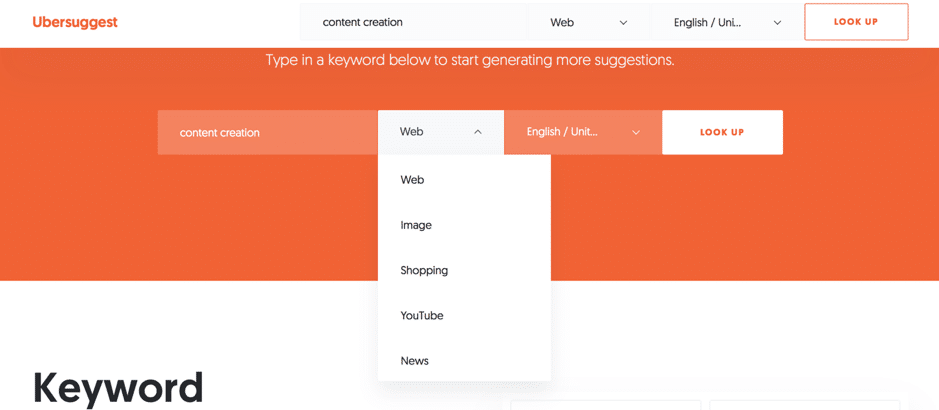
There are a few different options here to help you narrow down your search: start by putting in the keywords you want to research (I’ll use “content creation” to start with), choose the language and country you want to target, as well as select whether you’re interested in web or image searches, shopping, YouTube, or news:
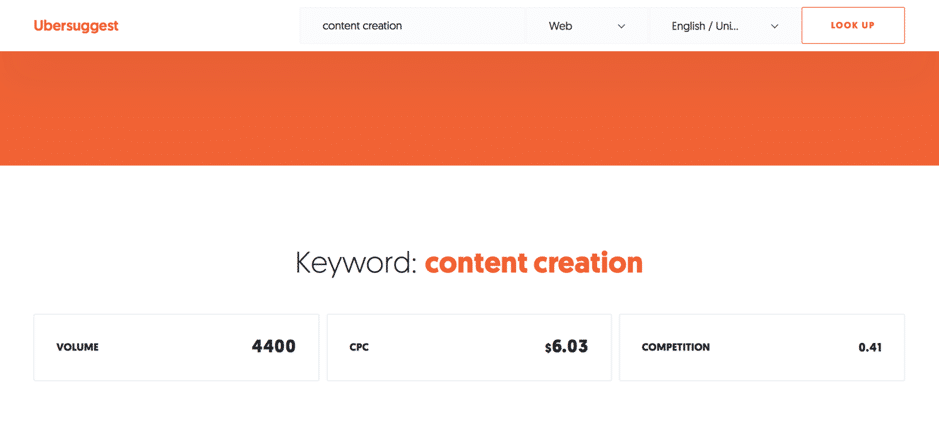
The first thing you’ll see is an overview of the search volume, the cost per click, and competition for the exact keyword or long tail keyword you searched for:
Following this, you’ll see a list of all the keyword ideas that the tool generated, together with their search volume, and information about CPC and competition:
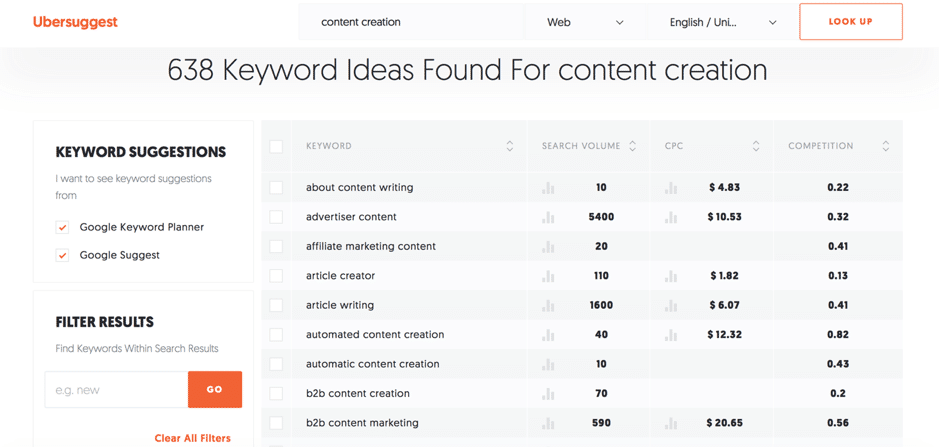
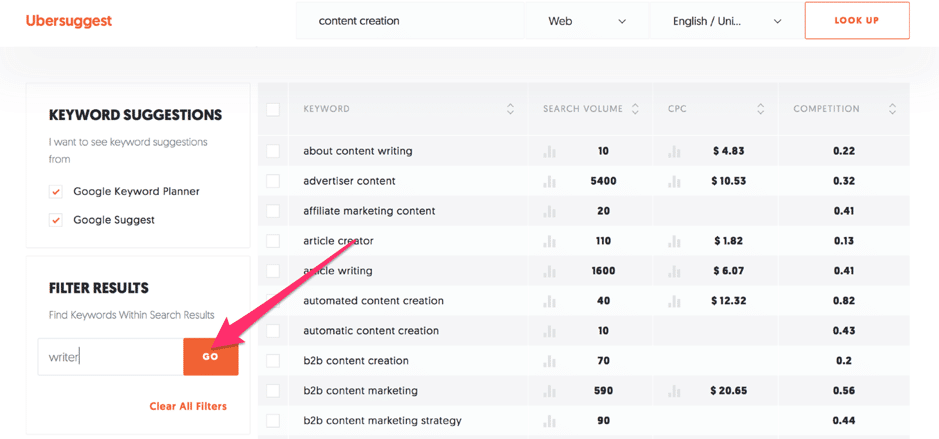
638 ideas are quite a lot to go through so I can further filter my results. For example, I can order the results based on alphabetical order, on search volume, CPC, or competition by clicking on the arrows next to the corresponding column; additionally, I can select whether I want to see suggestions from Google Suggest or from Google Keyword Planner.
Plus, to further filter my search, I can search for keywords within the results:
As well as add any negative keywords that I want to be excluded from my search:
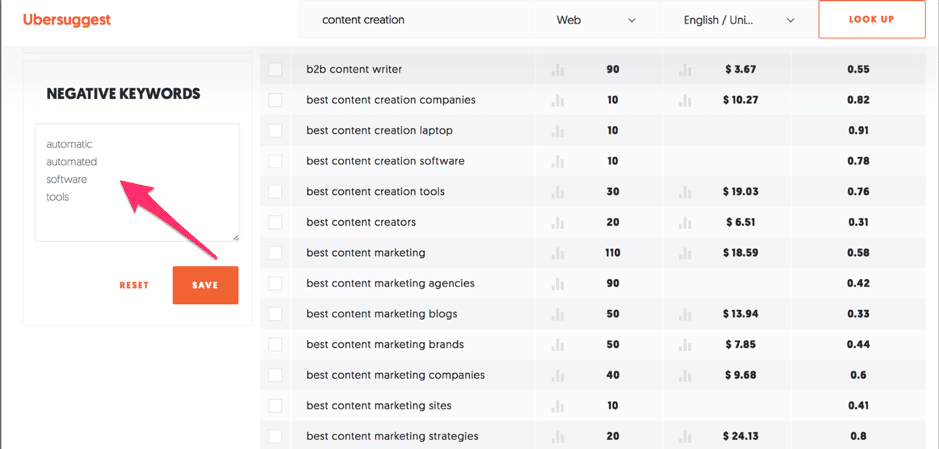
The more you narrow down your search, the easier it is to find the right keywords to target or rank for. And that’s a big reason why I’m loving this tool – it allows you to create very in-depth searches for a free to use tool.
Once you find a keyword that you might be interested in, you can find out more information about its ranking by hovering over the icons under the Search Volume and CPC columns, right next to the numbers for each one:
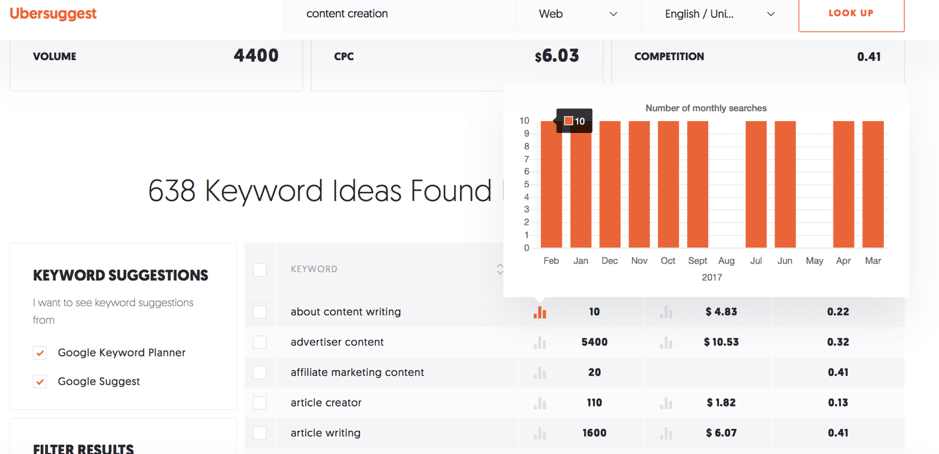
As you can see in the screenshot above, Ubersuggest runs you through the search volume for that keyword for the last 12 months; simply hover over the columns representing each month of the year to see the exact number of searches for that particular month.
Likewise, for CPC, hover over the icon to see a more detailed report for that keyword:
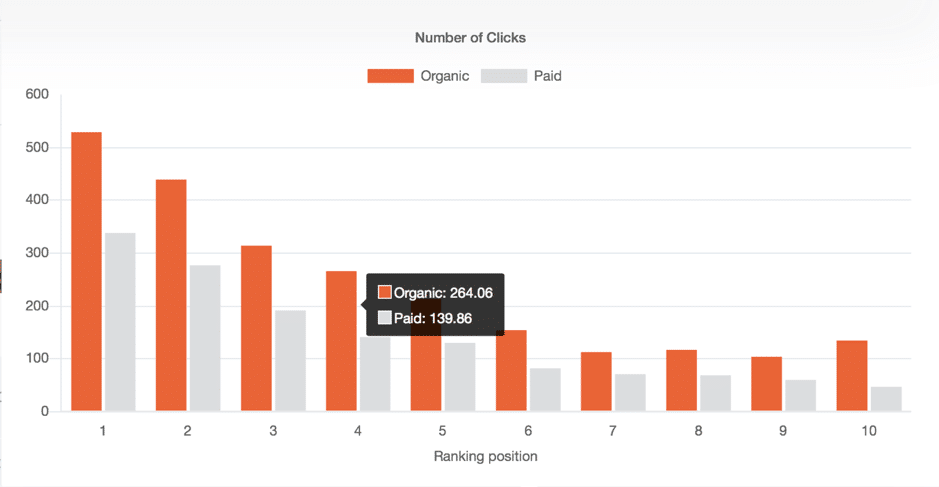
This way, you get to find out the exact number of clicks, both organic and paid, based on the ranking position.
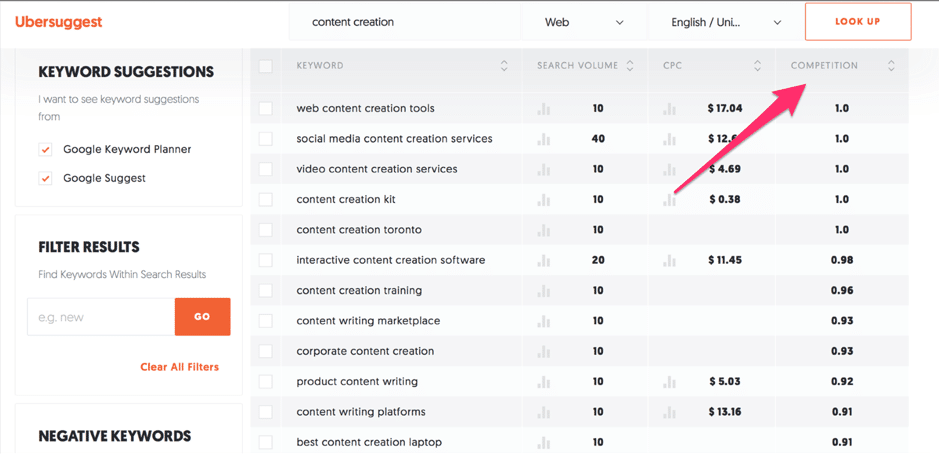
Another important piece of information that you get for each keyword is the competition for it so you can see how difficult it is to rank for that keyword:
Want AI doing the heavy lifting in your marketing?
I build the systems that handle the boring 80 percent, so you get your week back. Done properly, with the human kept in.
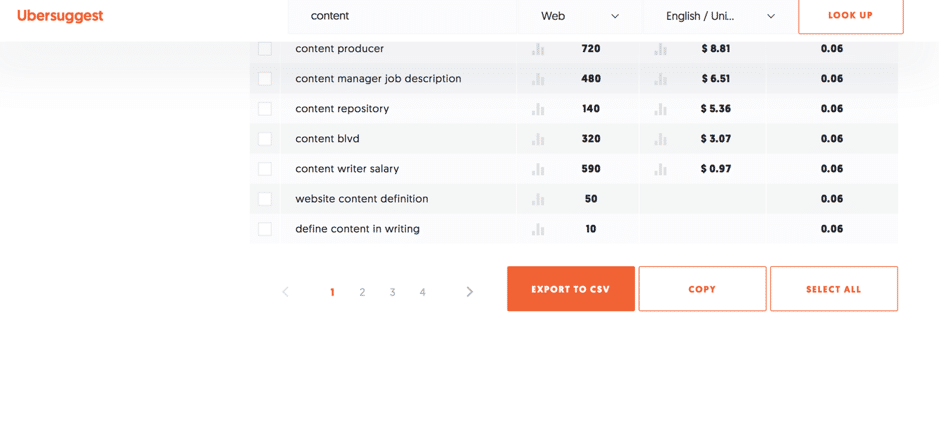
Once you find keywords that you’re interested in, you can easily select them to copy them or export them to a .csv file to keep evidence of them and further research them:
So, should you try Ubersuggest?
I’m very impressed with the revamping of Ubersuggest, for 2 main reasons: one, for the results and keyword suggestions you get even though it’s a free tool and two, I’m loving the interface and its ease of use.
And if you’re a beginner, you’ll likely find this tool to be much easier to use than other free tools, like Google’s Keyword Planner – but, it comes in just as handy if you’re a more experienced user as it
As I mentioned earlier, you can use this tool for a variety of different reasons, such as:
- Improving your search engine ranking by finding the right long tail keywords to rank for
- Get keyword suggestions to help improve your website’s content as well as to write highly-targeted niche content on your blog
- Get keyword suggestions for your CPC campaigns to get better results and ultimately drive more traffic and make more sales
- Gain a better understanding of your audience and how they search for products and services like the ones you sell
What Ubersuggest Gets Wrong (And How I Work Around It)
After using Ubersuggest heavily across roughly 30 client campaigns over the past two years, I have noticed a consistent pattern that nobody seems to talk about honestly: the search volume figures for long-tail keywords under 100 monthly searches are frequently unreliable. I have pulled data from Ubersuggest and cross-referenced it with Google Search Console data for the same client sites, and the discrepancy can be as high as 60% in either direction. This is not a dealbreaker, but it does mean you should never make a publishing decision on a single data point from any one tool, Ubersuggest included.
The keyword difficulty score is the other metric I treat with caution. Ubersuggest tends to underestimate difficulty for commercially competitive terms in industries like finance, legal services, and health. I had one client in the personal finance space target a keyword Ubersuggest scored at 42 out of 100 (moderate difficulty), and after six months of solid on-page optimisation and decent link building, the page was sitting at position 31. When I checked the same keyword in a competing tool, the difficulty was closer to 68. The lesson I took from that: always look at the actual top 10 results manually before committing to a keyword, regardless of what any tool tells you.
Here is the workflow I now follow to compensate for these gaps:
- Use Ubersuggest for broad discovery and idea generation, which it does very well at its price point.
- Take every volume figure under 200 monthly searches as directional rather than factual.
- Manually review the domain authority and content depth of the top five ranking pages before targeting any keyword with a difficulty score between 35 and 55, because that middle band is where the scores are least consistent.
- Export the keyword lists and sort by cost-per-click rather than volume when researching for clients with conversion goals, since CPC is often a more honest signal of commercial intent than volume alone.
- Recheck data monthly rather than quarterly, because Ubersuggest updates its index more frequently now and older exports become stale faster than many people expect.
The content ideas feature is one of the strongest parts of the tool and gets underused. When I type in a seed keyword and pull up the content suggestions, I am looking specifically at the social share counts rather than the SEO metrics. A piece with 2,000 Facebook shares and a domain authority of 35 tells me something important: this topic travels well on social even without a powerful site behind it. That insight has shaped several editorial calendars for clients who have newer domains and cannot yet compete on pure domain authority grounds.
My honest overall position is this: Ubersuggest is worth every penny at its current pricing for freelancers and small business owners who cannot justify the monthly cost of the larger enterprise tools. But treat it as your first conversation with the data, not your last. The research process that produces real results is the one where you use Ubersuggest to open the door, then step through and do the manual verification work yourself. That combination, affordable tooling plus human judgement, is what I have seen move rankings for clients across industries.
Is keyword research data accurate enough to base your plans on? I've looked at it honestly.
Conclusion
If you’re looking a free and easy to use keyword research tool, Ubersuggest is a great option. Not only is it easy and quick to use, but it also generates a lot of results as well as quality suggestions to consider for your campaigns.
How important is keyword research to you? What tools do you use to research keywords for SEO, ad campaigns, and content creation? Let me know in the comments section and please do share if you enjoyed the post 🙂
Related: How to Start a Blog and Make Money (What Works in 2025)
Lilach's verdict: 4.6 out of 5. Ubersuggest is a genuinely impressive free keyword research tool that delivers strong results and a clean, easy-to-use interface, making it a smart choice for beginners and experienced users alike.
The short version: Ubersuggest is an all-in-one keyword research tool that gives marketers access to keyword suggestions, search volume data, and competitive insights in a single platform. It simplifies the process of finding high-value keywords so you can build smarter content strategies without juggling multiple tools.
Related reading: Ubersuggest: the new all-in-one keyword research tool.
Frequently asked questions
What can you do with Ubersuggest?
Ubersuggest lets you research keywords, analyze competitor domains, track your search rankings, and get content ideas all in one place. It is designed to give both beginners and experienced marketers the data they need to improve their organic search performance.
Is Ubersuggest good for competitive analysis?
Yes, Ubersuggest lets you enter a competitor's domain and see which keywords they rank for, how much traffic those keywords generate, and which of their pages perform best. This kind of insight helps you spot gaps in your own content strategy.
How does Ubersuggest compare to other keyword research tools?
Ubersuggest is often praised for being more accessible and affordable than many established alternatives, making it a strong choice for small businesses, freelancers, and marketers who want solid keyword data without a high price tag.
Do you need technical SEO knowledge to use Ubersuggest?
No, Ubersuggest is built with a straightforward interface that makes keyword and traffic data easy to read and act on, even if you are new to SEO. The tool presents its findings in a clear format so you can move quickly from research to action.