


There’s no denying the effectiveness of emails.
Lilach's verdict: 4.8 out of 5. Stripo makes professional email design genuinely effortless with its huge template library and intuitive drag-and-drop builder, with no real downsides worth flagging.
If you have an email list, they’re warm leads that are obviously interested in what you offer.
And there’s no chance of your email getting lost in a newsfeed.
Or falling off the planet due to an algorithm glitch.
You know you’ll land in their email inbox.
But there’s nothing worse (to a reader) than opening up an email in anticipation…
Only to find a badly-designed eyesore!
And then your chance of getting a click diminishes significantly.
But there’s no excuse for a bad design with Stripo.
What Exactly Is Stripo?
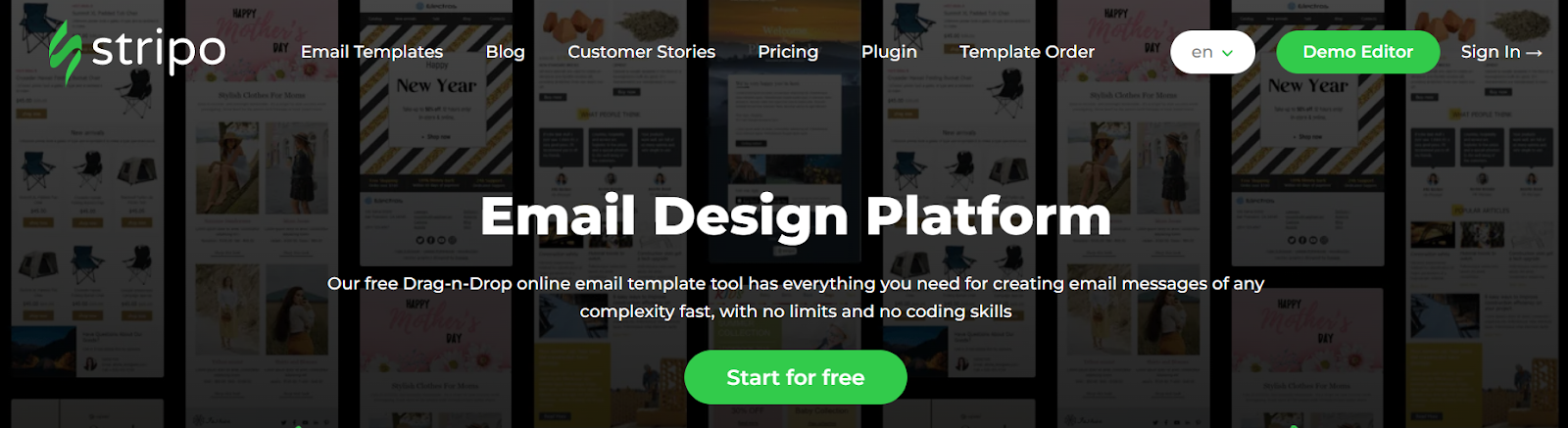
Only my favourite new email design platform.
It’s super easy to use, featuring a drag-and-drop email builder.
If you aren’t too keen on building your own from scratch, they have over 1000 free templates you can choose from to get started.
I like to call Stripo my click-booster, because a beautifully-designed email does wonders for attracting clicks.
Why Do You Need It In Your Life?
Stripo takes a tricky thing and makes it easy.
There’s no need for you to pay a graphic designer to create your emails.
But also no need to struggle through email design on your own.
Here’s what Stripo can do for you:
- Creates pretty, bold, eye-catching designs
- Makes your emails look professional
- Allows you to customise as you wish
- Makes creating emails fun!
- Super easy to use
- Saves you money on design
- Gets more clicks on your emails
Sure, you can open your email any time and send a plain text message.
But a well-designed email catches eyes, increases your professionalism, and isn’t a chore to scroll through.
Give your readers something pleasant to look at instead of another boring email!
It actually does help increase your conversion rate.
Did you know that using a CTA button instead of text can boost your clicks by up to 28%?
And a button looks out of place on a plain text email.
So good-looking designs FTW!
How Does Stripo Work?
You can’t get easier than this.
It’s pretty intuitive.
But in case you need a bit of help, they have handy video tutorials too.
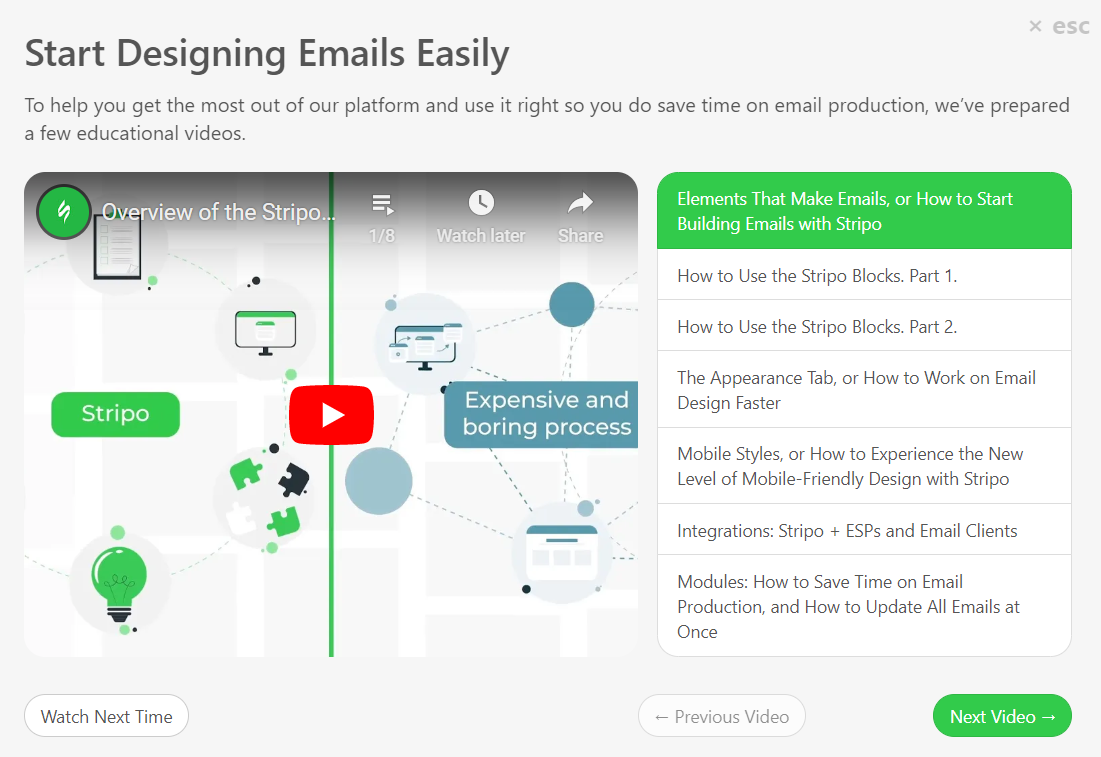
Here’s a quick overview of the process of creating a stylish email in Stripo.
Choose a Template
Stripo has a huge array of email templates ready for you to choose and use.
They’re split into “basic templates” and “prepared templates”.
Your basics include things like:
- Promos and special offers
- Blog updates
- New arrivals
- Email verification
- Survey invites
- Welcome emails
- Happy birthday emails
- Abandon cart emails
- Browse abandon emails
- Order confirmation
- Order updates
- Payment success/failure
- Subscription renewals
Even if you only ever used these, your emails would be attractive and fun to read!
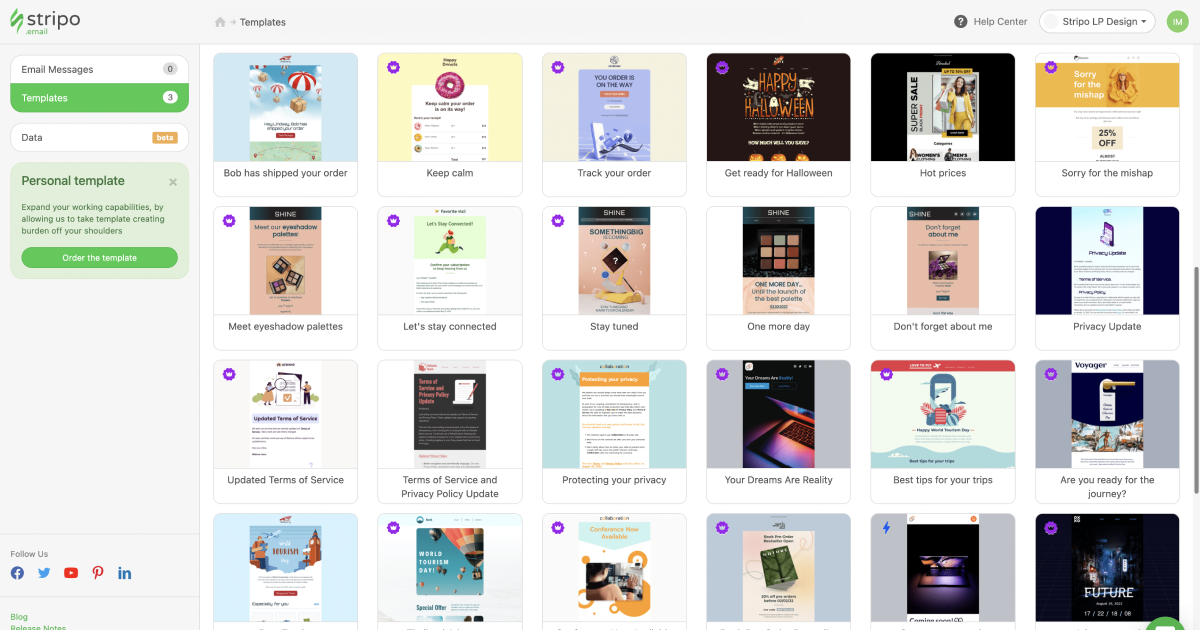
But then there’s the prepared templates.
And this is where you’ll find over 1000 eye-catching, stunning designs that you can make your own.
Some of the topics you’ll find here include things like:
- Black Friday & Cyber Monday deals
- Holidays (Diwali, Halloween, Christmas, etc)
- More detailed promo offers
- Delivery and service rating emails
- Order shipped & order arrived emails
- Collections or recommendations
You’ll also find similar things to the basic collection, but more detailed, more intricately designed, and with a lot more to choose from!
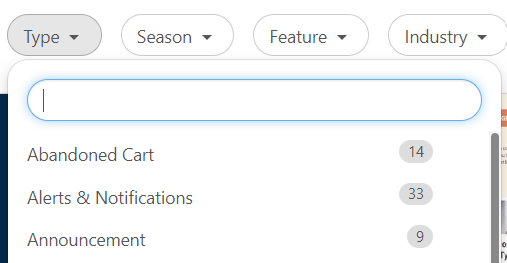
Within the stash of prepared templates, you can search via type, season, feature (video, gifs, carousel, specific design, etc), and industry.
You can save your favourites for later use, which are then found in the “saved” folder.
It’s important to note that some templates are free, while others can only be used if you’re on the Premium plan.
Edit Your Chosen Template
Here’s where you get to make this funky design your own.
First and foremost, don’t forget to add your own logo!
If you can, I recommend changing up the text a little so it matches your brand voice and isn’t a carbon copy of what the template contains.
Some emails will have less text, like the one below.
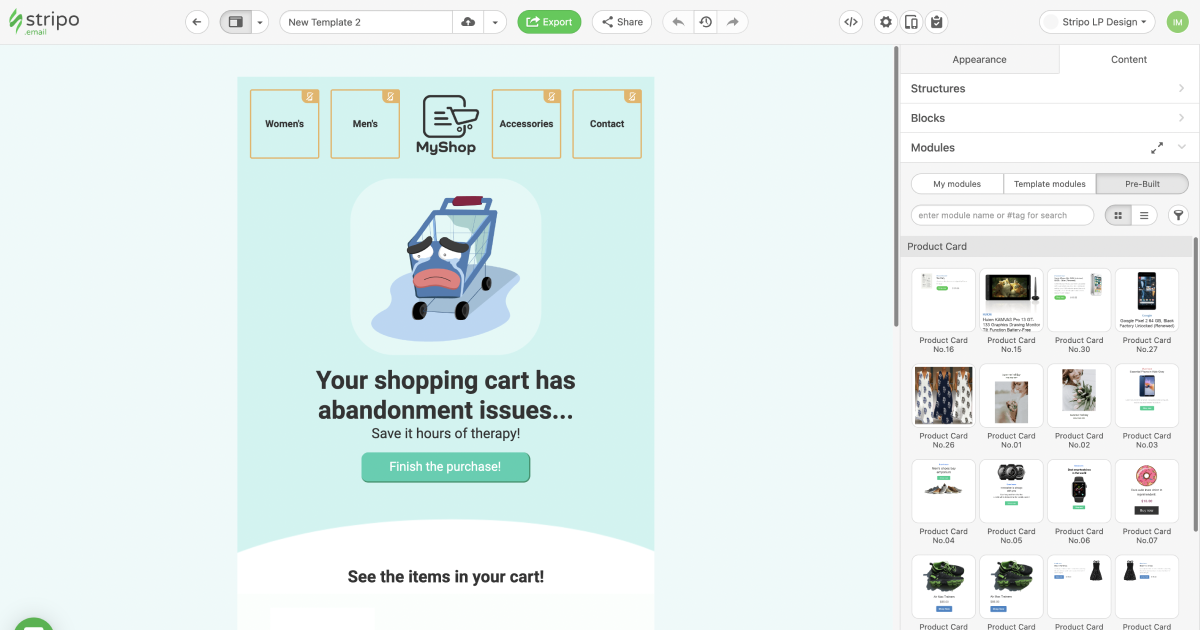
You can leave it as is, but I still recommend changing it a little to make it more you.
Although it’s hard to improve upon the clever message in this one 🙂
Need to personalise things, like what your reader has in their cart?
Not a problem!
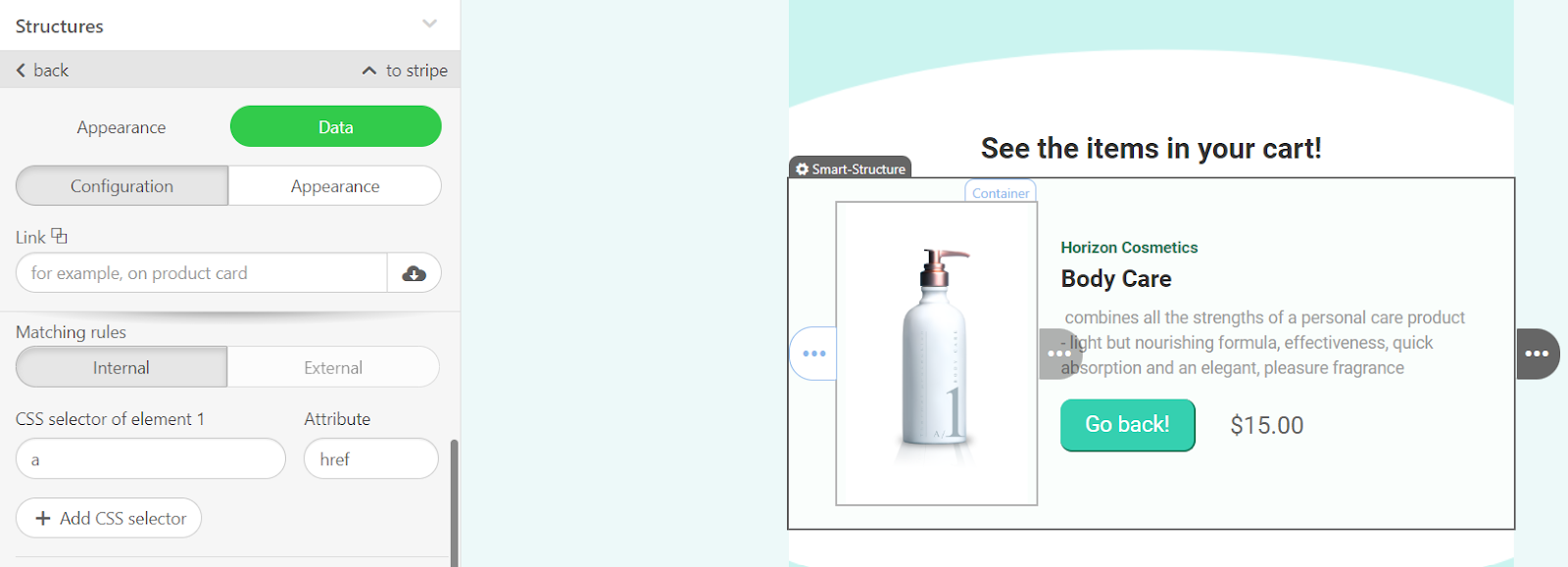
Some emails will feature smart elements, also called smart structures.
These feature relevant information based on your reader’s activity.
You’ll need to set some “rules”, but it’s pretty simple.
Check out this article to learn the ins and outs of creating smart elements.
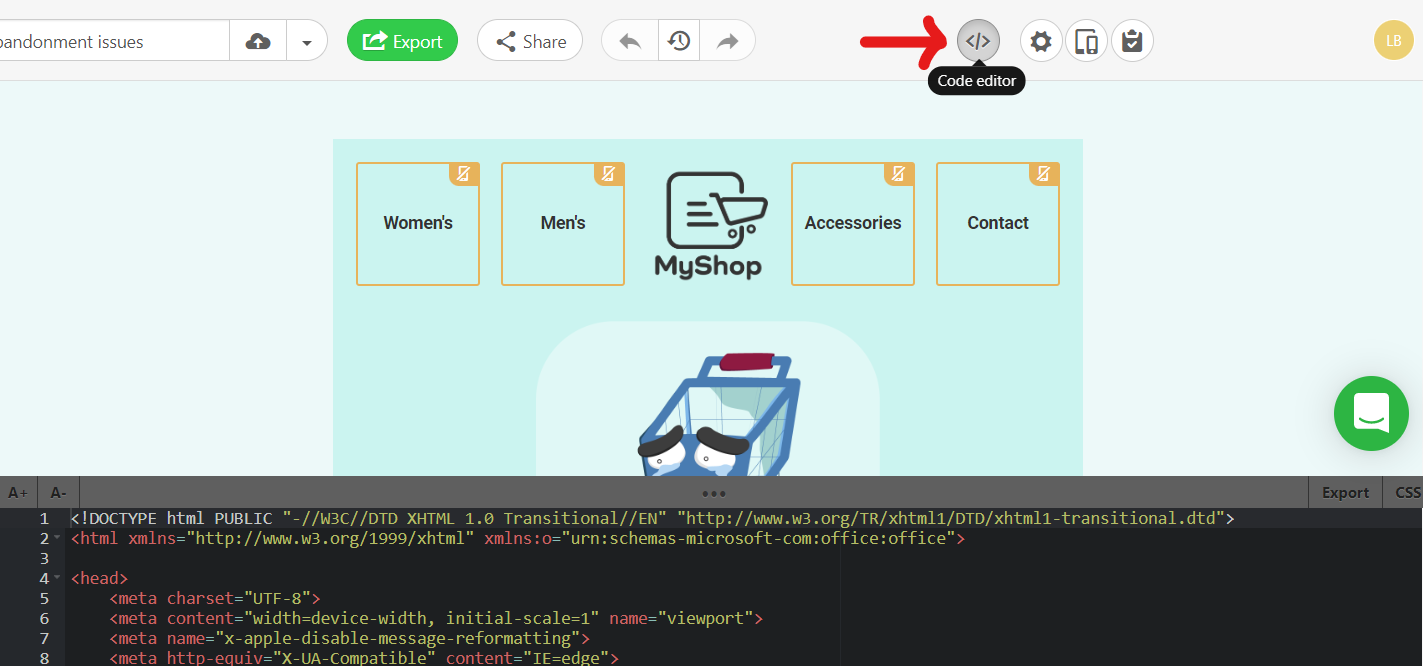
If you’re so inclined, you can also edit the code to customise things to a T.
Preview Your Email
If you want to see how your fancy new email is going to look to your reader, check out the preview.
It gives you a handy view of both laptop and mobile, so you can make sure everything looks good to everyone.
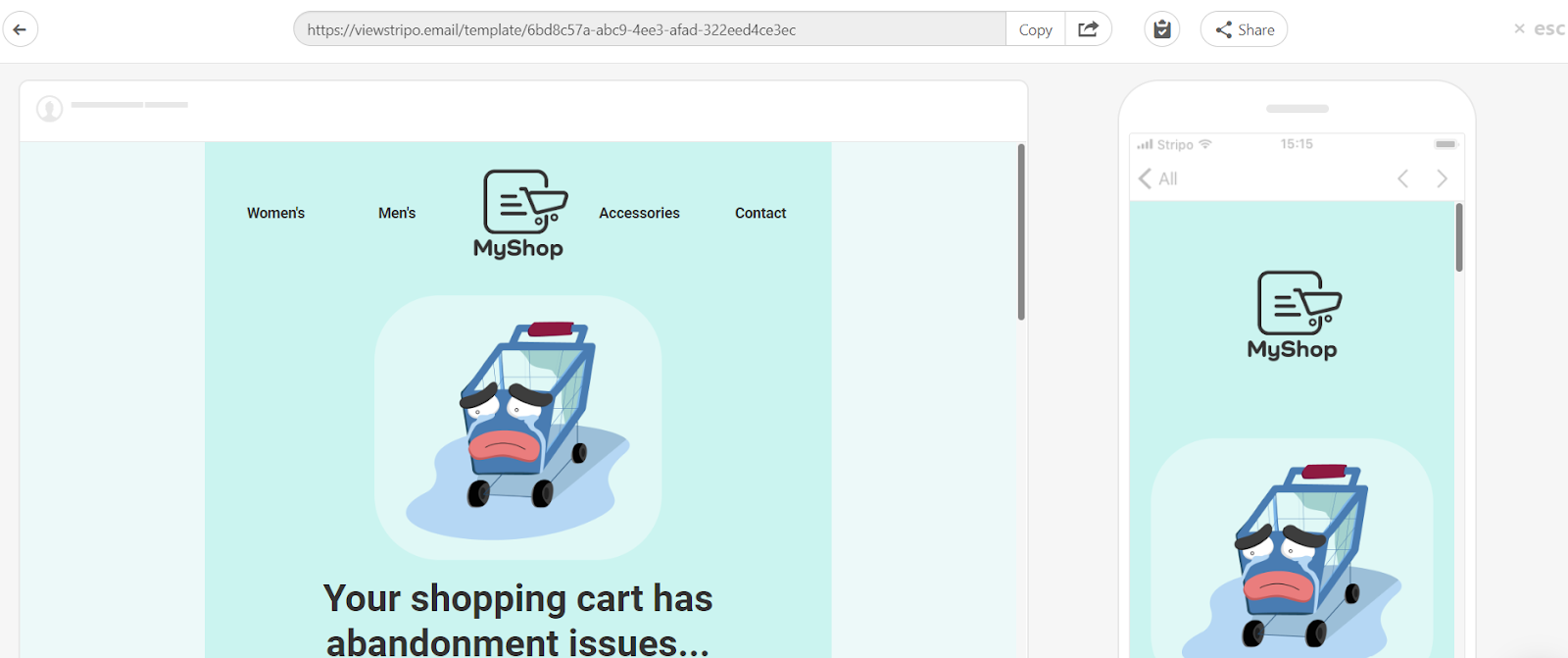
This is also an opportunity for you to test that all your links work properly.
Click on any button just as your reader would and make sure that everything leads where it should.
You can also send a test email to yourself, your business partner, or a friend, just to be sure.
Export Your Email
The last step to getting your beautiful email ready for sending is to export it to your chosen email platform.
As you can see, it supports multiple email service providers—over 75, so yours should be no issue.
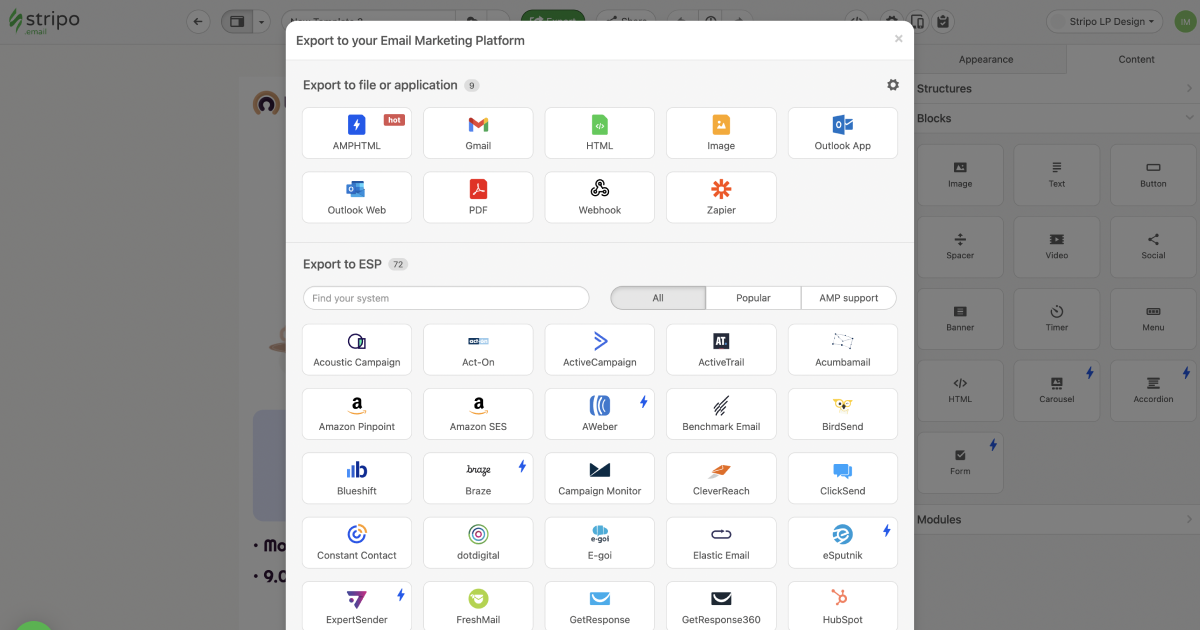
There’s one important thing to note, though—
Some templates are designed to be used exclusively with a particular email service provider.
Want AI doing the heavy lifting in your marketing?
I build the systems that handle the boring 80 percent, so you get your week back. Done properly, with the human kept in.
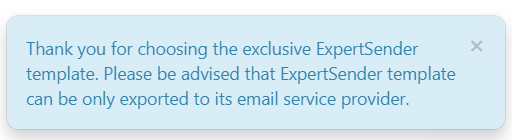
Take careful note of this upfront, because if you spend an hour designing a spectacular email and it doesn’t work with your ESP…
It might dampen your excitement for this platform just a little.
Stripo Free Resources
Demo Email Builder
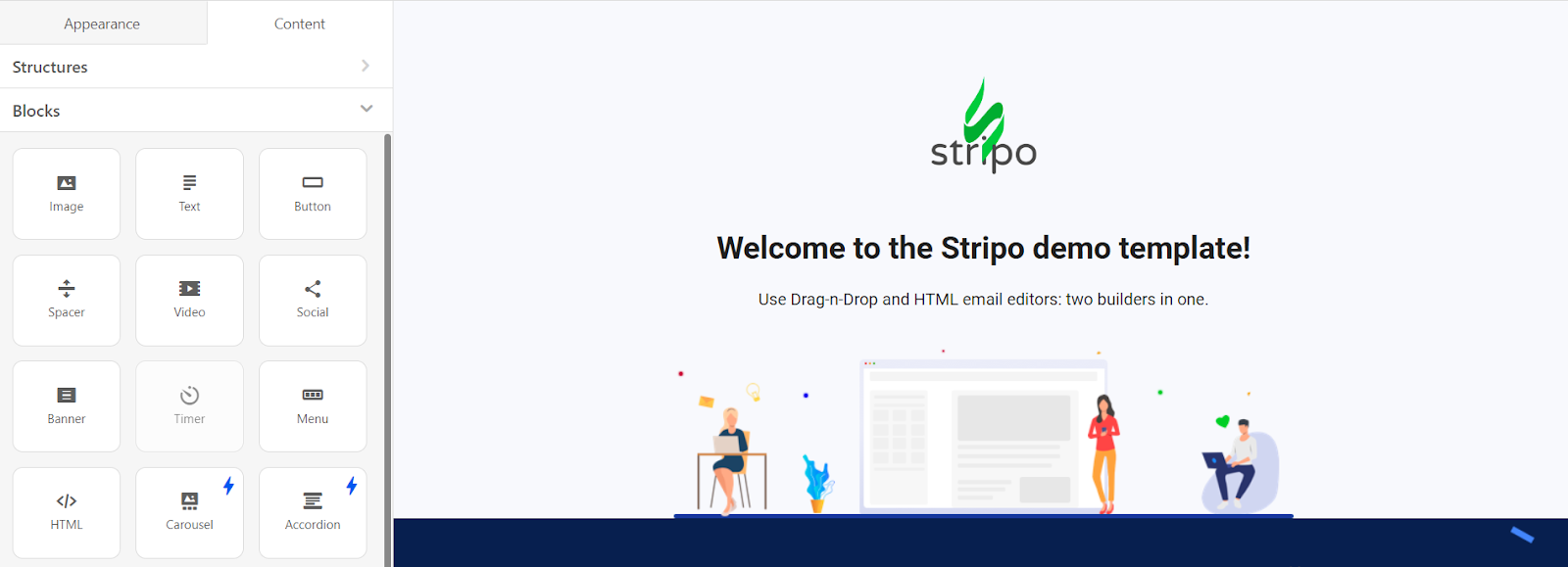
You can get a good idea of how Stripo works by playing around with their free demo builder.
You won’t be able to save your designs, but you’ll get a good idea of what you can do with this platform just by spending a few minutes here.
Value-Packed Email-Focused Blog
If you want to learn more about email marketing, the Stripo blog is the perfect resource.
It’s loaded with tutorials, tips, tricks, and information that will make you a better email writer and marketer.
Use it together with their email builder and you can expect better results from your emails!
How Much Does Stripo Cost?
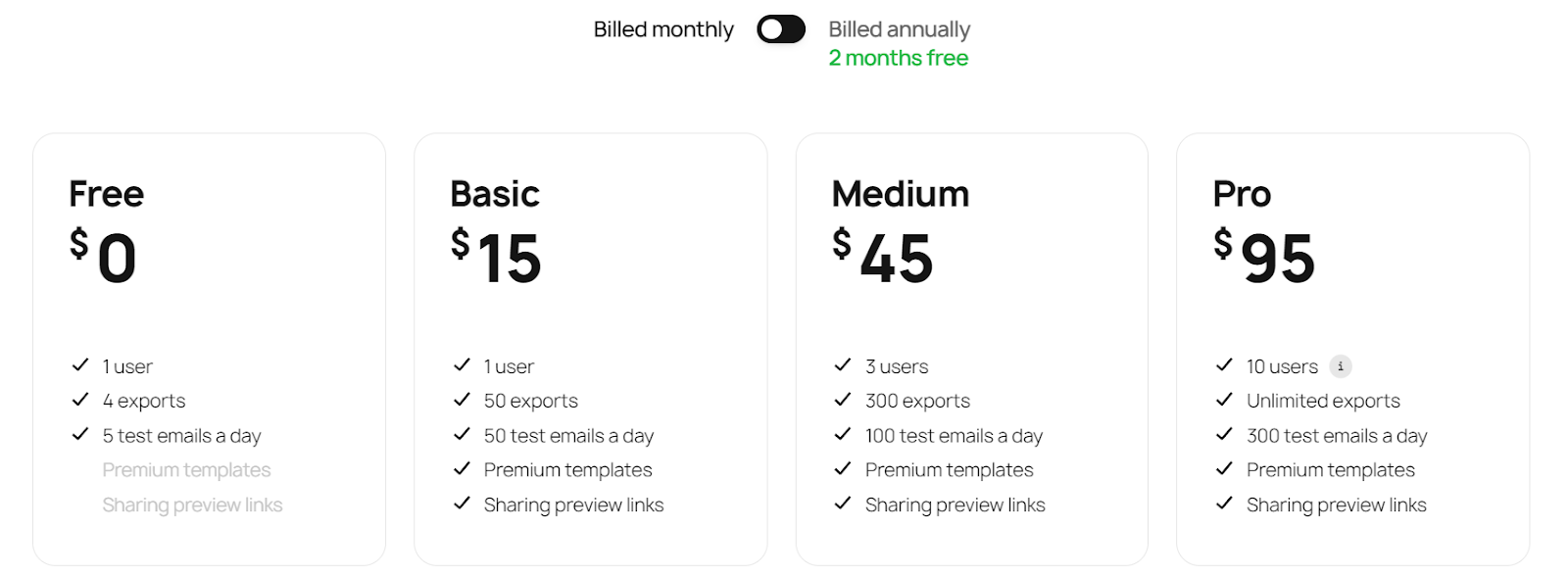
Stripo has a free plan, which allows just one user, 4 exports, and 5 test emails every day.
This is ideal for one-person businesses, but take note that you won’t be able to use the Premium templates.
But it’s absolutely worth spending just a little more per month for Premium features.
For just $15 a month you’ll be able to access Premium templates, get up to 50 exports, and 50 test emails per day.
If your biz is a little bigger and you want multiple users, you’ll need to go for the Medium or Pro plans, depending on how many users you need.
AI can now help write and time your emails. Here are the AI email marketing platforms I'd look at. Here's sourced data on how newsletter sponsorships perform in 2026.
Final Thoughts on Stripo
The way you interact with your email list can make or break your sales.
Get your words right and you’re halfway there.
But neglect design, and you’re shooting yourself in the foot!
Stripo is my favourite for creating attractive, responsive, and just plain fun designs.
It’s the easiest way to level up your email game.
It’s also quite enjoyable, so email will never be a chore again.
And it’s impressively affordable!
Give it a try and see how your sales increase!
—
Tweets
- Emails not converting? No clicks = no sales. Change that by elevating your design with Stripo → https://stripo.email/?fpr=lilach45 Published
- What stops people clicking on your CTA? Design plays a bigger role than you think. Stripo it —> https://stripo.email/?fpr=lilach45
- Dream date? Pretty, practical, and fun. Just like emails made in Stripo —> https://stripo.email/?fpr=lilach45
- Content is king. Design is queen. Get the best of both with Stripo —> https://stripo.email/?fpr=lilach45
—
Email 1
Subject: [Name], meet Stripo
Hi [name],
Trying a new email design.
What do you think?
It’s made with Stripo, which you can use for free!
Button: Try It Now!
P.S. A button CTA gets 28% more clicks. And it works best in a well-designed email 😉
Email 2
Subject: Did you know this can boost your sales?
Hi [name],
Fact: Eye-catching designs keep your reader engaged for longer.
The longer they’re engaged, the more likely they are to click.
Want to boost your sales?
Elevate your email designs with Stripo.
It’s easy. Cheap. And effective.
And it gets my vote 🙂
Button: Make More Sales With Stripo Now!
Email 3
Subject: Try this trick to get more sales
Hi [name],
What if you could:
- Build better relationships with your email list
- Keep them interested in your products & services
- Automate your communications
- Make more sales with little effort
- Do it all in eye-catching style
- And for free?
Stripo makes it happen.
Start for free…
Your ROI could be in the hundreds.
Don’t pass up the chance…
It won’t cost you a thing!
Button: Make More Sales Now With Stripo
Email 4
Subject: My recommendation of the year
Hi [name],
I love sharing products that have helped my business to grow.
Stripo is one of those.
It’s not just a simple way to design eye-catching emails quickly.
It’s the easiest way to elevate your professional status…
Catch eyes…
And ultimately, make a ton more sales.
Try it now, you’ve got nothing to lose!
Button: Create Beautiful Emails for Free!
Want a hand with AI in your business? Here is how to work with me.
Related reading: How to design beautiful emails that convert and Adsy: How to run an effective guest posting campaign without stress.


